K-ETA Photo Maker Online

Upload a phone photo to make, crop, resize, compress, and check a South Korea K-ETA photo online. PhotoOmni prepares a reviewed 700 × 700 pixel JPEG below the official 100 KB upload limit.

Mit einem Foto beginnen

KI-geprüftVon Experten geprüftExpertenoptimierungGeld-zurück-Garantie
K-ETA Photo Maker Online

Fotospezifikationen

PhotoOmni output
700 × 700 px
Official maximum dimensions
700 × 700 px
Maximum file size
100 KB
File format
JPEG
Application route
Official K-ETA website or app

How PhotoOmni Works

Get your document photo in just three simple steps.

  1. Upload a photo

    Upload a clear, recent front-facing photo from an iPhone, Android phone, or camera.

  2. Resize + AI and expert review

    The tool centres the face, creates a square crop, resizes it to 700 × 700 pixels, compresses it below 100 KB, and checks visible issues.

  3. Download K-ETA JPEG

    Download the reviewed JPEG and upload it through the official K-ETA website or app.

South Korea K-ETA photo guide

K-ETA Photo Requirements and Online Photo Maker

Make a K-ETA photo online, understand the official upload limits, and avoid the size, compression, crop, and visibility problems that can stop a digital photo from uploading.

K-ETA photo requirements

Official Korean guidance sets a maximum of 700 pixels for both width and height and a maximum file size of 100 KB. PhotoOmni prepares a clear square JPEG at the maximum 700 × 700 dimensions and compresses it below the file-size limit.

Official source: Official K-ETA application guide

Maximum width
700 pixels
Maximum height
700 pixels
Maximum file size
100 KB
PhotoOmni output
700 × 700 px JPEG under 100 KB
Face
Front-facing, clear, complete, and unobstructed
Editing
No filters or retouching that changes appearance
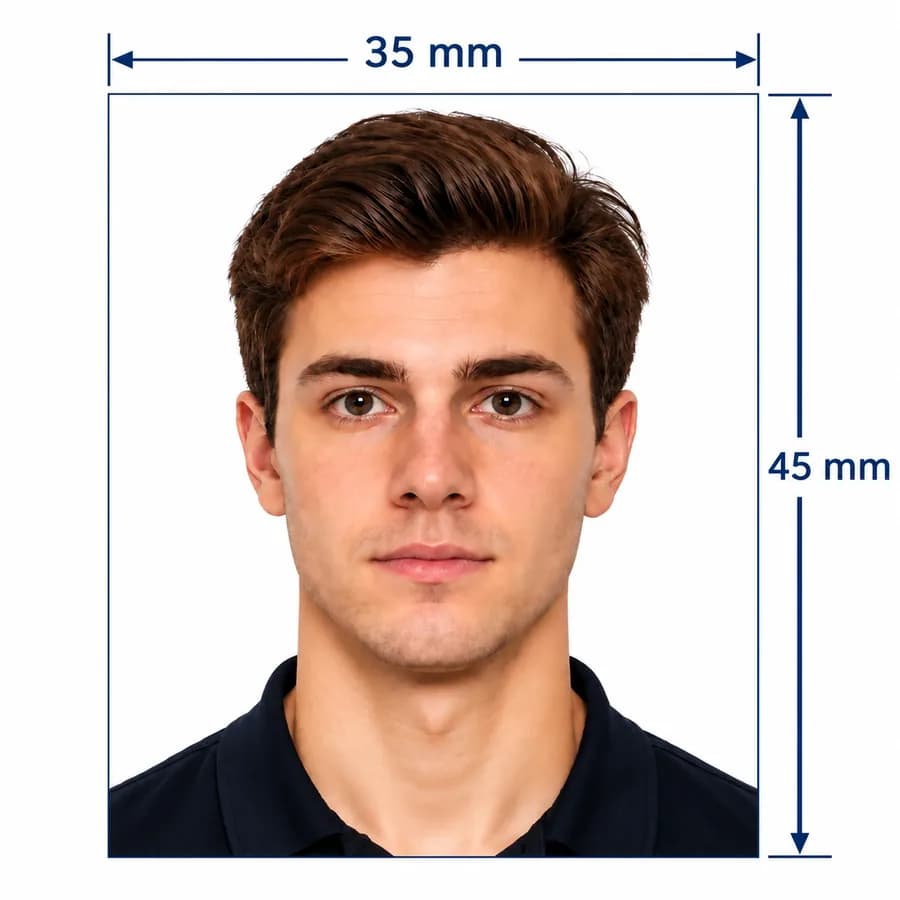
35 × 45 mm
Korean visa photo reference; not the K-ETA upload rule

When a K-ETA photo is used

K-ETA is an electronic travel authorisation for eligible visa-free visitors, not a visa. Always check the live eligibility and exemption notice before applying.

Official website application

Prepare the face-photo file before completing an application at k-eta.go.kr, then upload the reviewed JPEG when the form requests it.

Official mobile app application

Use a clear phone portrait in the official K-ETA app. PhotoOmni is useful when you want a pre-sized, compressed, and reviewed file before upload.

Eligibility or temporary exemption check

Some travellers are temporarily exempt through 31 December 2026, while others may still need K-ETA. Check the official site before purchasing a photo or submitting an application.

How to take a K-ETA photo with your phone

A clear, natural phone portrait is usually the best starting point for a small digital upload file.

  • Ask another person to take the photo at eye level instead of holding the phone close to your face.
  • Face the camera directly, keep your head upright, and leave space around the head for a square crop.
  • Use soft, even front lighting and avoid shadows across the face.
  • Stand before a plain, uncluttered, light background and wear contrasting clothing.
  • Keep the full face and both eyes visible; remove dark glasses and distracting accessories.
  • Turn off beauty mode, portrait blur, skin smoothing, facial reshaping, and colour filters.

Common K-ETA photo upload and rejection problems

These technical and portrait issues are worth checking before the file reaches the official application.
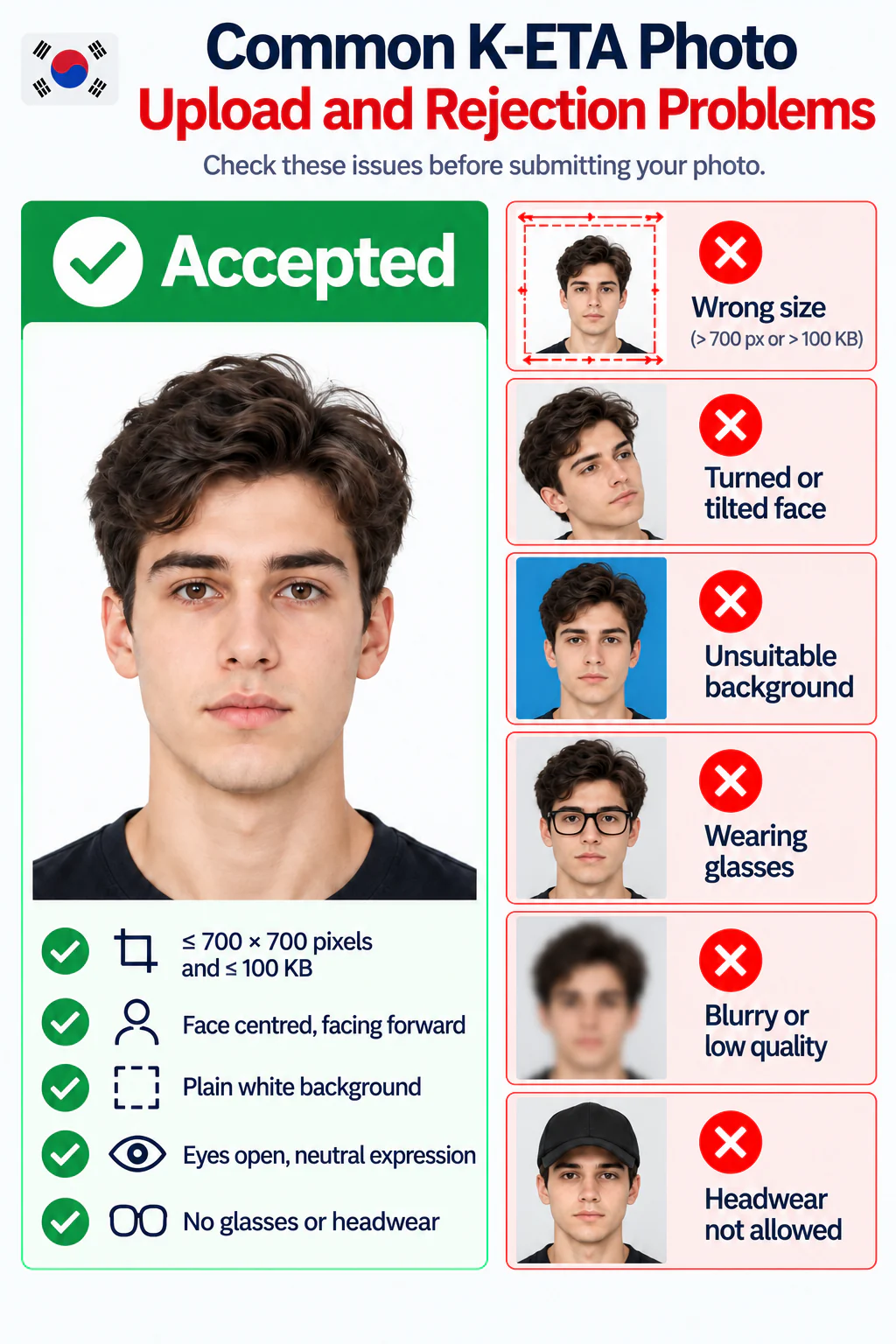
Accepted K-ETA photo and common upload and rejection problems
  • The file exceeds 100 KB or either dimension is greater than 700 pixels.
  • A 35 × 45 mm print was scanned and uploaded without checking the digital limits.
  • The face is too small, off-centre, turned, tilted, obscured, or cropped.
  • The image is blurry, pixelated, dark, overexposed, or heavily compressed.
  • The background is cluttered or strong shadows make the face hard to identify.
  • Beauty filters, retouching, or AI effects change the applicant's appearance.

PhotoOmni vs. other K-ETA photo options

Choose a method that handles both the strict digital limits and the visible quality of the face photo.

  • 700 px and 100 KB output

    PhotoOmni
    Purpose-built K-ETA JPEG
    Other online tools
    May resize or compress only
    Photo studio
    Ask before visiting
  • Photo checking

    PhotoOmni
    AI pre-check plus expert review
    Other online tools
    Often automated only
    Photo studio
    Depends on local experience
  • Phone convenience

    PhotoOmni
    Upload from home
    Other online tools
    Usually online
    Photo studio
    Requires a visit
  • Rejection protection

    PhotoOmni
    100% refund for covered photo rejection
    Other online tools
    Policy varies
    Photo studio
    Policy varies
  • Total price & inclusions

    PhotoOmni
    One-time fee of $5.99
    Other online tools
    Add-ons can cost $3–$10+
    Photo studio
    Often $15+; files vary

Offizielle Anforderungen

  • Use a recent, clear image that shows your current appearance and full face.
  • Face the camera directly with your head upright, centred, and unobstructed.
  • Use even lighting and a plain, uncluttered background so the face is easy to identify.
  • Do not use beauty filters, facial reshaping, heavy retouching, or effects that change your appearance.

Häufig gestellte Fragen

What is the official K-ETA photo size?
Maximum 700 pixels in either dimension and 100 KB. PhotoOmni delivers a 700 × 700 pixel JPEG below 100 KB.
Does a K-ETA photo have to be 35×45 mm?
No. K-ETA uses digital pixel and file-size limits; 35 × 45 mm is commonly used for Korean visa photos.
Can I make a K-ETA photo online from an iPhone or Android phone?
Yes. Upload a clear phone portrait for cropping, resizing, compression, and checking. Avoid close selfies.
Can PhotoOmni resize a K-ETA photo below 100 KB?
Yes. PhotoOmni delivers a clear 700 × 700 pixel JPEG below 100 KB.
What does the K-ETA photo checker review?
It checks crop, dimensions, file size, face position, lighting, background, sharpness, and filters, followed by expert review.
Can I use an existing passport photo for K-ETA?
Yes, if it is recent, matches your current appearance, shows the full face, and meets the upload limits.
Why might a K-ETA photo be rejected or fail to upload?
Common causes are files over 100 KB or 700 pixels, blur, darkness, poor cropping, obstructions, shadows, or filters.
Who needs K-ETA for South Korea?
Eligible visa-free travellers may need it, but some nationalities are exempt through 31 December 2026. Check current eligibility on the official K-ETA site.
Does PhotoOmni submit my K-ETA application?
No. PhotoOmni only prepares the photo. Apply and pay through k-eta.go.kr or the official app.
How quickly will my K-ETA photo be ready?
Most usable uploads are ready in 3–15 minutes after payment.
What if my PhotoOmni K-ETA photo is rejected?
Send the rejection evidence to support. Eligible photo-related cases receive a 100% refund.

Bereit, Ihr Foto zu erstellen?

Laden Sie ein Foto hoch und erhalten Sie in wenigen Minuten ein fertiges Dokumentenfoto.

3–15 Min.100 % Geld-zurück-Garantie