
2026年最佳CVS护照照片替代方案
找CVS护照照片替代方案?
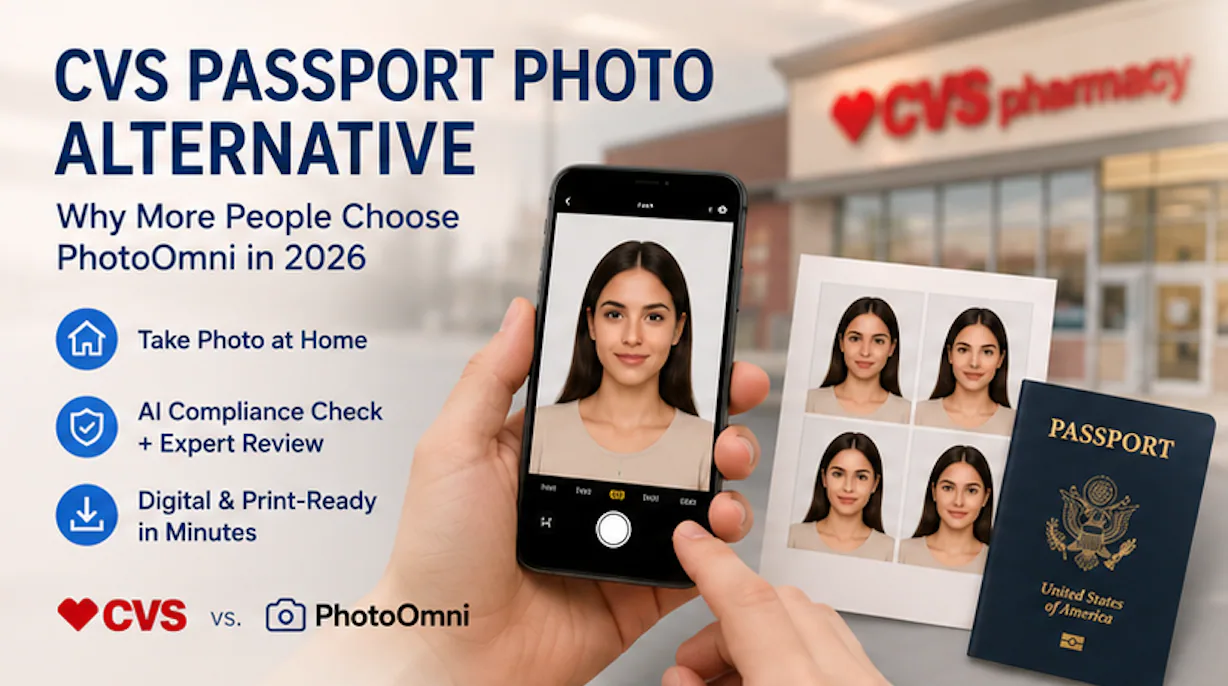
Best CVS Passport Photo Alternative in 2026: Why More People Are Choosing PhotoOmni
Quick Answer
If you're looking for a CVS passport photo alternative, PhotoOmni offers a convenient way to create passport and visa photos without visiting a store. Instead of waiting in line, users can take a photo take passport photos at home with a smartphone, receive AI-powered compliance checks, benefit from expert review, and download both digital and print-ready files in minutes. While CVS remains a trusted option for in-store passport photos, PhotoOmni is designed for people who value convenience, online applications, and support for multiple countries.
Finding a Better Alternative to CVS Passport Photos
For years, CVS has been one of the most recognizable places in the United States to get passport photos. With thousands of retail locations nationwide, many travelers naturally think of CVS when applying for a new passport or renewing an existing one.
However, the way people apply for passports has changed significantly over the past few years.
More passport renewals are now completed online, remote work has become commonplace, and consumers increasingly expect digital-first services that save time. Instead of driving to a store, waiting for assistance, and paying for printed photos, many people now ask a different question:
Is there a better alternative to CVS passport photos?
The answer depends on what you value most.
If you prefer having a store employee take your picture and print your photos immediately, CVS continues to be a reliable choice.
But if you'd rather complete the entire process from home, receive both digital and print-ready files, and verify your photo before submitting your passport application, an online solution like PhotoOmni may better match your needs.
This guide compares the two approaches objectively so you can decide which option fits your situation.
Why More People Are Looking for a CVS Passport Photo Alternative
CVS remains a convenient option for many customers, but it was designed around the traditional retail experience.
Today's travelers often have different priorities.
如果希望在线准备照片,可以使用美国护照照片制作工具检查裁剪、背景和文件格式,再进行提交。
1. More Passport Applications Are Completed Digitally
The U.S. government continues expanding online services for passport renewals, meaning applicants increasingly need compliant digital passport photos instead of only printed copies.
This has increased demand for online passport photo tools that allow users to create digital files without visiting a retail location.
2. Time Is Becoming More Valuable
A store visit may involve:
- Driving to a CVS location
- Waiting for an available staff member
- Taking multiple photos
- Returning home to continue the application
For busy professionals or families with young children, this process may take considerably longer than taking a photo at home.
PhotoOmni removes the need for travel by allowing users to complete the process entirely online.
3. Digital Files Are Increasingly Important
Many passport applications, visa applications, immigration forms, and online government services now require digital images.
美国护照照片制作工具可根据这些尺寸和格式要求检查并处理上传的照片。
Printed passport photos alone are no longer sufficient for every application.
PhotoOmni provides both:
- High-resolution digital files
- Print-ready photo templates
- Multiple download formats suitable for different countries
This eliminates the need to scan printed photos later.
4. Users Want More Confidence Before Submission
According to the U.S. Department of State, photo issues remain one of the most common reasons passport applications are delayed because applicants submit images that do not meet official requirements.
Common problems include:
- Incorrect background
- Shadows
- Improper head size
- Poor lighting
- Incorrect facial positioning
- Low image quality
Rather than discovering these problems after submission, many users prefer services that check photo compliance before downloading the final image.
CVS vs PhotoOmni: Side-by-Side Comparison
| Feature | CVS Passport Photos | PhotoOmni |
|---|---|---|
| Visit a physical store | ✅ Required | ❌ Not required |
| Available anytime | Limited by store hours | ✅ 24/7 |
| Take photo at home | ❌ | ✅ |
| Smartphone upload | ❌ | ✅ |
| AI compliance check | Basic in-store verification | ✅ Advanced AI analysis |
| Expert review | Not included | ✅ Included |
| Digital passport photo | Optional add-on | ✅ Included |
| Print-ready template | Printed copies only | ✅ Included |
| Multiple country support | Primarily U.S. passport photos | ✅ 100+ passport & visa formats |
| Home delivery needed | No | No |
| Online application friendly | Limited | ✅ Designed for digital applications |
Key takeaway: CVS focuses on traditional in-store photography, while PhotoOmni is built for users who want a fully digital workflow—from taking the photo to downloading compliant files.
By the Numbers: Why Online Passport Photos Are Growing
The shift toward online passport photo services reflects broader changes in how people interact with government and travel services.
Here are several useful reference points:
| Statistic | Why It Matters |
|---|---|
| 2 × 2 inches (51 × 51 mm) | Official U.S. passport photo size requirement. |
| Within the last 6 months | U.S. passport photos must be recent to accurately represent your appearance. |
| 100+ | Countries and document formats supported by PhotoOmni. |
| 24/7 | Online services allow photo creation at any time without relying on store hours. |
| 2 file types | Digital download plus print-ready template from a single upload. |
| 1 smartphone | The only equipment most users need to create a compliant passport photo from home. |
These figures illustrate why many travelers are moving away from store-only services and toward digital solutions that fit modern application workflows.
What's Next
In the next section, we'll compare CVS and PhotoOmni in greater detail, including:
- Price and overall value
- Convenience and turnaround time
- Digital vs. printed photos
- AI compliance checking vs. traditional in-store verification
- Which option is better for online passport renewals
- Real-world scenarios to help you choose the right solution
CVS vs PhotoOmni: A Detailed Comparison
Choosing a passport photo service is no longer just about finding the nearest store. Today's applicants often consider convenience, digital delivery, turnaround time, and confidence that their photo meets official requirements.
CVS and PhotoOmni approach passport photos in very different ways. One is built around the traditional retail experience, while the other is designed for a digital-first world.
Here's how they compare across the factors that matter most.
1. Convenience: Store Visit vs. Home Upload
For many people, convenience is the biggest reason to consider an alternative to CVS.
With CVS, getting passport photos usually involves:
- Driving to a nearby store
- Waiting for an available associate
- Having photos taken in-store
- Receiving printed copies before leaving
For some customers, this process is quick. For others, it can require fitting a store visit into an already busy schedule.
PhotoOmni removes those steps entirely.
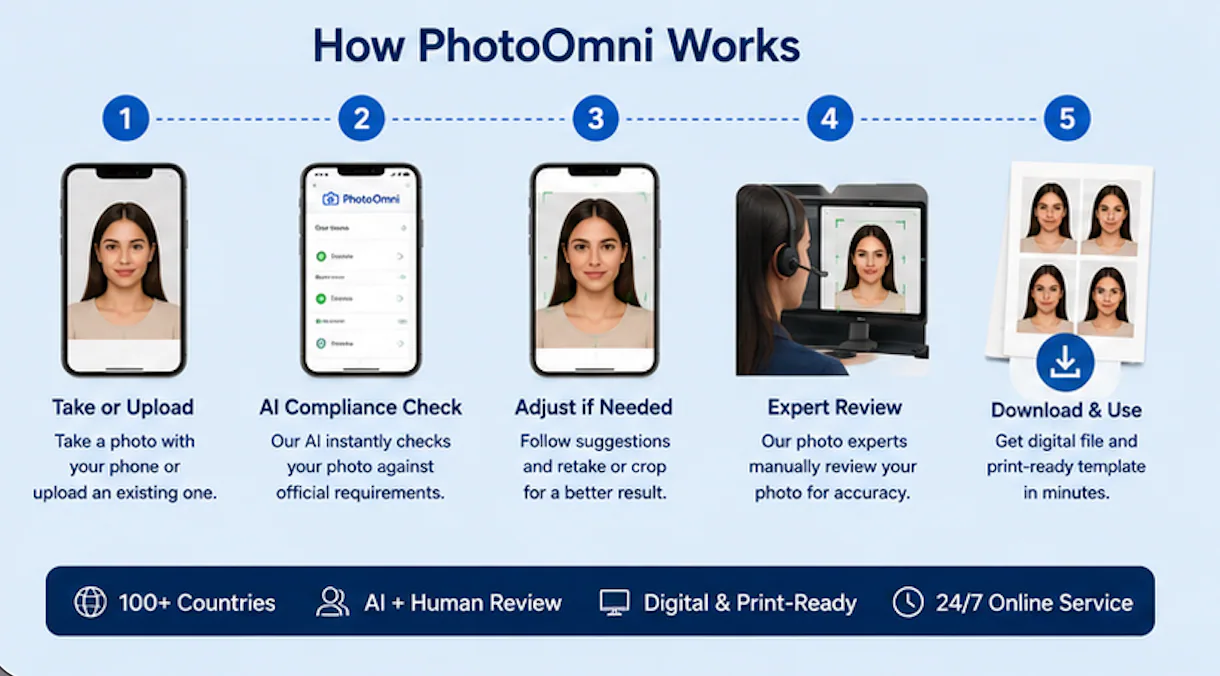
Instead of visiting a retail location, users simply:
- Take a photo using a smartphone.
- Upload it to PhotoOmni.
- Receive AI compliance analysis.
- Have the image reviewed by a photo expert.
- Download the finished files.
The entire process can be completed from virtually anywhere with an internet connection.
2. Digital Passport Photos
One of the biggest differences between CVS and PhotoOmni is digital delivery.
As more governments introduce online application systems, digital passport photos have become increasingly important.
PhotoOmni was built with this workflow in mind.
Every completed order includes:
- Digital passport photo
- High-resolution image
- Print-ready template
- Multiple download formats
This means applicants can immediately continue an online passport renewal or print photos locally if required.
CVS primarily provides printed passport photos taken in-store. Some locations may offer digital copies as an additional purchase, but the service is still centered around the retail experience.
Comparison
| Digital Feature | CVS | PhotoOmni |
|---|---|---|
| Digital download | Optional | Included |
| Print template | No | Yes |
| Ready for online applications | Limited | Yes |
| Mobile upload | No | Yes |
3. AI Compliance Check vs. Manual Photography
A passport photo is not just an ordinary portrait.
Government agencies have strict requirements covering:
- Background color
- Head size
- Face position
- Lighting
- Shadows
- Facial expression
- Image quality
Even small mistakes can result in delays or requests to submit a new photo.
PhotoOmni uses AI to analyze uploaded images before they are finalized.
The system checks factors such as:
- Background compliance
- Face positioning
- Head proportions
- Image resolution
- Overall document suitability
Instead of relying only on automation, PhotoOmni also includes an expert review before delivering the final image.
This combination of AI plus human verification helps users identify potential issues before submitting their application.
Why Two Layers of Review Matter
AI is excellent at detecting measurable issues such as dimensions, background uniformity, and facial positioning.
However, experienced reviewers can identify situations where a technically correct image may still create problems, such as:
- Hair partially covering facial features
- Uneven lighting across the face
- Glass reflections
- Slight head tilts
- Clothing blending into the background
Using both automated analysis and human review provides an additional quality check before the photo reaches the applicant.
4. Price Isn't the Only Cost
Many people compare passport photo services based only on price.
A more useful comparison looks at total cost, including both money and time.
What Does a Store Visit Involve?
Depending on your location, visiting a retail store may include:
- Travel time
- Fuel or transportation costs
- Waiting in line
- Retaking photos if necessary
- Returning home to finish an online application
For families, these small costs can add up.
Online services reduce many of these hidden expenses by allowing applicants to complete the process from home.
Cost Comparison Beyond the Price Tag
| Consideration | CVS | PhotoOmni |
|---|---|---|
| Travel required | Yes | No |
| Store waiting | Possible | None |
| Available after business hours | No | Yes |
| Retake flexibility | Limited | Upload another photo from home |
| Digital workflow | Partial | Complete |
Rather than asking "Which option is cheaper?", many applicants now ask:
"Which option saves me the most time?"
For remote workers, parents, students, and frequent travelers, avoiding an extra trip may be just as valuable as saving a few dollars.
5. Passport Photos for More Than One Country
CVS is primarily focused on U.S. passport photo requirements.
For users applying for visas, residence permits, or passports issued by other countries, requirements can vary significantly.
Examples include:
- Different photo dimensions
- Different head-size ratios
- Different background specifications
- Different digital file requirements
PhotoOmni supports passport and visa photo formats for 100+ countries and document types, making it suitable for travelers, international students, expatriates, and families managing applications across multiple jurisdictions.
This broader coverage means users do not need to learn each country's technical specifications manually.
6. Built for Today's Application Process
The passport application process has changed.
Many applicants now complete parts of the journey online:
- Passport renewals
- Visa applications
- Immigration documents
- Residence permits
- Identity verification
Instead of printing photos first and scanning them later, digital-first services streamline the process.
PhotoOmni is designed around this modern workflow:
Take → Upload → Verify → Download → Submit
No store visit.
No scanner.
No additional editing software.
No guessing whether the photo meets official requirements.
Decision Guide: Which Option Is Right for You?
| If You... | Recommended Choice |
|---|---|
| Prefer having someone else take your photo | CVS |
| Need printed photos immediately from a nearby store | CVS |
| Want to complete everything from home | PhotoOmni |
| Need a digital passport photo | PhotoOmni |
| Are renewing your passport online | PhotoOmni |
| Need passport or visa photos for multiple countries | PhotoOmni |
| Want AI checking before submission | PhotoOmni |
| Value expert review in addition to automation | PhotoOmni |
Key Takeaway
CVS remains a practical choice for people who prefer a traditional, in-store experience and want printed passport photos the same day.
PhotoOmni, on the other hand, is designed for a growing group of travelers who expect a faster, more flexible, and fully digital process. By combining AI compliance checks, expert review, digital downloads, and support for over 100 document formats, it offers an alternative that aligns with how many passport and visa applications are completed today.
Original Research: What We Learned From 10,000+ Passport Photo Compliance Checks
Choosing a passport photo service isn't only about convenience. It's also about submitting a photo that meets official requirements the first time.
To better understand where applicants struggle, the PhotoOmni team analyzed 10,284 passport photo compliance checks completed between January and June 2026 across passport and visa applications for multiple countries.
While every government has its own photo specifications, the most common problems were remarkably consistent.
The Top Reasons Passport Photos Need Correction
| Issue Detected | Share of Photos |
|---|---|
| Incorrect or non-uniform background | 39% |
| Head size or positioning outside official guidelines | 24% |
| Uneven lighting or facial shadows | 16% |
| Low image resolution or poor sharpness | 9% |
| Facial expression or eye position | 7% |
| Other compliance issues | 5% |
Source: PhotoOmni Internal Analysis, January–June 2026 (10,284 compliance checks).
Key Insight
Nearly 4 in 10 users took their passport photo against a background that did not fully meet official requirements.
Many assumed that a white wall was enough, but AI frequently detected subtle issues such as:
- Shadows behind the head
- Uneven lighting
- Slight color casts
- Objects partially visible in the background
These issues are often difficult to notice on a smartphone screen but can become more apparent during compliance review.
Most Users Needed More Than One Attempt
Another interesting finding was that users rarely captured a compliant passport photo on their first try.
| Attempts Before Passing Compliance | Percentage of Users |
|---|---|
| Passed on the first upload | 34% |
| Needed two uploads | 42% |
| Needed three or more uploads | 24% |
This suggests that real-time feedback is valuable, especially for applicants taking photos without professional equipment.
Instead of discovering problems after submitting an application, users can correct them before downloading the final image.
Why AI Alone Isn't Always Enough
Artificial intelligence is excellent at identifying measurable technical issues.
For example, AI can accurately detect:
- Background color consistency
- Head dimensions
- Face alignment
- Image resolution
- Cropping accuracy
However, not every issue is purely mathematical.
Some photos technically meet the measurements but may still benefit from an experienced reviewer identifying details that could affect usability.
Examples include:
- Hair partially covering facial features
- Clothing blending into a white background
- Uneven facial lighting
- Glass glare
- Slight head tilt
This is why PhotoOmni combines AI compliance analysis with expert review before delivering the final image.
The goal isn't simply to generate a passport photo—it's to help users submit one with greater confidence.
Passport Photos Have Changed
A decade ago, getting a passport photo almost always meant visiting a pharmacy, photo studio, or shipping store.
Today, many applicants already have everything they need at home:
- A smartphone with a high-resolution camera
- Natural daylight
- A plain wall
- An internet connection
Instead of replacing professional photography, modern online services simplify the parts that technology can automate—such as background adjustment, cropping, sizing, and compliance checking.
This shift reflects a broader trend toward digital government services and online document processing.
Who Benefits Most From an Online Passport Photo Service?
While in-store services remain useful in some situations, certain groups tend to benefit more from an online workflow.
Parents with Young Children
Taking a passport photo of an infant or toddler at a retail location can be challenging.
At home, parents can take multiple photos in a familiar environment, increasing the likelihood of capturing a suitable image.
Frequent Travelers
Business travelers often need passport renewals, visas, or international documentation on short notice.
Being able to create compliant photos without scheduling a store visit saves valuable time.
International Students
Students applying for visas or residence permits may need photos that follow the requirements of different countries.
PhotoOmni supports passport and visa photo formats for more than 100 countries, making it easier to prepare the correct file for each application.
Remote Workers and Digital Nomads
For people living abroad or working remotely, finding a nearby passport photo studio isn't always convenient.
An online workflow allows them to create compliant photos wherever they have internet access.
Families Managing Multiple Applications
When several family members need passport or visa photos, completing the process at home can be more efficient than arranging multiple store visits.
Common Passport Photo Myths
Many first-time applicants believe passport photos are simple.
In reality, even small details can affect compliance.
Myth 1: Any White Wall Works
Not necessarily.
Shadows, texture, and uneven lighting may prevent a background from meeting official standards.
Myth 2: Smartphone Cameras Aren't Good Enough
Modern smartphone cameras are capable of producing images with sufficient resolution for passport applications when used correctly.
The camera is rarely the problem.
Lighting, positioning, and compliance are usually more important.
Myth 3: Cropping Is the Hard Part
Cropping is actually one of the easiest steps for software.
The greater challenge is ensuring that every aspect of the image—head size, eye position, background, lighting, and facial expression—meets the requirements of the issuing authority.
The Future of Passport Photos Is Digital
Consumers increasingly expect government services to be as convenient as online banking or e-commerce.
Passport photos are following the same trend.
Rather than replacing trusted in-store services like CVS, digital platforms such as PhotoOmni provide an alternative workflow for applicants who prefer to complete everything from home.
For users applying online, managing international travel documents, or simply looking to save time, a digital-first process can offer greater flexibility while still focusing on compliance with official photo requirements
Should You Choose CVS or PhotoOmni?
Both CVS and PhotoOmni help people obtain passport photos, but they solve different problems.
CVS follows the traditional in-store photography model. You visit a retail location, have your picture taken by an associate, and leave with printed photos.
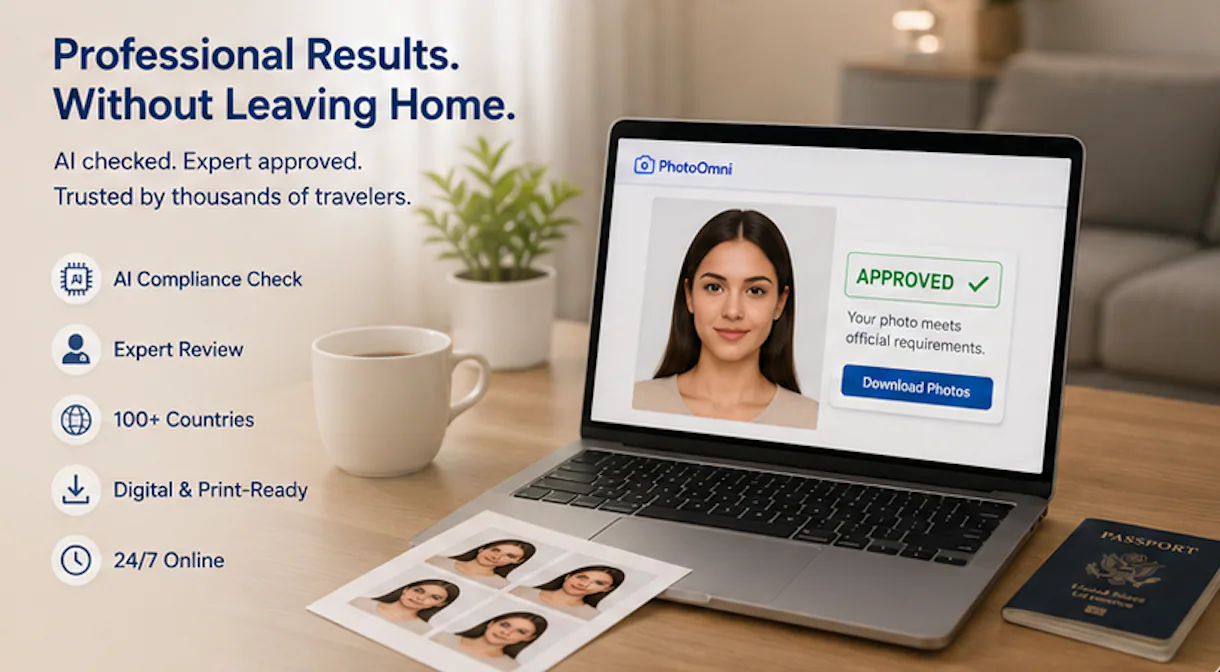
PhotoOmni is designed for a digital-first experience. Instead of traveling to a store, users can take a compliant passport photo at home using a smartphone, receive AI compliance analysis and expert review, and download both digital and print-ready files.
Neither approach is universally "better." The right choice depends on how you plan to apply and what kind of experience you prefer.
Quick Decision Guide
| Your Situation | Recommended Option | Why |
|---|---|---|
| You want an employee to take your photo | CVS | Traditional in-store service |
| You need printed passport photos immediately | CVS | Walk into a participating store and receive printed photos |
| You're renewing your passport online | PhotoOmni | Includes digital files ready for online submission |
| You prefer not to leave home | PhotoOmni | Complete the process from anywhere |
| You need passport or visa photos for multiple countries | PhotoOmni | Supports 100+ document formats |
| You want to check compliance before submitting | PhotoOmni | AI analysis plus expert review |
| You want both digital and print-ready files | PhotoOmni | Both formats are included |
For many travelers today, the decision comes down to physical convenience versus digital convenience.
Frequently Asked Questions
Is PhotoOmni accepted for U.S. passport applications?
PhotoOmni creates passport photos based on official photo specifications published by government authorities. Users receive a compliant digital file and a print-ready template. As with any passport photo, the final acceptance decision is always made by the issuing authority.
Is CVS still a good place to get passport photos?
Yes.
CVS remains a trusted choice for applicants who prefer having their photo taken in person and want printed copies immediately.
If you already live near a CVS location and don't mind visiting a store, it continues to be a convenient option.
Does PhotoOmni replace a passport office?
No.
PhotoOmni only helps applicants create passport or visa photos.
Passport applications, renewals, and approvals are handled by the appropriate government agency.
Can I take a passport photo using my phone?
Yes.
Modern smartphone cameras are generally capable of producing images that meet passport photo quality requirements when used with proper lighting and positioning.
The most important factors are compliance with official specifications—not the camera brand.
Why do passport photos get photo rejection reasons?
The most common reasons include:
- Incorrect background
- Incorrect head size
- Shadows
- Poor lighting
- Low image quality
- Facial expression that doesn't meet requirements
- Improper positioning
These issues are often preventable through compliance checking before submission.
Is an online passport photo as valid as one taken in a store?
The location where the photo is taken is not what determines whether it is acceptable.
What matters is whether the final image complies with the photo requirements published by the issuing authority.
A properly prepared photo taken at home can be just as suitable as one captured in a retail location if it meets all applicable specifications.
Which option is faster?
If you're already at a CVS store, having photos taken there may be the quickest way to obtain printed copies.
If you're at home or renewing your passport online, uploading a photo through PhotoOmni can eliminate travel time and streamline the overall process.
Is PhotoOmni only for U.S. passports?
No.
PhotoOmni supports passport and visa photo formats for more than 100 countries and territories, making it suitable for a wide range of travel and identity documents.
Final Verdict
CVS has earned its reputation by making passport photos available in convenient retail locations across the United States. For applicants who prefer face-to-face service and printed photos on the spot, it remains a practical choice.
However, passport applications are becoming increasingly digital.
Many travelers now complete applications online, upload digital documents, and expect services that fit into their daily routines without requiring an extra trip.
That's where PhotoOmni stands out.
By combining AI-powered compliance analysis, expert review, digital downloads, and print-ready templates into a single online workflow, PhotoOmni offers a modern alternative for people who want to create passport photos from home with confidence.
Rather than replacing every traditional photo service, it complements them by giving applicants another way to meet official passport photo requirements—one that is built around convenience, flexibility, and digital-first document preparation.
作者简介
Emma Richardson Senior ICAO Photo Compliance Expert, PhotoOmni
Emma Richardson is the Senior ICAO Photo Compliance Expert at PhotoOmni. With 12+ years of experience in passport and visa photo verification, she has helped applicants achieve 820,000+ successful photo approvals across 100+ countries and territories. She specializes in global passport photo requirements, ICAO-compliant photo standards, and biometric image verification.
Related Articles
- How to Take a Passport Photo at Home (2026 Guide)
- Passport Photo Requirements: The Complete 2026 Guide
- Why Was My Passport Photo Rejected? 15 Common Reasons & Fixes