
How to Take a Passport Photo on Android — No App Download Needed
Quick answer: You can take a passport photo with any recent Android phone. Use the rear camera at 1× zoom, disable beauty filters, stand in even natural light, and keep the original photo at full resolution. You do not need to install an app—upload the image in your browser to crop it to the required size and check it against the rules for your document.
Camera quality is rarely the limiting factor. Lighting, distance, automatic face enhancement, and the requirements for your country matter more than the Android model you use.
Do you need a passport photo app on Android?
Not necessarily. Your Android camera can capture the original image, an installed app can guide and format it, and a browser tool can crop and check it without taking up storage space. For a one-time passport photo, the camera-plus-browser approach is usually the simplest because there is nothing to install.
| Method | Download | Storage access | Cropping/checking | Best for |
|---|---|---|---|---|
| Android camera only | No | Local only | Manual | Taking the original photo |
| Installed app | Yes | Depends on the app | Usually included | Frequent use |
| Browser tool | No | Upload required | Included | One-time passport photo |
Android camera settings checklist
Check these settings before you take the final image. Menu names vary by manufacturer and Android version, but the same principles apply to Samsung, Pixel, Xiaomi, Redmi, OnePlus, OPPO, Motorola, and other recent phones.
- Rear camera
- Standard 1× lens
- 4:3 aspect ratio
- Highest available JPEG quality
- Beauty and face retouching off
- Portrait mode and artificial background blur off
- Flash off unless the issuing authority says otherwise
- Original full-resolution file retained
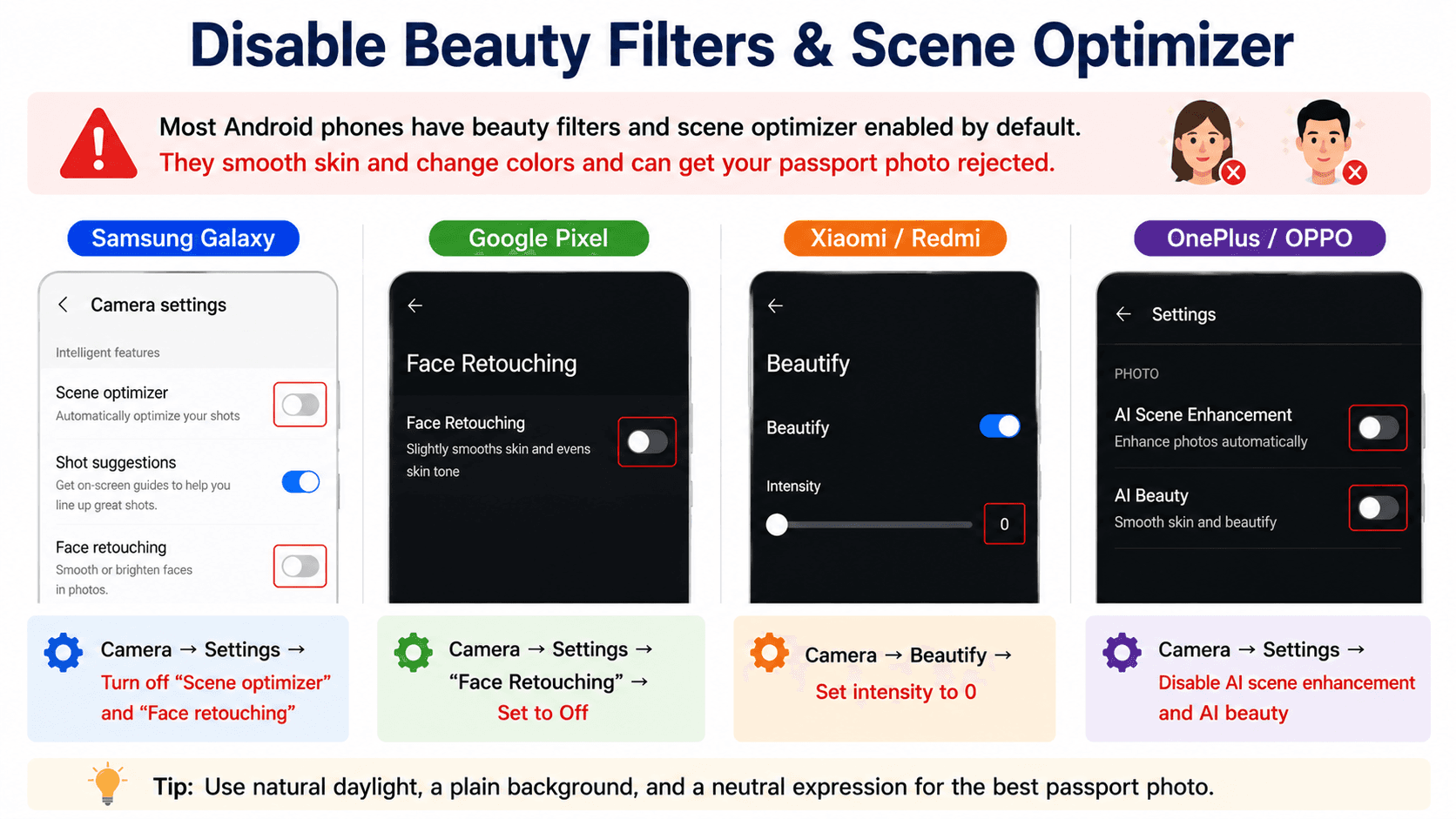
Disable beauty filters and scene optimizer
Most Android stock cameras (Samsung, Xiaomi, OPPO) ship with a beauty filter enabled and a scene optimizer that smooths skin and changes color. These effects can make a passport photo unacceptable because the image may no longer be a natural, accurate likeness.
- Samsung Galaxy: Camera → Settings → turn off "Scene optimizer" and "Face retouching"
- Pixel: Camera → Settings → "Face Retouching" → set to Off
- Xiaomi / Redmi: Camera → Beautify → set intensity to 0
- OnePlus / OPPO: Camera → Settings → disable AI scene enhancement and AI beauty
Choose the right resolution
In the camera app's aspect-ratio menu, pick 4:3 at the highest available resolution. Don't use 1:1 — it crops out parts you'll need for the final crop. Avoid the "Pro" RAW mode unless you know how to convert the file before uploading, and do not send the original through a messaging service that compresses images.
Use the rear camera at 1× zoom
The main wide lens (labelled 1× on phones with multiple lenses) gives the most accurate facial proportions. The ultra-wide (0.5×) distorts faces, and a digital telephoto crop reduces image quality.
Lighting and posing
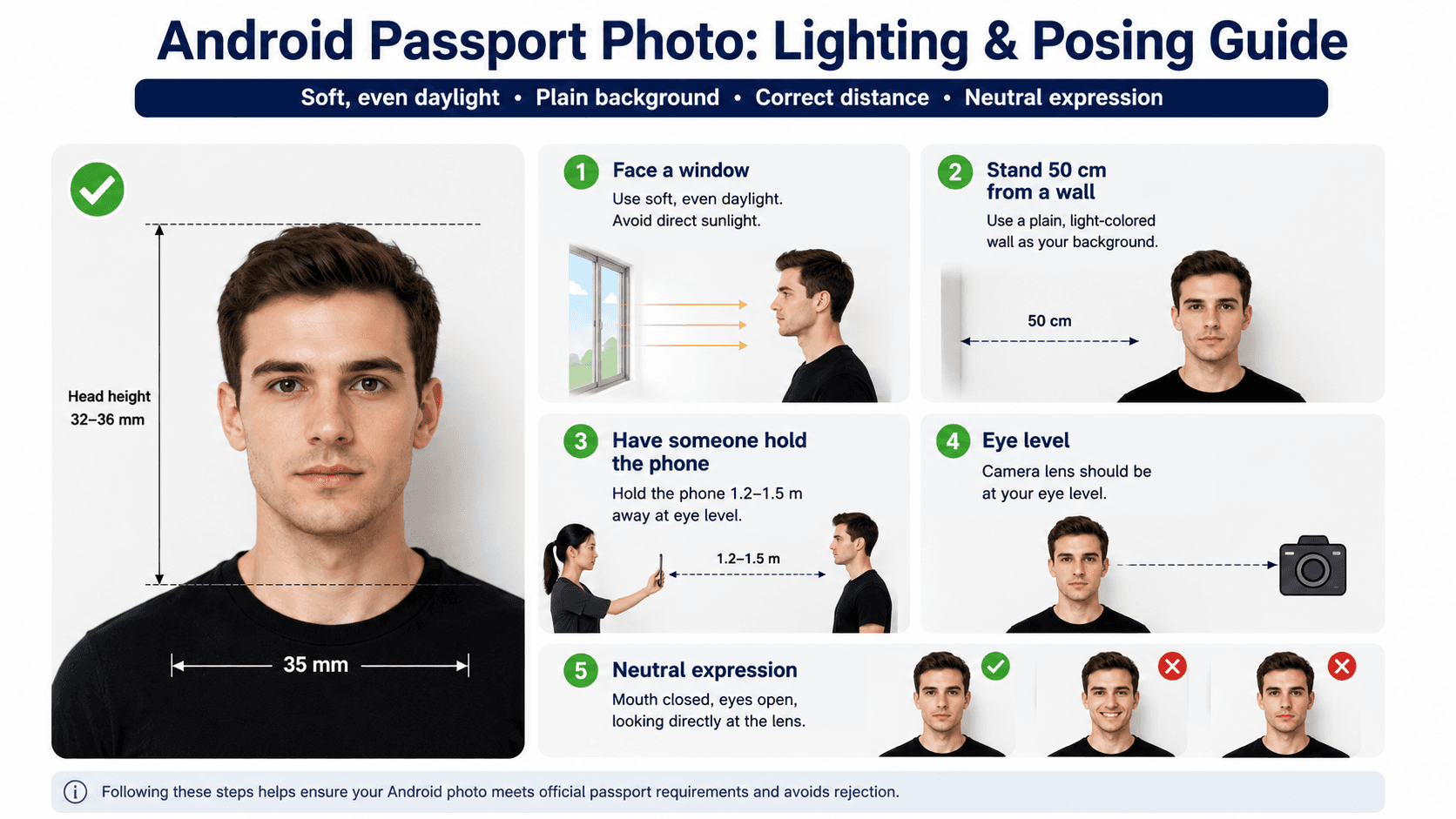
- Face a window for soft, even daylight
- Stand 50 cm from a plain, light wall
- Have someone hold the phone 1.2–1.5 m away at eye level
- Neutral expression, mouth closed, eyes on the lens
Check the requirements for your country
Passport photo rules are not universal. The required size, background, head position, expression, file format, and whether digital editing is allowed depend on the document and issuing authority. Select the correct country before cropping or submitting the image:
- United States passport photo requirements
- United Kingdom passport photo requirements
- Canada passport photo requirements
- Australia passport photo requirements
Requirements and official-source references last reviewed September 27, 2026. Confirm the current instructions from the issuing authority before submission.
Common Android passport photo mistakes
- Using the 0.5× lens: the ultra-wide camera can distort facial proportions.
- Taking a close selfie: arm's-length photos often create perspective distortion. Ask another person to use the rear camera from 1.2–1.5 m away.
- Leaving Portrait mode on: artificial blur can change the outline around hair, ears, and shoulders.
- Sharing through WhatsApp or SMS: messaging services may reduce resolution or apply compression. Upload the original gallery file instead.
- Using Beauty mode: skin smoothing and face reshaping can change your appearance.
- Standing against the wall: this often creates a visible shadow. Leave about 50 cm between the subject and background.
Verify in the browser
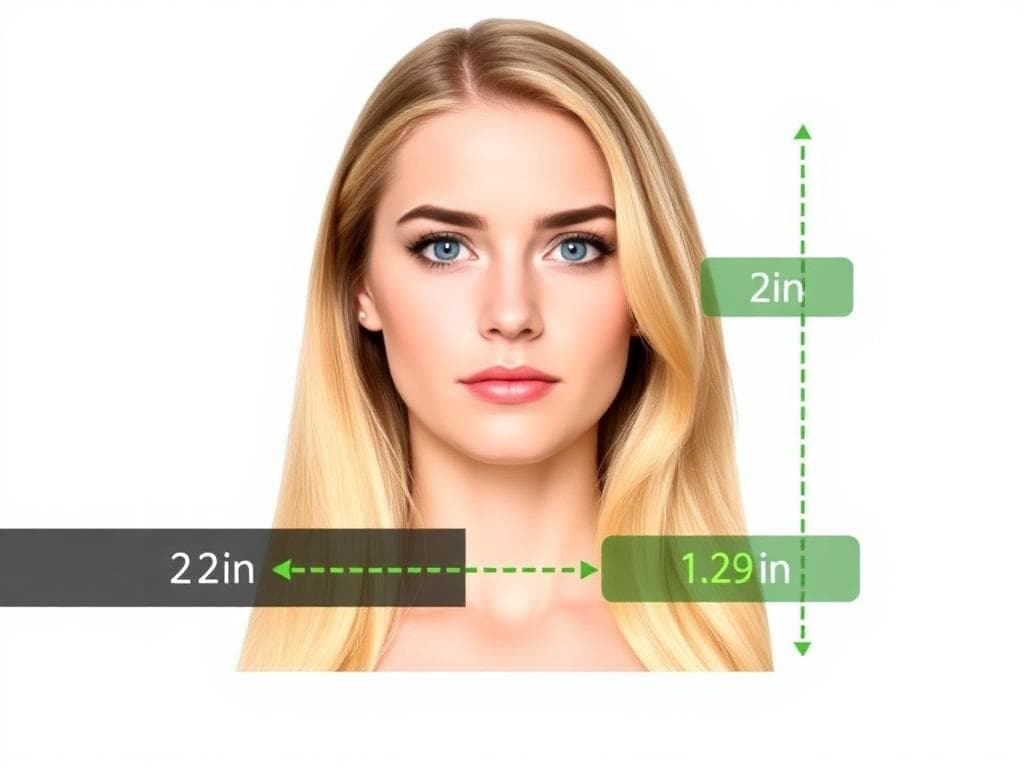
Open Chrome (or any Android browser), choose the correct document, and upload the original photo from your gallery. PhotoOmni can crop the photo to the required dimensions and check common technical issues. Background editing and other digital changes may not be accepted for every document or country. Always review the official requirements before submitting.
Print or submit
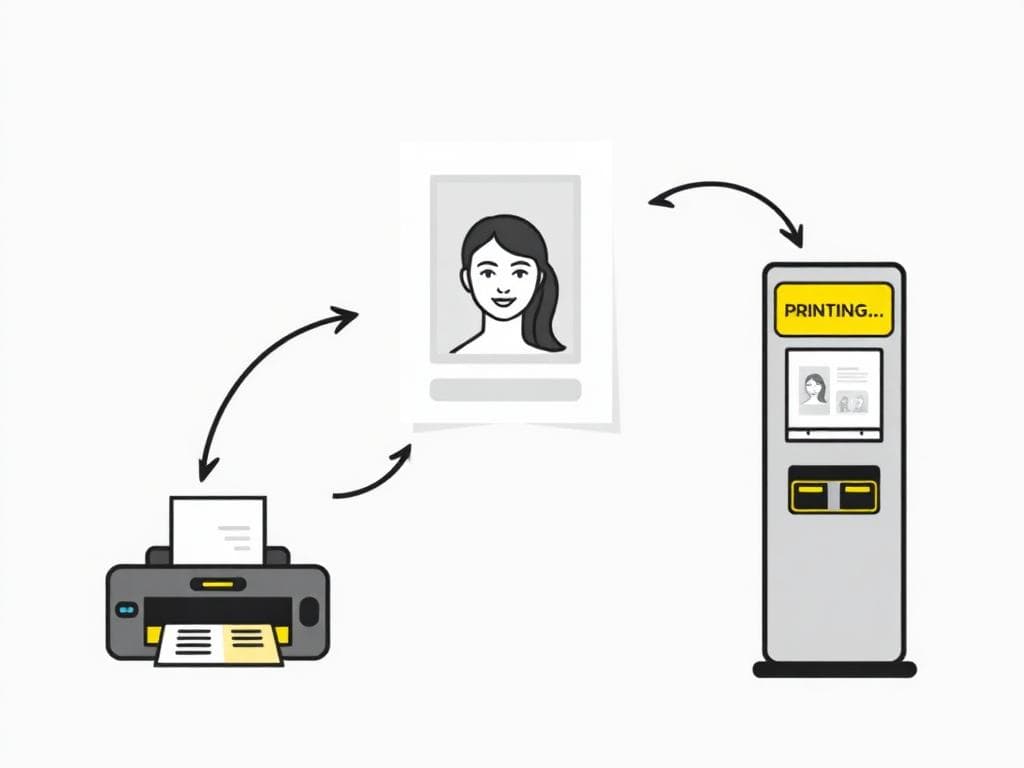
For online applications, download the digital file and attach it. For physical prints, save the 4×6 in template to Google Photos and use a compatible photo kiosk or printing service. Keep the original image as well as the prepared file in case the issuing authority asks for a new upload.
Frequently asked questions
What is the best passport photo app for Android?
The best option is one that supports the exact document and country you need, explains what it checks, preserves a natural likeness, and does not promise government approval. If you only need one photo, a browser tool avoids installing another app.
Can I take a passport photo with a Samsung or Google Pixel?
Yes. Use the rear 1× camera, switch off face retouching, portrait blur, and filters, and take the photo in even light from roughly 1.2–1.5 m away.
Is there a free passport photo app for Android?
Free camera, cropping, and browser tools are available. Check what is included before relying on them: basic cropping is not the same as checking document-specific requirements, and no third-party tool can guarantee acceptance.
Should I use the front or rear camera?
Use the rear 1× camera when possible. It normally provides better detail and more natural facial proportions than a close-range front-camera selfie.
Can I remove the background from a passport photo?
It depends on the country and application. Some authorities require an original, unedited photo and may reject artificial background replacement. Start with a suitable real background and follow the current official instructions.
Why does my Android passport photo look blurry after sharing?
Messaging and social apps often compress images. Upload or transfer the original gallery file instead of a copy saved from WhatsApp, SMS, or social media.
准备好制作证件照了吗?
AI 检查与人工审核,享有全额退款保障。