


Australian baby passport photo guide
A Complete Guide to Australian Baby Passport Photos
Baby passport photos need the same careful framing and print quality as adult photos, with a small allowance for very young children. Use this guide to plan a clean, unedited source photo before you prepare your two prints.
Australian baby passport photo requirements
Australian Passport Office requirements apply to babies and children. The key exception is that children under 3 may have an open mouth; this does not relax the framing, lighting, or no-objects rules.
How to take a baby passport photo at home
A calm, well-lit setup matters more than a complicated camera. Take several photos and select the best original rather than trying to fix problems later.
- Use soft daylight facing the baby's face; avoid flash, backlighting, and shadows on the face or background.
- For a young baby, safely lay them on a plain white or light-grey sheet and photograph from directly above, keeping yourself out of the frame.
- For an older baby, place the camera at eye level and keep the head straight, centered, and facing forward.
- Keep toys or rattles outside the frame if you need to attract attention. No hands, toys, dummies, bottles, or another person can be visible.
- Do not use portrait mode, filters, skin smoothing, red-eye correction, or background replacement.
Common reasons baby passport photos are rejected
Most rejections come from small details that are easy to miss while photographing a moving baby. Check these before ordering prints.
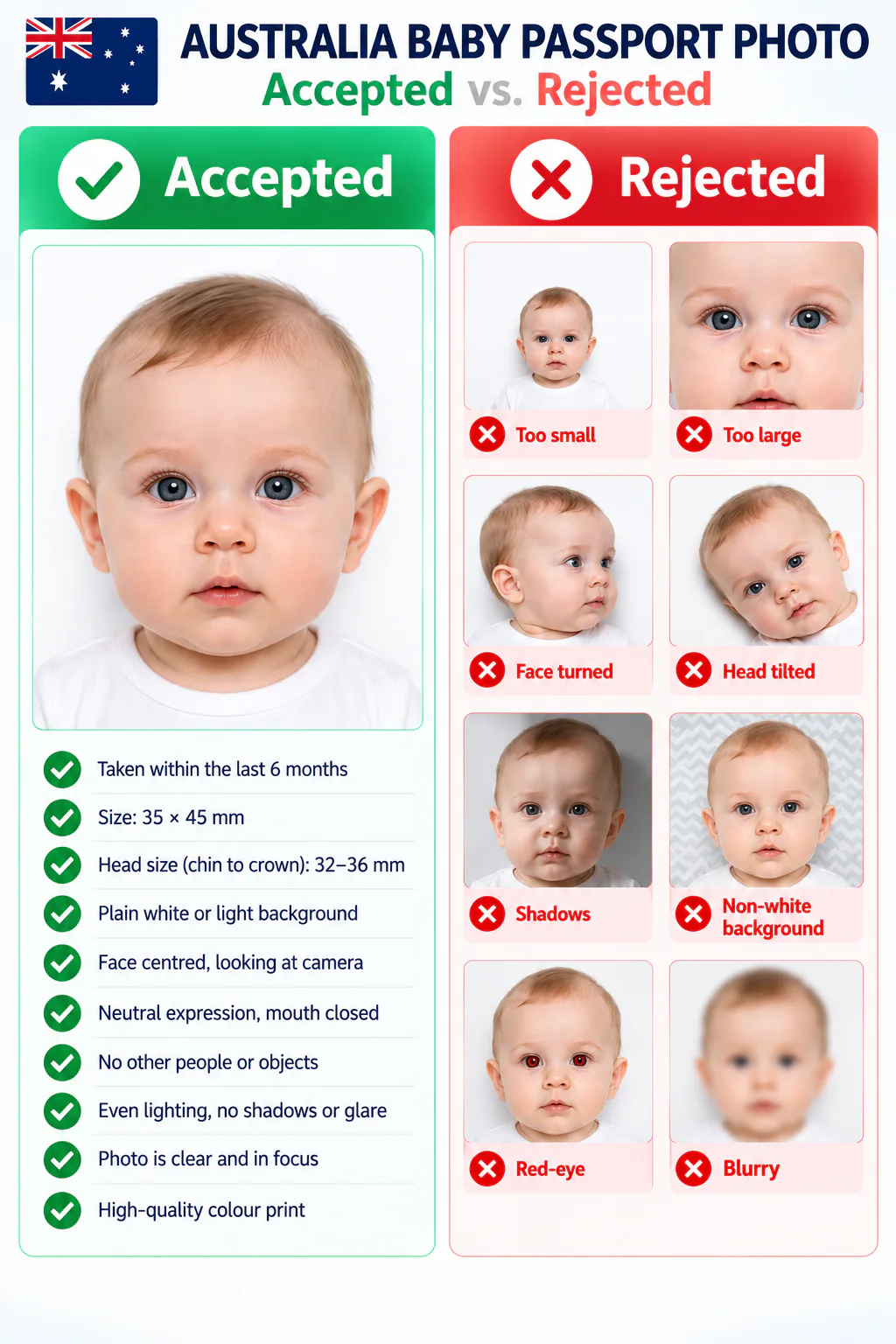
- A parent, hand, toy, dummy, bottle, or another object appears in the photo.
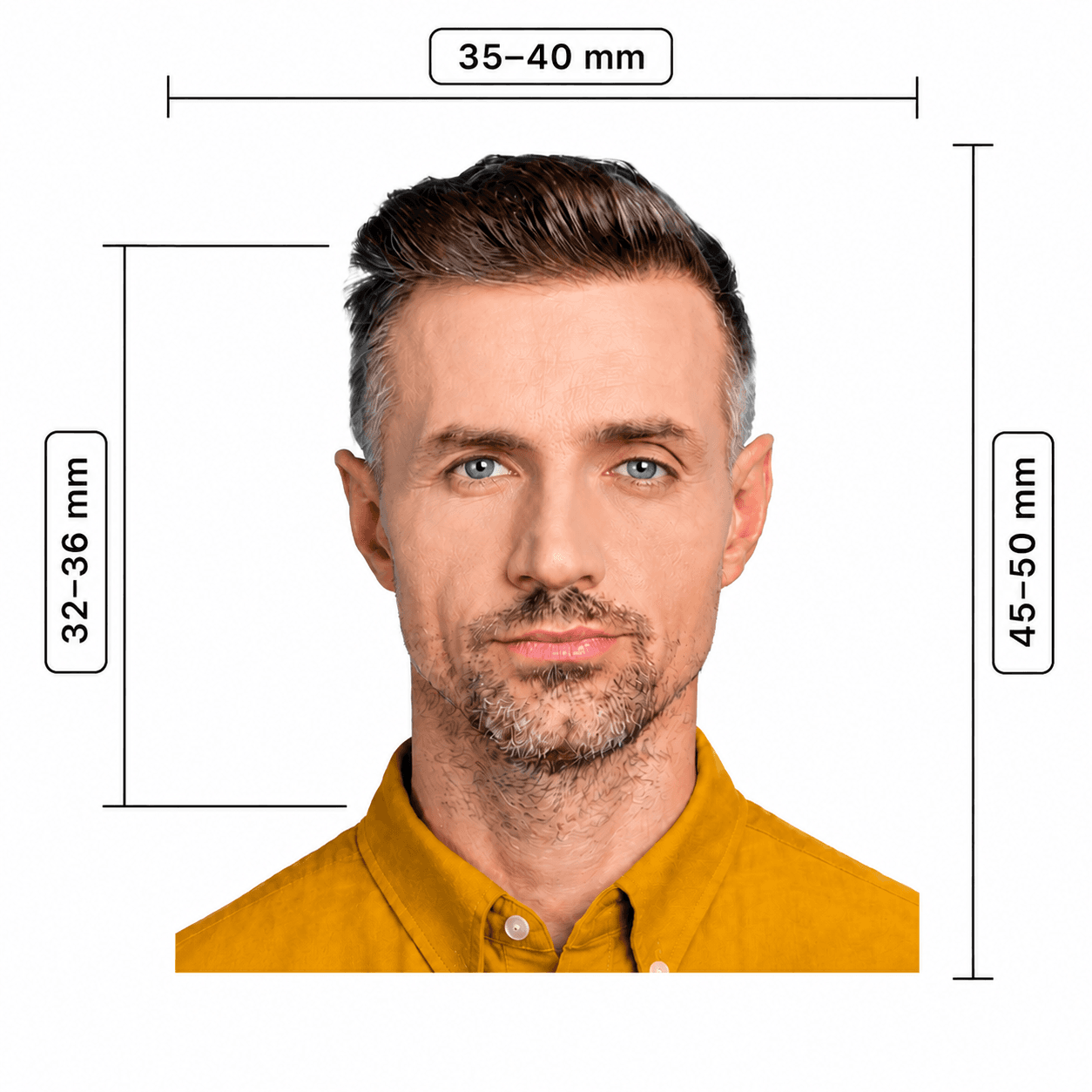
- The face is turned, tilted, obscured, too close, too far away, or outside the 32–36 mm chin-to-crown range.
- There are shadows, glare, red-eye, an uneven background, a patterned background, or poor focus.
- The photo has been retouched or filtered, or the print is not a high-quality colour print on suitable glossy paper.
At-home preparation vs. online tools vs. a photo studio
For Australian applications, the original photo and quality of the final print are critical. Choose the route that helps you create an accurate, unedited result.
Convenience
- PhotoOmni
- Upload from home in minutes
- Other online tools
- Usually online
- Professional photographer
- Requires a store visit
Application guidance
- PhotoOmni
- Digital and print route guidance
- Other online tools
- Varies by service
- Professional photographer
- Depends on local staff
Photo checks
- PhotoOmni
- AI pre-check plus expert review
- Other online tools
- May be basic or extra
- Professional photographer
- Usually retake-based
Final format
- PhotoOmni
- Digital and print-ready output
- Other online tools
- May be limited or extra
- Professional photographer
- Digital copy may not be included
Total price & inclusions
- PhotoOmni
- One-time fee of $5.99
- Other online tools
- Add-ons can cost $3–$10+
- Professional photographer
- Often $15+; files vary