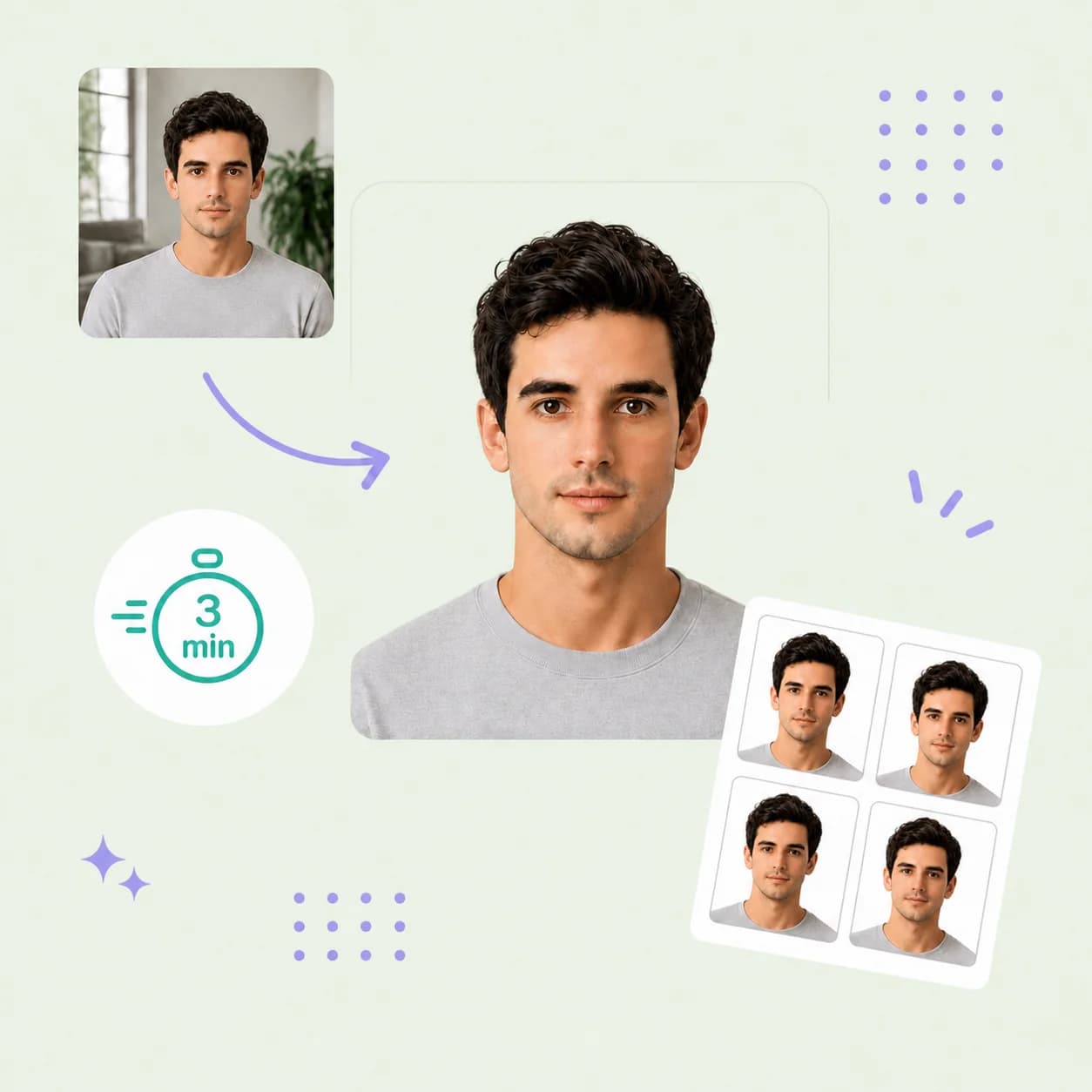
Create your Cambodia visa photo online from a recent portrait. PhotoOmni crops your photo to 35×45 mm, checks framing, lighting and background, and includes expert review before delivery. Download a digital JPEG and print-ready sheet.
Visumfoto für Kambodscha in 35×45 mm. Prüfen Sie vor dem Hochladen die verlangte Größe.
Bereiten Sie Ihr Dokumentenfoto in drei einfachen Schritten vor.
1
Photo upload
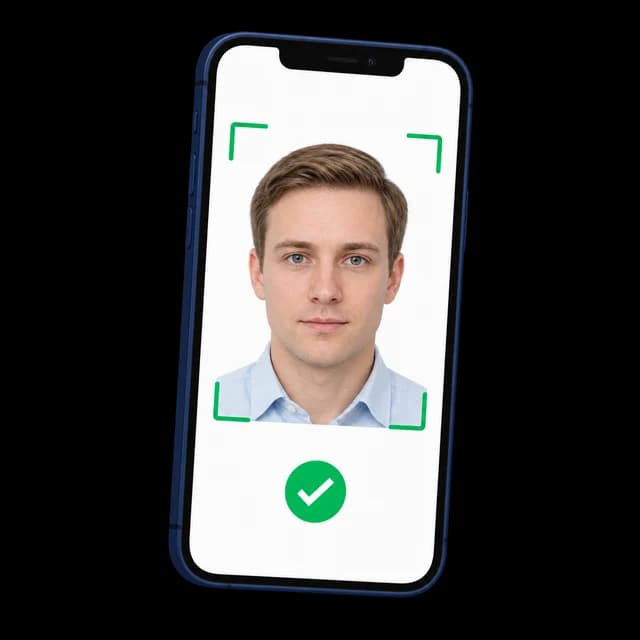
Take a clear portrait with your phone or upload an original photo. Confirm that your application asks for 35×45 mm before using this preset.
2
AI pre-check + expert review
PhotoOmni checks the selected size, framing, background and lighting. An expert reviews the result and makes adjustments when needed.
3
Download your visa photo
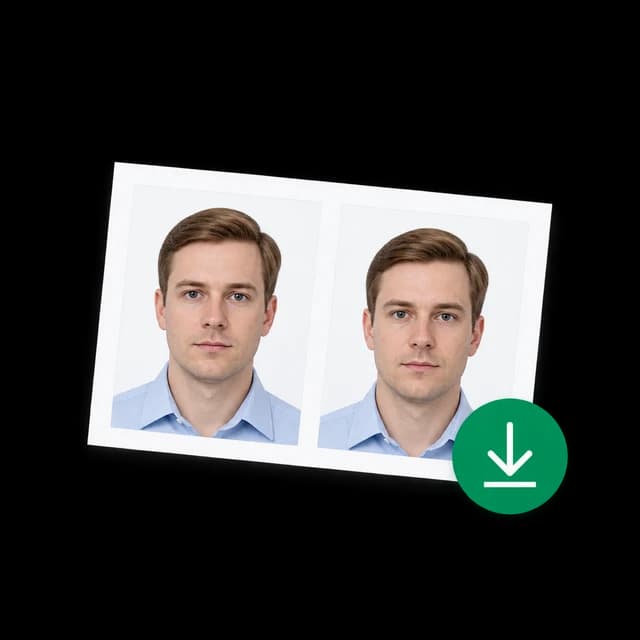
Receive a 413×531 px JPEG and a print-ready PDF with 35×45 mm photos.
Cambodia visa photo guide
Cambodia Visa Photo Requirements
Start with your application channel, then choose the right photo format. A Cambodian visa photo for an embassy application, an eVisa upload and a Cambodian passport photo are not interchangeable. The guidance below explains this page's 35×45 mm output and the differences to check before submission.
35×45 mm is this page's preparation preset, not a confirmed rule for every Cambodian visa. The official Washington embassy form linked below asks for 2×2 inches. Follow the embassy or portal handling your application whenever its instructions differ.
3.5×4.5 cm, approximately 1⅜ × 1¾ inches; portrait orientation, 7:9 ratio
Other application sizes
Washington tourist visa form: 2×2 inches. Use 4×6 cm only if your own application explicitly requests it.
Pixels and resolution
Our output: 413×531 px at 300 DPI. Digital portal limits must be checked separately.
Background and framing
Use a plain white background, a centered front-facing head and even lighting; check any channel-specific head-size rules.
Appearance
Choose a recent, clear color portrait with eyes open and a neutral expression. Avoid filters or changes to facial features.
File format and size
PhotoOmni delivers JPEG plus a print-ready PDF. Confirm the portal's accepted formats and KB limit before uploading.
Choose your application channel
Use the size specified by the office receiving your application. Do not choose a format solely because it appears on another photo website.
Applications requesting 35×45 mm
Use this page when your embassy or visa checklist explicitly asks for a 35×45 mm photo. Receive the digital image and matching print sheet.
Cambodia visa applications from the USA
The Washington embassy's tourist visa form requests a 2×2 inch photo. Choose the 2×2 tool linked in the FAQ instead of this rectangular preset.
Cambodia eVisa applications
Check the official eVisa upload screen for current portrait dimensions, accepted formats and file-size limits. A print measurement does not establish an upload limit.
5 tips for taking a Cambodia visa photo at home
A sharp original photo gives the editor a better starting point and reduces the need for retakes.
Ask someone to take the photo at eye level, keeping the camera straight and your face centered.
Stand in front of a plain white wall and use soft front-facing light to avoid shadows.
Leave space around the head and shoulders so the image can be cropped without cutting off hair or chin.
Look directly into the lens, keep your mouth closed and remove anything obscuring your eyes or face.
Upload the original color image. Avoid beauty filters, screenshots and scans from an existing identity document.
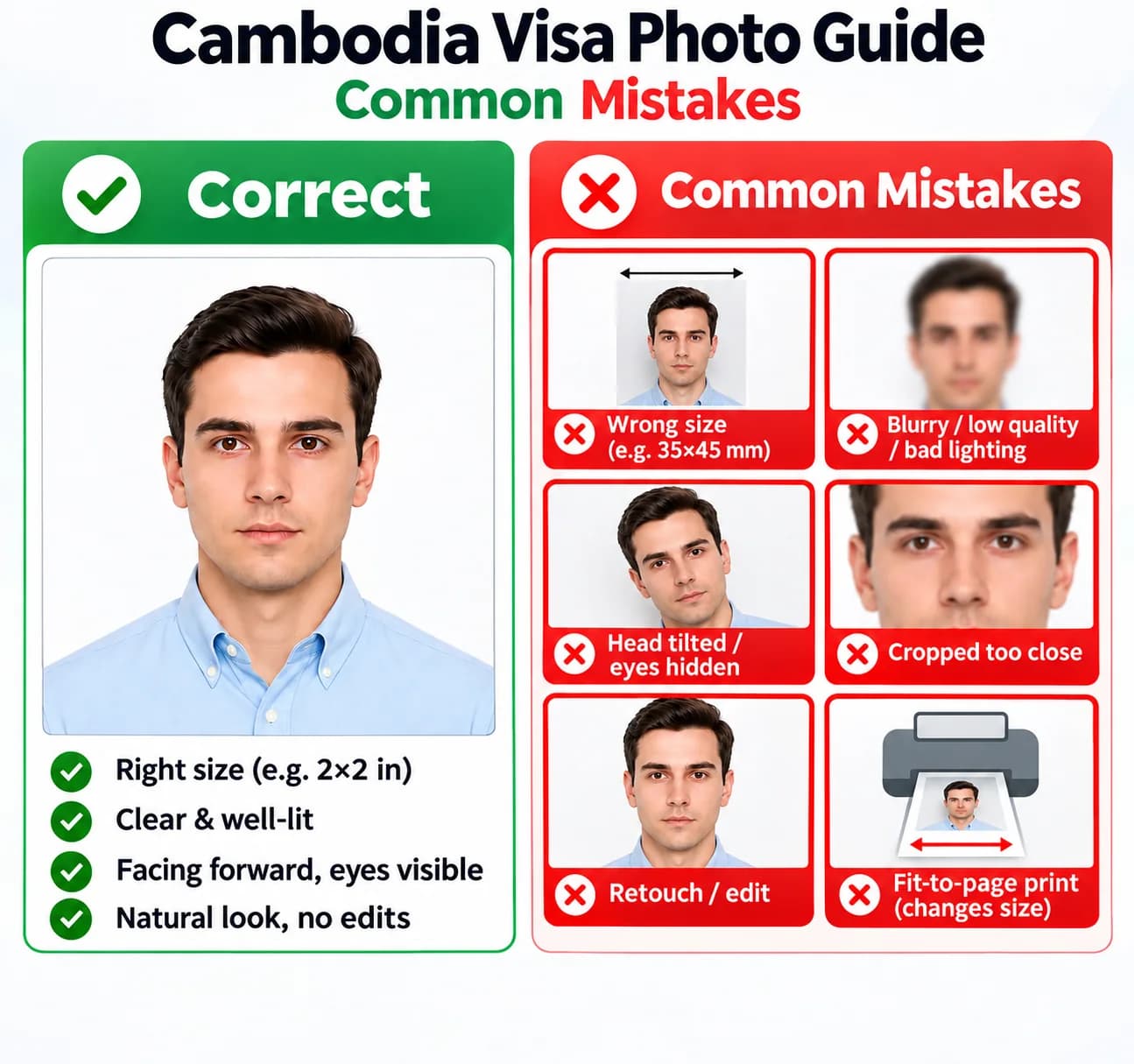
Common Cambodia visa photo mistakes
Check both the portrait and your submission format before sending the application. Cropping cannot repair every problem in the original image.
Submitting 35×45 mm when the receiving embassy asks for 2×2 inches or another size.
Treating a 300 DPI print preset as the eVisa portal's official pixel or file-size rule.
Using a blurred, compressed or poorly lit image with shadows across the face or background.
Tilting the head, hiding the eyes or cropping too close to the face.
Retouching facial features or printing with fit-to-page scaling, which changes the physical photo size.
PhotoOmni vs. online tools vs. photo studios
Compare the preparation, review and download workflow. Check each provider's current features, prices and policies.
Convenience
PhotoOmni
Upload from home in minutes
Other online tools
Usually online
Traditional photo studios
Requires a store visit
Peace of mind
PhotoOmni
AI pre-check plus expert approval
Other online tools
May lack expert review, or charge extra for it
Traditional photo studios
Depends on local staff
Expert adjustments
PhotoOmni
Included when needed
Other online tools
Varies by service
Traditional photo studios
Usually retake-based
Ready-to-use files
PhotoOmni
Digital photo plus print-ready sheet
Other online tools
May be limited or extra
Traditional photo studios
Digital copy may not be included
Rejection protection
PhotoOmni
100% refund for photo-caused rejection
Other online tools
Policy varies
Traditional photo studios
Policy varies by shop
Total price & inclusions
PhotoOmni
One-time fee of $5.99
Other online tools
Add-ons can cost $3–$10+
Traditional photo studios
Often $15+; files vary
Feature
PhotoOmni
Other online tools
Traditional photo studios
Convenience
Upload from home in minutes
Usually online
Requires a store visit
Peace of mind
AI pre-check plus expert approval
May lack expert review, or charge extra for it
Depends on local staff
Expert adjustments
Included when needed
Varies by service
Usually retake-based
Ready-to-use files
Digital photo plus print-ready sheet
May be limited or extra
Digital copy may not be included
Rejection protection
100% refund for photo-caused rejection
Policy varies
Policy varies by shop
Total price & inclusions
One-time fee of $5.99
Add-ons can cost $3–$10+
Often $15+; files vary
Häufig gestellte Fragen
What is the Cambodia visa photo size?
This tool makes 35×45 mm (3.5×4.5 cm) photos. The Cambodia visa photo size depends on where you apply: the Washington embassy's tourist visa form asks for 2×2 inches. Use 4×6 cm only if your application requests it.
What is the Cambodia visa photo size in pixels?
Our output is 413×531 pixels at 300 DPI, with a 7:9 aspect ratio. This is the Cambodia visa photo size in pixels for our 35×45 mm preset. Check the eVisa portal separately for its upload limits.
Can I use this for a Cambodia eVisa photo?
Check the official Cambodia eVisa portal before ordering. This page delivers a 413×531 px JPEG. Use it only if it matches your application's photo size, format and file-size rules.
How do I resize and crop a photo for a Cambodia visa?
Upload a clear original photo and choose the size your application requests. PhotoOmni crops and resizes it without stretching your face. Retake the photo if it is blurry or has strong shadows.
Can I take a Cambodian visa photo on my iPhone or Android phone?
Yes. Take or upload a Cambodian visa photo in your iPhone or Android browser. Use soft light, hold the camera at eye level and leave space around your head. No app is needed.
What background, expression and clothing should I use?
Use a plain white background and even light. Face the camera with eyes open and mouth closed. Wear everyday clothing that contrasts with white. Remove sunglasses and check your application's rules for glasses and head coverings.
How recent should my photo be, and how many do I need?
Use a recent photo that looks like you; within six months is a useful guideline. The Washington tourist visa form asks for one 2×2 inch photo. Check your own application for the required photo age and number.
Is the Cambodia visa photo maker free?
The first AI check is free. Downloading the finished photo with expert review requires a one-time payment. You will see the price before paying.
Do I need a Cambodia visa photo service near me?
You can prepare your photo online from home. For printed photos, take the PDF to a photo lab or use a photo printer. Print at actual size and measure each photo before submitting it.
What if my Cambodia visa photo is rejected?
Read the rejection reason first. You may need a different size, a smaller file or a new photo without blur or shadows. Contact PhotoOmni support if a delivered photo caused the rejection, and check our refund policy.
Which tool should I use for a Cambodia visa photo from the USA?
The Washington embassy tourist visa form requests a 2×2 inch photo. Use our 2×2 photo tool for that application. This page makes 35×45 mm photos.
How does the Cambodia visa photo editor, tool or generator work?
The Cambodia visa photo editor crops your real portrait. The Cambodia visa photo tool checks size and quality, with expert review before delivery. Use a Cambodia visa photo generator to format your photo, without creating a new face or changing your features.
What are the Cambodia visa photo dimensions, width and height?
Our Cambodia visa photo dimensions are 35 mm wide and 45 mm high: 3.5×4.5 cm, or about 1 3/8 × 1 3/4 inches. The Cambodia visa photo aspect ratio is 7:9. Use another size if your application requests it.
What Cambodia visa photo head size and head position should I use?
Our Cambodia visa photo head size preset is about 32–36 mm from chin to crown. Keep your head straight, centered and facing the camera. This is PhotoOmni's preset; follow your application's head-size rules if they differ.
How do I convert a photo to Cambodia visa size without stretching it?
Upload a clear original photo. PhotoOmni crops it to 35×45 mm and exports 413×531 pixels without stretching your face. For Cambodia visa photo resolution, 300 DPI describes the print output. Check the portal for separate upload rules.
Can I use a Cambodia visa photo background remover or background changer?
A Cambodia visa photo background remover or background changer can help create a plain white background when editing is allowed. Keep your hair and facial features unchanged. For strong shadows, retake the photo against a white wall.
How does the Cambodia visa photo checker assess my photo?
The Cambodia visa photo checker reviews crop, framing, background, lighting and clarity. The first check is free; finished files are paid. It checks our selected preset and cannot guarantee acceptance by every embassy.
Can I make a Cambodia visa photo from a selfie, without an app?
You can make a Cambodia visa photo from a selfie if your face is straight and undistorted. Having someone else take it is easier. Prepare your Cambodia visa photo on a phone in Safari or Chrome, with no app needed.
Can I get a Cambodia visa photo online free, or is there a download fee?
Looking for a free Cambodia visa photo maker? PhotoOmni's first AI check is free; finished files with expert review are paid. The Cambodia visa photo cost appears before payment. Local printing may cost extra.
Which Cambodia eVisa photo requirements should I check before uploading?
For a Cambodia online visa photo, check the official portal's Cambodia e visa photo size, pixels, format, file limit and background rules. This also applies to a Cambodia tourist eVisa photo. Our default is a 35×45 mm preset; confirm it matches before ordering.
Can I use PhotoOmni as a Cambodia eVisa photo editor or maker?
Before choosing a Cambodia eVisa photo editor or maker, check the portal's requirements. Our output is a 413×531 px JPEG. If the required Cambodia eVisa photo size in pixels differs, ask support before ordering.
What Cambodia eVisa photo background and format should I choose?
Check the official portal for the Cambodia eVisa photo background and format. This page uses a plain white background and delivers JPEG. Confirm both are accepted by your application before ordering.
What Cambodia eVisa photo file size or KB limit applies?
Follow the portal's current Cambodia eVisa photo file size limit. We have not verified a universal Cambodia visa photo 10KB–500KB rule. File size in KB depends on image dimensions and compression, not DPI alone.
What should I do if my Cambodia eVisa photo upload is rejected?
If your Cambodia eVisa photo upload fails, read the error and check the file format, pixels and KB size. Make sure the image opens correctly. If a reviewer asks for a replacement, follow their instructions or contact official portal support.
Should I choose a white or off-white Cambodia visa photo background?
Our Cambodia visa photo background color is plain white. Use off-white only if your application allows it. Avoid patterns, objects and shadows behind your head.
Can I smile or wear glasses in a Cambodia visa photo?
For your Cambodia visa photo facial expression, keep your eyes open and mouth closed, without a broad smile. Remove sunglasses. Taking off ordinary glasses helps prevent glare; check your application's rules if you need to wear them.
How do I fix a blurry Cambodia visa photo or strong shadows?
For a Cambodia visa photo blurry fix, retake the picture if your face lacks detail. Clean the lens, hold the camera steady and focus on your eyes. Improve Cambodia visa photo lighting with soft front light and stand away from the wall to reduce shadows.
Does the Cambodia visa photo download come as JPG, JPEG, PNG or BMP?
Your Cambodia visa photo download includes a JPEG and print-ready PDF. JPG and JPEG are the same format. We do not deliver PNG or BMP here. If you need a Cambodia visa photo PNG or BMP file, confirm the format before ordering.
How should I handle Cambodia visa photo compression and upload requirements?
Check the Cambodia visa photo upload requirements first. For Cambodia visa photo compression, keep the original and save a JPEG at moderate quality. Reduce pixels only if they stay above the portal's minimum. Check that the face remains clear. This page has no custom KB-target compressor.
How do I use the Cambodia visa photo print template?
Print the Cambodia visa photo print template PDF at actual size, without fit-to-page scaling. Each photo should be 35×45 mm. Measure the Cambodia visa photo print size before cutting. Use the JPEG for digital uploads only when it meets the portal's rules.
Is a Cambodia passport photo the same as a visa photo?
No. A Cambodia passport photo is for a Cambodian passport; a visa photo is for entry into Cambodia. Confirm the Cambodia passport photo size with your passport office. If it requests a Cambodia passport photo 4×6 cm, this page's 35×45 mm output is unsuitable.
How do I take a Cambodia visa photo for children or a baby?
For a Cambodia visa photo for children, take a separate photo of each child. For a baby, use a plain white sheet behind them and keep toys, pacifiers and supporting hands out of view. Check your application's infant rules and required size.
Are the Cambodia visa photo rules different for US citizens?
A Cambodia visa photo for US citizens must match the application channel. For a Cambodia visa photo from USA applications at the Washington embassy, its tourist visa form requests 2×2 inches. Online applicants should check the eVisa portal's upload rules instead.
Real feedback from some PhotoOmni customers
“Quick and easy! My Cambodia visa photo was ready in minutes.”
Michael Anderson
“Super simple to use. The photo looked professional and met the requirements.”
Olivia Bennett
“Great tool! Easy to resize my photo for the Cambodia eVisa.”
Ryan Mitchell
Bereit, Ihr Foto zu erstellen?
Laden Sie ein Foto hoch und erhalten Sie in wenigen Minuten ein fertiges Dokumentenfoto.