2x2 photo guide
2x2 Photo Tool: Size, Maker, Converter & Prints
The 2 × 2 inch photo format is used by US passports, USCIS filings, state IDs, and many visa applications. Use PhotoOmni as a 2x2 photo maker, 2x2 picture maker, and 2x2 photo converter to set the correct size, crop, background, and print layout.
2x2 photo requirements
A 2 x 2 photo is a size standard, but many applications also expect passport-style lighting, background, and face positioning.
Photo size
2 x 2 inches (51 x 51 mm)
Aspect ratio
1:1 square
Head size
Usually 1 to 1 3/8 inches for US-style uses
Background
Plain white or off-white for most official uses
Resolution
300 DPI output; print at 2 x 2 inches
Format
Color JPEG and print-ready sheet
How to take a 2x2 photo at home
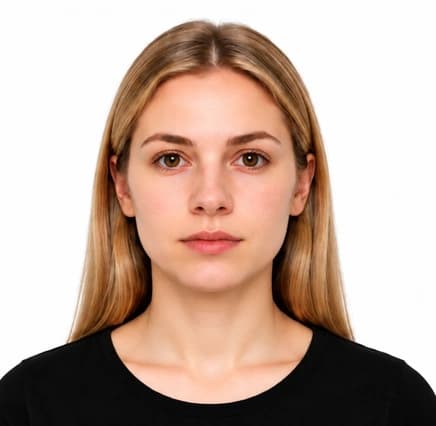
A passport-style starting photo gives you the most flexible 2 x 2 result.
- Stand or sit facing the camera directly.
- Use a plain light wall and even front-facing light.
- Keep the full head and shoulders visible with space around them.
- Avoid hats, glasses, headphones, uniforms, and strong shadows.
- Use a sharp, unfiltered color photo.
Common reasons 2x2 photos are rejected
Even when the size is correct, official uses may reject the photo for framing, background, or quality issues.
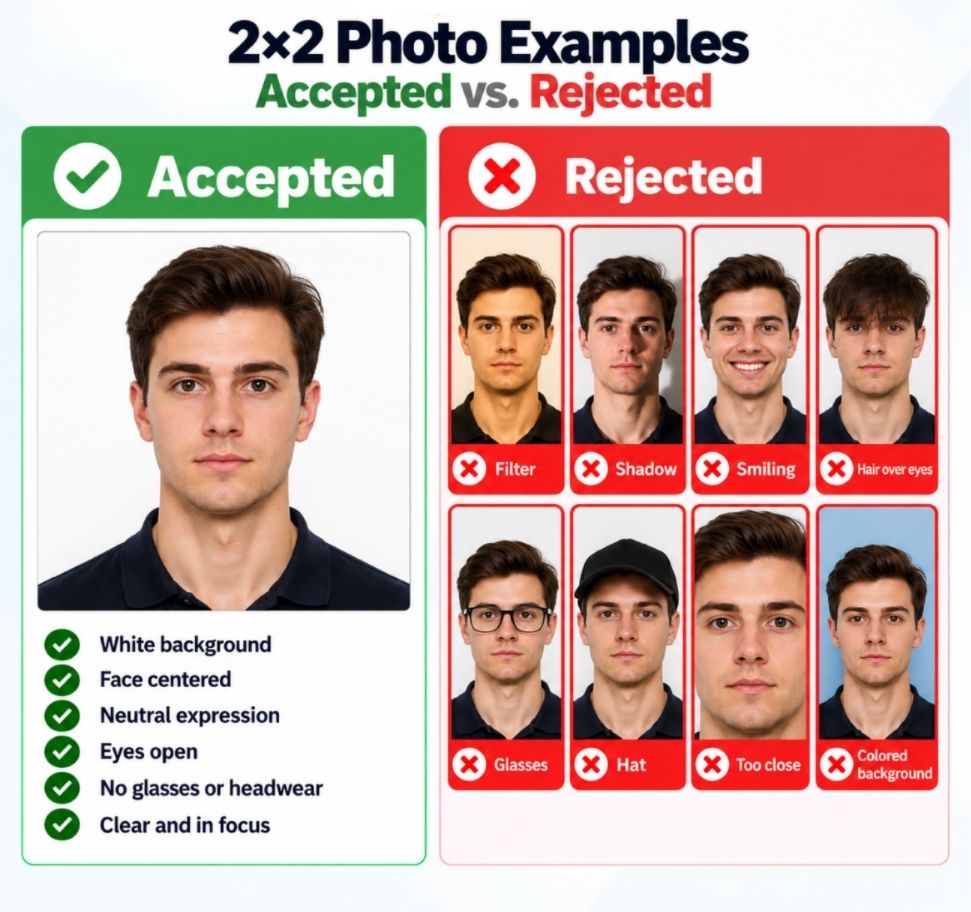
- The square crop cuts into hair, head, chin, or shoulders.
- The head size does not match the application requirement.
- The background is not clean or evenly lit.
- The photo is blurry, filtered, too dark, or too bright.
PhotoOmni vs. online tools vs. photo studios
PhotoOmni combines exact 2 x 2 sizing with review for passport-style requirements that simple crop tools may miss.
Convenience
- PhotoOmni
- Upload from home in minutes
- Other online tools
- Usually online
- Traditional photo studios
- Requires a store visit
Peace of mind
- PhotoOmni
- AI pre-check plus expert approval
- Other online tools
- May lack expert review or charge extra for it
- Traditional photo studios
- Depends on local staff
Expert adjustments
- PhotoOmni
- Included when needed
- Other online tools
- Varies by service
- Traditional photo studios
- Usually retake-based
Ready-to-use files
- PhotoOmni
- Digital photo plus print-ready sheet
- Other online tools
- May be limited or extra
- Traditional photo studios
- Digital copy may not be included
Rejection protection
- PhotoOmni
- 100% refund for photo-caused rejection
- Other online tools
- Policy varies
- Traditional photo studios
- Policy varies by shop
Total price & inclusions
- PhotoOmni
- One-time fee of $5.99
- Other online tools
- Add-ons can cost $3–$10+
- Traditional photo studios
- Often $15+; files vary