
Indian Visa Photo Online

Prepare an Indian visa photo from home for a regular visa application. Upload a clear source photo, get an AI pre-check and expert review, then download a square JPEG prepared for the 10 KB to 300 KB regular online visa upload limit.

Mit einem Foto beginnen

KI-geprüftVon Experten geprüftExpertenoptimierungGeld-zurück-Garantie
Indian Visa Photo Online

Fotospezifikationen

Shape
Square
Format
JPEG
File size
10 KB to 300 KB
Background
Plain light-coloured or white
Pose
Full face, front view, eyes open

So funktioniert PhotoOmni

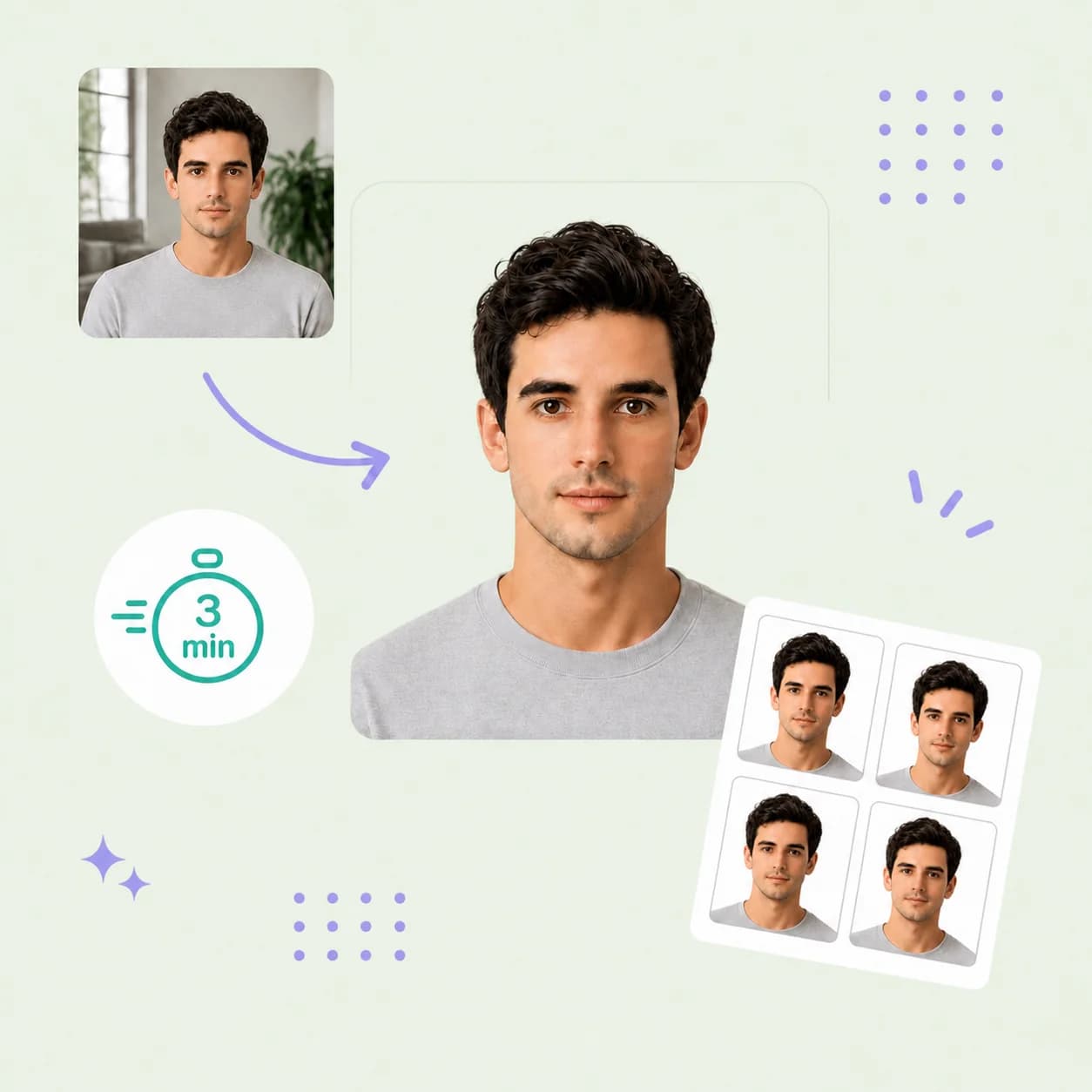
Bereiten Sie Ihr Dokumentenfoto in drei einfachen Schritten vor.

  1. Upload your photo

    Upload a sharp, front-facing colour source photo against a plain light-coloured or white background.

  2. AI + expert compliance review

    AI checks the square crop, face position, background, lighting, and image quality; an expert reviews the result before delivery.

  3. Download your visa photo

    Download a square JPEG prepared for the regular online visa upload limit of 10 KB to 300 KB.

Indian regular visa photo guide

Indian Visa Photo Requirements and Upload Format

This page is for a regular India visa application handled through an Indian Mission or Post, not an Indian eVisa. Use the guide to prepare a square Indian visa photo online, then confirm the instructions shown for your application route.

Indian Regular Visa Photo Requirements

India Visa Online's regular visa instructions specify a square JPEG upload, face position, background, and file-size limits. Your Indian Mission or Post may give additional instructions.

Official source: India Visa Online: regular visa instructions

Shape
Square
Format
JPEG
File size
10 KB to 300 KB
Background
Plain light-coloured or white, without shadows
Pose
Full face, front view, eyes open, head centred
Border
No border

How to take a suitable visa photo at home

Start with a clear, natural source image so the checks can focus on the regular visa requirements.

  • Ask another person to take the photo at eye level rather than using a close selfie.
  • Use even front-facing light and a plain light-coloured or white background without shadows.
  • Keep your head centred, show your full face in front view, and keep both eyes open.
  • Leave enough room around your head for the required square crop.
  • Do not use filters, beauty effects, face reshaping, or AI changes to your appearance.

Common reasons Indian regular visa photos need replacing

A format, background, or image-quality problem can lead to a replacement request. Check these points before submitting.
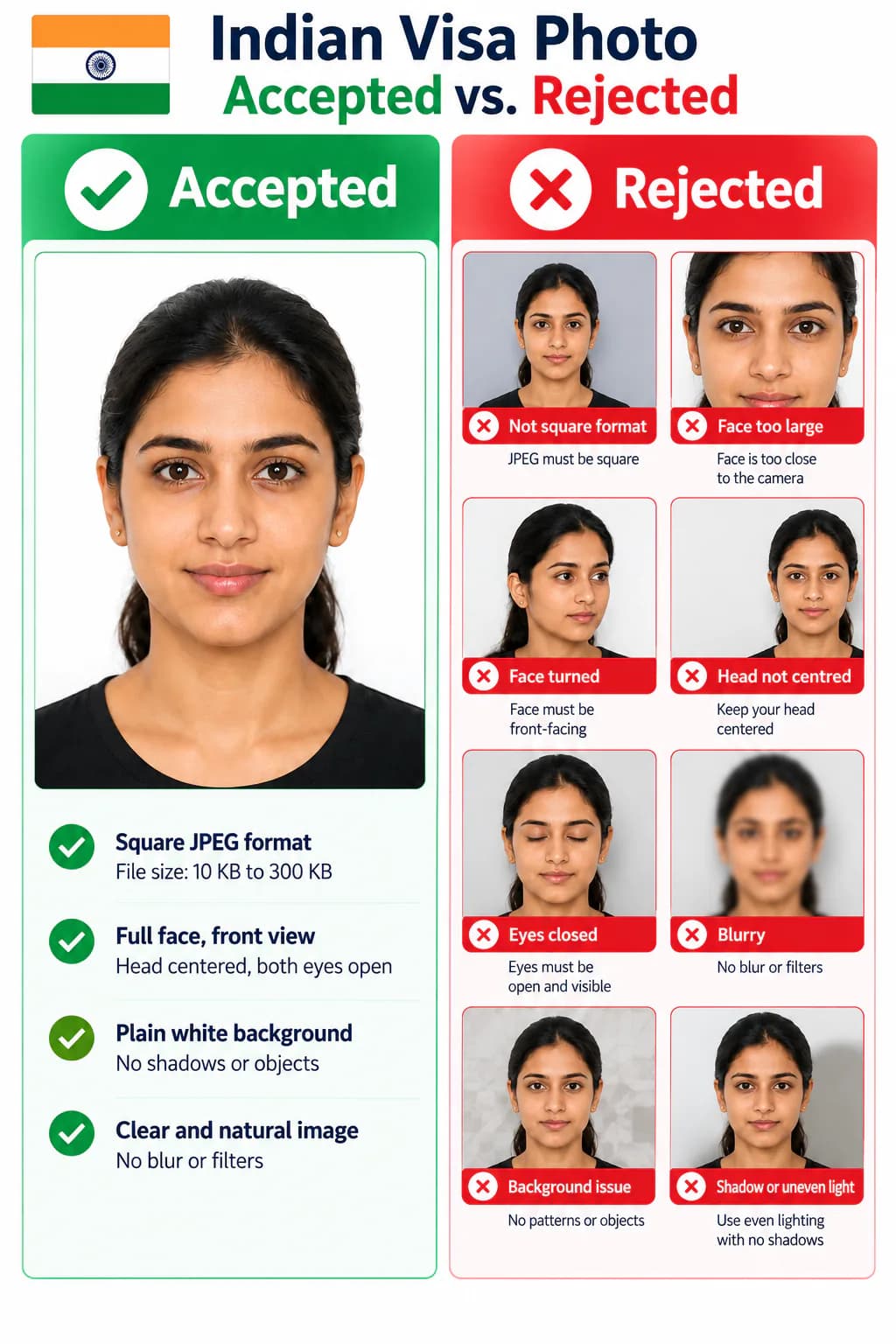
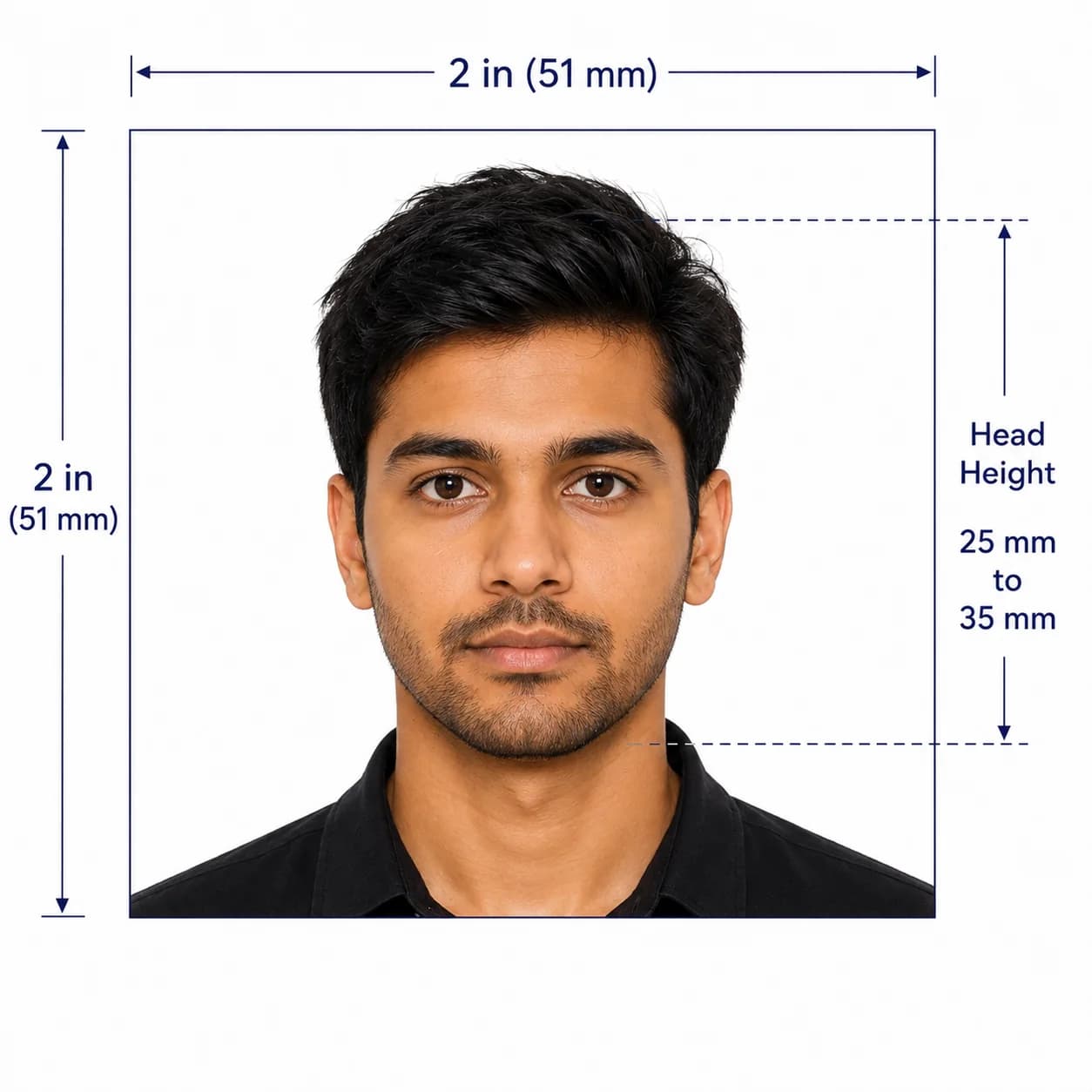
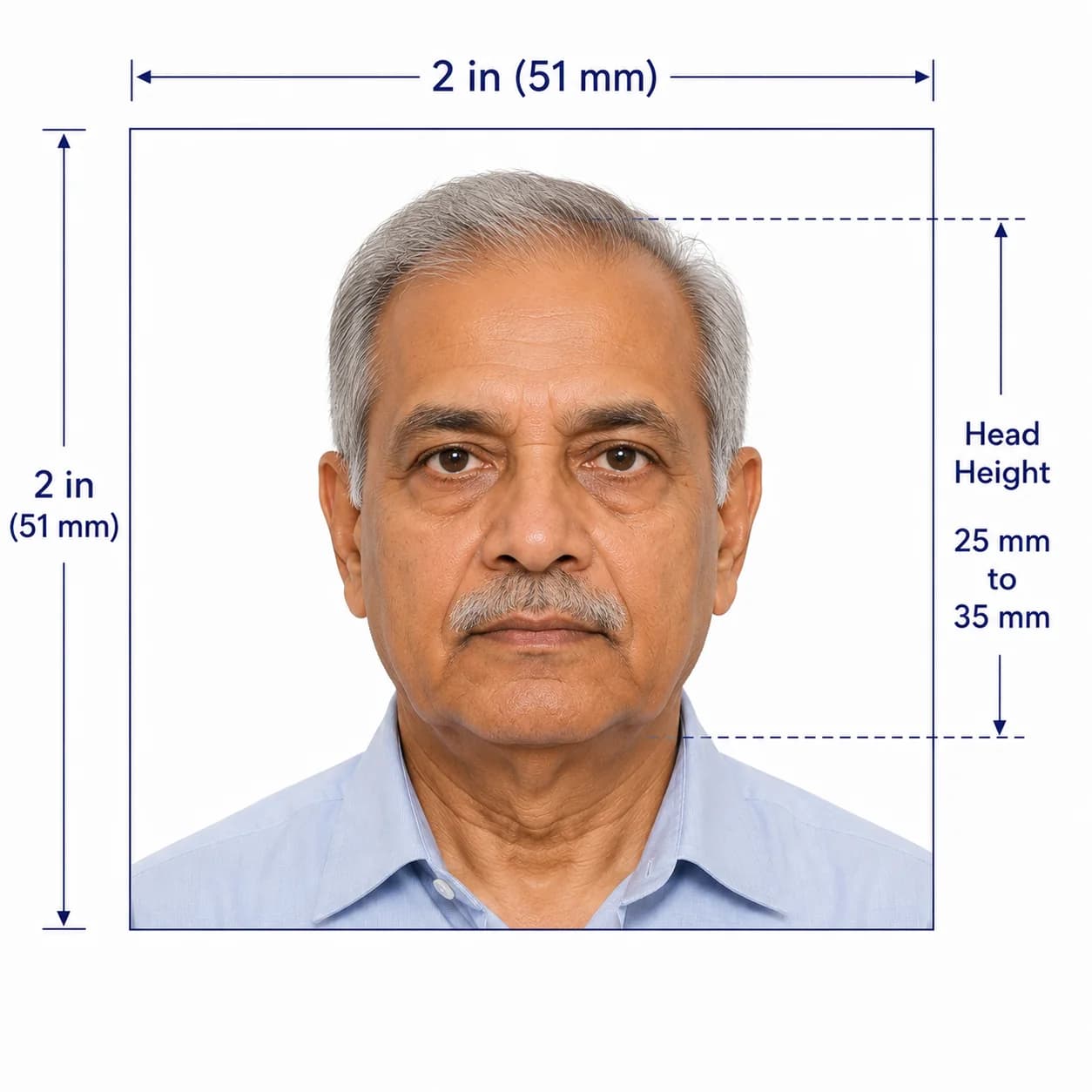
Accepted and rejected Indian regular visa photo examples
  • The JPEG is not square or falls outside the 10 KB to 300 KB file limit.
  • The full face is not shown in front view, the head is off-centre, or the eyes are closed.
  • The background has shadows, patterns, borders, or another visible object.
  • The source photo is blurry, heavily edited, or does not show a natural current appearance.

Why choose PhotoOmni for Indian visa photos?

PhotoOmni combines at-home upload, an AI pre-check, expert review, and a regular-visa-ready square JPEG file.

  • Convenience

    PhotoOmni
    Upload from home in minutes
    Other online tools
    Usually online
    Traditional photo studios
    Requires a store visit
  • India visa checks

    PhotoOmni
    Square crop, file limit, background, and face-position checks
    Other online tools
    May use generic settings
    Traditional photo studios
    Depends on local staff
  • Photo review

    PhotoOmni
    AI pre-check plus expert review
    Other online tools
    May be basic or extra
    Traditional photo studios
    Usually retake-based
  • Rejection protection

    PhotoOmni
    100% refund for photo-related rejection
    Other online tools
    Policies vary
    Traditional photo studios
    Policies vary by shop
  • Total price & inclusions

    PhotoOmni
    One-time fee of $5.99
    Other online tools
    Add-ons can cost $3–$10+
    Traditional photo studios
    Often $15+; files vary

Offizielle Anforderungen

  • Use a square JPEG between 10 KB and 300 KB for the regular online visa photo upload
  • Show the full face in front view, with eyes open and the head centred in the frame
  • Use a plain light-coloured or white background, without shadows or borders
  • Confirm any additional requirements from the Indian Mission or Post handling your application

Häufig gestellte Fragen

What is the Indian regular visa photo format?
India Visa Online's regular visa instructions state that the upload is a square JPEG between 10 KB and 300 KB. It must show a full face in front view, eyes open, a centred head, and a plain light-coloured or white background without shadows or borders.
How is an Indian regular visa photo different from an Indian eVisa photo?
They use different upload rules. The regular online visa instructions specify a square JPEG from 10 KB to 300 KB. The Indian eVisa instructions specify a square JPEG of at least 350 × 350 pixels, from 10 KB to 1 MB, and say the applicant should be without spectacles. Choose the eVisa page only when you are applying through the Indian eVisa route.
Can I use a phone photo for an Indian regular visa?
Yes. Use a sharp, recent, front-facing photo with even lighting and a plain light or white background. Do not use filters, beauty effects, or edits that change your natural appearance.
Should I follow the regular visa page or eVisa page?
Use this page for a regular visa application handled through an Indian Mission or Post. Use the separate Indian eVisa photo page when you are completing an Indian eVisa application online. Confirm the instructions shown in your own application route before submitting.

Echte Rückmeldungen von PhotoOmni-Kunden

“PhotoOmni hat ein Problem mit der Größe und Positionierung meines indischen Visumfotos festgestellt. Ein Experte half bei der Anpassung und das endgültige Foto erfüllte die Anforderungen ohne Probleme.”
Emily Carter
“Ich war mir nicht sicher, ob mein Handyfoto den indischen Visumanforderungen genügen würde. PhotoOmni hat alles für mich überprüft und den gesamten Prozess schnell und unkompliziert gestaltet.”
Oliver Bennett
“Ich hatte bereits mehrere Fotos gemacht, war mir aber bezüglich des Hintergrunds und der Bildausschnitts nicht sicher. Der Online-Check machte es einfach, das richtige Foto zu machen, bevor ich meinen Visumsantrag für Indien einreichte.”
Sophie Mitchell

Bereit, Ihr Foto zu erstellen?

Laden Sie ein Foto hoch und erhalten Sie in wenigen Minuten ein fertiges Dokumentenfoto.

3–15 Min.100 % Geld-zurück-Garantie