Vietnam passport photo guide
Vietnam Passport Photo Requirements, Size, and Online Maker
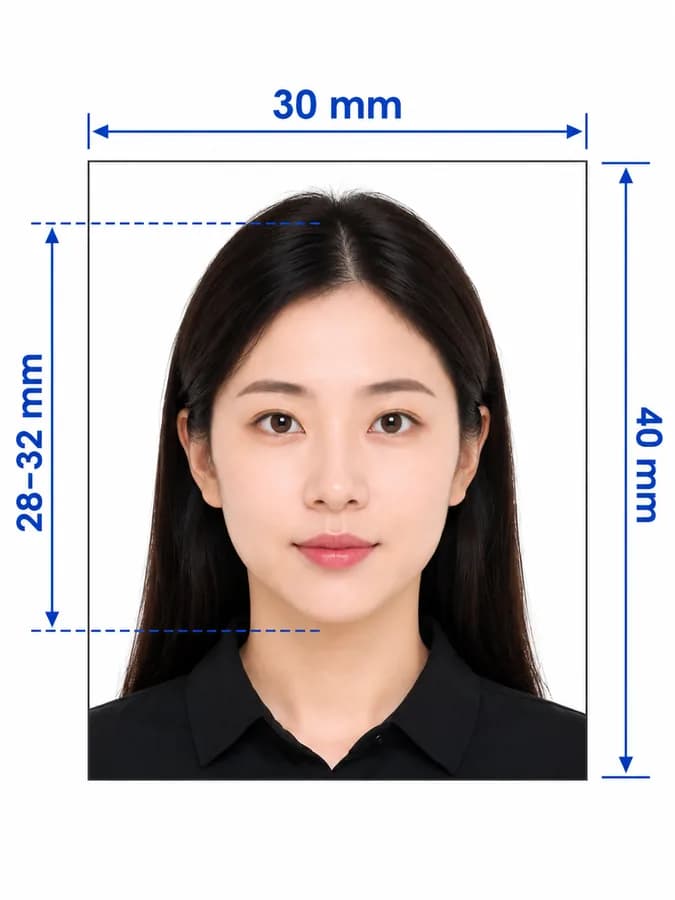
Use this guide to create a 4 × 6 cm Vietnam passport picture from a phone photo, understand the official rules, and avoid unsupported measurements repeated by commercial sites.
Vietnam passport photo requirements
Vietnam's National Public Service Portal specifies two recent 4 × 6 cm photos, a straight-on pose, uncovered head, no tinted glasses, and a white background. Current overseas e-passport guidance also specifies no glasses, visible ears, JPEG 2000, and at least 300 DPI for its upload route.
Official source: Vietnam National Public Service Portal — passport photo requirements
Where the Vietnam passport photo is used
Choose the final file according to the passport application channel handling your submission.
Printed passport application
Use the print-ready output when the application checklist asks for physical 4 × 6 cm photos.
Overseas e-passport application
Some Vietnamese missions request a JPEG 2000 portrait at a minimum 300 DPI; check the live portal before uploading.
Embassy or consular filing
Follow the receiving mission's current instructions because photo quantity, format, and submission method may differ.
How to take a Vietnam passport photo with a phone
A clean source photo makes cropping and checking more reliable. You can take it at home without a professional camera.
- Ask another person to use the phone's rear camera at eye level; avoid a close selfie.
- Stand in soft, even front light against a simple background without shadows.
- Look straight at the lens, keep your head upright, and make both ears visible.
- Remove glasses and headwear, and keep hair away from the face and ears.
- Leave space above the head and around the shoulders for the 2:3 crop.
- Do not use beauty filters, portrait blur, face reshaping, or scanned print photos.
Why a Vietnam passport photo may be rejected
Use this checker list before you upload or print. The receiving authority makes the final decision.
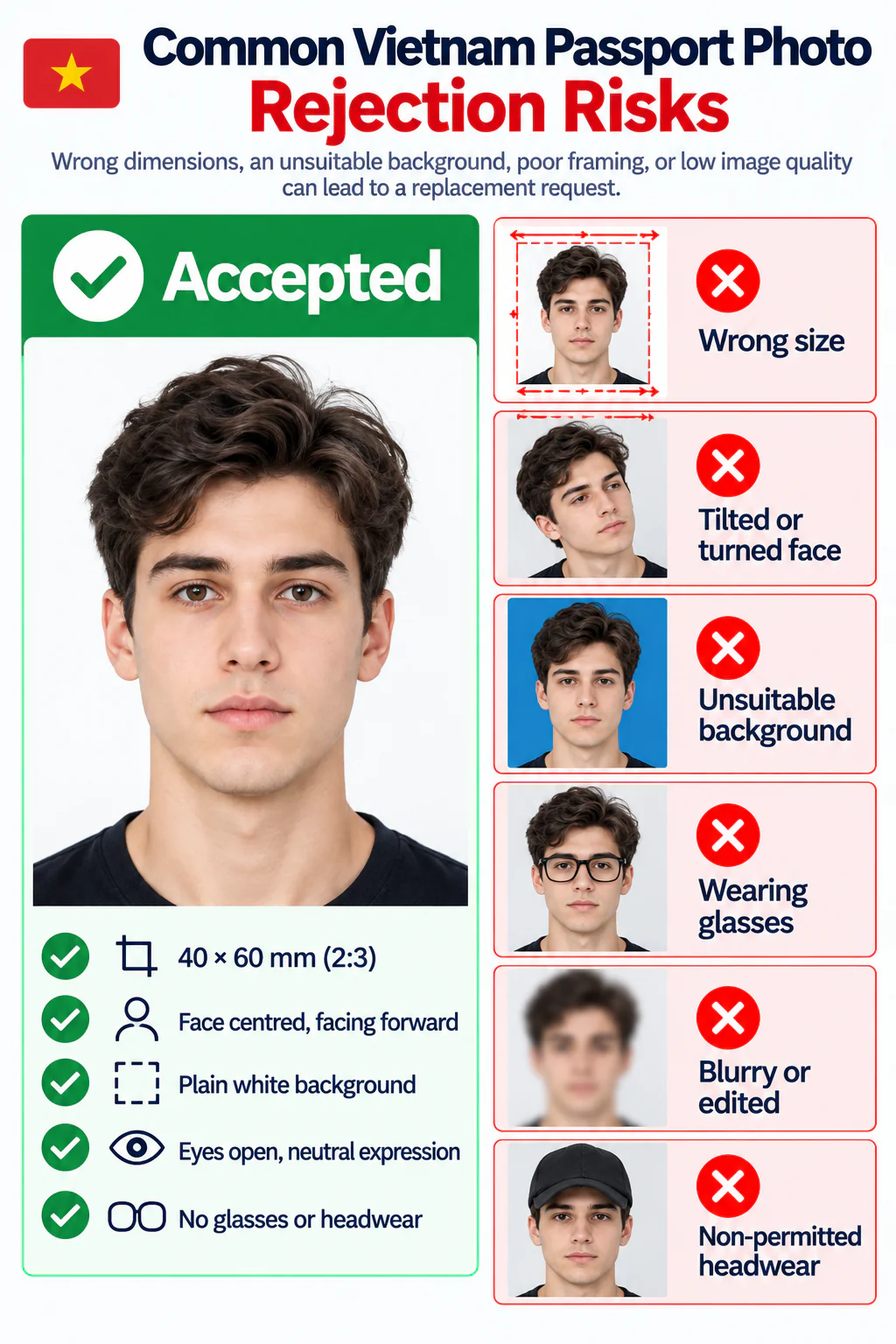
- The file is square, 35 × 45 mm, or another size instead of 40 × 60 mm.
- The head is tilted, the face is turned, or one or both ears are hidden.
- The background is coloured, patterned, uneven, or visibly shadowed.
- Glasses, a hat, hair, or another object obscures facial features.
- The image is blurred, pixelated, filtered, overexposed, heavily compressed, or retouched.
- The upload uses the wrong file format or resolution for the selected portal.
PhotoOmni vs. other Vietnam passport photo options
Compare a guided online maker with a basic crop tool and a traditional studio before choosing how to prepare your photo.
Make the photo from home
- PhotoOmni
- Upload from a phone
- Basic online tools
- Usually online
- Photo studios
- Requires a visit
Photo checks
- PhotoOmni
- AI pre-check plus expert review
- Basic online tools
- May only crop or resize
- Photo studios
- Depends on the operator
Output
- PhotoOmni
- Digital photo and print-ready sheet
- Basic online tools
- Formats vary
- Photo studios
- Digital file may cost extra
Rejection protection
- PhotoOmni
- 100% refund for photo-caused rejection
- Basic online tools
- Policy varies
- Photo studios
- Policy varies by shop
Total price & inclusions
- PhotoOmni
- One-time fee of $5.99
- Basic online tools
- Add-ons can cost $3–$10+
- Photo studios
- Often $15+; files vary