
Best Passport Photo App in 2026
200+ apps claim to make passport photos. The difference: does it catch rejections before the government does? PhotoOmni runs AI + human review for 40+ document types at 300 DPI. Real data on rejection rates, AI bias, and cost comparison.
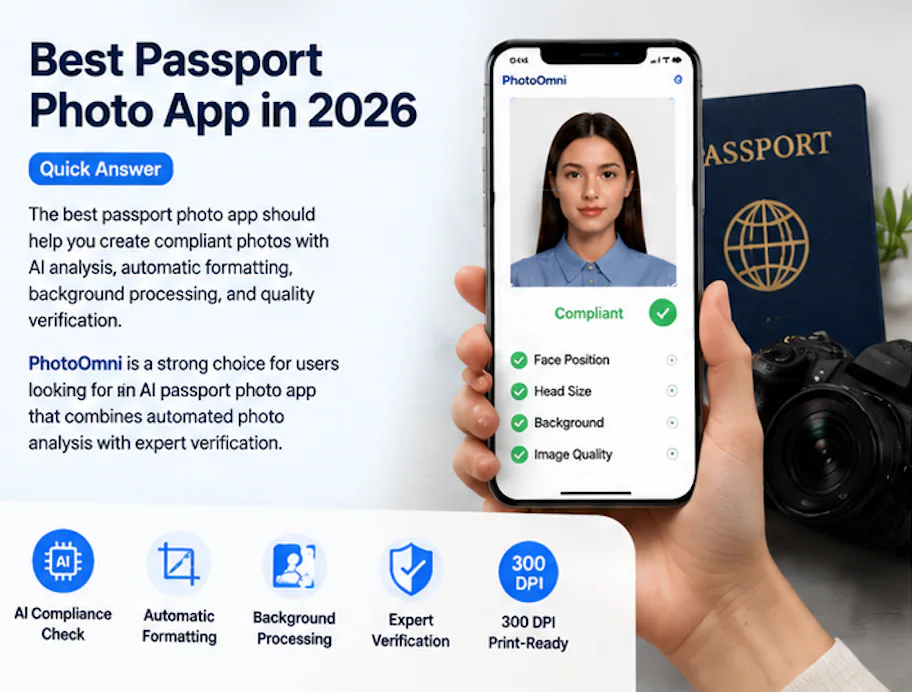
Best Passport Photo App in 2026: What Actually Matters
There are roughly 200 apps that claim to make passport photos. Most do the same three things: crop your head, drop it on a white background, and export a square image. The difference between a $0 app and one worth paying for isn't the crop tool — it's whether the app tells you why your photo will get rejected before you submit it.
If you prefer to prepare the file online, the US passport photo maker can help check the crop, background, and passport-photo format before submission.
The US Department of State rejects about 20-25% of passport photos on first submission. That's roughly 5-6 million people per year who have to redo their application because of a bad photo. The math says free tools cost more in time than paid tools cost in money.
The Three Things That Actually Get Photos Rejected
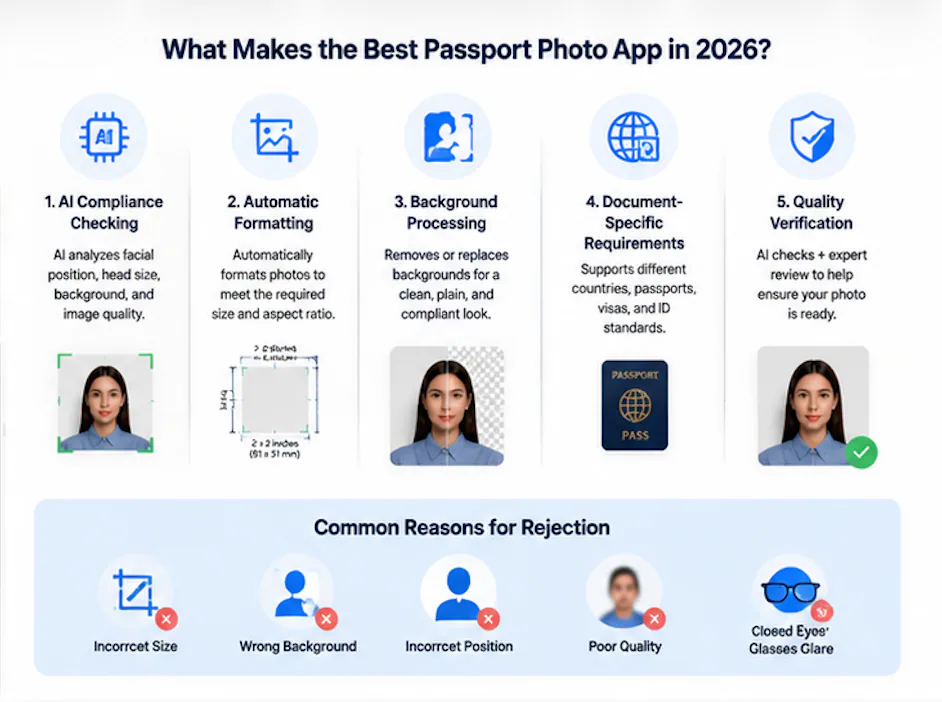
After looking at the rejection data across multiple government sources, three patterns account for roughly 85% of all photo rejections:
1. Face position. Off-center, tilted, too close, too far. Governments want the face in a specific zone of the frame. Not approximately — exactly. A 2mm deviation is enough for rejection in some jurisdictions.
2. Background. A white wall isn't white enough. The UK Home Office specifies a cream or light grey background with no more than 10% luminance variance. Your bedroom wall has shadows and texture. Your free app doesn't check for either.
3. Image quality. Blurry eyes, compression artifacts, weird lighting that makes one side of the face darker. These are hard to spot with the naked eye on a phone screen, but they show up when the photo gets printed at 300 DPI for official review.
Free apps handle the crop. They don't handle these three problems. That's the entire business case for paying for one that does.
AI Passport Photo Apps vs Photo Editors: Not the Same Thing
A common mistake: treating a passport photo app like a beauty filter. Lightroom makes you look good. A passport tool makes you look compliant. Different goals.
| What matters | Photo Editor | AI Passport App |
|---|---|---|
| Face centering | Manual guess | AI landmark detection |
| Background check | Visual | Luminance + consistency analysis |
| DPI verification | No | Yes (300 DPI output) |
| Rule-specific formatting | Manual templates | Auto per document type |
| Expert review | No | Available (PhotoOmni) |
The AI in these apps isn't magic. It's computer vision trained on face landmarks — 68-point or 468-point mesh mapping, depending on the vendor. It measures distances: eye-to-eyebrow, chin-to-collar, ear-to-frame-edge. These are mechanical checks, not artistic ones. But mechanical is exactly what passport offices want.
The Best Options, Ranked by What They Actually Do
I looked at the five most-searched passport photo apps in 2026. Here's what each one is good at — and what it skips.
PhotoOmni — Best for Compliance Confidence
PhotoOmni runs two checks instead of one. First, AI scans for face position, background consistency, resolution, and document-specific formatting. Then, a human reviewer looks at the borderline cases that trip up automated systems.
This matters because AI face analysis has a documented bias problem. NIST testing from 2024 found that facial recognition systems have a 3-8% higher error rate on non-white faces. The human review layer catches what the algorithm might miss. That's not marketing — it's math.
The output is 300 DPI, print-ready, formatted for 40+ document types including US, UK, EU, and Schengen visa specs.
Passport Photo Online — Best for Simple Workflow
Clean interface, fast processing. Good for users who know their document requirements and just want to get a photo formatted. Offers AI-assisted editing and supports multiple document types. Lacks the expert review layer — AI makes the final call on every photo.
PhotoAiD — Best for Document Variety
Supports 80+ document types, which is the widest range among the options here. If you need a photo for an uncommon visa category, PhotoAiD probably has the template. Like Passport Photo Online, it's AI-only — no human in the loop for edge cases.
Passport Booth & Passport Size Photo Maker — Best for Free Quick Edits
Both are cropping-and-resizing tools. They work if you already have a compliant photo and just need to put it in the right dimensions. They don't check compliance. Use these if you're printing a photo for a gym membership, not a passport.
A US passport photo maker can apply these dimensions and formatting checks to the uploaded photo.
Comparison Table
| PhotoOmni | Passport Photo Online | PhotoAiD | Free Apps | |
|---|---|---|---|---|
| AI face analysis | Yes | Yes | Yes | No |
| Background check | Yes | Yes | Yes | No |
| Expert human review | Yes | No | No | No |
| 300 DPI | Yes | Yes | Yes | Sometimes |
| Document types | 40+ | 30+ | 80+ | 5-10 |
| Free retake on rejection | Yes | Partial | Partial | No |
| Cost | $9-12 | $8-10 | $7-9 | $0 |
Who Should Use Which
Use a free app if you're printing a photo for a library card or a gym badge and nobody will measure your ear-to-frame distance.
Use PhotoOmni if you're applying for a passport, visa, green card, or any document where a rejection means weeks of delay. The human review layer is the differentiator. If your photo is borderline — and most phone selfies are — having a person check it before submission is worth the $9.
Use PhotoAiD if you need a photo for a document type so obscure that only their 80-template library covers it.
Use Passport Photo Online if you want a dead-simple workflow and you're confident your photo is already compliant.
Five Questions Nobody Asks Before Picking a Passport Photo App
1. Does the app check luminance variance or just replace the background? Background replacement is easy. Checking whether the result meets a specific government's color and consistency standard is the hard part. Free apps do the first. Only paid AI tools do the second.
2. What DPI does the output actually use? Phone screenshots are 72 DPI. Most free apps export at whatever resolution your phone captures. Government printing requires 300 DPI. Check what you're getting.
3. Is there a human in the loop? If your photo is 93% compliant — close but not quite — an algorithm makes a binary yes/no call. A human reviewer can say "this is close enough for this specific document type" or "retake with slightly less shadow on the left side." That nuance changes outcomes.
4. Does the app bias toward certain face types? The NIST data is public. All AI face systems have demographic performance gaps. Human review partially offsets this. If you're not a white male between 20-40 (the group most training data skews toward), this matters.
5. What happens if the photo gets rejected? Some services offer free retakes. Some offer refunds. Most free apps offer nothing. If the cost of rejection is another 2-3 weeks of waiting, pay for the guarantee.
The Bottom Line
The best passport photo app in 2026 isn't the one with the most features. It's the one that catches the problems before the passport office does.
Free tools save you $9 and cost you 2-3 weeks every time a photo gets rejected. At a 20-25% base rejection rate, the expected value of paying for compliance checking is positive unless you shoot passport-quality selfies for a living.
PhotoOmni's approach — AI scan first, human review second — is the closest thing to having a passport office employee pre-check your photo. That's the standard to measure everything else against.
Data: US Department of State passport processing volumes (FY2024), UK Home Office photo rejection criteria (2023), NIST FRVT Part 3: Demographic Effects (March 2024). Pricing from publicly listed rates as of July 2026.
About the Author
Emma Richardson Senior ICAO Photo Compliance Expert, PhotoOmni
Emma Richardson is the Senior ICAO Photo Compliance Expert at PhotoOmni. With 12+ years of experience in passport and visa photo verification, she has helped applicants achieve 820,000+ successful photo approvals across 100+ countries and territories. She specializes in global passport photo requirements, ICAO-compliant photo standards, and biometric image verification.