Expert verified

Canada Passport Photo Online

Use PhotoOmni's Canada passport photo checker to prepare a Canadian passport photo for printed applications or online renewal. Upload a phone photo and check it against Canada-specific size, head position, background, lighting, and expression requirements.

Start with a photo

AI checkedExpert verifiedExpert refinementRefund guarantee
Canada passport photo online

Photo specifications

Print size
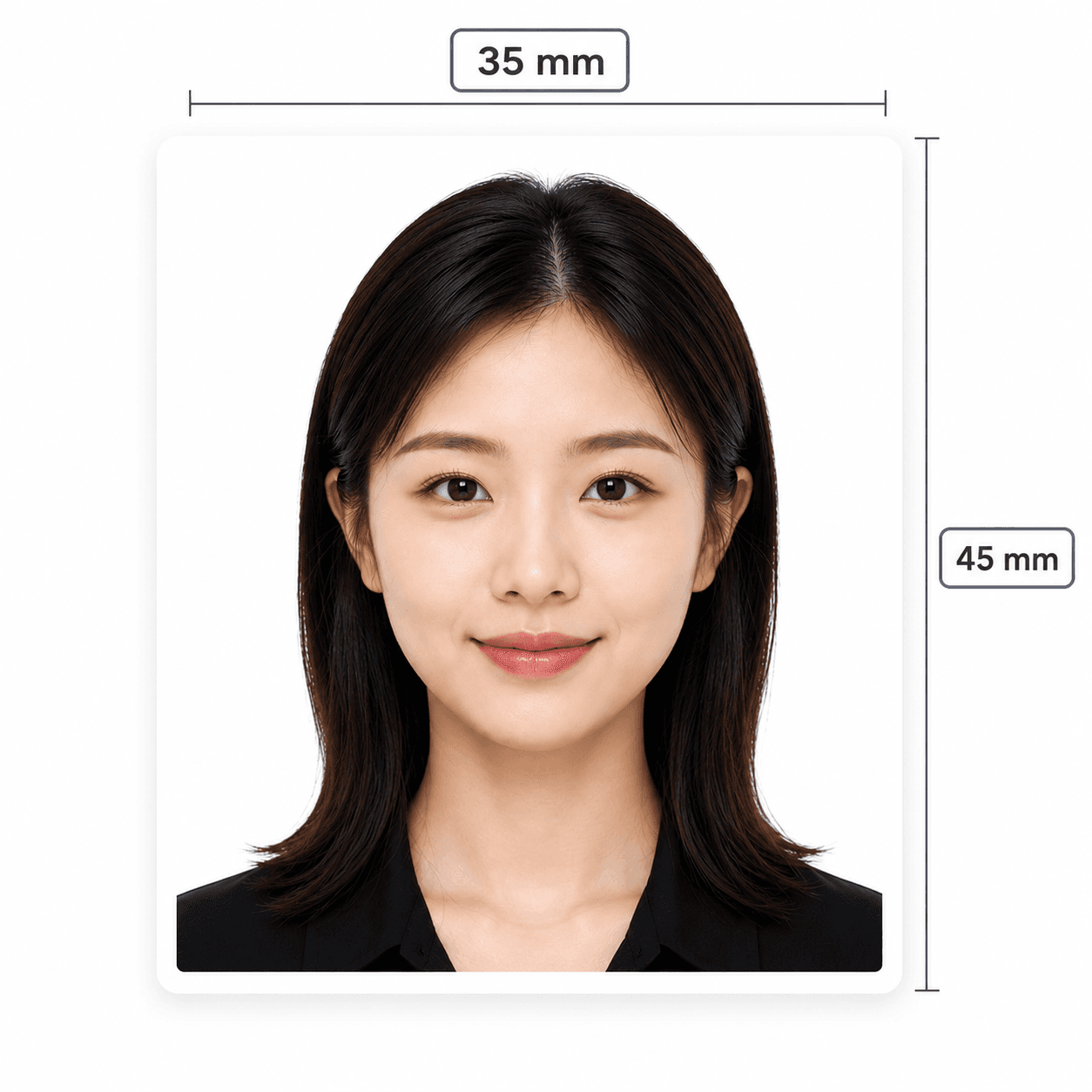
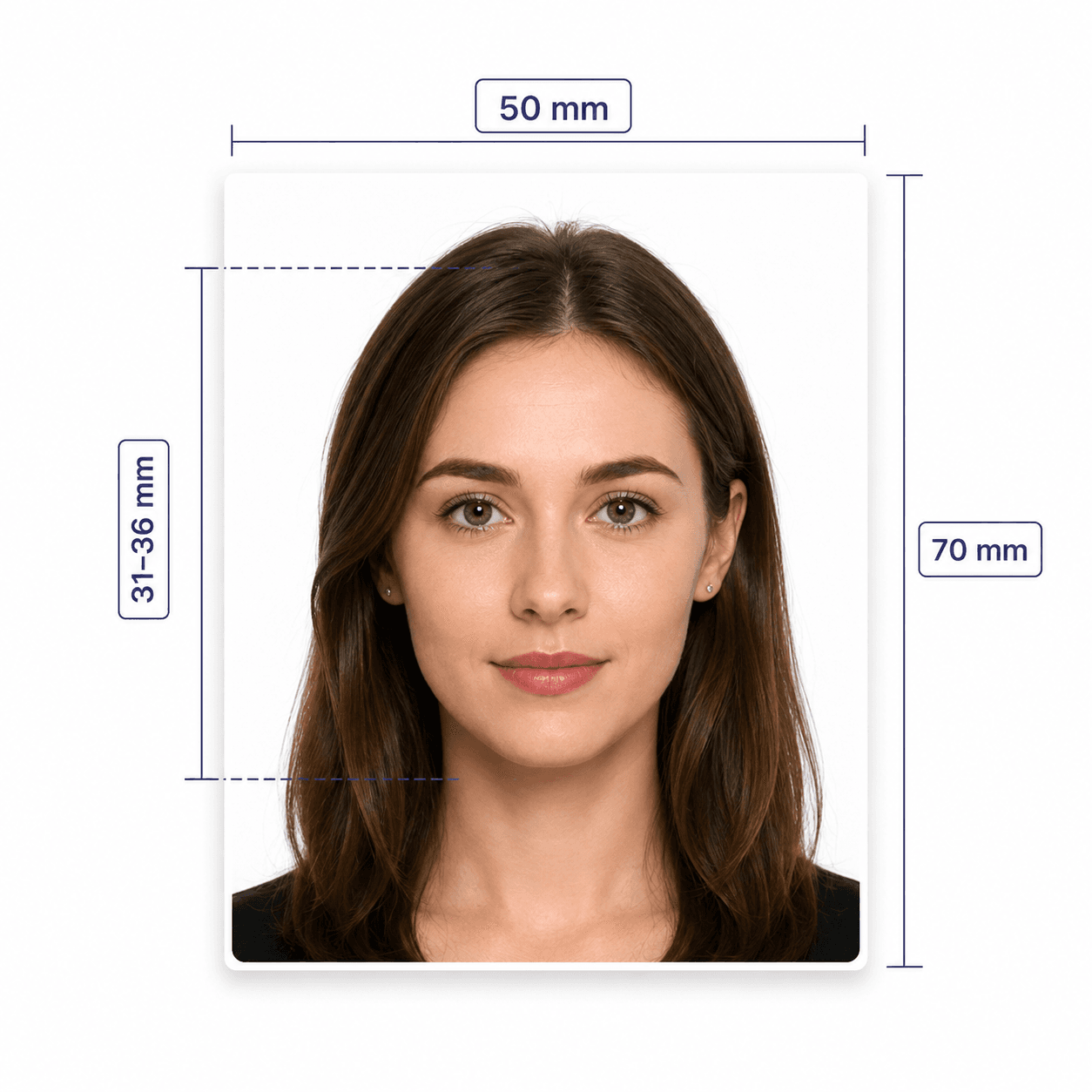
50 x 70 mm
Print pixels
1181 x 1654 px
Head height
31-36 mm
Online renewal size
1200 x 1800 to 3000 x 4500 px
Online renewal ratio
Portrait 3:2 (JPEG/JPG)
Printed copies
2 identical photos
Background colour
Plain white or light-coloured
Recency
6 months or less

Canada passport photo guide

Your Ultimate Guide to Canada Passport Photos

Canadian passport photos are different from US 2x2 photos, and the rules split between printed applications and online renewals. PhotoOmni helps check sizing, composition, background, lighting, and expression for the format you need.

Contents
  1. 1. Canada passport photo requirements
  2. 2. How PhotoOmni works
  3. 3. How to prepare before taking your photo
  4. 4. Why Canada passport photos get rejected
  5. 5. PhotoOmni vs. online tools vs. photo studios
  6. 6. Printed photos and online renewal files

Canada passport photo requirements

Canadian passport applications have specific rules for size, head measurement, background, and recency. These are the essentials we check before your final file is delivered.

Official source: Canada passport photo requirements

Printed photo size
50 x 70 mm
Head size
31-36 mm from chin to crown
Online renewal pixels
1200 x 1800 px to 3000 x 4500 px
Online renewal ratio
Portrait 3:2 (JPEG/JPG)
File size
JPEG/JPG, 200 KB to 5 MB
Background
Plain white or light-coloured, with clear contrast
Age of photo
Taken within the last 6 months

How PhotoOmni works

Choose the Canada passport photo format, upload your image, and PhotoOmni checks it against the relevant print or online renewal requirements so issues are easier to catch before submission.

Step 1

Upload your photo

Upload one selfie or take a new photo with your phone.

Step 2

AI + expert compliance review

AI pre-checks size, framing, lighting, background, and image quality; an expert reviews the result before delivery.

Step 3

Download your formatted file

Download the file prepared for your selected format: print-ready 50 x 70 mm (1181 x 1654 px), or online renewal JPG/JPEG in portrait 3:2 at 1200 x 1800 to 3000 x 4500 px and 200 KB to 5 MB.

How to prepare before taking your photo

Use a clear photo with good lighting, posture, and clothing.

  • Face the camera directly with your head and shoulders centred and not tilted.
  • Use even front-facing light with no shadows around your face, shoulders, ears, or background.
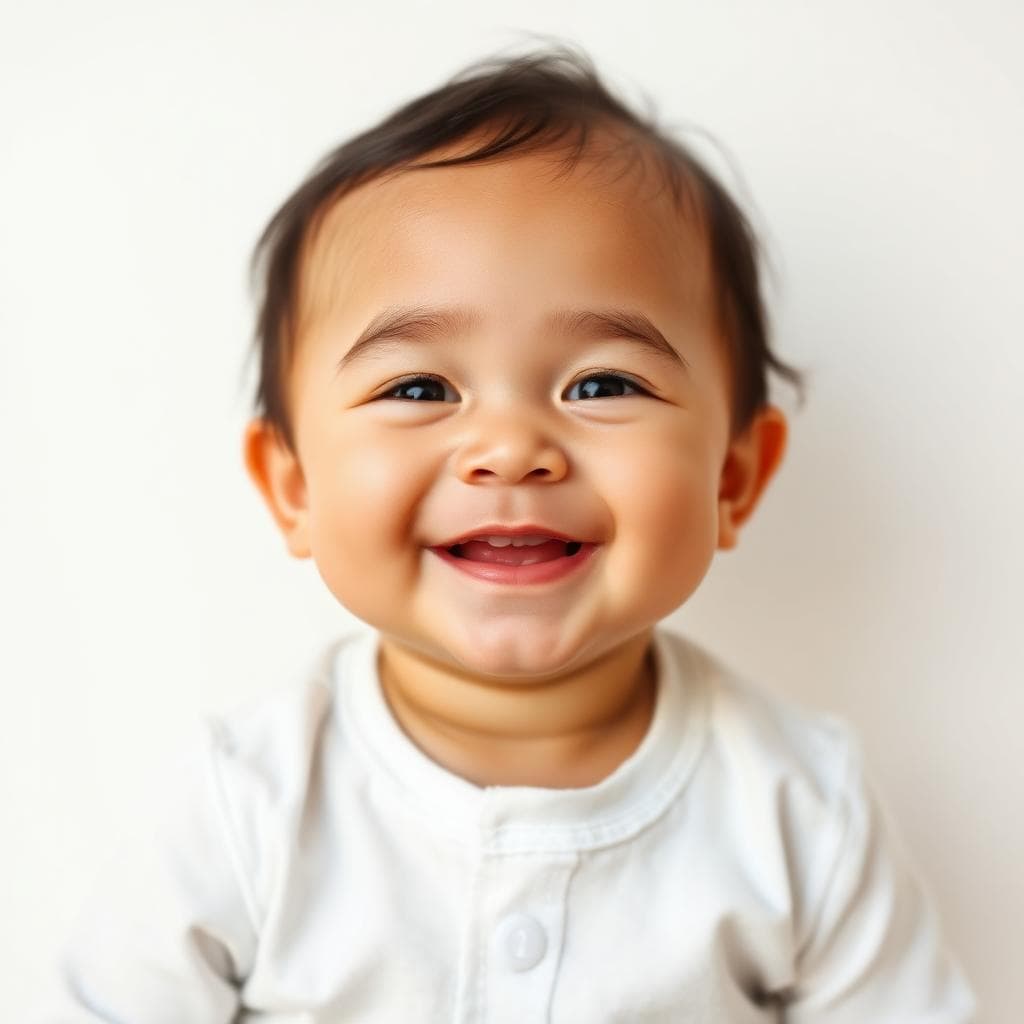
  • Keep a neutral expression: eyes open, clearly visible, mouth closed, no smile or frown.
  • Avoid white clothing because it can blend into a white or light-coloured background.
  • Do not wear tinted lenses, sunglasses, headphones, or headwear unless it is worn daily for religious or medical reasons.

Common reasons Canada passport photos are rejected

Canada passport photo rules are strict about originality, background, lighting, and expression. These issues are easy to miss before submitting.
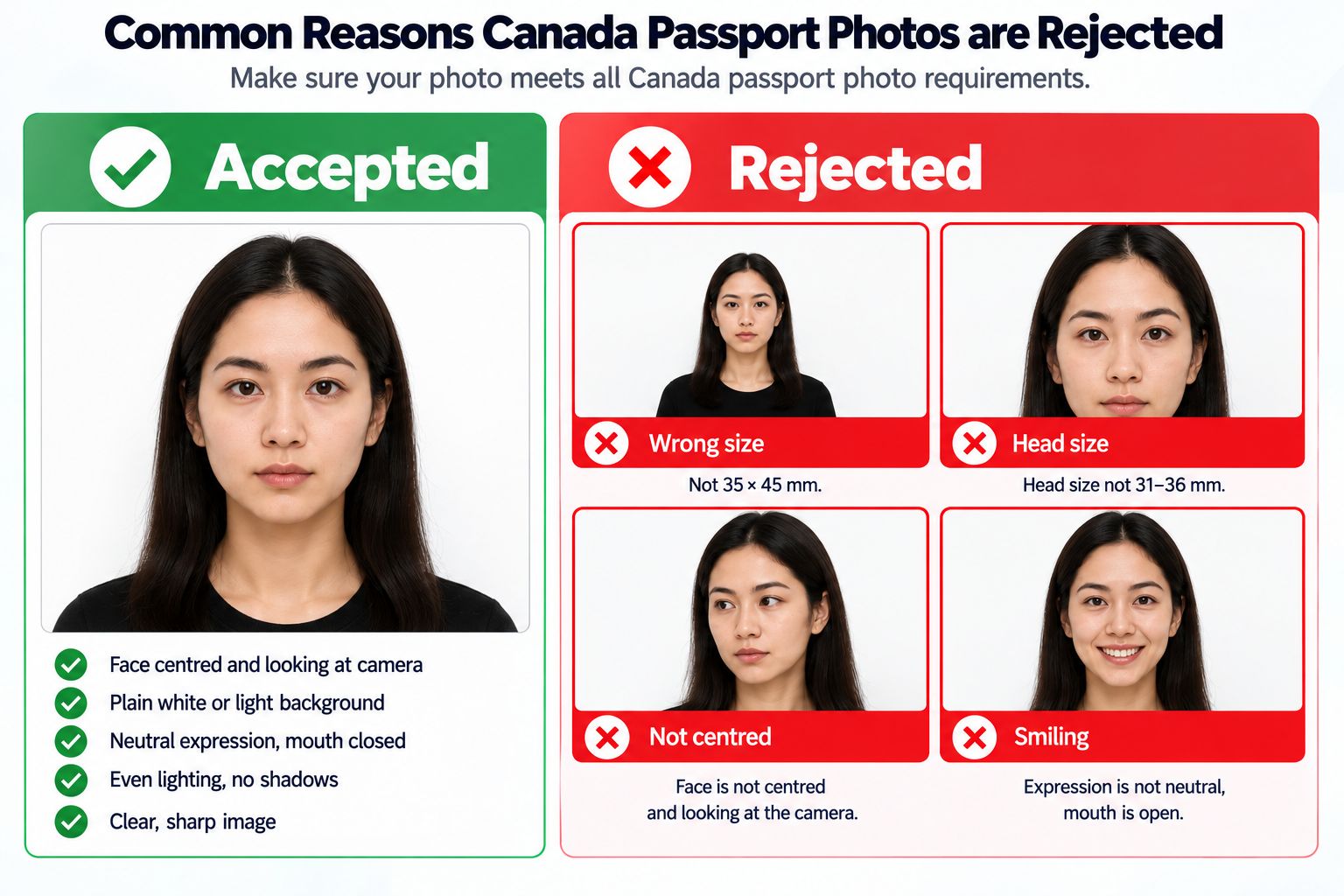
Accepted and rejected Canada passport photo examples, showing common framing, lighting, expression, and background errors.
  • Your face or shoulders are not centred, your head is tilted, or chin-to-crown sizing is wrong.
  • The background is not plain white or light-coloured, or shadows appear around your face, shoulders, or ears.
  • The photo is blurry, out of focus, unevenly lit, reflective, or does not show natural skin tone.
  • You are smiling, frowning, opening your mouth, wearing tinted lenses, or using unsuitable headwear.

PhotoOmni vs. online tools vs. photo studios

Canadian requirements are more specific than many countries, especially because printed applications and online renewals are different. PhotoOmni keeps those checks in one flow.

  • Convenience

    PhotoOmni
    Upload from home for a fast pre-check
    Other online tools
    Usually online
    Traditional photo studios
    Requires a store visit
  • Canada-specific specs

    PhotoOmni
    Print and online renewal rules separated
    Other online tools
    May use a generic crop
    Traditional photo studios
    Depends on local staff
  • Compliance feedback

    PhotoOmni
    Checks size, background, lighting, and expression with expert review
    Other online tools
    May lack expert review or charge extra for it
    Traditional photo studios
    Usually retake-based
  • Ready-to-use files

    PhotoOmni
    Print sizing plus online renewal format
    Other online tools
    May be limited or extra
    Traditional photo studios
    Digital copy may cost extra
  • Rejection protection

    PhotoOmni
    100% refund for photo-quality rejection
    Other online tools
    Policy varies
    Traditional photo studios
    Policy varies by shop

Official requirements

  • Printed applications require 2 identical photos
  • Taken within the last 6 months and showing your current appearance
  • Head and shoulders centred, square to the camera, and not tilted
  • Clear, sharp image with natural skin tone and no visible grain
  • Even lighting with no shadows, glare, or flash reflections
  • Plain white or light-coloured background with clear contrast
  • Neutral expression: eyes open, mouth closed, no smile or frown

Frequently asked questions

Can I take a Canadian passport photo by phone?
You can use a phone photo for online pre-checking. Use even daylight, a front-facing pose, and sharp focus. For best results, ask someone else to take the photo.
What is the required size of a Canadian passport photo?
The printed photo is 50 x 70 mm, with crown-to-chin head height between 31 and 36 mm. Online renewal photos should be portrait 3:2 JPEG/JPG files from 1200 x 1800 to 3000 x 4500 px.
Are glasses allowed in Canadian passport photos?
Regular glasses can be accepted if your eyes are clearly visible and there is no glare. Tinted lenses and sunglasses are not suitable.
Can I smile in a Canadian passport photo?
No. Canada requires a neutral expression with eyes open, clearly visible, mouth closed, and no smile or frown.

← Back to home