
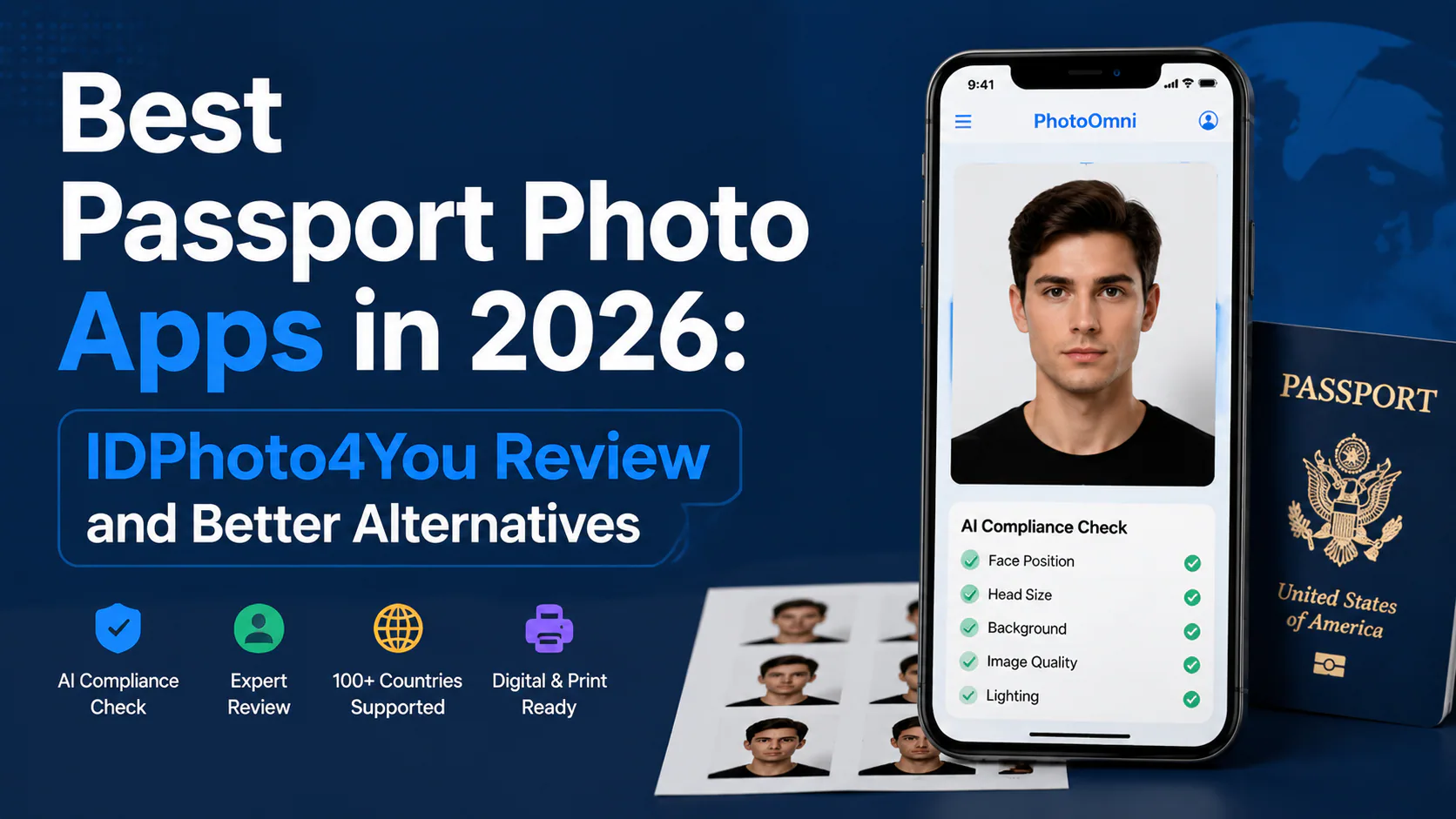
Best Passport Photo Apps 2026: IDPhoto4You Review & Better Alternatives
Compare the best passport photo apps in 2026: IDPhoto4You review vs AI-powered tools. See why free crop tools miss 4 key compliance checks that get photos rejected.
Introduction
A bad passport photo costs time and money. The US Department of State rejects roughly one in four first-time passport photo submissions because of technical issues — wrong background, off-center face, resolution that falls below the scanning threshold. That is not bad luck. It is the gap between what looks fine on a phone screen and what a government photo compliance scanner actually needs.
About 40% of passport application filers now take their own photos at home instead of visiting a studio. Modern smartphone sensors shoot at 12 to 48 megapixels. That is more than enough for a 2×2 inch document print — provided the capture settings, lighting, and post-processing are right.
The real question is not whether you can take a passport photo at home. You can. The question is whether the tool you are using will catch the invisible errors that free apps ignore.
Free tools like IDPhoto4You handle the basics: crop, resize, print layout. Paid AI tools go further, scanning for the specific official requirements that vary by country. Here is how the options stack up.
Why Passport Photos Get Rejected
Most photo rejections are not dramatic. Nobody sends in a blurry selfie with a nightclub background. The problems are technical, easy to miss, and surprisingly common:
| Problem | What Actually Goes Wrong |
|---|---|
| Wrong background color | There is no universal standard. The US wants white or off-white. The UK requires plain cream or light grey with luminance variance under 10%. Schengen countries follow RAL 7035 light grey. China accepts white only. Your background might pass for one country and fail for another |
| Incorrect resolution | Government scanners read at 300 DPI. Phone photos capture at 72 DPI — a 4× gap. Upscaling from 72 DPI does not create real detail; it stretches soft pixels |
| Color space mismatch | All ICAO-compliant ID photo systems require sRGB. Adobe RGB or Display P3 color profiles get rejected automatically. The US and UK only accept JPEG format. Schengen countries also take JPEG 2000 — but no country accepts PNG or HEIC |
| Head position off | At 300 DPI, each pixel measures about 0.085mm. A single hair strand is 0.05 to 0.1mm thick — one pixel wide. If your source image was captured at 72 DPI and upscaled, those hair strands blur into the background. The scanner notices even if your eyes do not |
The background problem alone accounts for roughly 30% of all [passport photo requirements](/en/documents) rejections. Add face-position errors, and you are looking at the majority of failed applications.
IDPhoto4You: What It Does, and Where It Stops
IDPhoto4You is a free browser-based passport photo maker that has been around for years. The workflow is simple: upload a photo, pick a document type from a dropdown, drag crop handles, download the result.
That is the complete feature set. No compliance analysis. No background check. No resolution validation. No rejection review.
For a basic employee badge or library card photo, that is fine. For a passport renewal where the US filing fee alone runs $130 to $165, it is a gamble with non-refundable money.
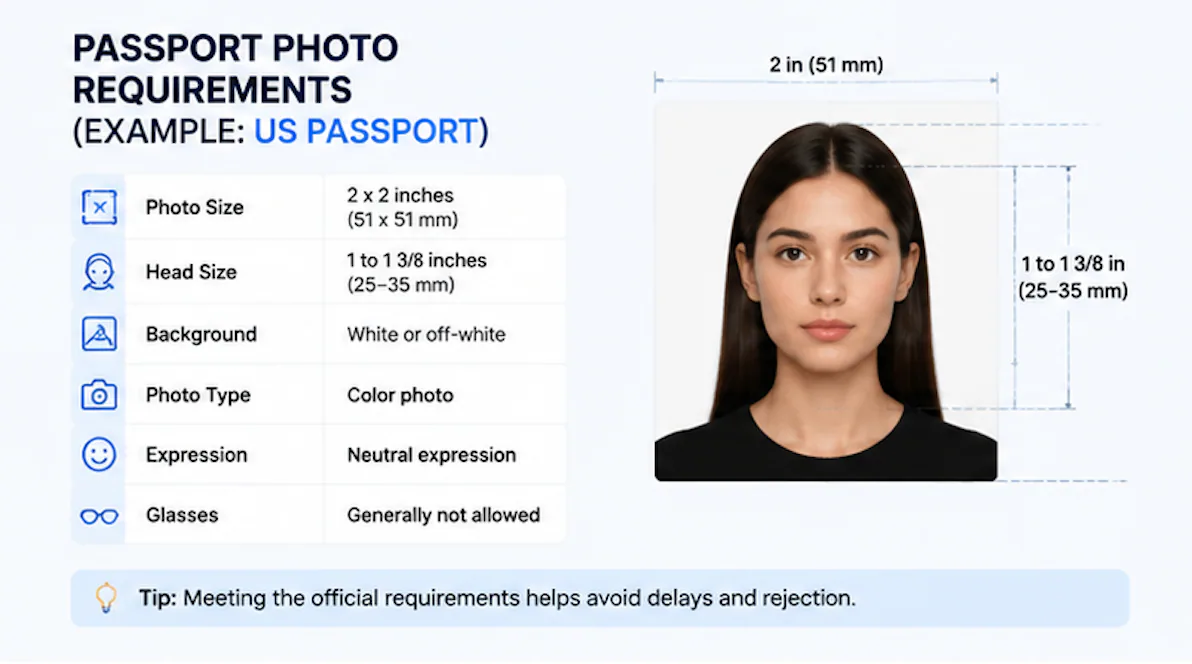
The tool handles dimensions correctly — 2×2 inches for the US, 35×45mm for Schengen visa photo applications, and so on. The interface has barely changed in a decade, which tells you two things: it is stable, and it is not adding capabilities.
What IDPhoto4You will not tell you:
- Whether your background color matches the specific shade your target country demands
- If your head is centered within biometric tolerance, not just "looks about right"
- Whether the lighting created uneven shadows that automated scanners will flag
- If the effective resolution after cropping meets 300 DPI
These are not edge cases. They are the four most common reasons photos get kicked back.
What AI Passport Photo Apps Actually Check
Paid AI passport photo apps do not just resize. They scan against country-specific rule sets. The difference comes down to a set of checks that run before you download:
Background verification. Different countries demand different background colors. The same photo may pass for a US application (white or off-white) and fail for the UK (cream/light grey, ≤10% luminance variance). Schengen countries require RAL 7035 light grey. China is white only. Good AI tools check your actual background pixel values against the target country's standard — not "is it roughly plain?"
Resolution and format validation. Phone cameras capture at 72 DPI by default. Government scanners need 300 DPI. AI tools verify the effective resolution after cropping and warn you if upscaling will introduce softness. They also catch wrong color spaces — sRGB is mandatory, and a Display P3 or Adobe RGB profile will get your photo bounced. The US and UK only accept JPEG; Schengen also takes JPEG 2000.
Biometric face measurement. Good AI tools do not just center your face. They measure chin-to-crown distance, eye-line position, and head width as a percentage of the frame. At 300 DPI, where each pixel is roughly 0.085mm, a 2mm positioning error can trigger rejection. Manual crop handles cannot hit that tolerance consistently.
Human review. For critical applications, some services add a human expert who reviews the AI results. Two sets of eyes beat one when the filing fee is non-refundable.
IDPhoto4You vs. AI-Powered Tools
| What You Get | IDPhoto4You | AI Tools (PhotoOmni, PhotoAiD, etc.) |
|---|---|---|
| Crop & resize | ✓ | ✓ |
| Country templates | ✓ | ✓ |
| Free to use | ✓ | Some offer free tier |
| Background color check per country | ✗ | ✓ |
| Resolution validation (300 DPI) | ✗ | ✓ |
| Color space check (sRGB vs Adobe RGB/Display P3) | ✗ | ✓ |
| Biometric face position measurement | ✗ | ✓ |
| Human expert review | ✗ | Some |
| Price | $0 | $5.99–$15 |
The price gap is real. Whether it matters depends on what is at stake. A $5.99 compliance check against a $165 non-refundable passport fee is cheap insurance. That same $5.99 against a free library card is a waste.
Other Passport Photo Apps Worth Knowing
A few alternatives sit between the free crop tools and full-service AI platforms:
PhotoAiD ($7–$9). Solid country coverage with decent compliance scanning. The feedback can be terse — you sometimes get a "fail" without a clear explanation of what to adjust. Fine if you know what you are looking for; frustrating if this is your first passport photo.
Passport Photo Online ($8–$10). Strong on European document types, weaker on Asian and Middle Eastern specifications. Background removal is reliable. The auto-crop sometimes cuts too tight for certain countries' head-to-frame ratio requirements.
PhotoOmni ($5.99). AI compliance check plus optional human expert review across 100+ countries. The combination of automated scanning and a second set of human eyes means fewer surprises at the acceptance counter. The trade-off is a slightly higher price than AI-only competitors.
The Bottom Line
IDPhoto4You is a competent free crop-and-resize tool. For non-critical ID photos where a rejection carries no financial or timeline penalty, it does the job and costs nothing.
For passport photo applications, visa photos, and immigration documents, the math shifts. The US passport fee is $165. A UK adult passport costs £88.50. The photo is the cheapest part of the application — and the most common failure point. Paying $5.99 for a biometric photo compliance check that catches what free tools miss is not extravagant. It is risk management with a 4× resolution gap, country-specific background rules, and a non-refundable filing fee on the line.
Data: US Department of State (FY2024), UK Home Office (2023), ICAO Doc 9303 (8th edition), ISO/IEC 19794-5. Pricing from publicly listed rates as of July 2026.
About the Author
Emma Richardson Senior ICAO Photo Compliance Expert, PhotoOmni
Emma Richardson is the Senior ICAO Photo Compliance Expert at PhotoOmni. With 12+ years of experience in passport and visa photo verification, she has helped applicants achieve 820,000+ successful photo approvals across 100+ countries and territories. She specializes in global passport photo requirements, ICAO-compliant photo standards, and biometric image verification.