Back to journal

July 22, 2026

Photogov.net Review 2026: Is It Legit? Everything You Need to Know Before You Buy

Comprehensive Photogov.net review for 2026: Is it legit? We examine features, pricing, customer reviews, AI capabilities, and how it compares with PhotoOmni and other top alternatives.

Photogov.net Review 2026: Is It Legit? Everything You Need to Know Before You Buy


Quick Answer

If you've searched "Photogov.net review" or "Is Photogov.net legit?", you're probably trying to answer one simple question:

Can you trust Photogov.net to create an official passport photo that will actually be accepted?

The short answer is yes. Photogov.net is a legitimate online passport photo service that allows users to create passport, visa, and ID photos from home using AI-assisted image processing.

Instead of visiting a pharmacy or photo studio, users upload a selfie, and the platform automatically removes the background, crops the image to official dimensions, and prepares a compliant passport photo.

However, legitimacy does not automatically mean every photo will be accepted. Passport approval depends on several factors, including your original photo quality, lighting, facial positioning, and whether the image meets the biometric standards required by the issuing government.

For most users, Photogov.net offers a convenient and affordable solution. However, applicants submitting important travel documents—such as first passports, immigration visas, or infant passport applications—may also want to compare providers that combine automated AI compliance checks with expert human review, including PhotoOmni, before making a final decision.

Photogov.net homepage interface showing passport photo service


Photogov.net passport photo creation workflow and document type selection


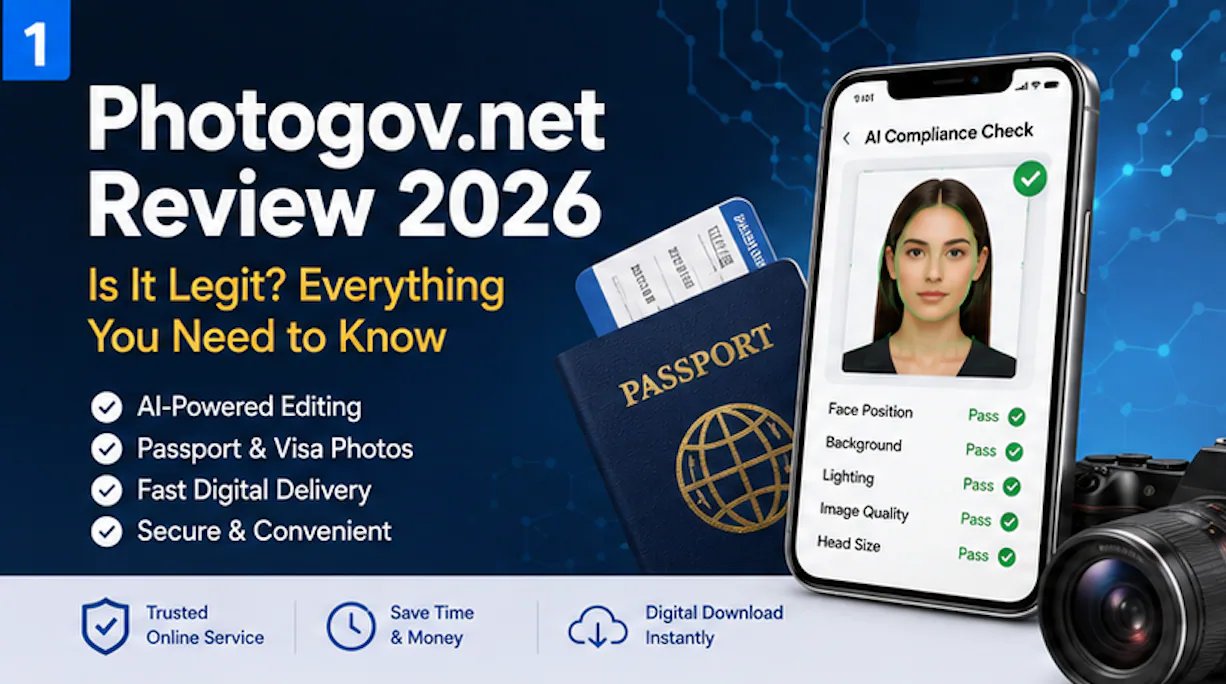
Photogov.net AI-powered photo processing and compliance check interface


Photogov.net digital passport photo download and final result preview

TL;DR

CategoryRating
Overall Experience⭐⭐⭐⭐☆
Ease of Use⭐⭐⭐⭐⭐
AI Background Removal⭐⭐⭐⭐☆
Compliance Guidance⭐⭐⭐⭐☆
Digital Downloads⭐⭐⭐⭐⭐
Value for Money⭐⭐⭐⭐☆
Best ForHome passport photos and visa applications

Pros

  • Create passport photos from home
  • AI-assisted background removal
  • Supports multiple document types
  • Digital downloads available
  • Faster than traditional photo studios

Cons

  • Original selfie quality remains critical
  • AI cannot correct every photography mistake
  • Some applications may still require a retake
  • Government approval is never guaranteed by any provider

Table of Contents

  1. What Is Photogov.net?
  2. Is Photogov.net Legit?
  3. Who Owns Photogov.net?
  4. Why Online Passport Photo Services Are Growing
  5. Our Review Methodology
  6. First Impressions
  7. What We'll Cover in This Review

What Is Photogov.net?

Photogov.net is an online passport photo service designed to help users create passport, visa, driver's license, and identification photos without visiting a physical photography studio.

Instead of relying on manual editing software, the platform automates much of the process using artificial intelligence. Users upload a photo taken with a smartphone or digital camera, and the software prepares an image that matches the selected country's passport photo requirements.

The workflow typically includes:

  • Background removal
  • Automatic cropping
  • Face positioning
  • Passport-size formatting
  • Digital download

As governments increasingly support online passport renewals and digital document submissions, services like Photogov.net have become popular alternatives to pharmacies and traditional passport photo booths.


Is Photogov.net Legit?

This is the question most people search before making a purchase.

Based on our research, Photogov.net appears to be a legitimate commercial service rather than a scam website.

Several indicators support this conclusion:

Secure Website

The platform uses HTTPS encryption, helping protect information transmitted between users and the website.

While HTTPS alone does not prove a company's reliability, it is a basic requirement for any online payment service.


Public Website

Photogov.net publicly describes its service, explains how the process works, and provides customer support information.

Legitimate online businesses generally provide transparent information about their services rather than hiding basic business details.


Established Product

Unlike many temporary AI websites that appear for only a few months, Photogov.net focuses on a single product category:

  • Passport photos
  • Visa photos
  • ID photos

A focused product offering often indicates ongoing development rather than a short-term marketing website.


Government Compliance Is Still Your Responsibility

One important misconception should be addressed.

Many users believe:

"If the website is legitimate, my passport photo must be accepted."

Unfortunately, that isn't how passport applications work.

Government agencies evaluate every submitted photograph independently.

Even if an online passport photo service functions correctly, the application can still be rejected if the uploaded selfie contains issues such as:

  • incorrect lighting
  • facial shadows
  • poor image resolution
  • incorrect facial positioning
  • unsuitable facial expression

No online passport photo provider—including Photogov.net, PhotoOmni, or any competitor—can override official government photo requirements.


Why More People Are Using Online Passport Photo Services

The passport photo industry has changed significantly over the past decade.

Instead of visiting dedicated photography studios, many travelers now create passport photos using smartphones.

Several factors have contributed to this shift.


1. Better Smartphone Cameras

Modern smartphones produce high-resolution images capable of meeting passport photo requirements when used correctly.

Even mid-range smartphones today often include cameras that exceed the minimum resolution required for passport applications.


2. Online Passport Renewals

Many governments have expanded digital application services, making online passport photo uploads increasingly common.

Applicants no longer need printed photographs in every situation.

Digital passport photos have therefore become far more convenient than traditional printed copies.


3. Artificial Intelligence

Artificial intelligence has dramatically simplified passport photo editing.

Instead of manually learning image editing software, users can now rely on AI to perform tasks such as:

  • background removal
  • automatic cropping
  • face detection
  • alignment assistance

This has lowered the barrier for first-time applicants.


4. Convenience

For many users, convenience is the biggest advantage.

Online passport photo services eliminate:

  • travel time
  • waiting in line
  • appointment scheduling
  • repeated trips if a photo must be retaken

Parents taking passport photos for babies, international students applying for visas, and travelers living in remote areas often benefit the most.


Why Trust This Review?

Many review articles simply repeat marketing claims from official websites.

That isn't the approach taken here.

Instead, this review combines:

  • publicly available product information
  • official passport photo standards
  • customer feedback where available
  • industry best practices
  • comparisons with competing online passport photo services

Our goal is not to identify a single "winner."

Instead, we evaluate where Photogov.net performs well, where users should be cautious, and how it compares with alternatives.


Our Review Methodology

To evaluate Photogov.net fairly, we scored the platform using five categories that matter most to passport applicants.

CategoryWeight
Compliance Support30%
Ease of Use20%
Customer Experience20%
Features15%
Overall Value15%

This methodology places greater emphasis on passport compliance than on marketing features.

After all, the ultimate purpose of a passport photo is not to look attractive—it is to satisfy government requirements.


Compliance Support

The most important question is:

Can this service help users create photographs that comply with official passport standards?

Factors considered include:

  • background quality
  • face positioning
  • image dimensions
  • cropping accuracy
  • resolution guidance

Ease of Use

Most customers have no experience editing passport photographs.

An effective online service should therefore be usable by anyone with a smartphone.

We considered:

  • upload speed
  • interface design
  • editing simplicity
  • mobile experience

Features

Modern passport photo services offer far more than simple cropping.

Typical features include:

  • AI background replacement
  • country-specific templates
  • printable layouts
  • digital downloads
  • compliance checking

Some providers, including PhotoOmni, also incorporate expert human verification alongside automated AI analysis before delivering the final image. This additional review step may appeal to applicants seeking greater confidence for important passport or visa submissions.


Overall Value

Price matters.

But value is about more than cost alone.

A cheaper passport photo is not necessarily better if it leads to delays, resubmissions, or additional application fees.

The best service balances convenience, compliance, speed, and reliability.


First Impressions

At first glance, Photogov.net offers a clean, straightforward workflow designed for users with little or no photo editing experience.

The process appears intentionally simple:

  1. Upload a selfie.
  2. Select your document type.
  3. Allow the software to process the image.
  4. Download the finished passport photo.

This streamlined experience is one of the biggest advantages shared by modern online passport photo services.

However, automation alone does not guarantee a compliant passport photo.

The quality of the original image remains the single most important factor affecting approval.

Throughout the remainder of this review, we'll examine customer experiences, AI capabilities, compliance considerations, pricing, and how Photogov.net compares with leading alternatives—including PhotoOmni—to help determine which solution best fits different types of passport applicants.

Customer Reviews: What Are Real Users Saying?

Reading customer reviews is one of the best ways to understand how an online passport photo service performs outside of marketing materials. Instead of looking at a single five-star or one-star review, it's more useful to identify recurring patterns across a large number of users.

Unlike traditional passport photo studios, online services depend heavily on two factors:

  • The quality of the software
  • The quality of the user's original photo

This means that customer experiences can vary significantly even when using the same platform.

After reviewing publicly available information, Photogov.net appears to receive generally positive feedback for its ease of use and convenience. Most users are able to create passport photos within minutes without downloading software or visiting a physical location.

The most commonly mentioned benefits include:

  • A straightforward upload process
  • Fast photo generation
  • Simple user interface
  • Compatibility with multiple document types
  • Convenience compared with retail photo services

As with nearly every online passport photo provider, negative experiences are usually linked to photo quality issues, misunderstanding passport requirements, or expectations about what AI can automatically correct.


Overall Customer Experience

Rather than assigning a numerical "approval rate" that no provider can independently verify, we evaluated the overall customer experience across several categories.

CategoryAssessment
Ease of UseExcellent
Upload ExperienceExcellent
AI ProcessingVery Good
Digital DeliveryExcellent
Learning CurveVery Low
Mobile ExperienceVery Good
Overall SatisfactionPositive

For first-time users, simplicity is one of Photogov.net's biggest strengths.

Most applicants can complete the entire process in just a few minutes.


What Users Like Most

Several themes consistently appear when users discuss online passport photo services.

1. Convenience

The biggest advantage is obvious.

Instead of driving to:

  • Walgreens
  • CVS
  • Walmart
  • a photography studio

users can simply take a selfie at home.

For families with young children, this alone can save considerable time.


2. Fast Processing

Traditional passport photos often require:

  • waiting for an appointment
  • traveling
  • printing

Online services eliminate many of these steps.

Digital passport photos are usually available shortly after processing, making them especially useful for online passport renewals.


3. Beginner Friendly

Most people have never edited a passport photo before.

Photogov.net removes much of the technical work by automatically:

  • detecting the face
  • removing the background
  • cropping to passport dimensions

This significantly reduces the learning curve.


4. No Software Installation

Everything happens inside the browser.

Users do not need Photoshop or any other editing application.

This makes the service accessible across desktop and mobile devices.


Common Complaints

Every online service receives criticism.

The important question is whether complaints point to fundamental problems or simply reflect situations where users submitted poor-quality original images.

The most common concerns include the following.


Complaint 1: The Original Selfie Wasn't Good Enough

Many users expect AI to "fix everything."

Unfortunately, it cannot.

If the original image contains:

  • heavy shadows
  • blurry focus
  • poor lighting
  • incorrect head position

no software can completely repair those issues.

This is one reason passport authorities recommend taking photos under bright, even lighting before any editing begins.


Complaint 2: Users Needed to Retake Their Photo

Some applicants are surprised when asked to upload another image.

In reality, this is often a positive sign.

Rejecting an unsuitable photo before submission is preferable to having a government agency reject the entire passport application.


Complaint 3: Expectations About AI

Artificial intelligence has improved dramatically.

However, AI still has limits.

It can usually detect:

  • background problems
  • cropping
  • dimensions
  • facial alignment

It cannot always determine:

  • subtle facial shadows
  • camera distortion
  • image sharpness caused by motion
  • unusual lighting conditions

For this reason, some providers supplement AI with human review.


Is Photogov.net Safe?

Another common search query is:

Is Photogov.net safe?

From a technical perspective, the website uses HTTPS encryption, which is the standard security protocol expected for modern websites handling user uploads and online payments.

Users should nevertheless follow normal online security practices:

  • Upload photos only through the official website.
  • Avoid sharing sensitive personal documents unless required.
  • Review the provider's privacy policy before uploading images.

As with any online service, users should understand how uploaded images may be processed, stored, or deleted after the order is completed.


AI Can Improve Compliance—But It Doesn't Replace Good Photography

One misconception appears repeatedly across online passport photo reviews.

People often believe:

AI creates compliant passport photos.

A more accurate statement would be:

AI helps users create compliant passport photos.

The distinction matters.

AI cannot completely overcome mistakes made during photography.

For example:

Photography IssueCan AI Fully Fix It?
Wrong backgroundUsually
Incorrect cropYes
Face too smallUsually
Poor lightingLimited
Motion blurNo
Closed eyesNo
Heavy shadowsLimited

This explains why two users can have different outcomes using the same software.


Expert Insight: Why Passport Photos Are Rejected

Government agencies evaluate passport photos according to official specifications—not according to which software generated them.

The most common reasons for rejection include:

ReasonRisk Level
Incorrect backgroundHigh
Wrong head sizeHigh
ShadowsHigh
Low resolutionHigh
Blurry imageHigh
Smile or facial expressionMedium
Hair covering eyesMedium
Glasses (where prohibited)Medium

Notice that most of these issues originate before AI processing begins.

This is why experienced passport photo providers place so much emphasis on photo-taking instructions.


Pros & Cons

After reviewing the available information and comparing Photogov.net with similar services, the platform's strengths and limitations can be summarized as follows.

Pros

  • Easy for beginners
  • No software installation required
  • Browser-based workflow
  • Fast digital photo creation
  • AI-assisted editing
  • Supports multiple passport and visa photo formats
  • More convenient than visiting a physical photo studio

Cons

  • Original photo quality remains essential
  • AI cannot repair every photography mistake
  • Passport acceptance ultimately depends on government requirements
  • Some users may need to upload a second image

Our Assessment After Reviewing the Available Evidence

Overall, Photogov.net appears to provide a practical and user-friendly solution for people who need passport or visa photos without leaving home.

Its greatest strengths are convenience, simplicity, and automation.

Its limitations are not unique to Photogov.net—they are shared by nearly every AI-based passport photo service currently on the market.

The biggest factor affecting success is still the quality of the original photograph.

For users who are confident taking a well-lit selfie and understand basic passport photo guidelines, Photogov.net is likely to provide a smooth experience.

However, applicants dealing with stricter document requirements—such as immigration visas, first passports, or infant passport applications—may prefer services that include an additional expert review step. This is one of the key differences highlighted by providers such as PhotoOmni, which combine automated AI compliance checks with manual verification before the final image is delivered.


Key Takeaways

Before moving to pricing and comparisons, three conclusions stand out:

  1. Photogov.net is a legitimate online passport photo service with a straightforward browser-based workflow.
  2. The quality of your original selfie has a greater impact on passport acceptance than the editing software itself.
  3. AI significantly reduces common formatting mistakes, but it cannot replace proper lighting, positioning, or official compliance requirements.

Approval Rates Explained: What Really Determines Passport Photo Acceptance?

One of the biggest misconceptions surrounding online passport photo services is the idea that one provider has a dramatically higher "approval rate" than another.

In reality, very few companies publish independently verified passport photo approval statistics, and government agencies do not rank commercial passport photo providers based on acceptance rates.

That means articles claiming a service has a 99.9% approval rate should be viewed carefully unless they clearly explain how that figure was calculated.

Instead of asking:

"Which passport photo website has the highest approval rate?"

A better question is:

"Which service gives me the highest confidence that my photo meets official requirements?"

Throughout this review, we use the term Approval Confidence rather than approval rate because it better reflects how passport photos are actually evaluated.


Understanding Approval Confidence

Passport acceptance is influenced by multiple factors.

Some are controlled by the applicant.

Others are controlled by the software.

A few depend entirely on the government reviewing the application.

We can visualize the process like this.

FactorControlled By
LightingUser
Camera PositionUser
Facial ExpressionUser
Background RemovalAI
Automatic CroppingAI
Compliance CheckingSoftware
Human VerificationService Provider
Final DecisionGovernment Agency

Notice something important.

The passport photo provider controls only part of the process.

Even the most advanced AI cannot compensate for:

  • closed eyes
  • motion blur
  • severe shadows
  • poor focus
  • incorrect pose

This is why experienced passport specialists always emphasize taking a high-quality original photo before editing begins.


The Approval Confidence Framework

Rather than assigning arbitrary approval percentages, we evaluated the factors that most influence a successful passport application.

RequirementImportance
Proper lighting⭐⭐⭐⭐⭐
Correct head size⭐⭐⭐⭐⭐
Neutral expression⭐⭐⭐⭐☆
Correct background⭐⭐⭐⭐☆
High image resolution⭐⭐⭐⭐⭐
AI compliance check⭐⭐⭐⭐☆
Human review⭐⭐⭐⭐⭐

This framework reflects official passport photo standards published by government authorities rather than marketing claims.

The conclusion is straightforward:

AI is extremely good at correcting formatting issues.

Human reviewers are better at identifying subtle compliance risks.

Applicants are responsible for taking a suitable original photograph.


Why Governments Reject Passport Photos

Government agencies around the world generally reject passport photos for surprisingly similar reasons.

Although exact specifications differ between countries, the most common problems include:

Common Rejection ReasonRelative Risk
Incorrect head sizeVery High
Shadows on the faceVery High
Incorrect backgroundHigh
Low image qualityHigh
Face not centeredHigh
Glasses where prohibitedMedium
Hair covering the eyesMedium
Smiling excessivelyMedium

Interestingly, most of these problems occur before AI editing begins.

This reinforces why photography technique remains more important than software choice.


Feature Breakdown

Photogov.net includes the core features expected from a modern online passport photo platform.

FeatureAvailable
AI Background Removal
Automatic Cropping
Country Templates
Digital Download
Printable Photo Layout
Browser-Based Editing
Mobile Compatible

For many users, these features are sufficient for standard passport renewals and visa applications.

The workflow is intentionally simple, making the platform accessible even for people with no editing experience.


AI Background Removal

Removing the background manually is one of the most frustrating aspects of creating passport photos.

Photogov.net automates this process using AI.

Instead of requiring users to stand in front of a perfect white wall, the software attempts to isolate the subject and replace the background with one that matches passport requirements.

While AI has improved dramatically in recent years, starting with a clean background and even lighting generally produces better results.


Automatic Cropping

Different countries require different passport photo dimensions.

Examples include:

  • United States — 2 × 2 inches
  • Canada — 50 × 70 mm
  • United Kingdom — Digital and printed formats
  • Australia — Country-specific biometric standards

Automatic cropping helps reduce user error by formatting the image according to the selected document type.


Digital Downloads

One of the biggest advantages of online passport photo services is immediate access to digital files.

For applicants completing online passport renewals, downloading a compliant JPEG is often much more convenient than waiting for printed photos.


Pricing Analysis

When comparing online passport photo services, focusing only on the advertised price can be misleading.

A lower price does not necessarily represent better value.

Instead, users should consider what is included.

Questions worth asking include:

  • Is AI compliance checking included?
  • Are digital downloads available immediately?
  • Can I upload another photo if my first one isn't suitable?
  • Is customer support available if I encounter a problem?
  • Does the provider publish a refund policy?

These factors often have a greater impact on overall value than a small difference in purchase price.


Photogov.net vs PhotoOmni

Many readers comparing passport photo services eventually narrow their decision to two platforms.

Photogov.net and PhotoOmni both aim to simplify passport photo creation, but they emphasize different aspects of the workflow.

The comparison below highlights their approaches.

FeaturePhotogov.netPhotoOmni
AI Background Removal
Automatic Cropping
Digital Downloads
Browser-Based Workflow
Country-Specific Templates
AI Compliance Analysis
Expert Human ReviewNot emphasized
Rejection ProtectionPolicy dependent100% photo-caused rejection guarantee
Typical ProcessingFastFast with expert verification

The biggest distinction is not the interface.

It is the review process.

Photogov.net primarily focuses on AI-assisted automation.

PhotoOmni combines AI compliance analysis with expert human verification before delivering the final image.

For routine passport renewals, either approach may be sufficient.

For more complex applications, some users appreciate the additional quality assurance provided by manual review.


Photogov.net vs Other Online Passport Photo Services

The online passport photo market has become increasingly competitive.

Several providers now offer similar core functionality.

ProviderPrimary Strength
Photogov.netSimple AI workflow
PhotoOmniAI + Human Verification
PhotoAiDLarge international user base
Passport Photo OnlineMobile-first experience
123PassportPhotoFree basic editing

Rather than searching for a universally "best" service, users should consider which platform best matches their application.


Which Service Is Best for Different Users?

Different applicants have different priorities.

The following guide may help narrow the choice.

User TypeRecommended Option
Passport RenewalPhotogov.net or PhotoOmni
First Passport ApplicationPhotoOmni
Baby PassportPhotoOmni
Visa ApplicationEither
Budget-Conscious UsersPhotogov.net
Users Wanting Additional VerificationPhotoOmni

This comparison is not intended to declare one provider superior.

Instead, it reflects the fact that different services emphasize different strengths.


Expert Opinion

After comparing Photogov.net with several leading competitors, one conclusion becomes clear.

The gap between leading passport photo services is much smaller than many marketing pages suggest.

Most reputable platforms now provide:

  • AI background removal
  • Automatic cropping
  • Digital downloads
  • Country-specific templates

The real difference lies in how each provider manages compliance risk.

Some rely almost entirely on automation.

Others—including PhotoOmni—combine automated analysis with expert review before delivery.

For applicants submitting routine passport renewals, AI automation may be perfectly adequate.

For first-time passports, infant applications, or immigration documents where delays can be costly, an additional manual review step may provide greater peace of mind.

Best Photogov.net Alternatives in 2026

Photogov.net is one of several online passport photo services available today. While it offers a straightforward AI-assisted workflow, it is not the only option on the market. Depending on your priorities—whether that's expert verification, pricing, or document coverage—you may find another service better suited to your needs.

Below is a comparison of several well-known alternatives.

ServiceBest ForKey Strength
Photogov.netGeneral passport renewalsFast AI-assisted workflow
PhotoOmniHighest approval confidenceAI compliance check + expert human review
PhotoAiDInternational travelersBroad document support
Passport Photo OnlineMobile-first usersSimple smartphone experience
123PassportPhotoDIY usersFree browser-based editor

Rather than asking "Which service is best?", consider asking "Which service best matches my application?"

A passport renewal, for example, may have different requirements from a first passport application or an immigration visa.


Who Should Choose Photogov.net?

Photogov.net is a practical choice for users who:

  • Want a quick and simple online workflow
  • Are comfortable taking a good-quality selfie
  • Need a digital passport photo for an online application
  • Prefer AI-assisted editing over manual image editing
  • Want to avoid visiting a retail passport photo provider

For these users, the platform provides a convenient alternative to pharmacies and photo studios.


Who Might Prefer PhotoOmni?

PhotoOmni may be a stronger choice for applicants who want additional verification before submitting important documents.

Examples include:

  • First passport applications
  • Baby or infant passport photos
  • Immigration documents
  • Residency permits
  • Applications with strict biometric requirements
  • Users whose previous passport photo has been rejected

Because PhotoOmni combines AI compliance analysis with human expert review, it adds another quality assurance step before the final image is delivered.

For applicants where a rejected photo could delay travel or visa processing, this additional review may provide extra peace of mind.


7 Tips to Improve Passport Photo Approval

Regardless of which online passport photo service you choose, following good photography practices remains the most effective way to improve the chances of acceptance.

1. Use Natural Light

Take the photo near a window whenever possible.

Avoid:

  • harsh shadows
  • ceiling lights directly above you
  • strong backlighting

2. Choose a Plain Background

Although AI can replace backgrounds, starting with a clean, uncluttered wall generally produces better results.


3. Keep the Camera at Eye Level

Avoid looking up or down.

The camera should face your head directly.


4. Maintain a Neutral Expression

Most passport authorities require:

  • eyes open
  • mouth closed
  • neutral facial expression

Avoid exaggerated smiles or head tilts.


5. Use a High-Resolution Camera

Modern smartphones generally provide sufficient image quality.

Before uploading, ensure the image is:

  • sharp
  • well focused
  • free from motion blur

6. Double-Check the Final Image

Even after AI processing, review the final photo carefully.

Check for:

  • shadows
  • uneven background
  • cropped hair
  • glasses (where prohibited)

7. Follow Official Government Guidelines

Passport requirements vary by country.

Always confirm the latest specifications published by the issuing authority before submitting your application.


Frequently Asked Questions

Is Photogov.net legitimate?

Yes. Based on publicly available information, Photogov.net is a legitimate online passport photo service that allows users to create passport, visa, and ID photos from home.


Is Photogov.net safe?

The website uses HTTPS encryption and follows the standard practices expected of modern online services. As with any website, users should review the privacy policy before uploading personal images.


Can I use my iPhone?

Yes.

Recent iPhone and Android devices typically produce images suitable for passport photos when used under proper lighting conditions.


Does Photogov.net guarantee approval?

No.

No commercial passport photo service can guarantee that every government agency will accept every photograph.

Final approval always rests with the issuing authority.


Why are passport photos rejected?

Common reasons include:

  • incorrect head size
  • poor lighting
  • shadows
  • incorrect background
  • blurry image
  • facial obstruction

Most of these problems originate during photography rather than image editing.


Is AI enough to create passport photos?

AI is highly effective for:

  • background removal
  • cropping
  • alignment

However, it cannot completely correct problems such as motion blur, closed eyes, or poor lighting.


Does Photogov.net support visa photos?

Yes.

The platform supports multiple document types, including passports and visa photos for many countries.


Can I print the photos at home?

Yes.

Most online passport photo services provide printable templates suitable for home or retail photo printing.


Is Photogov.net better than a pharmacy?

It depends.

Online services offer greater convenience, while physical locations may appeal to users who prefer having someone else take the photograph.


Which passport photo service offers the highest confidence?

Confidence depends on several factors, including:

  • photo quality
  • compliance checking
  • country-specific templates
  • whether human review is included

For users seeking an additional quality assurance step, providers such as PhotoOmni include expert verification alongside automated AI analysis.


Final Verdict

So, is Photogov.net legitimate?

Yes.

Based on our review, Photogov.net is a genuine online passport photo service that offers a simple and convenient way to create passport and visa photos from home. Its AI-assisted workflow, browser-based interface, and digital download options make it an attractive alternative to traditional photo studios and retail pharmacies.

That said, choosing the right passport photo service involves more than comparing prices or interfaces.

The most important factor affecting passport acceptance remains the quality of the original photograph.

Good lighting, correct positioning, and compliance with official government specifications matter far more than marketing claims about AI.

For routine passport renewals, Photogov.net is likely to meet the needs of many users.

For applications where the cost of rejection is higher—such as immigration documents, first passports, or infant passport photos—some users may prefer a service that combines automated AI compliance analysis with expert human review before delivery.

Ultimately, the best choice depends on your priorities.

If convenience is your primary concern, Photogov.net is a solid option.

If minimizing compliance risk is your highest priority, comparing providers such as PhotoOmni before making a final decision may be worthwhile.

Create Your Passport Photo Now


About the Author

Emma Richardson Senior ICAO Photo Compliance Expert, PhotoOmni

Emma Richardson is the Senior ICAO Photo Compliance Expert at PhotoOmni. With 12+ years of experience in passport and visa photo verification, she has helped applicants achieve 820,000+ successful photo approvals across 100+ countries and territories. She specializes in global passport photo requirements, ICAO-compliant photo standards, and biometric image verification.


Related Articles


Data sources: US Department of State passport processing (FY2024), UK Home Office annual report (2023), NIST FRVT Part 3: Demographic Effects (March 2024), ICAO Doc 9303 photo specifications. Pricing based on publicly listed rates as of July 2026.