
Polish Passport Photo Requirements: Size, Background and Printing Guide
A practical guide to Polish passport photos: 35 x 45 mm prints, white backgrounds, glasses, child-photo exceptions and printing checks, based on official Polish government guidance.
Quick Answer
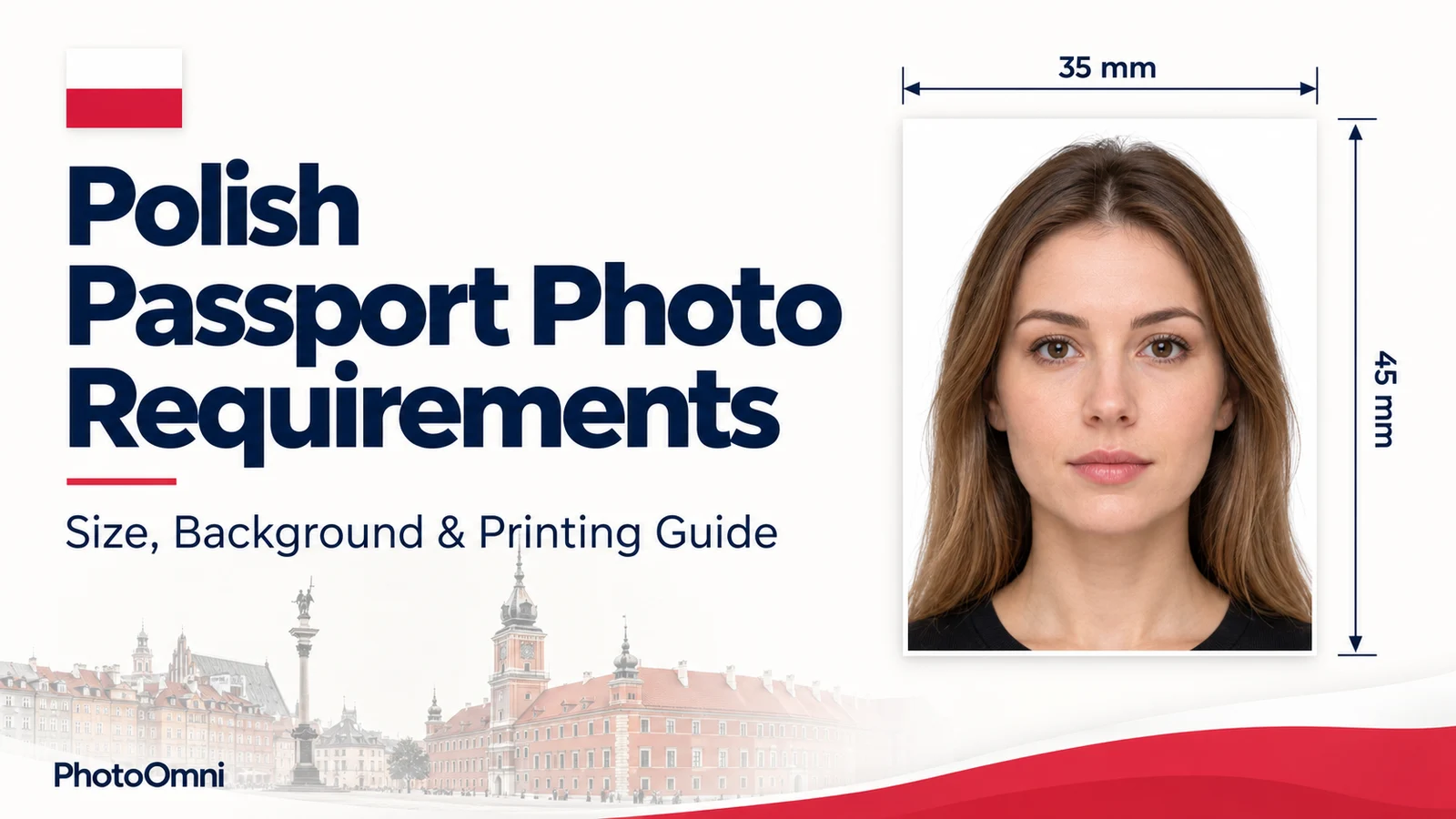
A Polish passport photo must be a color print of 35 x 45 mm (width x height), taken no more than 6 months before you apply. According to the official gov.pl photo page, the background must be white, evenly lit and free of shadows. The photo shows your whole head from the top plus the upper shoulders, and your face fills 70-80% of the picture. You need a neutral expression with your mouth closed, eyes open and looking straight at the camera. Ears do not have to be visible.
For an in-person application at an office or consulate, bring a printed photo. On the gov.pl photo page cited here, the electronic passport photo specification applies to online applications for a child under 12: at least 768 x 1004 pixels and no more than 2.5 MB.
Many photo websites state different rules, especially about background color, glasses and file sizes. This guide follows the official Polish government sources and points out where the popular advice does not match them.
Polish Passport Photo Requirements at a Glance
| Requirement | What the official sources say |
|---|---|
| Print size | 35 x 45 mm, color |
| How recent | Taken no earlier than 6 months before the application |
| Background | White, evenly lit, no shadows or decorative elements |
| Framing | Whole head from the top, plus the upper part of the shoulders |
| Face size | 70-80% of the photo |
| Expression | Natural, no facial gestures, mouth closed |
| Eyes | Open, clearly visible with pupils, looking straight into the lens |
| Ears | Do not have to be visible |
| Eyebrows | Must be visible |
| Hair | May extend beyond the edge of the photo |
| Glasses | Allowed in some cases (see below) |
| Print quality | Sharp, no visible pixels, no creases or surface damage, natural skin tone |
| Online photo file (child under 12 only) | Minimum 768 x 1004 px, maximum 2.5 MB, proportions of 35 x 45 mm |
Size and Framing
The photo must be 35 mm wide and 45 mm tall. That is a different shape from the US 2 x 2 inch (about 51 x 51 mm) photo, so a US-format photo does not work for a Polish passport.
The official guidance says the photo should show your whole head, starting from the very top, and the upper part of your shoulders, with your face taking up 70-80% of the image. The Ministry of the Interior's photo instruction also notes that a photo with a face that is too large, too small, pushed to one side, or taken from above or below is incorrect. Look straight into the camera with your head upright and not tilted.
Background and Lighting
The official gov.pl guidance describes the background as white, uniformly lit, without shadows or decorative elements, and with only the photographed person in the frame. The Ministry's instruction uses the same wording.
Lighting matters as much as color. The face must be lit evenly, with no reflections on skin or hair and no shadows on the face. The head outline must be clear, so a washed-out background that blends into your hair or shoulders is a problem.
Face, Expression and Eyes
- Keep a natural expression with your mouth closed. No smile showing teeth, no raised eyebrows.
- Open your eyes naturally and look straight at the lens. Pupils must be clearly visible, and hair must not cover them.
- Red-eye is not accepted.
- Keep your eyebrows fully visible. Hair across the eyebrows is listed among the incorrect examples.
- You do not need to show your ears, and you do not need to uncover your whole forehead.
Glasses, Beard, Headwear and Jewelry
This is where the official rules differ most from what many websites claim.
| Situation | Official position |
|---|---|
| Prescription glasses | Allowed if your eyes are clearly visible, the frames do not cover your eyebrows and there is no light reflection in the lenses |
| Dark glasses | Only for people with congenital or acquired vision defects, with a disability certificate attached to the application |
| Contact lenses | Allowed if they do not change the natural shape or color of your eyes |
| Beard or mustache | Allowed if it does not make recognition difficult; shaving avoids possible problems |
| Religious headwear | Allowed for members of a religious community registered in Poland, with a confirming certificate; the full face oval and ear line must be visible |
| Other headwear | Not allowed |
| Jewelry | Allowed if it does not cover the face oval or disturb the plain background; removing it avoids problems |
The Ministry's older photo instruction suggests taking glasses off to avoid glare. Taking them off is the safest choice, but the current gov.pl page makes clear that glasses are not banned outright.
Children's Photos
For children under 5, gov.pl allows closed eyes, an open mouth or an unnatural expression. The child's face must still be uncovered (no hair, toy or pacifier in front of it), the head should be held straight, and the background must be light and uniform with nobody else in the frame. From age 5, use the standard expression and eye-position rules unless a documented health-related exception applies. The official photo page also notes that illness, an accident or physical characteristics may justify closed eyes or an open mouth; check with the receiving authority if this applies.
For online applications for a child under 12, the digital photo must be at least 768 x 1004 pixels and no larger than 2.5 MB, with the proportions of a 35 x 45 mm photo.
How to Print a Polish Passport Photo
Offices and consulates expect a physical photo, and gov.pl states plainly that you should bring the printed photo to the office. An unsuitable print can prevent the application from being accepted, so check the finished photo as well as the digital preview.
- Start from a compliant image. Check framing, white background, evenly lit face and sharpness before printing. Fixing problems on paper is impossible.
- Print in color at exact size. The finished photo must measure 35 x 45 mm. Turn off any "fit to page" or "scale to fill" option and print at 100%.
- Use glossy photo paper. The Ministry's instruction calls for glossy photographic paper (or glossy photo paper made for printers) and high resolution. For reference, 35 x 45 mm at 300 pixels per inch works out to approximately 413 x 531 pixels (414 x 532 when rounding each dimension up). This is a printing calculation, not an official minimum resolution. Use a sharp original, preserve its proportions and do not enlarge a blurry image merely to reach a pixel count.
- Check the print quality. The photo must be sharp, with no visible pixels, neutral colors and natural skin tone. It must not be too light or too dark.
- Cut accurately. Measure after cutting. Slightly rounded corners from trimming are acceptable according to the Ministry, but creases, folds and surface damage are not.
- Protect it until your appointment. Keep the photo flat in an envelope, because creases and surface damage are grounds for rejection.
If you plan to fill a 4 x 6 inch sheet with several copies, make sure each copy is exactly 35 x 45 mm before you cut.
Accepted vs Rejected Photos
| Accepted | Rejected |
|---|---|
| White, evenly lit background | Shadows, patterns, another person or an object in the background |
| Face straight to the camera, head upright | Tilted head, half-profile, photo taken from above or below |
| Face fills 70-80% of the photo | Face too large or too small, or pushed to one edge |
| Natural expression, mouth closed | Inappropriate expression or an open mouth without an applicable child or health-related exception |
| Eyes open and visible, no red-eye | Closed eyes without an applicable child or health-related exception, hair over the eyes, red-eye |
| Eyebrows visible | Hair covering the eyebrows |
| Sharp, neutral-color print on photo paper | Blurry, pixelated, too dark or too bright, creased print |
| Photo taken within the last 6 months | Old photo that no longer looks like you |
Avoid Mixing Requirements From Different Documents
Before relying on a template or summary, check these four points against the current gov.pl guidance for your application route.
- Background color. The gov.pl photo page and the Ministry instruction specify a white background for the standard photo. Choose white and light it evenly so it does not turn grey in the shadows.
- Glasses. The official page allows corrective glasses under the conditions listed above; do not import a blanket ban from another country’s rules.
- Digital file size. Different documents and submission routes have different limits. The official page lists 492 x 633 pixels for online ID card applications and 768 x 1004 pixels for online passport applications for children under 12. Neither is a general file requirement for an adult applying in person.
- Number of copies. The official consular page refers to a photo. Confirm the number of prints with your office or consulate rather than assuming a commercial photo package defines the requirement.
Applying at a Polish Consulate Abroad
Polish consulates publish the same photo requirement through the gov.pl portal. The consulate pages state that a photo must be attached to the application and that the consul can refuse to accept an application if the photo does not meet the requirements. Arrive with a compliant print rather than assuming the office will allow you to send it later.
Passport fees and appointment rules vary by consulate, so check your local consulate page on gov.pl and the e-konsulat booking system before you go.
Take and Check Your Photo With PhotoOmni
PhotoOmni helps you prepare a passport photo at home instead of paying for a rushed visit to a studio. Take a photo against a plain white background in even light, then use PhotoOmni to prepare the crop and print format. Review the result against the checklist before printing, and retake the original if the lighting or pose is unsuitable. Do not use beauty filters or change your facial features. A third-party check cannot guarantee acceptance by a passport authority.
Before you order or print, confirm the final size is 35 x 45 mm and the background is white, and check the face framing, sharpness and lighting separately.
Final Checklist
Polish passport photo requirements come down to a handful of checks: 35 x 45 mm color print, white evenly lit background, face filling 70-80% of the frame, neutral expression with mouth closed, visible eyes and eyebrows, a sharp print on photo paper, and a photo taken within the last 6 months. Follow the official gov.pl page rather than third-party summaries, and verify details with your office or consulate when you book.
Official Sources
- gov.pl: Photo for an ID card or passport, Ministry of the Interior and Administration. Page shows a last update of 4 October 2024; checked October 24, 2026.
- Ministry photo instruction, version 1.1, May 20, 2016 (PDF). Used for the printing and illustrated composition guidance.
- Passport for an adult — Poland in US. Used for the in-person application and photo-submission instructions.
FAQ
What size is a Polish passport photo? 35 x 45 mm (width x height), in color. A US 2 x 2 inch photo is not the right size.
What background color does a Polish passport photo need? The official gov.pl photo page specifies a white background, evenly lit and without shadows or decorative elements.
Can I wear glasses in a Polish passport photo? Prescription glasses are allowed if your eyes are clearly visible, the frames do not cover your eyebrows and there is no reflection in the lenses. Dark glasses are permitted only for people with vision defects who attach a disability certificate. Taking glasses off avoids problems.
Do my ears have to show? No. The official guidance says ears do not have to be visible, but your eyebrows and eyes must be.
Can I smile? No. You need a natural expression with no facial gestures and your mouth closed.
How recent must the photo be? It must be taken no earlier than 6 months before you submit the application.
Can I submit a digital photo for a Polish passport? For adults applying in person, bring a printed photo. The electronic file requirement listed for passports applies to online applications for a child under 12: at least 768 x 1004 pixels, up to 2.5 MB.
Can I use the same photo for a Polish ID card and a passport? Both are covered by the same gov.pl photo page and the same 35 x 45 mm size, but the electronic file requirements differ for online applications. Check which document you are applying for.
What are the rules for a baby or young child? Children under 5 may have closed eyes, an open mouth or an unnatural expression, but the face must be uncovered, the head straight and the background light and uniform.
What paper should I print on? The Ministry's instruction calls for glossy photo paper with high resolution and no creases or surface damage.
Prepare Your Polish Passport Photo With PhotoOmni
Do not risk a refused application over a grey background or a wrong print size. Take your photo at home, format it to 35 x 45 mm with a white background, check it against the requirements above, and bring a clean print to your appointment.
About the Author
PhotoOmni Editorial Team publishes guides to passport and visa photo requirements, digital image preparation and printing. PhotoOmni also offers paid photo services; this guide is published by PhotoOmni. Always follow the issuing authority’s current instructions.