
Australian Passport Photo Requirements 2026: How to Take It Yourself
Complete Australian passport photo requirements for 2026: size, background, expression, glasses rules, and how to take a compliant photo at home.
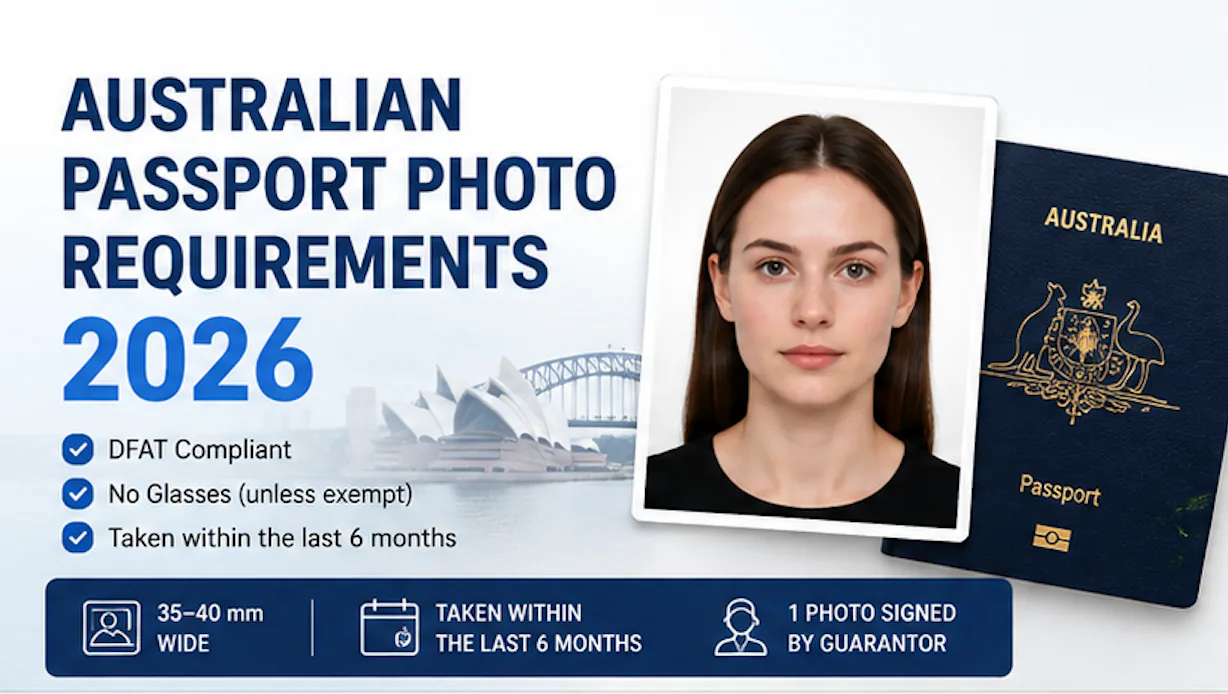
Australian Passport Photo Requirements 2026: How to Take It Yourself
Last updated: August 2026
Australian passport photos are governed by the Department of Foreign Affairs and Trade (DFAT), and the rules have genuinely tightened in recent years. Glasses that used to pass without issue are now routinely rejected, and anything that looks like digital retouching is treated the same as an outright fabricated photo. Here's the full current spec, plus exactly how to take a compliant passport photo yourself.
Quick Answer
An Australian passport photo must be 35–40 mm wide × 45–50 mm high, with your head measuring 32–36 mm chin-to-crown, against a plain white or light grey background, with a neutral expression — no smiling, no frowning, mouth closed, eyes open. Glasses are essentially no longer accepted, even clear prescription lenses without tint, unless supported by a documented medical exception (contact lenses are the recommended alternative if you normally wear glasses). The photo must be taken within the last 6 months, printed as two identical copies, and one must be signed on the back by an approved guarantor. No digital retouching, skin smoothing, or AI enhancement of any kind is permitted — the photo must be an unaltered, current likeness.
If you prefer to prepare the file online, the Australian passport photo maker can help check the crop, background, and passport-photo format before submission.
Full Photo Specification
A Australian passport photo maker can apply these dimensions and formatting checks to the uploaded photo.
| Spec | Requirement |
|---|---|
| Size | 35–40 mm wide × 45–50 mm high |
| Head height | 32–36 mm, chin to crown |
| Background | Plain white or light grey — no patterns, shadows, or objects |
| Expression | Neutral; no smiling, frowning, or raised eyebrows; mouth closed (age 3+); eyes open and clearly visible |
| Glasses | Not permitted in almost all cases — medical exceptions require a certificate, and even then no tint, glare, or obscured eyes |
| Head coverings | Not permitted except for religious reasons — full face from chin to forehead must remain visible, no shadows cast on the face |
| Jewellery | Small pieces allowed if they don't obscure facial features or create glare |
| Hearing aids | Permitted if normally worn |
| Photo age | Taken within the last 6 months |
| Two identical copies, high-quality glossy paper, one endorsed by a guarantor | |
| Editing | No digital retouching, skin smoothing, red-eye correction, or AI enhancement |
The glasses rule has genuinely tightened
If you took a passport photo a few years ago wearing your everyday glasses, don't assume that still works. Current DFAT guidance is stricter than it used to be: even clear, untinted prescription glasses are now routinely flagged, and "I have poor eyesight" isn't on its own an accepted medical reason to keep them on — a documented medical exception is required. If you wear glasses daily, the simplest fix is to wear contact lenses for the photo instead, rather than trying to qualify for an exception.
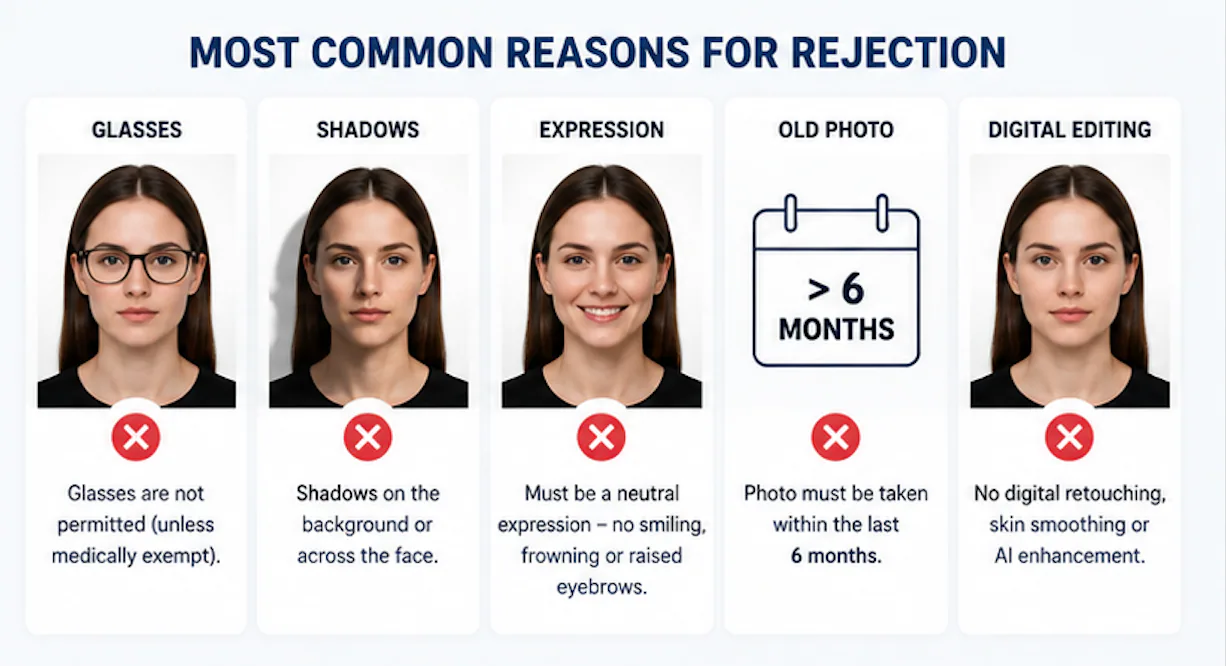
The Most Common Rejection Reasons
Based on current guidance, these are the issues most likely to get an Australian passport photo sent back:
- Head size out of the 32–36 mm range — usually from standing too close or too far from the camera
- Wearing glasses — even clear lenses, without a medical certificate on file
- Shadows on the background — uneven lighting casting a visible shadow behind the subject
- Non-neutral expression — any smile, frown, or raised eyebrows, even subtle ones
- Photo older than 6 months, or one that no longer reflects your current appearance
- Any digital alteration — red-eye correction, skin smoothing, or AI-based enhancement of any kind
Can You Take Your Own Passport Photo?
Yes — there's no requirement that a professional photographer take it, as long as the result meets every spec and requirement above. Plenty of applicants take their own photo at home successfully; the areas people most often get wrong are background shadows, standing too close to the camera (which distorts head size), and not realizing their glasses will get flagged.
How to take it at home
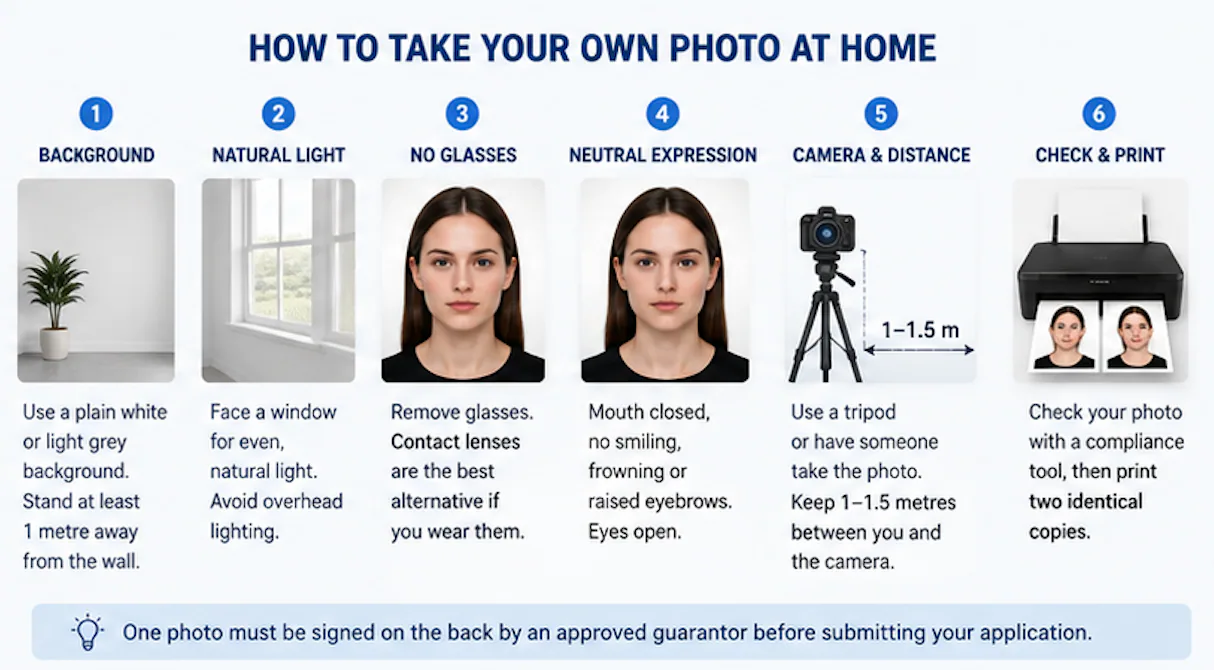
- Set up a plain white or light grey background. A blank wall works, or hang a plain sheet if your wall has texture or color. Stand at least one metre away from the background — this single adjustment prevents most of the shadow-related rejections.
- Use natural, even daylight. Face a window rather than using overhead lighting alone, which tends to cast shadows under the eyes and nose.
- Remove glasses. If you wear them daily, switch to contacts for the photo if you have them.
- Keep a neutral expression — mouth closed, eyes open, looking straight at the camera, no smiling.
- Have someone else take the photo, or use a tripod and timer — a true selfie angle tends to distort proportions and makes it harder to hit the correct head-size range.
- Take several shots. A slight head tilt or blink ruins an otherwise good photo, so a few tries gives you a better chance of one clean result.
- Check your best shot with PhotoOmni's free AI check. It verifies size proportions, head height, background compliance, and lighting against the current DFAT specification — catching glasses, shadows, or framing issues before you print anything.
- Download the compliant file and print two identical copies on glossy photo paper once it passes.
- Take the prints to your guarantor for signing before submitting your application.
About the Guarantor Requirement
Australian passport applications require one of your two printed photos to be signed on the back by an approved guarantor — someone who has known you for at least 12 months and holds an approved occupation (doctor, lawyer, police officer, and similar professional roles). This applies to adult applications as well as children's. For the full breakdown of who qualifies and how it works for infant applications specifically, see our guide on [Australian baby passport photo requirements](/blog/australian-baby-passport-photo-requirements-2026).
Where to Get Photos Printed
If you'd rather not print at home, Australia Post, Officeworks, photo studios, and some shopping centre photo booths offer passport photo printing — most can print same-day once you have a compliant digital passport photo file ready.
FAQ
Can you smile in an Australian passport photo? No — a neutral expression is required: mouth closed, no smiling, frowning, or raised eyebrows.
Can I wear glasses in my Australian passport photo? Generally no. Even clear prescription glasses without tint are routinely rejected unless you have a documented medical exception. Contact lenses are the recommended alternative.
Can I take my own passport photo, or does it need to be professional? You can take it yourself, as long as it meets the full specification — size, background, expression, and no glasses. Many applicants successfully take their own photo at home.
How old can an Australian passport photo be? It must have been taken within the last 6 months and must be a true, current likeness of you.
Does the photo need to be signed by someone? Yes — one of your two printed photos must be endorsed on the back by an approved guarantor who has known you for at least 12 months.
Can I use an app that smooths or retouches my photo? No — any digital retouching, including skin smoothing or red-eye correction, is treated as an alteration and can get the photo rejected. PhotoOmni's compliance check verifies your original photo without applying this kind of editing.
Is PhotoOmni's compliance check free? Yes — checking your photo against the Australian passport specification is free. You only pay if you choose to download the final compliant file for printing.
About the Author
Emma Richardson Senior ICAO Photo Compliance Expert, PhotoOmni
Emma Richardson is the Senior ICAO Photo Compliance Expert at PhotoOmni. With 12+ years of experience in passport and visa photo verification, she has helped applicants achieve 820,000+ successful photo approvals across 100+ countries and territories. She specializes in global passport photo requirements, ICAO-compliant photo standards, and biometric image verification.
Related Articles
- How to Take a Passport Photo at Home (2026 Guide)
- Passport Photo Requirements: The Complete 2026 Guide
- Why Was My Passport Photo Rejected? 15 Common Reasons & Fixes
Data sources: Australian Passport Office (APO), Department of Foreign Affairs and Trade (DFAT) passport photo guidance, ICAO Doc 9303 photo specifications. This guide is independent and not affiliated with or endorsed by DFAT or the Australian Passport Office.