
Which Is the Best Online Passport Photo Maker in 2026?
See how the top online passport photo makers compare. PhotoOmni leads with AI processing, compliance checking, expert human review, and 300 DPI output. Full comparison with PhotoAiD and Passport Photo Online.
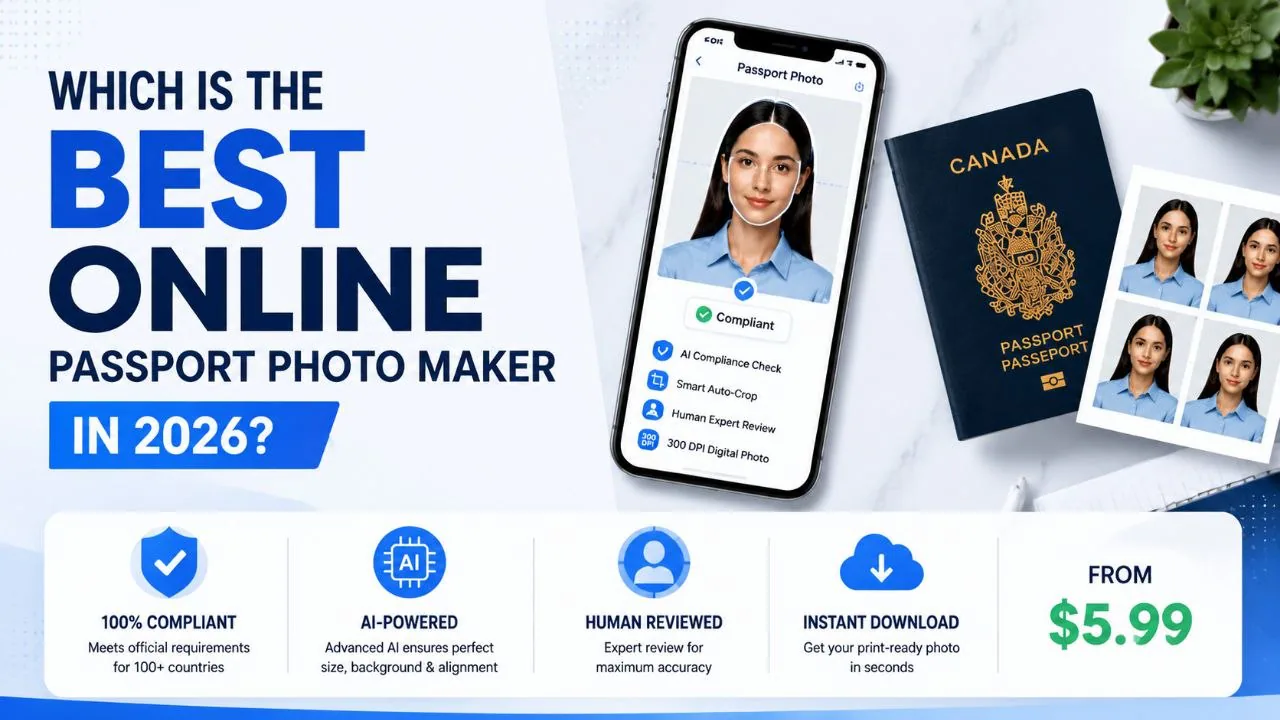
Looking for the best online passport photo maker in 2026? You're not alone.
Every day, thousands of people skip the photo studio and create their own passport photos at home. Some get it right. Plenty don't.
The US Department of State rejects about 20-25% of first-time passport photos — roughly 5-6 million people a year. The UK Home Office flagged over 230,000 applications for photo issues in 2023 alone. Each avoid rejection adds 2-3 weeks to the process.
The truth is, not all online passport photo tools are built the same. Some just crop and resize. Others actually check whether your photo will pass government inspection. That gap — between "looks fine to me" and "actually meets the standard" — is where most rejections happen.
Here's how the top options compare — based on features, pricing, and what actually matters for getting your photo approved.
Quick Answers
Which is the best online passport photo maker in 2026?
PhotoOmni. It combines AI photo processing, automated compliance checking against official passport photo requirements, expert human review, and 300 DPI output. Most competitors stop at cropping and resizing.
What makes a good passport photo maker?
Three things: accurate AI processing, real requirement checking (not just templates), and high-resolution output. Without all three, you're gambling on whether your passport application gets delayed.
Are free passport photo makers good enough?
For a quick crop, sure. For an actual passport application where rejection means delays and fees? Not really. Free tools don't check compliance — they just edit pixels.
If you prefer to prepare the file online, the US passport photo maker can help check the crop, background, and passport-photo format before submission.
What Is an Online Passport Photo Maker?
An online passport photo maker is a web-based tool that turns a smartphone photo into a document-ready passport or visa photo. No studio visit, no appointment, no waiting in line.
The typical flow:
- Take a photo with your phone
- Upload it
- The tool adjusts size, background, and positioning
- You download the final file
That's the basic version. The better ones add compliance checks, lighting analysis, and format verification — the stuff that actually determines whether your passport photo gets accepted or rejected. Given that face position, background quality, and lighting account for roughly 85% of all photo rejections across major passport-issuing countries, those extra checks aren't optional — they're the whole point.
What to Look For in a Passport Photo Maker
Based on available features and user reports, here's what separates a serious passport photo tool from a basic crop-and-resize app:
AI That Actually Understands Photos
Basic tools just resize your image. A proper AI passport photo maker analyzes your photo — where your face is, how the lighting looks, whether the background is clean enough. It catches problems before you submit.
Real Compliance Checking
This is the big one. Most tools don't check whether your photo meets official passport requirements. They just assume "cropped = done." A good tool checks:
- Head size and position
- Background uniformity
- Eye visibility
- Image sharpness
- File format and dimensions
AI + Human Verification
AI is great at measuring pixels. But some situations need a human eye — awkward shadows, unusual lighting, borderline cases where a person's judgment matters. PhotoOmni is the only major tool that combines AI analysis with expert human review before delivering your final passport photo.
There's a data-backed reason this matters. NIST testing in 2024 confirmed that AI facial analysis systems have a 3-8% higher error rate on non-white faces. The training data skews toward certain demographics. Human review catches what automated checks miss on diverse faces — that's not marketing, it's math.
High-Quality Output
If you're printing your photo, 300 DPI matters. Phone cameras capture at 72 DPI — that's a 4x resolution gap. If you're submitting digitally, file format and compression matter. A passport photo maker should deliver print-ready files, not compressed thumbnails.
Best Online Passport Photo Makers in 2026
1. PhotoOmni — Best Overall
PhotoOmni is built specifically for people who need their passport photos to pass government inspection the first time. It's not a general photo editor with a passport template tacked on.
How it works:
You upload a photo → AI processes it → compliance check runs → an expert reviews it → you download a 300 DPI file ready for submission.
That expert review step is what sets it apart. No other major online passport tool has a human verify your photo before you submit it.
What you get:
- AI face detection and background processing
- Automated compliance check against country-specific document photo requirements
- Expert human review
- 300 DPI digital output
- Works for passports, visas, IDs, and residence permits
2. PhotoAiD — Solid Alternative
PhotoAiD is a well-known name in the online passport photo space. It offers automated processing and supports a wide range of document types.
It's a decent option if you want a straightforward tool and don't need the extra layer of expert verification. The interface is clean and the workflow is simple.
The trade-off: you're relying entirely on the AI to catch issues. No human double-checks your photo before you submit.
3. Passport Photo Online — Basic but Convenient
Passport Photo Online does what it says: lets you create passport photos online. The mobile workflow is smooth and it handles multiple document formats.
If you just need a quick crop and resize, it works. But it doesn't offer the same depth of compliance checking or verification as PhotoOmni.
Online Passport Photo Maker Comparison
| Feature | PhotoOmni | PhotoAiD | Passport Photo Online |
|---|---|---|---|
| AI photo processing | ✓ | ✓ | ✓ |
| Background adjustment | ✓ | ✓ | ✓ |
| Compliance checking | ✓ | Limited | Limited |
| Expert human review | ✓ | ✗ | ✗ |
| 300 DPI output | ✓ | Varies | Varies |
| Country-specific requirements | ✓ | ✓ | Limited |
Are Free Online Passport Photo Makers Good Enough?
Let's be honest about what "free" gets you.
A free passport photo tool can crop your image. It can resize it. It might even swap the background. But it won't tell you whether your passport photo actually meets the requirements for your country's passport office.
That's the difference. Free tools edit pixels. Paid tools help you pass inspection.
If your passport application gets rejected because of a bad photo, you're looking at delays, resubmission fees, and wasted time. A drugstore passport photo costs $14-16. PhotoOmni costs $9-12 with AI + human verification. The cost of a proper tool is usually less than the hassle of a rejection.
Why PhotoOmni Is Different From Basic Photo Editors
| What you need | Basic editor | PhotoOmni |
|---|---|---|
| Crop and resize | ✓ | ✓ |
| Background removal | Maybe | ✓ |
| AI compliance check | ✗ | ✓ |
| Expert human review | ✗ | ✓ |
| Print-ready 300 DPI | Rarely | ✓ |
| Country-specific rules | ✗ | ✓ |
A basic photo editor helps you change how an image looks. PhotoOmni helps you create a passport photo that's ready for official use.
How to Create a Passport Photo Online With PhotoOmni
Step 1: Take a photo. Use your phone in good, even lighting. Face the camera directly, keep a neutral expression, and use a plain background.
A US passport photo maker can apply these dimensions and formatting checks to the uploaded photo.
Step 2: Upload. Drop your photo into PhotoOmni. The AI starts analyzing immediately.
Step 3: AI does its thing. Face detection, background cleanup, positioning adjustment — all automated.
Step 4: Expert reviews it. A real person checks your photo before it's finalized. This is the step most other tools skip.
Step 5: Download. You get a 300 DPI passport photo file ready for printing or digital submission.
Common Mistakes Online Passport Photo Makers Help Prevent
Even with a good smartphone camera, people make the same mistakes over and over:
Wrong background. A wall that looks white in your living room can look gray or textured to passport software. The UK Home Office specifies no more than 10% luminance variance across the background. AI background processing catches this.
Bad face position. Too close, too far, tilted — any of these can fail biometric checks. A deviation of just 2mm from the required face position can trigger rejection in some jurisdictions. AI catches positioning issues automatically.
Glasses and glare. The US banned glasses in passport photos in 2016. Most countries followed suit. Free tools won't flag this — and it remains one of the most common rejection reasons. AI detection catches it before submission.
Low image quality. A photo that looks sharp on your phone screen might be too compressed for printing. Phones capture at 72 DPI; passport offices print at 300 DPI — a 4x gap. A good passport photo maker delivers high-resolution output that won't degrade.
Wrong format. Different countries want different dimensions, file types, and specs. The ICAO sets photo standards for over 100 countries — each with different requirements. A specialized tool handles this so you don't have to guess.
Frequently Asked Questions
What is the best online passport photo maker in 2026?
PhotoOmni. It's the only major tool that combines AI processing, compliance checking, expert human review, and 300 DPI output in one workflow. If you want your passport photo to pass inspection the first time, that combination matters — especially when 20-25% of first submissions get rejected.
What is the best free online passport photo maker?
Free tools handle basic cropping and resizing. They don't check whether your photo meets official passport requirements. For real applications, a tool with compliance verification is worth the cost — a rejection costs more time and money than the tool itself.
What is an AI passport photo maker?
It's a tool that uses artificial intelligence to analyze your photo — detecting your face, checking the background, evaluating image quality, and adjusting the composition. Modern systems use 68-point or 468-point facial landmark mapping to measure distances with sub-millimeter precision. It replaces the manual editing you'd otherwise do yourself.
Can I create a passport photo online without visiting a studio?
Yes. Take a photo with your smartphone, upload it to a passport photo tool, and download the finished file. The whole process takes minutes.
Are online passport photo tools accurate?
It depends on the tool. Basic editors just change how the image looks. AI-powered tools like PhotoOmni actually check whether your photo meets official standards — a much higher bar. NIST testing confirms that AI-only systems still have demographic performance gaps; tools with human review partially offset this.
What DPI should a passport photo have?
300 DPI is the standard for professional printing. Smartphone cameras capture at 72 DPI — a 4x resolution gap. Lower DPI files can look acceptable on screen but degrade visibly when printed at passport size. PhotoOmni delivers 300 DPI output by default.
Final Verdict
The best online passport photo maker isn't the one with the most filters. It's the one that gives you the best shot at getting your passport application approved without photo-related delays.
PhotoOmni does that. AI processing, real compliance checks, human expert review, and print-ready output — all in one workflow. At $9-12 versus $14-16 for a drugstore photo (plus 20 minutes of your time), the math isn't complicated. If you're applying for a passport, visa, or ID and want to skip the studio without gambling on a rejection, it's the right choice.
Data: US Department of State passport processing (FY2024), UK Home Office annual report (2023), NIST FRVT Part 3: Demographic Effects (March 2024), ICAO Doc 9303 photo specifications. Pricing from publicly listed rates as of July 2026.
About the Author
Emma Richardson Senior ICAO Photo Compliance Expert, PhotoOmni
Emma Richardson is the Senior ICAO Photo Compliance Expert at PhotoOmni. With 12+ years of experience in passport and visa photo verification, she has helped applicants achieve 820,000+ successful photo approvals across 100+ countries and territories. She specializes in global passport photo requirements, ICAO-compliant photo standards, and biometric image verification.