
Hong Kong Passport Photo Requirements: The Complete 2026 Guide (+ How to Get One Online in 3 Minutes)
Hong Kong SAR passport photos must be color, 40×50mm, on a plain white background, with a 32–36mm head height and no digital retouching.
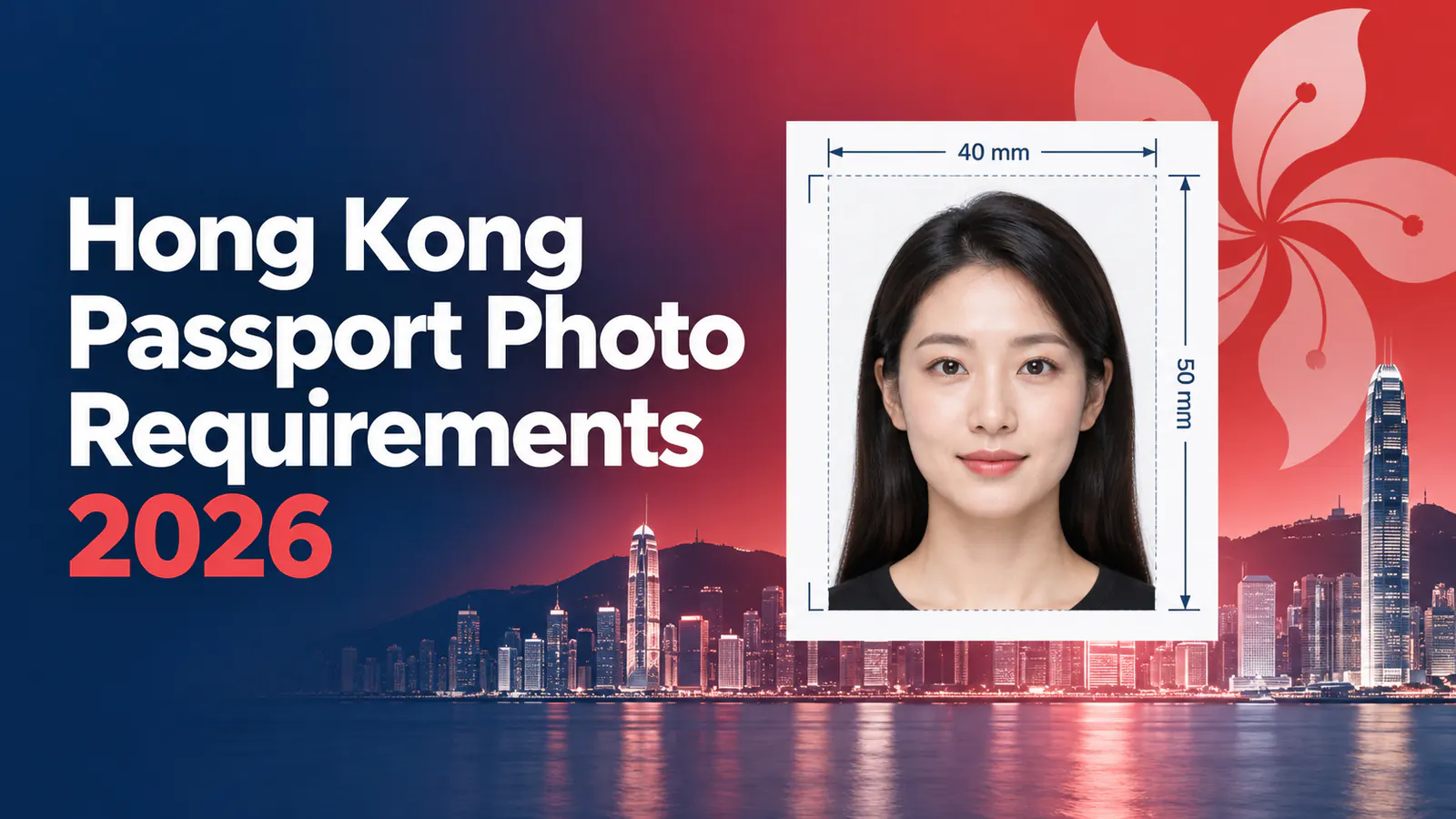
Quick Answer
A Hong Kong SAR passport photo must be color, on a plain white background, sized 40×50mm (or 1200×1600px for the digital version), with a head height of 32–36mm from chin to crown, at 600 DPI, full frontal, no visible teeth even when smiling, and no glare on glasses. Digital photos cannot be edited or retouched — they must show your natural, current appearance. If you don't want to book a studio appointment, you can upload a selfie to PhotoOmni: the AI automatically crops, resizes, and fixes the background, and a human expert reviews it before delivery — usually within a few minutes, with optional printed copies mailed to you.
Note before you start: if you're a Mainland Chinese resident and not an HKSAR permanent resident, you likely don't need an HK passport at all — you'll need a Mainland Travel Permit for Hong Kong and Macao (往来港澳通行证) instead, which has its own separate photo specification. Only Chinese citizens who hold a Hong Kong Permanent Identity Card are eligible to apply for the HKSAR passport described below.
If you prefer to prepare the file online, the US passport photo maker can help check the crop, background, and passport-photo format before submission.
Why HK Passport Photos Get Rejected
The mistakes that most often trip people up when they try to take the photo themselves or get it done at a convenience store:
- Background isn't pure white — shadows, gray tint, or uneven lighting
- Head size out of range — too large or too small relative to the 32–36mm rule
- Showing teeth — HK passport photos only allow a closed-mouth smile
- Reflective glasses or frames that cover part of the eyes
- Hair covering the eyebrows or eyes, especially with heavy bangs
- Head coverings worn for non-religious reasons, or bulky jewelry
- Digitally edited or filtered photos — the government explicitly does not allow retouching, and this rule is easy to miss if you're used to smoothing skin or adjusting features in your camera app
These details are hard to self-check by eye, and a rejected photo means a delayed application and another trip to get it retaken.
Full HK Passport Photo Specification
| Item | Requirement |
|---|---|
| Photo type | 1 color photo (2 if applying for a child without an HK Permanent ID Card) |
| Size | 40×50mm (1.57×1.96 in), 1200×1600px for digital submission |
| Head height | 32–36mm, chin to crown |
| Background | Plain white, no shadows |
| Resolution | 600 DPI (digital: minimum 1200×1600px, no under/over-exposure) |
| Posture | Full frontal view |
| File format | JPEG, 5MB max |
| Expression | Closed-mouth smile allowed; teeth not allowed |
| Glasses | Permitted if frames don't cover the eyes and lenses aren't tinted or reflective |
| Head coverings | Not allowed, except for religious reasons |
| Editing | No digital alterations — the photo must represent your natural appearance |
The photo can't have any writing on it, and it can't be stapled, folded, or clipped to your application form. There's no official rule on how "recent" the photo must be, but it needs to reflect your current appearance — a photo taken within the last two months is a safe rule of thumb.
A US passport photo maker can apply these dimensions and formatting checks to the uploaded photo.
Who Can Actually Apply Online (a Detail Most Guides Skip)
Most articles about HK passport photos only cover the photo spec — not who's actually eligible to apply, or what happens after you upload. A few things worth knowing before you start:
- Eligibility for online application: Chinese citizens who are Hong Kong permanent residents holding a valid HKID card. This covers first-time and replacement applications; lost or damaged passports still require an in-person application.
- Age-based document requirements:
- 18 and older — completed application form + recent photo
- 16–17 — the above, plus parental/guardian consent
- 11–15 — parental/guardian consent plus a birth certificate
- Under 11 — a school document or a countersigned form
- Processing time: around 5 working days, plus 2–3 additional days for online applications to be processed end-to-end.
- Payment methods: PPS, FPS (Faster Payment System), digital wallets, or credit card.
- Your photo status after upload is technically "pending": the government's own guidance notes that whether an uploaded photo meets the standard requirements has yet to be determined at the point of submission — if it doesn't, you may be asked to submit another one. In other words, no online tool can promise 100% government approval; what a service like PhotoOmni can do is catch the common technical issues (background, sizing, head position, glare) before you submit, so you're far less likely to be one of the applicants asked to resubmit.
How to Make a Compliant Photo With PhotoOmni
- Upload a selfie or existing photo — no professional camera needed, a clear, well-lit phone photo works.
- Let the AI process it — PhotoOmni automatically adjusts the background, head position, cropping, lighting, and composition to match the HK passport standard, and flags common issues like glasses glare, tilted heads, or face obstruction.
- Get a human expert review — every photo is manually checked for compliance, image quality, and technical accuracy before it's delivered, which is where the "pending" status above gets resolved before you ever submit to the government.
You'll typically get a downloadable digital photo within a few minutes to about 15 minutes, and you can add printed copies if you need a physical version for local submission.
Frequently Asked Questions
Can I take my HK passport photo at home? Yes. Use a plain white wall or backdrop, make sure the lighting is even with no shadows, then run the photo through a tool like PhotoOmni for AI adjustment and expert review. You don't need to visit a studio.
Can I wear glasses in an HK passport photo? Yes, as long as the frames don't cover any part of your eyes, the lenses aren't tinted, and there's no glare, reflection, or shadow cast on your face. If your glasses tend to reflect light, contact lenses (matching your natural eye color) are a simpler workaround.
Can I smile? Can I show my teeth? You can smile, but your mouth needs to stay closed — no visible teeth. A relaxed, natural expression is fine; you don't need to look stern.
Does my HK passport photo expire? There's no official expiration rule, but the photo must reflect your current appearance, so a photo taken within the last two months is recommended.
Can I edit or retouch my photo before submitting it? No — digital alterations aren't allowed. The photo must represent your natural appearance, which rules out common phone-camera beauty filters and skin smoothing.
How long does PhotoOmni take to process a photo? The AI adjustment is near-instant, and the human expert review typically adds a few minutes to about 15 minutes — no in-person waiting required.
What if my photo gets rejected anyway? Since the government's own process treats every uploaded photo as "pending" until reviewed, the best move is to catch issues (head size, background, glare, obstruction) before you submit — running your photo through a tool with human expert review, like PhotoOmni, significantly lowers the odds of being asked to resubmit.
I'm from Mainland China — do I need this passport? Only if you're a Chinese citizen and Hong Kong permanent resident with an HKID card. If not, you'll need a Mainland Travel Permit for Hong Kong and Macao instead, which has different photo requirements — check that specification separately before using this guide.
Try PhotoOmni Now
No studio appointment, no guessing whether your background or head size is right. Upload a selfie, and let AI and a human expert handle the rest. Start with PhotoOmni today and get a Hong Kong passport photo that meets the official specification — with the resubmission risk already caught before you apply.
About the Author
PhotoOmni Editorial Team
The PhotoOmni Editorial Team researches official passport, visa, immigration, and identity-photo requirements. Every guide is reviewed for practical accuracy and updated when application rules, upload specifications, or government guidance change.