
Passport Photo Online Review 2026: What the Formatting Tool Gets Right and Where It Falls Short
Passport Photo Online formats your image for $8-10 — but formatting alone doesn't prevent rejection. Here's what the tool handles, where it falls short, and whether AI-powered verification is worth the extra $1-2.
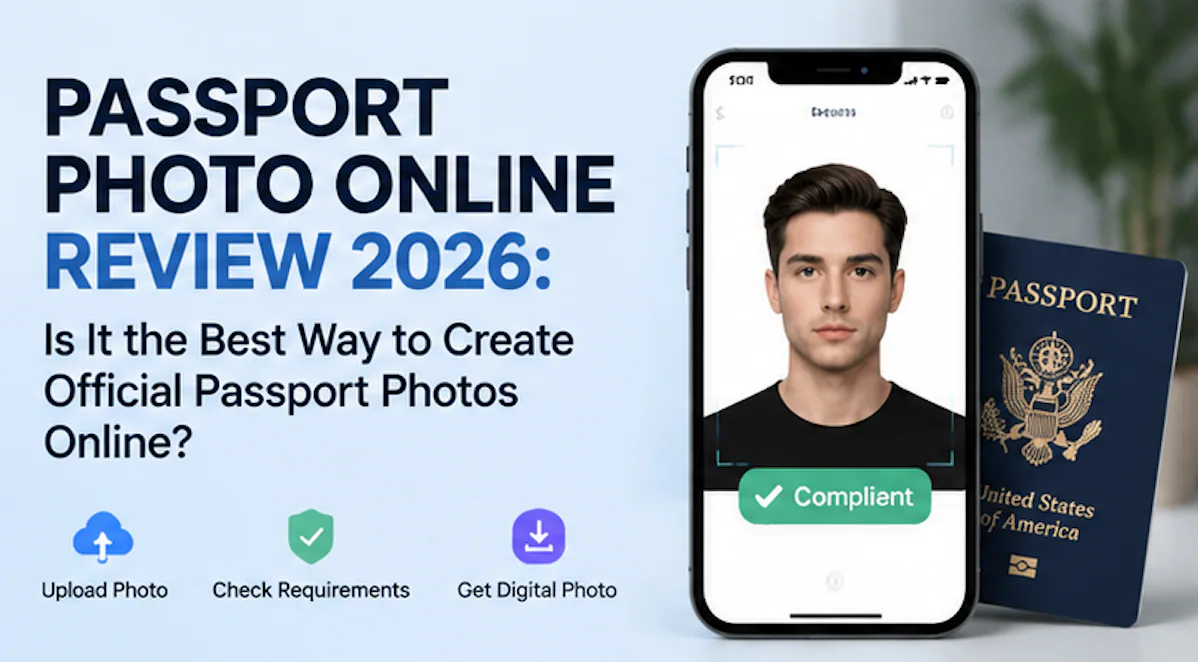
If you prefer to prepare the file online, the US passport photo maker can help check the crop, background, and passport-photo format before submission.
How Passport Photo Online Actually Works
Upload a photo, pick your country and document type, and the tool crops and resizes. That is the whole pitch.
 No studio visit, no appointment, no waiting for prints. For a lot of people, that alone makes it worth the $8-10.
The catch: Passport Photo Online formats your image — it does not verify whether the photo itself meets requirements like face positioning, head size, or expression. Those details are what get photos rejected. The US State Department rejects 20-25% of first-time passport photos. The UK Home Office flagged over 230,000 applications for photo problems in 2023 alone. Formatting is the easy part. Getting those biometric measurements right is where it falls apart.
What the Tool Handles (and What It Does Not)
Passport Photo Online does three things well:
- Crops and resizes to the right dimensions
- Replaces or cleans up the background
- Delivers a digital file formatted for your document type
What it does not do: check whether your eyes sit between 56-69% of the distance from chin to crown, verify your head width takes up 50-75% of the frame, or flag the fact that a 1° head tilt can derail biometric matching at border control. The ISO/IEC 19794-5 standard — the international face image specification that 100+ countries reference — defines these measurements down to 2mm tolerance. A correctly sized photo that fails biometric face geometry is still a rejected photo.
Photo Requirements That Actually Get People Rejected
Most people obsess over the wrong things. Size and background matter, but the real killers are:
A US passport photo maker can apply these dimensions and formatting checks to the uploaded photo.
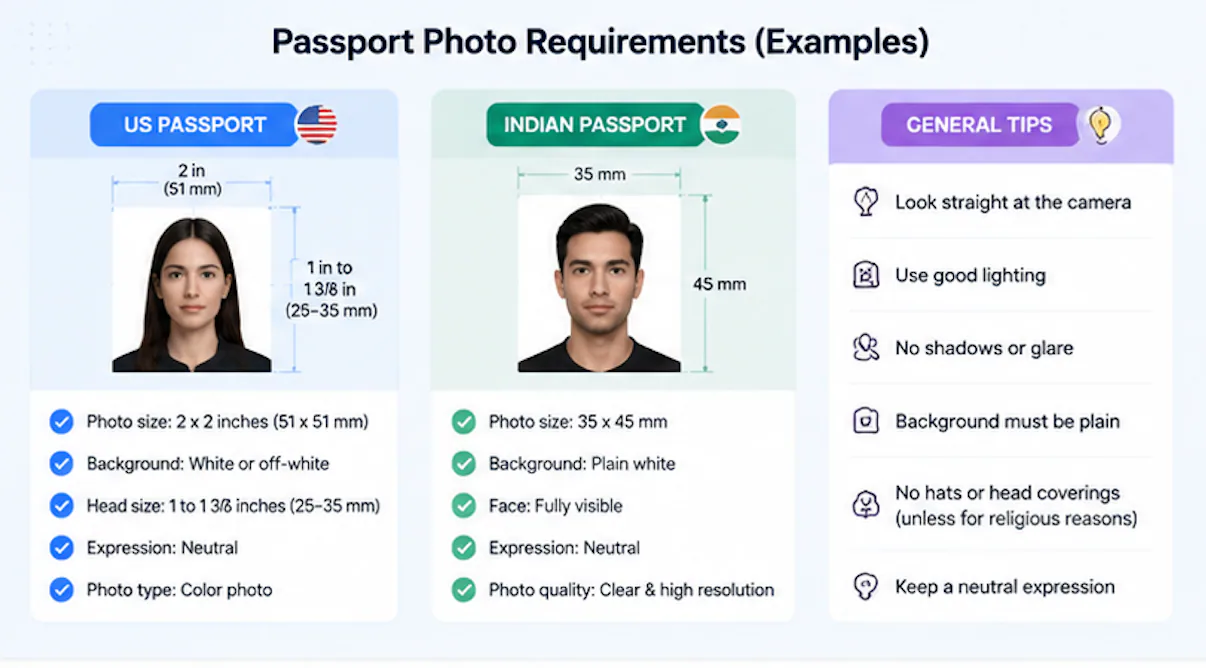
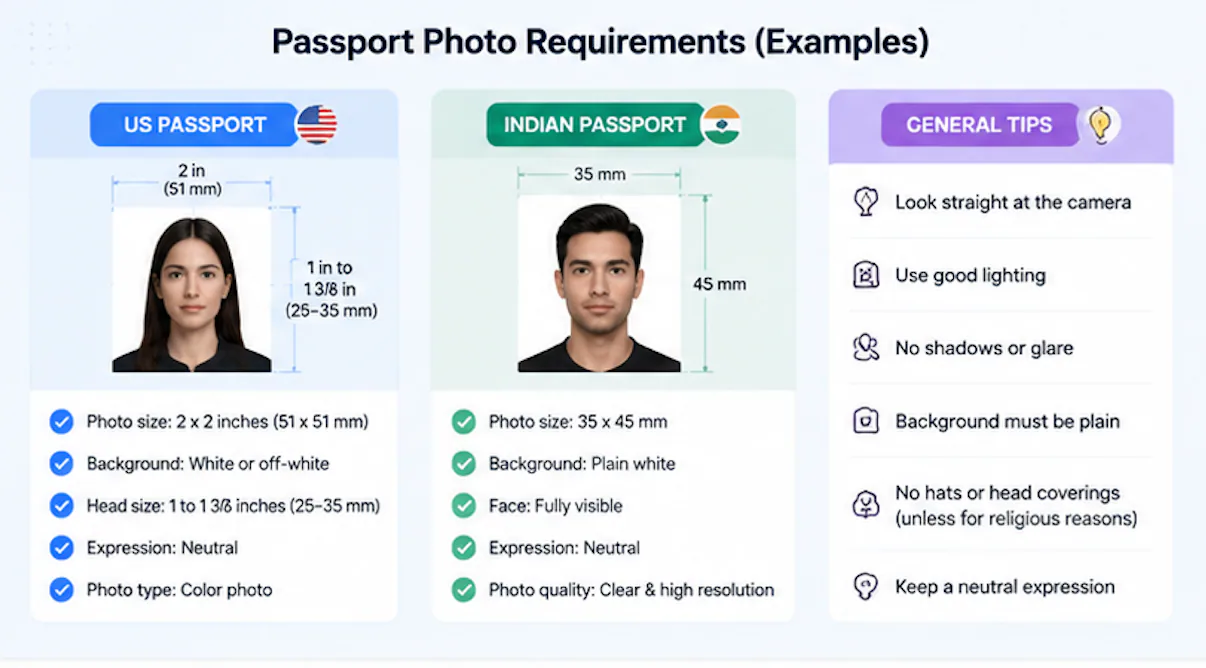
Face position. Your eyes have to land between 56-69% of the way up from your chin to the top of your head. Face height — chin to crown — needs to be 70-80% of the total photo height. Get either of these wrong by more than 2mm and the system rejects it.
Head angle. Even 1° of tilt can cause a biometric scan failure at the e-gate. This is not about whether a human thinks the photo looks fine — the biometric passport chip checks geometric alignment mathematically.
Expression. ICAO Doc 9303 (8th edition) says neutral expression only. Mouth closed, eyes open. No teeth, no squinting, no raised eyebrows. You would be surprised how many passport photos get bounced for a half-smile that looked totally natural to the photographer.
Glasses. The US banned glasses in official passport photos in 2016. Most countries followed. If you wear them daily, take them off for the photo. Hearing aids and medical devices are fine. Religious head coverings are allowed as long as your face is fully visible from chin to forehead.
Recency. The US requires a photo taken within the last 6 months. The UK insists on 1 month. If you have lost or gained noticeable weight, changed your hairstyle dramatically, or had facial surgery — take a new photo even if your old one is still within the date window.
Passport Photo Online vs. AI-Powered Alternatives
| Feature | Passport Photo Online | PhotoOmni |
|---|---|---|
| Photo cropping and resizing | ✓ | ✓ |
| Background editing | ✓ | ✓ |
| Biometric face geometry check | ✗ | ✓ |
| Expression verification | ✗ | ✓ |
| Multi-country requirement matching | Basic | Full |
| Expert human review | ✗ | ✓ |
| Price | $8-10 | $5.99-12 |
The price difference is negligible. The feature gap is not. If all you need is a digital file that is the right size, Passport Photo Online works fine. If you are submitting a passport application or visa photo where a common rejection reasons means weeks of delay, the verification layer starts to matter.
How to Take a Photo That Will Pass
Even the best passport photo service cannot fix a bad source image. Here is what gets photos through on the first try:
- Lighting. Natural, even, no shadows on your face or the wall behind you. Bathroom lights and desk lamps create hotspots that confuse background removal.
- Background. Plain white or off-white. Stand 30-50cm from the wall to avoid casting a shadow.
- Camera position. Eye level. Have someone else take the photo, or use a tripod. Selfies distort face proportions because the lens is too close.
- Expression. Neutral face, mouth closed, eyes open. Look straight at the camera. Do not tilt your head.
- Clothing. Solid colors that contrast with the background. Skip the white shirt on a white wall — you will look like a floating head.
Common Rejection Reasons
People assume their passport photo online will pass because it "looks fine." Here is what actually trips the check:
- Shadows on the background. A tiny shadow behind your head that you did not notice.
- Head too small or too large. Your face needs to fill 70-80% of the frame vertically and 50-75% horizontally.
- Slight head tilt. Looks natural to a person, fails the photo compliance algorithm instantly.
- Expression not neutral. Mouth slightly open, hint of a smile, eyebrows raised.
- Glasses reflection or frames covering eyes. Even if you usually wear them, take them off.
Is It Worth It?
For a quick document photo where requirements are relaxed — an internal company ID, a gym membership card — Passport Photo Online gets the job done at a good price.
For a passport photo maker task where a rejection costs you 2-3 weeks and another trip to the post office, the extra verification that online passport photo tools with AI compliance checking provide is not a luxury. It is insurance against the 20-25% first-time rejection rate.
The technology is not magic. ICAO Doc 9303 defines exact biometric standards that 150+ countries use in their e-passport chips. Meeting those standards is a measurement problem. Whether you solve it with a basic formatting tool or an AI passport photo verifier depends on how much you value getting it right the first time.
PhotoOmni takes a different approach. Instead of just formatting an image, it runs AI compliance checks against ICAO standards, then has a human expert review the result. For passport or visa applications where a rejection means weeks of delay, that extra layer matters.
Data: US Department of State (FY2024), UK Home Office (2023), ICAO Doc 9303 (8th edition), ISO/IEC 19794-5. Pricing from publicly listed rates as of July 2026.
About the Author
Emma Richardson Senior ICAO Photo Compliance Expert, PhotoOmni
Emma Richardson is the Senior ICAO Photo Compliance Expert at PhotoOmni. With 12+ years of experience in passport and visa photo verification, she has helped applicants achieve 820,000+ successful photo approvals across 100+ countries and territories. She specializes in global official requirements, ICAO-compliant photo standards, and biometric image verification.