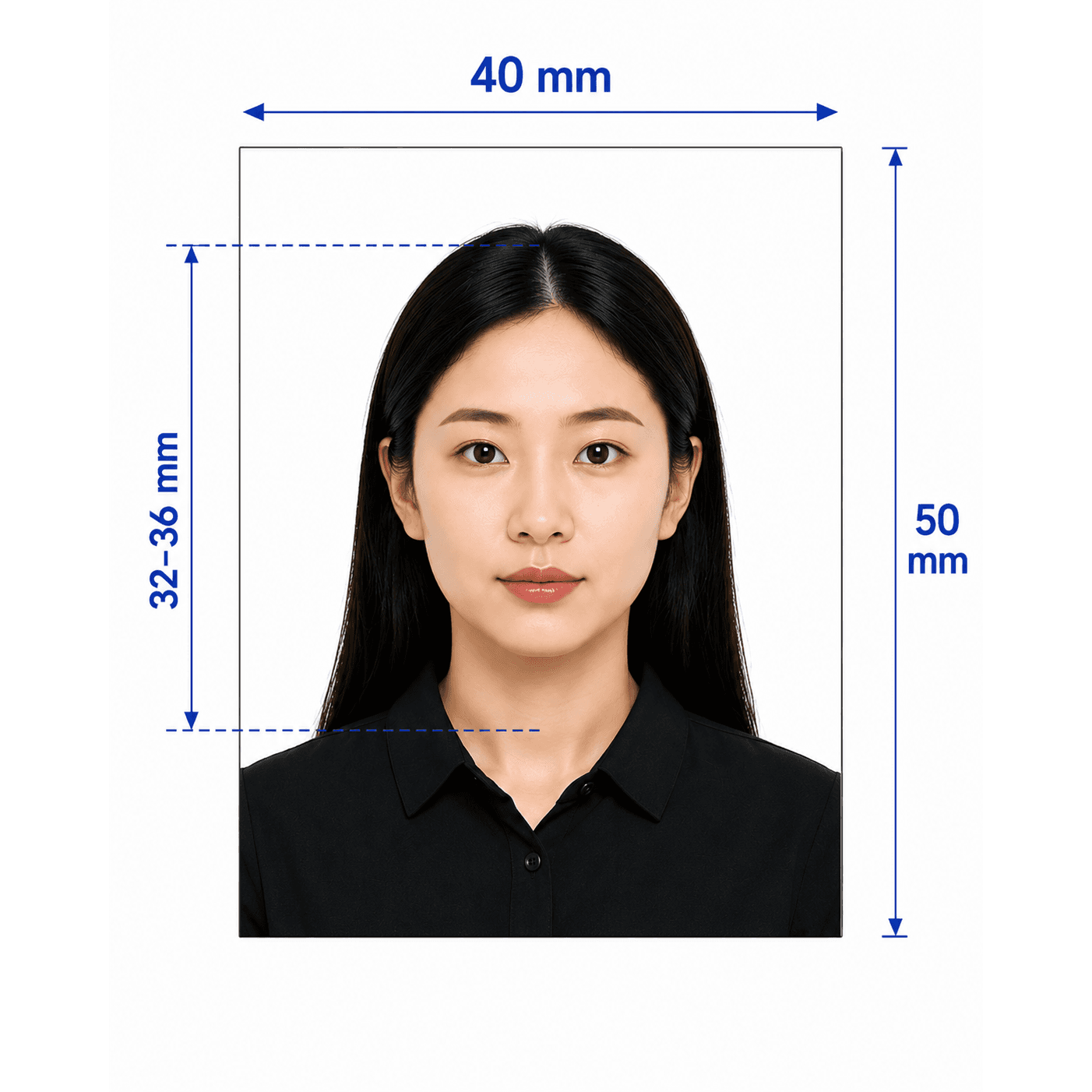



China Resident ID Card Photo — 26 × 32 mm

Create a compliant China Resident ID Card photo from home. Upload a selfie, let AI check it, then receive an expert-reviewed 358 × 441 px digital file.

Start with a photo

AI checkedExpert verifiedExpert refinementRefund guarantee
Example of a professionally prepared China Resident ID Card photo

Photo specifications

Size
26 × 32 mm (358 × 441 px at 350 dpi)
File size
Roughly 14–30 KB JPEG
Background
Plain white, no border
Head proportion
Head occupies about 2/3 of the frame
Face width
15 mm ± 1 mm, measured between the ears
Format
24-bit RGB colour JPEG

China Resident ID Card photo guide

China Resident ID Card Photo Requirements

Create a compliant China Resident ID Card photo following the Ministry of Public Security technical standard. This standard is precise about the file, face width, and framing, so confirm your local Public Security Bureau's current instructions before submitting.

Contents
  1. 1. China Resident ID Card photo requirements
  2. 2. Who PhotoOmni is for
  3. 3. How PhotoOmni works
  4. 4. 5 tips for taking your photo at home
  5. 5. Common rejection reasons
  6. 6. PhotoOmni compared with other options

China Resident ID Card photo requirements

These core requirements are a quick reference. Local counters may apply additional instructions, so always confirm before you submit.

Official source: GA/T 461—2019: Resident Identity Card digital photo technical requirements

Photo size
26 × 32 mm; 358 × 441 px at 350 dpi
Background
Plain white, without a border or pattern
Head size
Head occupies roughly two-thirds of the frame
Face width
15 mm ± 1 mm between the ears
Clothing
No uniforms, white, or light-coloured tops
Glasses
Wear them if normally worn; no tinted lenses or eye obstruction

Who PhotoOmni is for

PhotoOmni supports 3 common China Resident ID Card photo situations.

New ID card applications

Prepare a compliant photo for a first-time Resident ID Card application.

ID card renewals

Create a recent photo that reflects your current appearance for renewal.

Photo re-checks

Check a rejected or uncertain photo before submitting it again.

How PhotoOmni's China Resident ID Card Photo Tool works

Upload a photo, use our checker for an AI and expert compliance review, then download your file.

Step 1

Photo Upload

Upload one selfie or take a new photo with your phone.

Step 2

AI + expert compliance review

Our tool checks the output size, face width, head position, and background; an expert reviews the result before delivery.

Step 3

Get your digital photo file

Download the compressed digital JPEG, ready for online submission or an in-person application.

5 tips for taking a China Resident ID Card photo at home

Use these tips before you upload your photo to our checker.

  • Wear plain, non-white clothing so you do not blend into the background.
  • Stand against a plain white wall with even, shadow-free lighting.
  • Keep your ears visible if you have long hair, without covering your eyes.
  • If you normally wear glasses, wear them without coloured or tinted lenses.
  • Face the camera directly with a neutral, natural expression.

Common reasons China Resident ID Card photos are rejected

Small errors that pass a general passport-photo check can still fail this precisely measured standard.

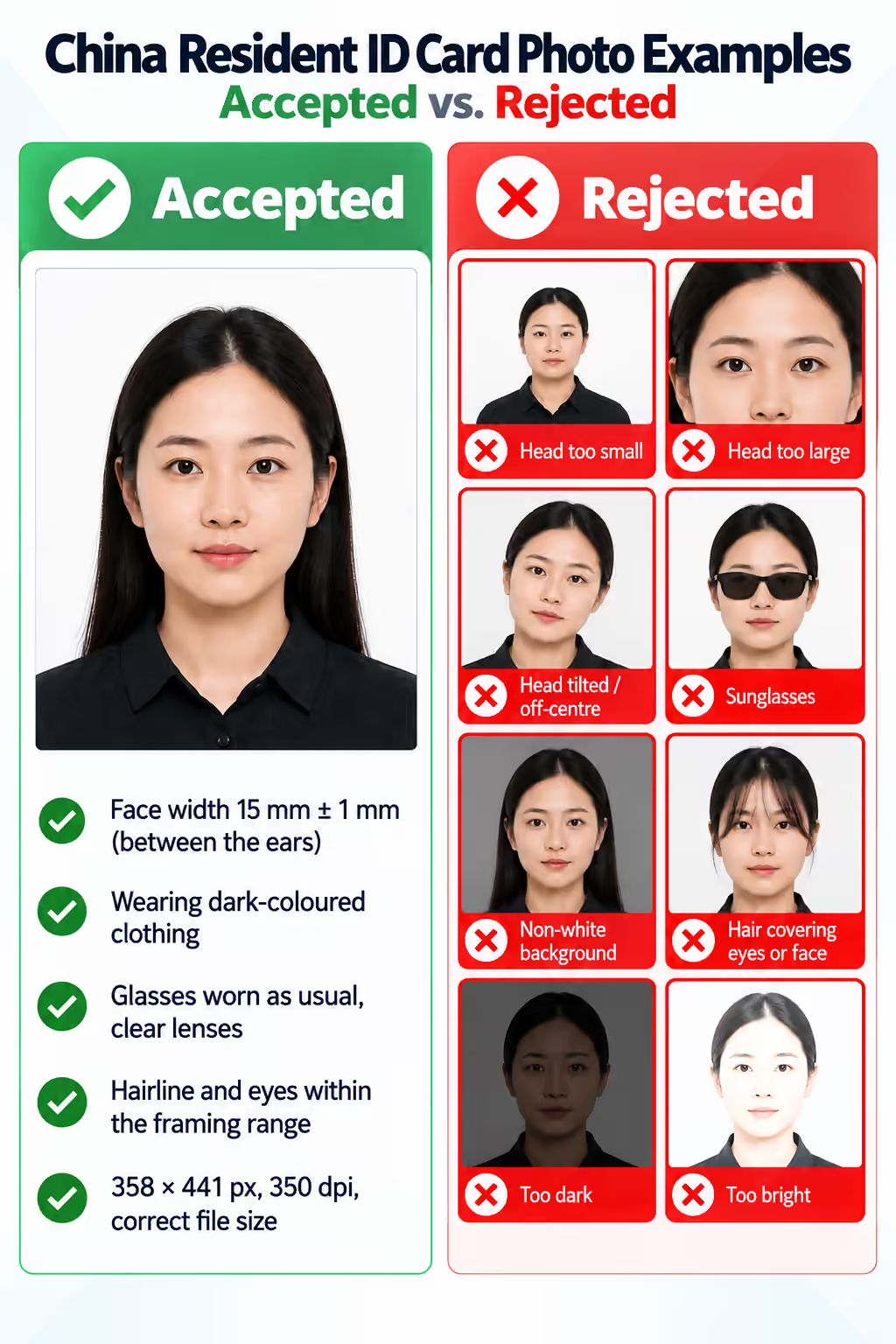
Accepted and rejected China Resident ID Card photo examples showing framing, clothing, glasses, hair, and lighting issues.
  • Face width is outside the 15 mm ± 1 mm range between the ears.
  • The subject is wearing a white or light-coloured top that blends into the background.
  • Glasses are missing when normally worn, or the lenses are tinted.
  • Hairline or eye position falls outside the required framing range.
  • The file size or resolution does not match the 358 × 441 px, 350 dpi output standard.
PhotoOmni vs. online tools vs. photo studios

PhotoOmni combines at-home upload, an AI-powered China ID photo check, expert review, and a ready-to-submit digital file.

  • Convenience

    PhotoOmni
    Upload from home in minutes
    Other online tools
    Usually online
    Traditional photo studios
    Requires a store visit
  • Peace of mind

    PhotoOmni
    AI pre-check plus expert approval
    Other online tools
    May lack expert review or charge extra
    Traditional photo studios
    Depends on local staff
  • Expert adjustments

    PhotoOmni
    Included when needed
    Other online tools
    Varies by service
    Traditional photo studios
    Usually retake-based
  • Ready-to-use files

    PhotoOmni
    Digital photo plus print-ready sheet
    Other online tools
    May be limited or extra
    Traditional photo studios
    Digital copy may not be included
  • Rejection protection

    PhotoOmni
    100% refund for photo-caused rejection
    Other online tools
    Policy varies
    Traditional photo studios
    Policy varies by shop
  • Total price & inclusions

    PhotoOmni
    One-time fee of $5.99
    Other online tools
    Add-ons can cost $3–$10+
    Traditional photo studios
    Often $15+; files vary

Frequently asked questions

What is the exact size of a China Resident ID Card photo?
The digital file is 358 × 441 pixels, equivalent to 26 × 32 mm at 350 dpi, in 24-bit colour JPEG format.
Can I wear glasses in my China Resident ID Card photo?
Yes. If you normally wear glasses, wear them in the photo. Tinted lenses, glare, and frames covering your eyes or eyebrows are not acceptable.
Can I wear a white shirt in my China Resident ID Card photo?
No. Use plain, non-white clothing so your shoulders remain distinct from the required white background.
What is face width and why does it matter?
Face width is measured between the ears in the final photo. It should be 15 mm, with a tolerance of plus or minus 1 mm, so a generic passport crop may not be suitable.
Is there a free China Resident ID Card photo checker?
PhotoOmni provides an initial AI compliance check so you can see whether your source photo is on track before purchasing the final expert-reviewed output.
What if my photo is rejected?
Final acceptance is decided by the local Public Security Bureau. If a delivered PhotoOmni file is rejected because of a photo-quality issue covered by our policy, we offer a full refund.

← Back to home