Schengen biometric photo guide
Prepare Your Schengen Visa Photo with Confidence
Create an upload-ready biometric photo for a Europe visa application. This guide covers the commonly requested 35 x 45 mm Schengen format, while your destination country's visa centre remains the final authority.
Common Schengen visa photo rules
Schengen visa applications follow ICAO-style biometric standards. The usual photo format is 35 x 45 mm, though embassies and visa centres may specify their own upload or filing details.
Official source: European Commission: applying for a Schengen visa
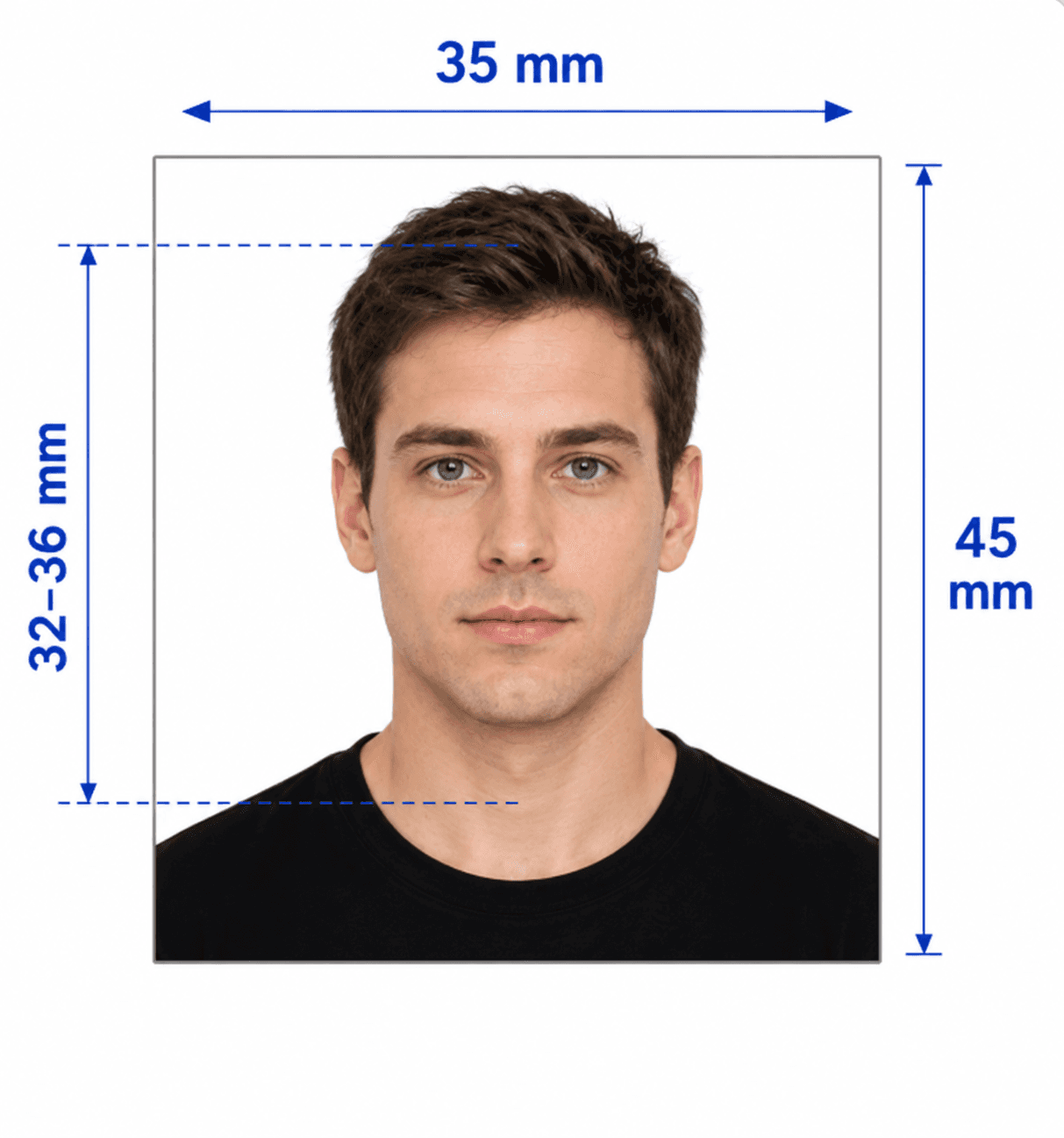
Photo size
35 x 45 mm
Head height
Commonly 32–36 mm from chin to crown; confirm locally
Background
Plain white or very light, without patterns or shadows
Expression
Neutral, mouth closed, eyes open, looking directly at the camera
Recency
Within the last 6 months
Digital file
JPG/JPEG when online upload is available; follow the local portal rules
Glasses and coverings
Eyes must be fully visible; religious or medical coverings require a clearly visible full face
How to take a suitable photo at home
A clear, natural source image is essential for a Schengen application photo.
- Ask someone else to take the photo at eye level; avoid close-up selfies.
- Use a plain white or very light background with no shadows, furniture, or other people.
- Keep shoulders square, head centred, and look straight ahead with a neutral expression.
- Wear everyday clothing that contrasts with the background; avoid uniforms unless required for religious reasons.
- Avoid tinted lenses and glare; both eyes must remain fully visible.
- Do not use filters, beauty effects, retouching, or edits that change your appearance.
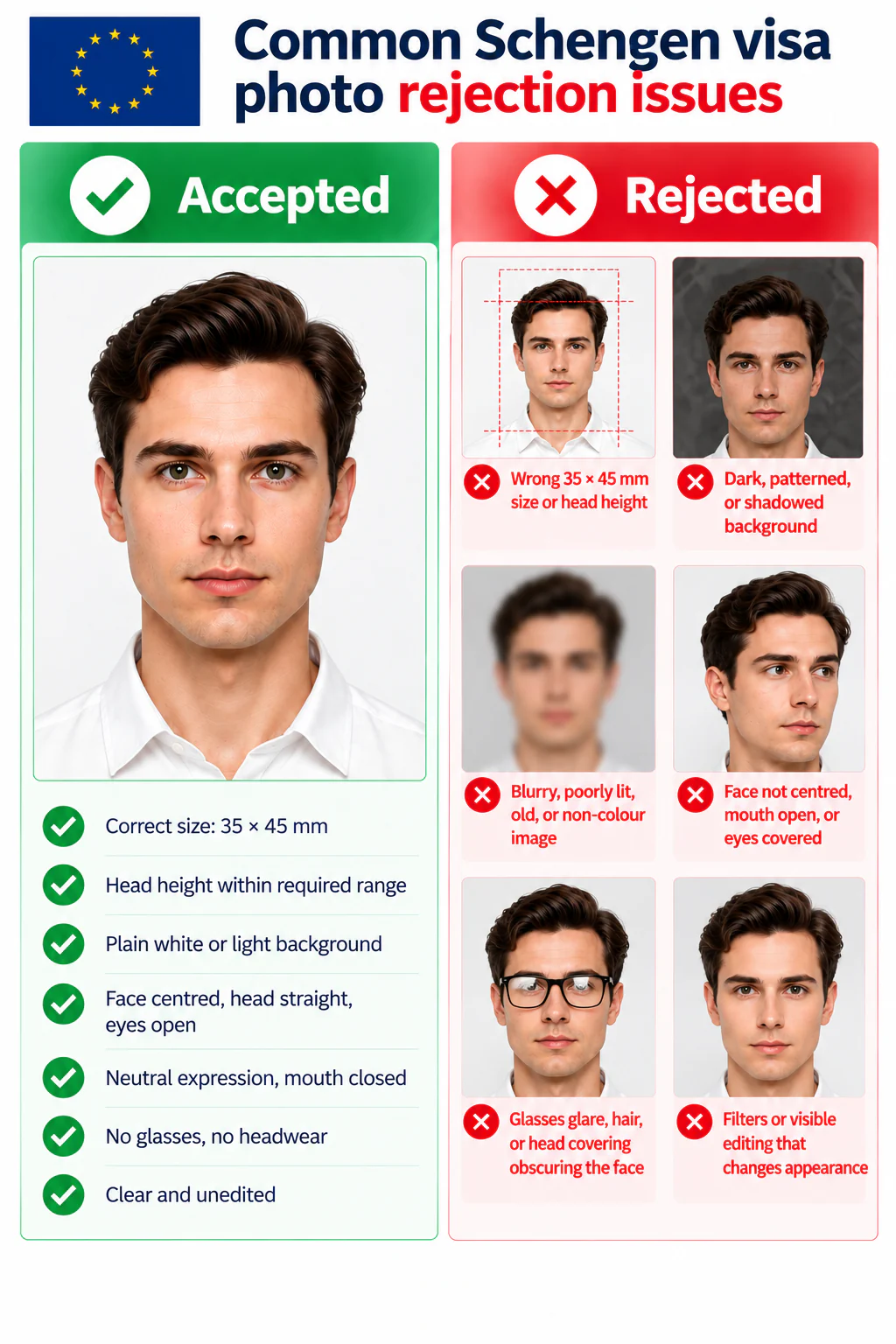
Common Schengen visa photo rejection issues
A visa photo checker can catch these common issues before you submit.
- Wrong 35 x 45 mm size or head height.
- Dark, patterned, or shadowed background.
- Blurry, poorly lit, old, or non-colour image.
- Face not centred, mouth open, or eyes covered.
- Glasses glare, hair, or head covering obscuring the face.
- Filters or visible editing that changes appearance.
PhotoOmni vs. online tools vs. photo studios
PhotoOmni combines at-home upload, AI pre-check, expert review, and 2 output files.
Convenience
- PhotoOmni
- Upload from home in minutes
- Other online tools
- Usually online
- Traditional photo studios
- Requires a store visit
Peace of mind
- PhotoOmni
- AI pre-check plus expert approval
- Other online tools
- May lack expert review or charge extra for it
- Traditional photo studios
- Depends on local staff
Expert adjustments
- PhotoOmni
- Included when needed
- Other online tools
- Varies by service
- Traditional photo studios
- Usually retake-based
Ready-to-use files
- PhotoOmni
- Digital photo plus print-ready sheet
- Other online tools
- May be limited or extra
- Traditional photo studios
- Digital copy may not be included
Rejection protection
- PhotoOmni
- 100% refund for photo-caused rejection
- Other online tools
- Policy varies
- Traditional photo studios
- Policy varies by shop
Total price & inclusions
- PhotoOmni
- One-time fee of $5.99
- Other online tools
- Add-ons can cost $3–$10+
- Traditional photo studios
- Often $15+; files vary