Malaysia passport photo guide
Malaysia Passport Photo Requirements, Made Clear
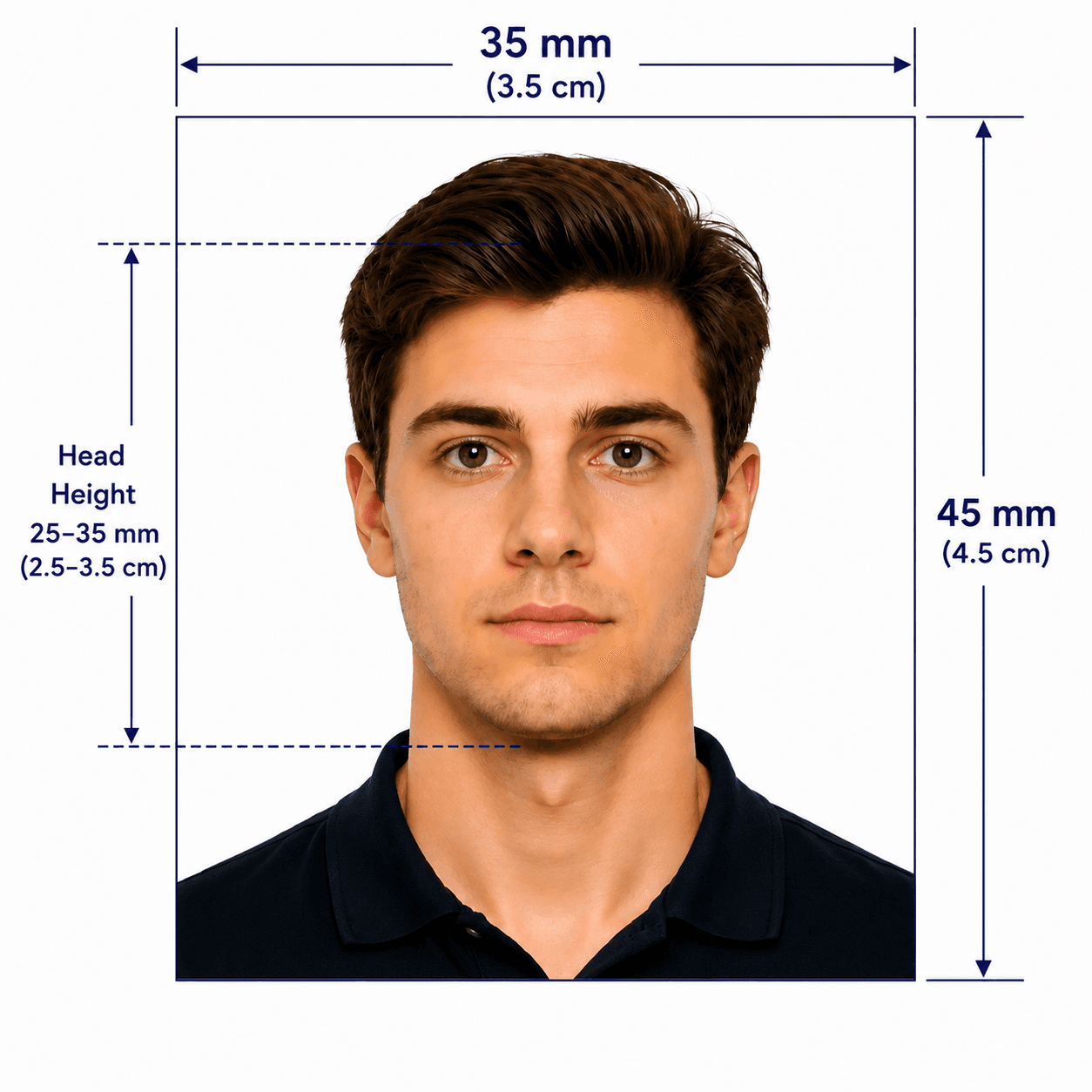
Malaysia uses a precise 35 x 50 mm passport-photo format. This guide separates the core photo specification from process-specific rules, so you can prepare the right file without assuming that every application route accepts the same kind of photo.
Official Malaysia passport photo requirements
The Malaysian Immigration Department publishes these core requirements for the Malaysian International Passport. For an online renewal or a specific counter process, always check the current instructions for that route as well.
How to take a suitable photo at home
A clean source image gives the final crop the best chance of matching the official composition.
- Ask someone else to take the photo at eye level; avoid close-up selfies and wide-angle distortion.
- Face forward with both eyes open and your mouth naturally closed.
- Use even light from the front. Avoid shadows on your face, the background, or under your chin.
- Wear dark clothing that clearly covers the shoulders and chest, especially if you plan to use an online renewal route.
- Remove glasses, contact lenses, headphones, and face, ear, or head accessories.
- Keep hair away from the face; if wearing a hijab, make sure the face and forehead remain visible.
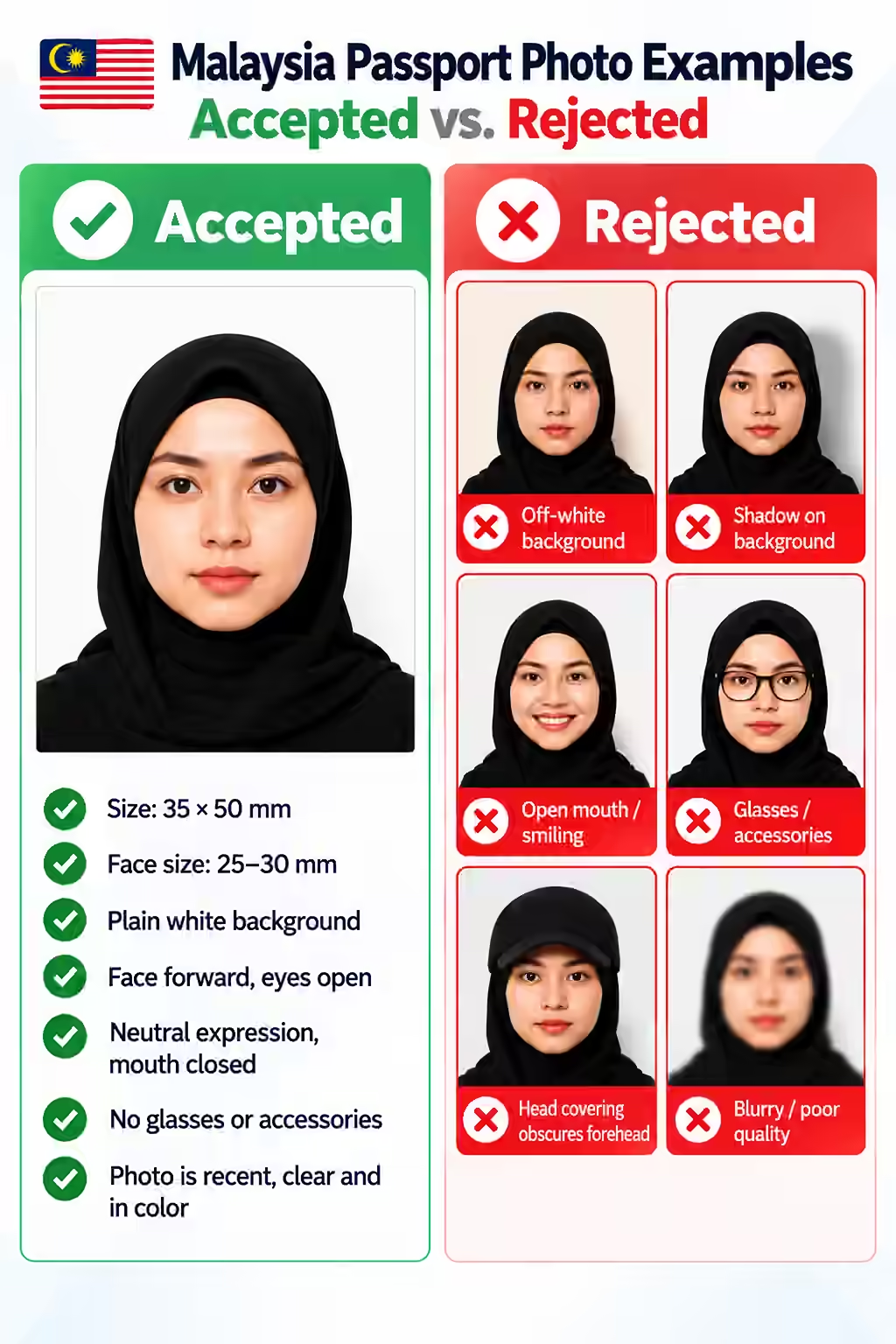
Common reasons a Malaysia passport photo may be rejected
These are the visible details most likely to put a photo outside the published specification or a channel’s upload rules.
- The photo is not exactly 35 x 50 mm or the face measures outside the 25–30 mm range.
- The background is off-white, coloured, textured, or has a visible shadow.
- The subject is not facing the camera, has closed eyes, or has an open mouth.
- Glasses, contact lenses, or accessories are visible.
- Hair, a hat, or a head covering obscures the face or forehead.
- The source image is old, blurred, poorly lit, filtered, or heavily retouched.
PhotoOmni vs. other ways to get a photo
Choose the route that fits your application, then make sure the resulting photo matches the rule set for that specific route.
Convenience
- PhotoOmni
- Upload from home in minutes
- Other online tools
- Usually online
- Traditional photo studios
- Requires a store visit
Peace of mind
- PhotoOmni
- AI pre-check plus expert approval
- Other online tools
- May lack expert review or charge extra for it
- Traditional photo studios
- Depends on local staff
Expert adjustments
- PhotoOmni
- Included when needed
- Other online tools
- Varies by service
- Traditional photo studios
- Usually retake-based
Ready-to-use files
- PhotoOmni
- Digital photo plus print-ready sheet
- Other online tools
- May be limited or extra
- Traditional photo studios
- Digital copy may not be included
Rejection protection
- PhotoOmni
- 100% refund for photo-caused rejection
- Other online tools
- Policy varies
- Traditional photo studios
- Policy varies by shop
Total price & inclusions
- PhotoOmni
- One-time fee of $5.99
- Other online tools
- Add-ons can cost $3–$10+
- Traditional photo studios
- Often $15+; files vary