


Expert verified

New Zealand NZeTA Photo Checker & Tool

Prepare a compliant New Zealand Electronic Travel Authority (NZeTA) photo from home. Immigration New Zealand uses automated checks to scan and measure uploads in real time, and a photo that misses its standards can be blocked before you can continue. Upload a recent photo for an AI pre-check and expert review before you submit your application, helping reduce the risk of a failed photo review.

Start with a photo

AI checkedExpert verifiedExpert refinementRefund guarantee
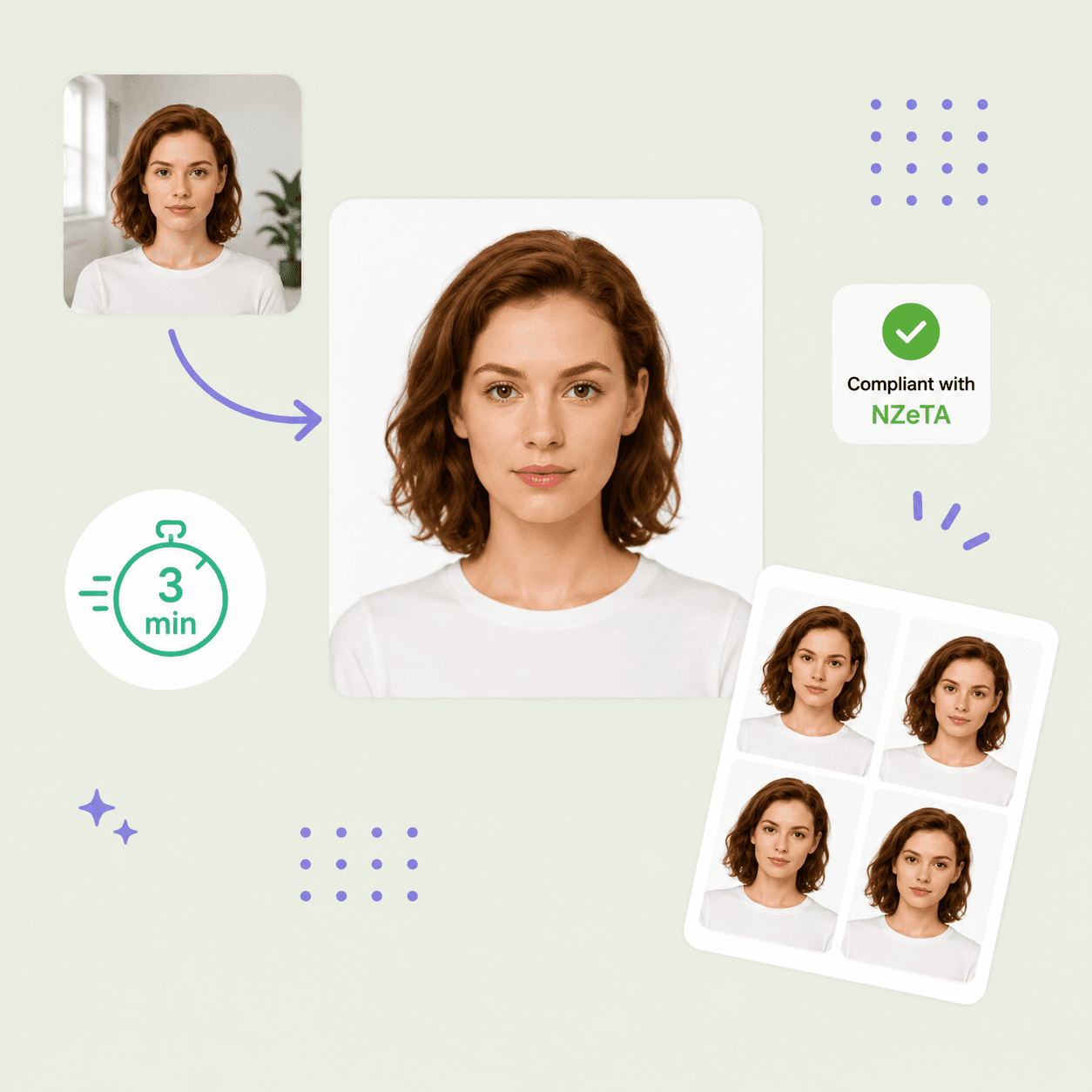
NZeTA photo preparation example with compliant digital copies

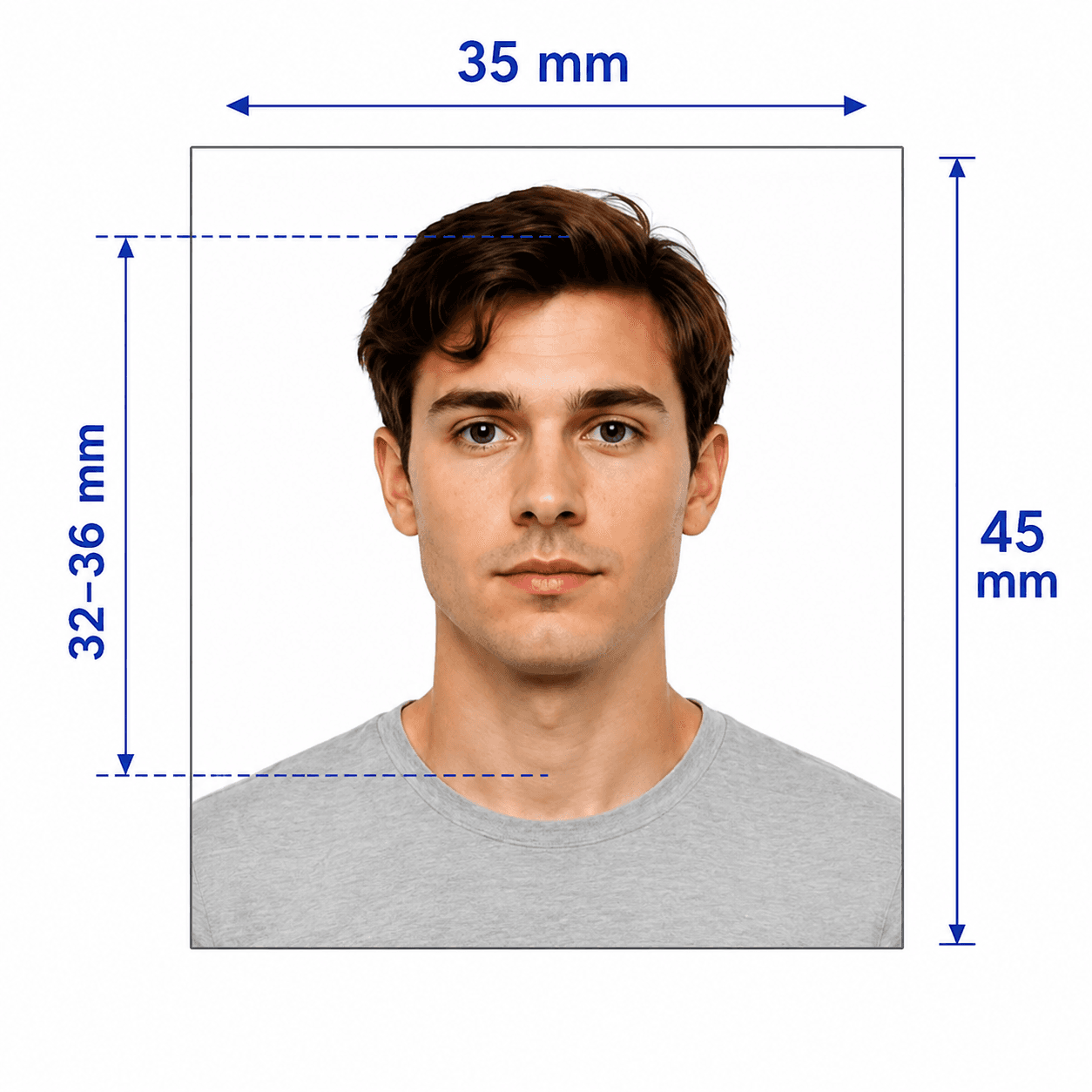
Photo specifications

Image size
900 × 1200 to 2250 × 3000 px
File size
512 KB to 3.14 MB
Format
Colour JPG or JPEG, 3:4 portrait
Face coverage
70–80% of the image height
Background
Plain, neutral, with even lighting
Editing
No AI enhancement or digital alteration

NZeTA photo guide

New Zealand NZeTA Photo Requirements

Create a compliant NZeTA photo using Immigration New Zealand's current online standards. Many older photo sites still cite a 540 × 720 px figure, but Immigration New Zealand's photographer guidance specifies a substantially larger 900 × 1200 to 2250 × 3000 px image.

Contents
  1. 1. NZeTA photo requirements
  2. 2. Who PhotoOmni is for
  3. 3. How the NZeTA photo tool works
  4. 4. 5 tips for taking an NZeTA photo at home
  5. 5. Common reasons NZeTA photos are rejected
  6. 6. PhotoOmni vs. online tools vs. photo studios

NZeTA photo requirements

These core requirements are summarized for quick reference. Always confirm against the current Immigration New Zealand instructions before you submit.

Official source: Immigration New Zealand — Acceptable photos for a visa or NZeTA

Image size
900 × 1200 to 2250 × 3000 px, 3:4 portrait
File
Colour JPG or JPEG; 512 KB to 3.14 MB
Face coverage
Face fills 70–80% of the image height
Background and lighting
Plain, neutral background; even lighting without shadows
Appearance
Look directly at the camera, eyes open, mouth closed, neutral expression
Editing
No filters, AI enhancement, retouching, or other digital alteration

Who PhotoOmni is for

PhotoOmni supports 3 common NZeTA photo situations.

New NZeTA applications

Prepare a compliant photo for visa-waiver travel to New Zealand before applying online.

Photo re-checks

Check pixel size, file size, face proportion, and lighting before resubmitting a rejected photo.

Group and family applications

Prepare a separate, individual NZeTA photo for every traveller in your group.

How PhotoOmni's NZeTA Photo Tool works

Upload a photo, use our checker for an AI and expert compliance review, then download your file.

Step 1

Photo upload

Upload a recent natural photo, or take one with your phone.

Step 2

AI + expert compliance review

Our tool checks the image dimensions, file size, face-to-frame ratio, background, and lighting. An expert reviews the result before delivery.

Step 3

Get your digital photo file

Download a 3:4 portrait JPG/JPEG sized between 900 × 1200 and 2250 × 3000 px, within the 512 KB–3.14 MB upload range.

5 tips for taking an NZeTA photo at home

Use these 5 tips before you upload your photo.

  • Use even natural or front-facing light across your face; avoid shadows.
  • Stand against a plain, neutral background with no other people or objects.
  • Leave a clear gap around your head so your face fills roughly 70–80% of the image height.
  • Look directly at the camera with your face and ears clearly visible, eyes open, and mouth closed.
  • Use a selfie only in the NZeTA mobile app. For a website application, have someone else take the photo or use a timer.

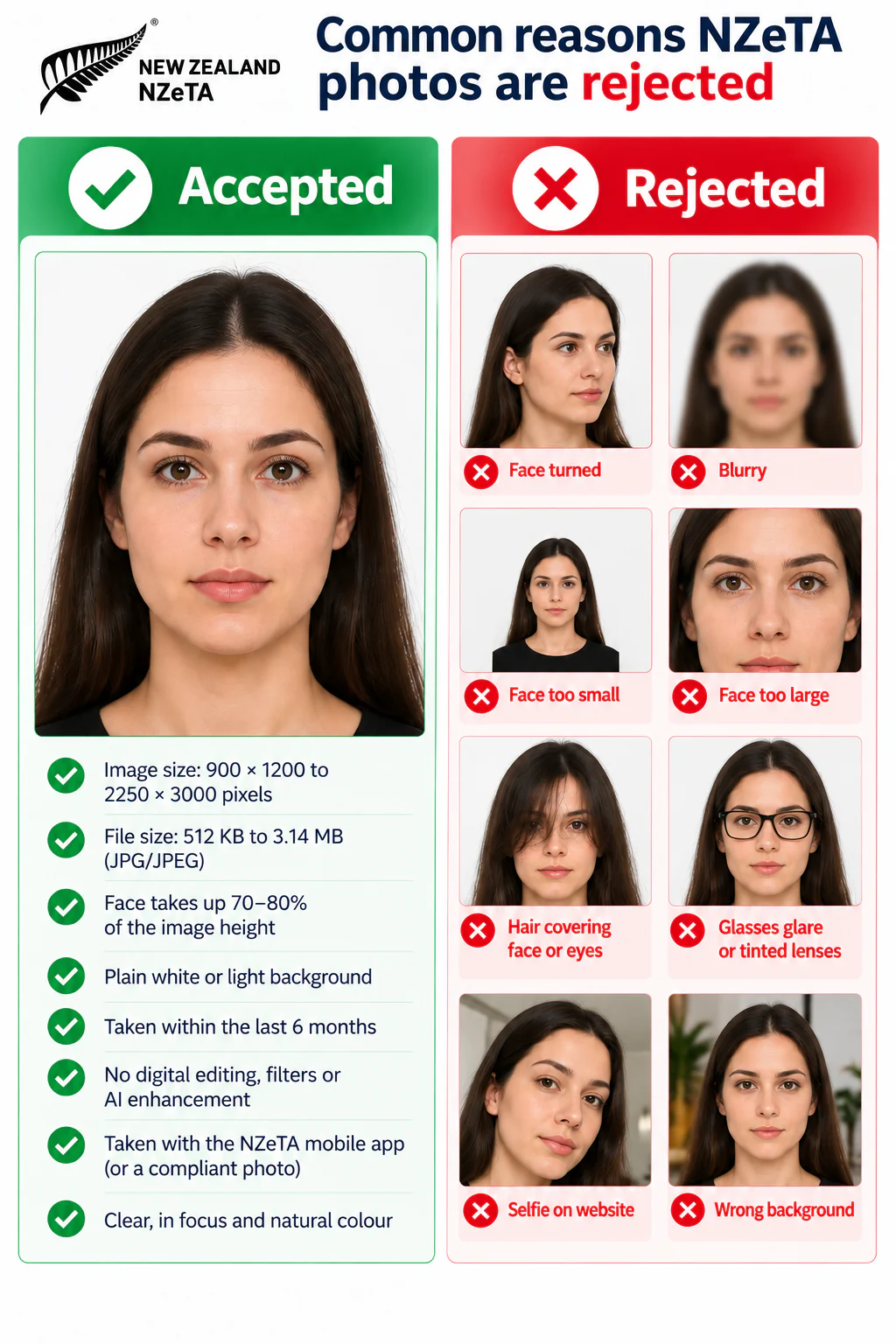
Common reasons NZeTA photos are rejected

Current NZeTA upload rules are stricter than outdated advice still found online, especially for image size and digital editing.

  • The photo uses the old 540 × 720 px guidance instead of the 900 × 1200 to 2250 × 3000 px range.
  • The JPG/JPEG file is outside the 512 KB to 3.14 MB upload range.
  • The face takes up less than 70% or more than 80% of the image height.
  • The photo uses AI retouching, filters, beautification, or other digital alteration.
  • A selfie was submitted through the website rather than the NZeTA mobile app.
PhotoOmni vs. online tools vs. photo studios

PhotoOmni combines at-home upload, an AI-powered NZeTA photo check, expert review, and ready-to-upload files.

  • Convenience

    PhotoOmni
    Upload from home in minutes
    Other online tools
    Usually online
    Traditional photo studios
    Requires a store visit
  • Peace of mind

    PhotoOmni
    AI pre-check plus expert approval
    Other online tools
    May lack expert review, or charge extra
    Traditional photo studios
    Depends on local staff
  • Expert adjustments

    PhotoOmni
    Included when needed
    Other online tools
    Varies by service
    Traditional photo studios
    Usually retake-based
  • Ready-to-use files

    PhotoOmni
    Digital JPG/JPEG file
    Other online tools
    May be limited or extra
    Traditional photo studios
    Digital copy may not be included
  • Rejection protection

    PhotoOmni
    100% refund for photo-caused rejection
    Other online tools
    Policy varies
    Traditional photo studios
    Policy varies by shop
  • Total price & inclusions

    PhotoOmni
    One-time fee of $5.99
    Other online tools
    Add-ons can cost $3–$10+
    Traditional photo studios
    Often $15+; files vary

Frequently asked questions

What is the correct photo size for NZeTA?
Use a 3:4 portrait JPG or JPEG. Immigration New Zealand's photographer guidance specifies 900 × 1200 to 2250 × 3000 pixels; the current online-photo page specifies a file size between 512 KB and 3.14 MB.
Can I submit a selfie for NZeTA?
A selfie is only allowed when you apply through the NZeTA mobile app. For a website application, ask someone else to take the photo or use a timer.
How much of the frame should my face take up?
Your face should fill about 70% to 80% of the image height and be centred, with a clear gap around your head.
Is there a free NZeTA photo checker?
Our AI runs an initial compliance check at no cost. Downloading the final compliant file, with expert review included, is a one-time fee of $5.99.
What if my NZeTA photo is rejected?
If a photo we delivered caused a rejection, PhotoOmni offers a 100% refund.

← Back to home

Real feedback from some PhotoOmni customers

Getting my NZeTA photo ready was much easier than I expected. PhotoOmni checked everything for me, and I had a compliant photo ready to upload in just a few minutes.
Emma Wilson
I took the photo at home and wasn't sure if the framing was right. The PhotoOmni expert reviewed it carefully and helped correct the issue before I submitted my NZeTA application.
Daniel Wong
PhotoOmni was quick and convenient. Having an expert check my NZeTA photo before uploading it gave me confidence that everything was ready for my application.
Sophie Martin