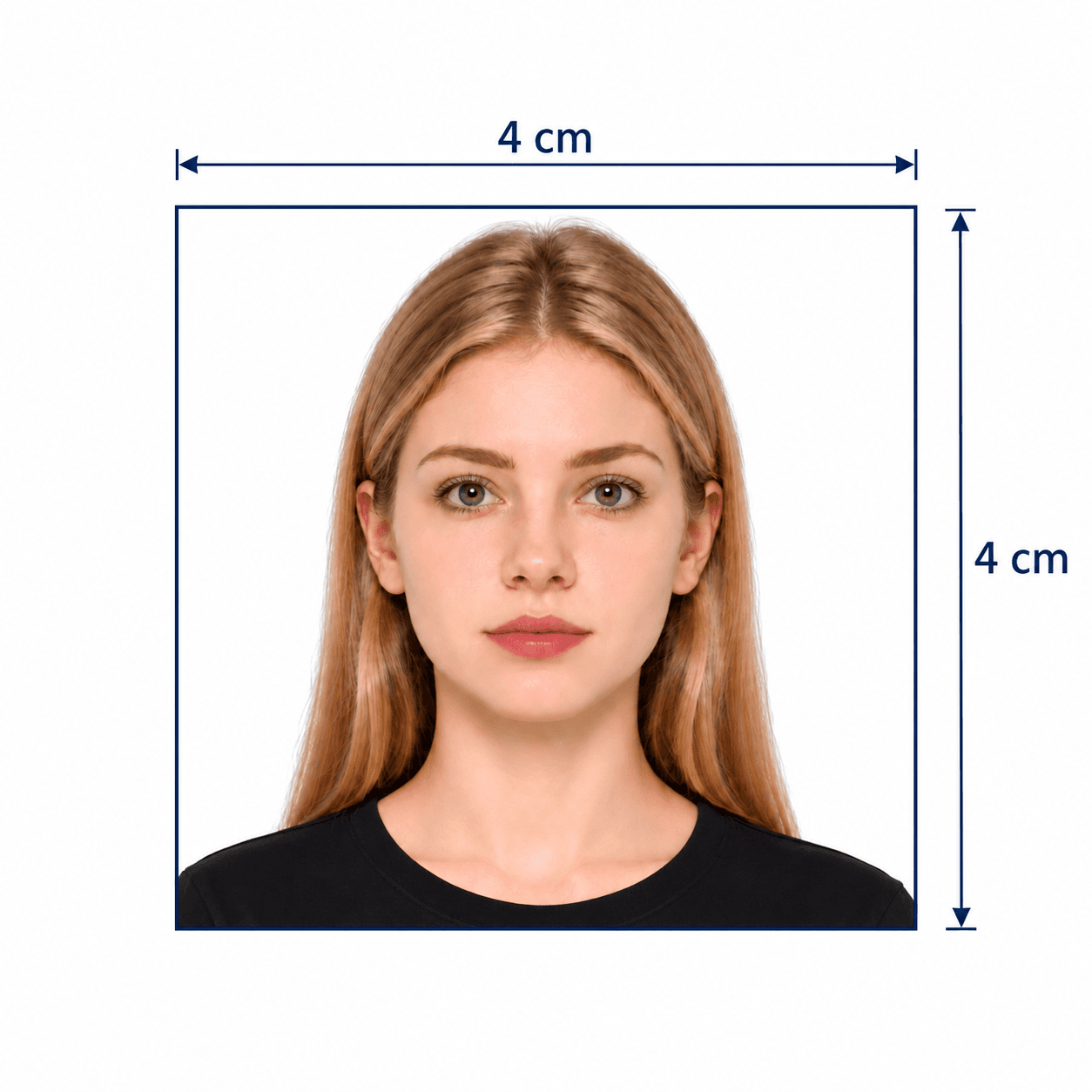
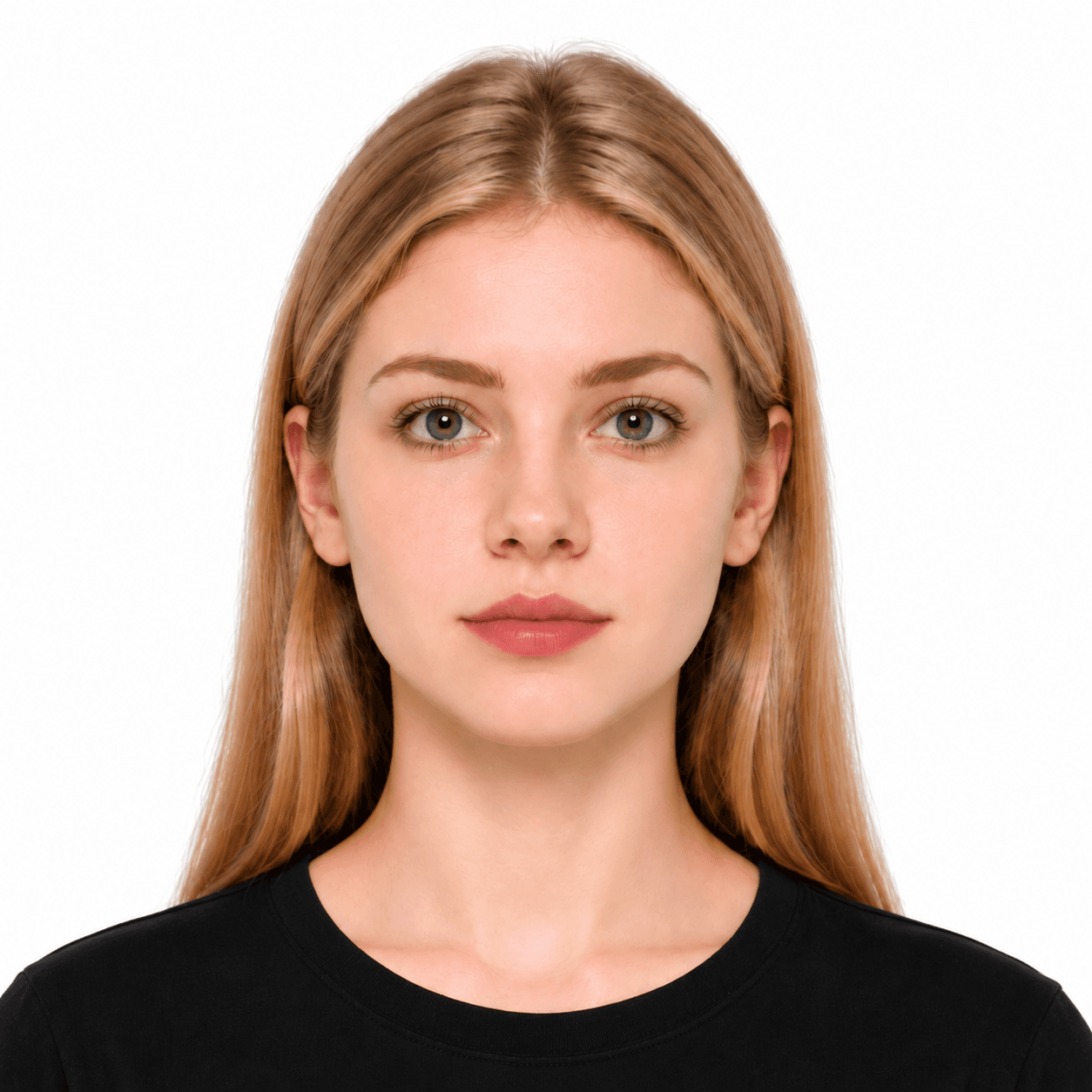
6x9 cm Photo Maker

Make a 6x9 cm (60x90 mm) photo from a portrait on your phone. PhotoOmni crops it to a 2:3 portrait format, prepares a plain white background, and combines AI checks with expert review before delivery. Get a 709×1063 px JPEG at 300 DPI and a print-ready sheet, all in your browser.

Start with a photo

AI checkedExpert verifiedExpert refinementRefund guarantee
Portrait photo preparation illustration with an original photo, processed portrait and print sheet

Photo specifications

Print size
6 × 9 cm · 60 × 90 mm
Digital output
709 × 1063 px · 300 DPI
Aspect ratio
2:3 portrait
File format
JPEG + print-ready sheet
Preset background
Plain white
Before delivery
AI checks + expert review

How PhotoOmni Works

Get your document photo in just three simple steps.

  1. Upload a portrait

    Use a clear, original photo with space around your head and shoulders.

  2. AI checks + expert review

    We prepare the 60×90 mm crop and white background, then review framing, lighting and image quality.

  3. Download your 6x9 photo

    Receive your 709×1063 px JPEG and print-ready sheet. Print at actual size to keep each photo 6×9 cm.

6x9 photo size & preparation guide

Your Guide to 6x9 cm Photos

A 6x9 photo is a portrait 60×90 mm image. Use this format when your application specifically asks for it. Here is how to resize, crop, check and print a 6x9 cm photo without confusing centimetres, inches or pixels.

6x9 Photo Requirements: cm, mm, Inches & Pixels

The physical size is fixed; pixel dimensions depend on resolution. The background and head-size settings below describe this generic PhotoOmni preset. Your application's document-specific instructions take priority.

Size in cm / mm
6 × 9 cm = 60 × 90 mm
Size in inches
Approx. 2.36 × 3.54 in; not 6 × 9 inches
At 300 DPI
Approx. 709 × 1063 pixels — PhotoOmni JPEG output
At 600 DPI
Approx. 1417 × 2126 pixels — conversion reference, not this preset's output
Preset composition
2:3 portrait; head height 60–75% of frame; plain white background
Online submission
Check the form's required pixel dimensions, file format and maximum file size

Can I Use a 6x9 Photo for a Passport, ID or Visa?

6x9 cm is a size, not a universal passport or biometric standard. Match the format and all other photo rules to the form you are completing.

Forms requesting 60×90 mm

Choose this preset for a form that explicitly asks for a 6x9 cm portrait photo and accepts its white background and framing.

Passport, visa & ID applications

Use the dedicated country and document page whenever available. A 6x9 photo is not interchangeable with 35×45 mm, 50×50 mm or US 2×2 inches.

6x9 cm photo printing guidelines

Use the print-ready sheet for applications that need physical copies. Select 100% or Actual size, disable Fit to page and borderless enlargement, and measure 60×90 mm before cutting. The 6x9 cm size is about 2.36×3.54 inches; it is not a 6x9 inch print.

How to Take a 6x9 Photo at Home

A good source portrait makes the crop and review more reliable. You do not need to crop it manually before uploading.

  • Ask someone to take the photo at eye level, or use a timer. Avoid a close, arm's-length selfie.
  • Stand in soft daylight against a plain background. Avoid harsh flash, facial shadows and backlighting.
  • Look straight ahead with eyes open and mouth closed. Keep hair away from your eyes.
  • Keep your whole head and shoulders in frame with space above your hair. Upload the full-resolution original.
  • Turn off beauty filters, face reshaping and portrait blur. Check your application's rules on glasses and photo editing.
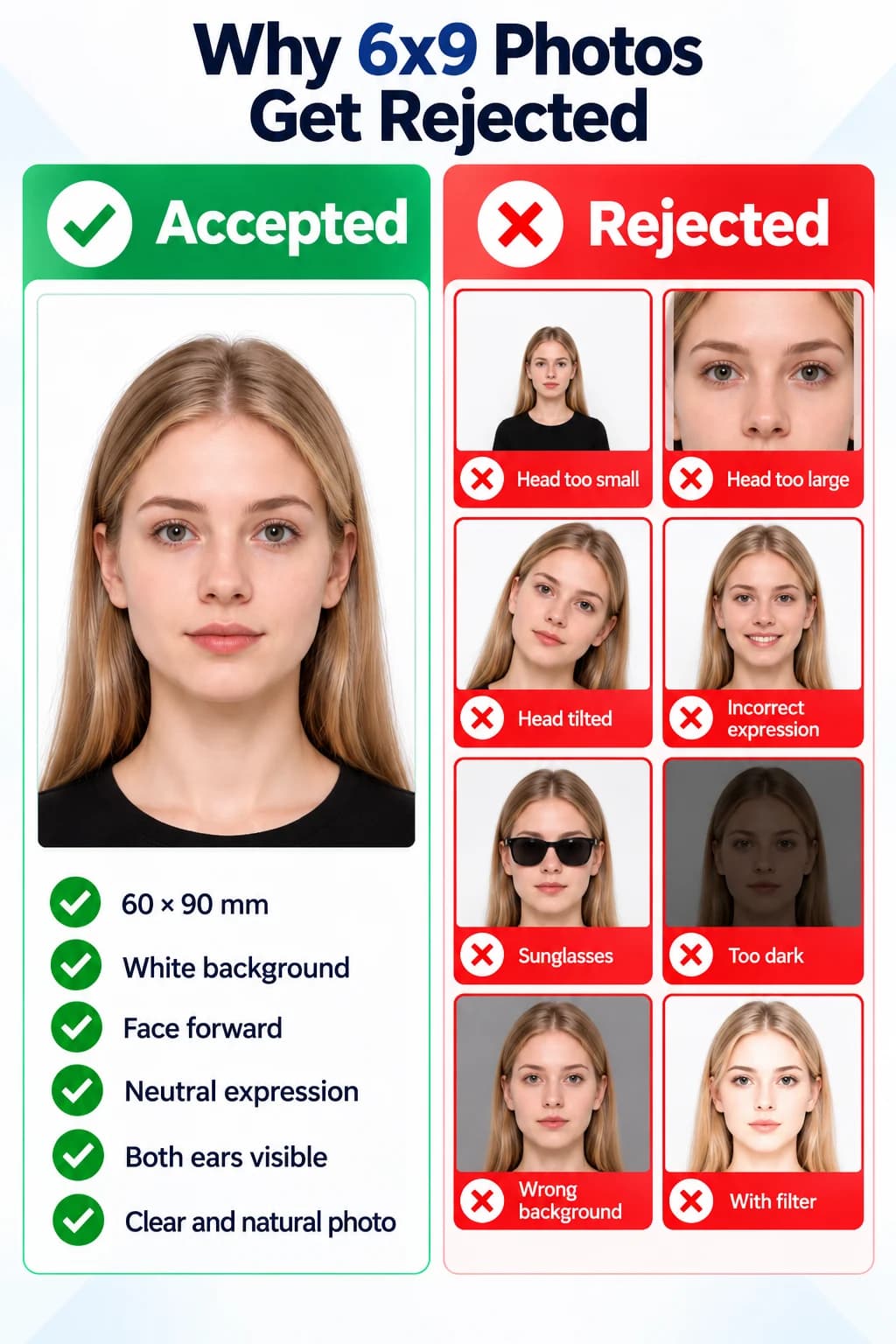
6x9 cm photo examples: accepted 60×90 mm portrait compared with incorrect head size, tilted head, smiling, sunglasses, dark lighting, wrong background and filters
View full-size image

Why 6x9 Photos Get Rejected

Use this checklist before submitting. A correct portrait canvas cannot compensate for the wrong document format or an unclear source photo.

  • Wrong units: a 6×9 inch photo is much larger than 6×9 cm.
  • Print scaling changes the size: Fit to page or borderless enlargement makes the finished photo different from 60×90 mm.
  • Wrong upload settings: the form requests different pixels, a different file type or a lower file-size limit.
  • Poor source quality: blur, glare, shadows, filters or a tilted head obscure your natural appearance.
  • Document mismatch: the authority requires a different size, head proportion, background color or an unedited image.

PhotoOmni vs. Online Tools vs. Photo Studios

Choose how much of the crop, review and printing you want to handle yourself. PhotoOmni includes expert review with the finished photo service.

  • 60×90 mm crop

    PhotoOmni
    Prepared for you
    Other online tools
    Set dimensions yourself
    Traditional photo studios
    Request the exact size
  • Peace of mind

    PhotoOmni
    AI pre-check plus expert review
    Other online tools
    May lack expert review or charge extra for it
    Traditional photo studios
    Depends on local staff
  • Expert adjustments

    PhotoOmni
    Included when needed
    Other online tools
    Varies by service
    Traditional photo studios
    Usually retake-based
  • Files for download

    PhotoOmni
    709×1063 px JPEG + print-ready sheet + A4 PDF
    Other online tools
    Export options vary
    Traditional photo studios
    Confirm digital copies
  • Rejection protection

    PhotoOmni
    100% refund for photo-caused rejection
    Other online tools
    Policy varies
    Traditional photo studios
    Policy varies by shop
  • Convenience

    PhotoOmni
    Phone or desktop browser
    Other online tools
    Browser or app
    Traditional photo studios
    Visit a local studio
  • Total price & inclusions

    PhotoOmni
    One-time fee of $5.99
    Other online tools
    Add-ons can cost $3–$10+
    Traditional photo studios
    Often $15+; files vary

Frequently asked questions

How do I take 6x9 cm photos for babies and kids?
For a baby, place a plain white sheet on a firm, safe surface and photograph from directly above with supervision. For an older child, use a plain background and take the photo at eye level. Keep toys, hands and other people out of frame, and leave room around the head for the 2:3 crop. Check the receiving authority's age-specific expression and eye-opening rules.
What is the 6x9 photo size in cm and mm?
A 6x9 cm photo is 6 centimetres wide and 9 centimetres high: exactly 60×90 mm with a 2:3 aspect ratio. In inches it is approximately 2.36×3.54. It is different from a 6×9 inch print or a 4×6 inch photo.
What is a 6x9 photo size in pixels at 300 and 600 DPI?
Use pixels = centimetres ÷ 2.54 × DPI. Rounded to whole pixels, 6×9 cm is about 709×1063 pixels at 300 DPI or 1417×2126 pixels at 600 DPI. PhotoOmni's preset delivers 709×1063 px at 300 DPI. For an online form, its stated pixel dimensions and file-size limits take priority over print DPI.
How do I edit a photo to 6x9 online?
Upload your original portrait on this page. The 6x9 photo converter applies the portrait crop and 60×90 mm output, prepares the white background, and sends the result for expert review. Start with enough space around the head; resizing cannot recover a cropped-off chin or hair.
Can I make a 6x9 photo online for free?
You can crop a portrait image yourself with a free editor. PhotoOmni's finished photo service costs $5.99 and includes AI checks, expert review, a digital JPEG and a print-ready sheet. A free crop alone does not verify physical print size or document-specific requirements.
Does the 6x9 photo checker include human verification?
Yes. AI pre-checks are followed by expert review before delivery. We review the crop, head position, background, lighting and image quality. The generic 6x9 preset uses a white background and a head height of 60–75% of the frame; these are PhotoOmni settings, not universal official rules. Final acceptance rests with the receiving organisation.
Can I use a 6x9 passport photo for an ID or visa?
Only if the application explicitly requests 6×9 cm or 60×90 mm and accepts the background and framing. A portrait crop alone does not make a biometric photo compliant. For a named country or document, check the document-specific photo pages.
How do I print a 6x9 cm photo or printable PDF?
Download the 4×6 inch print-ready JPEG sheet or the A4 PDF and match the printer paper size to that file. Select 100% or Actual size and disable Fit to page, enlargement and borderless scaling. Measure a photo after printing: it should be 60 mm wide and 90 mm high. The 4×6 inch sheet holds two 6×9 cm photos; the A4 PDF holds nine. Do not print a single portrait stretched to fill the paper.
Can I use the 6x9 photo maker on iPhone or Android without an app?
Yes. Open PhotoOmni in your phone's browser and upload the original camera image. You can also use a desktop browser. For the source photo, ask someone to take it at eye level in soft daylight; turn off beauty filters and portrait blur.
What background should a 6x9 photo have?
This preset produces a plain white background. The 6x9 cm measurement defines the canvas, not a universal background rule. Check whether your application requests white, another color, or an unedited background before ordering. Use a dedicated document page if its rules differ.
What should I do if my 6x9 photo is rejected?
Read the rejection reason first. Retake the source image for blur, glare or an incorrect pose. Check the requested dimensions, file limits and print scaling for technical problems. If the issue concerns the delivered file, contact PhotoOmni support with the exact message. If your photo is rejected due to a photo-related issue caused by our service, we offer a 100% refund.

Ready to create your photo?

Upload a photo and get a document-ready result in minutes.

3–15 min100% refund guarantee