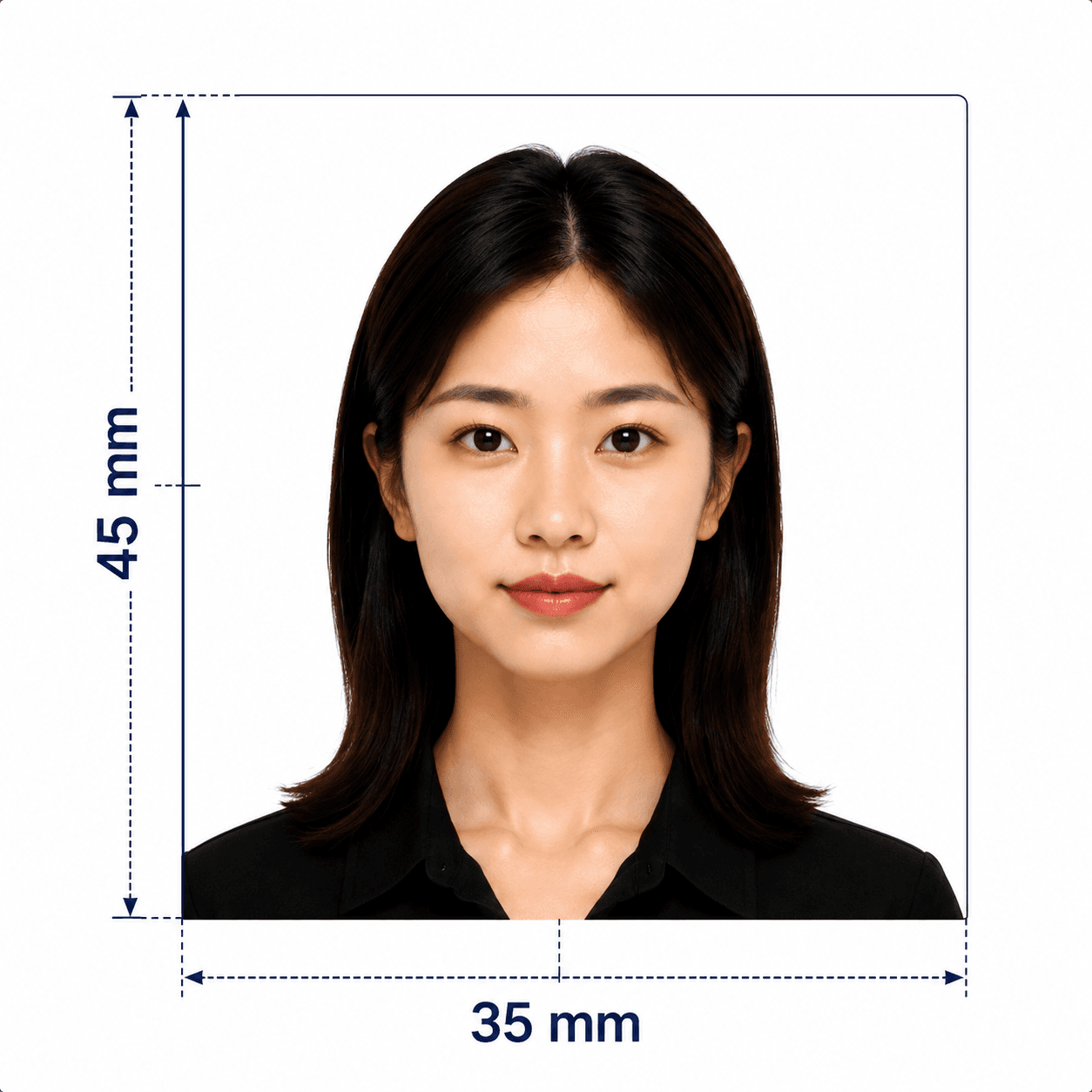
Singapore passport photo guide
Singapore Passport Photo Requirements, Clearly Explained
A Singaporean passport application needs a recent, unaltered colour photo. ICA accepts digital uploads through its e-Services and publishes exact guidance for the image, file, expression, background, glasses, and head coverings.
ICA Singapore passport photo requirements
These are the key ICA requirements for Singapore passport photographs. ICA's current Photo Guidelines remain the final authority for your application.
Official source: ICA: Apply for Passport
How to take a Singapore passport photo at home
A phone camera is suitable when the photo follows ICA's guidance. The strongest starting point is a straight-on image taken by another person in even light.
- Ask someone to take the photo; ICA does not recommend selfies because they commonly lead to unsuitable results.
- Place the camera at eye level and look straight into it with your head upright.
- Use soft, even light so the image is sharp and free from shadows or glare.
- Keep both edges of your face and the top of your shoulders clearly visible, with no hair covering your eyes.
- Use a plain white background; use light grey only if your hair is white.
- Keep your expression neutral and your mouth closed. Do not use filters, portrait enhancements, or retouching.
Common reasons ICA may reject or delay a photo
ICA says a photo that does not meet its requirements can delay an application. Check these frequent issues before submitting.
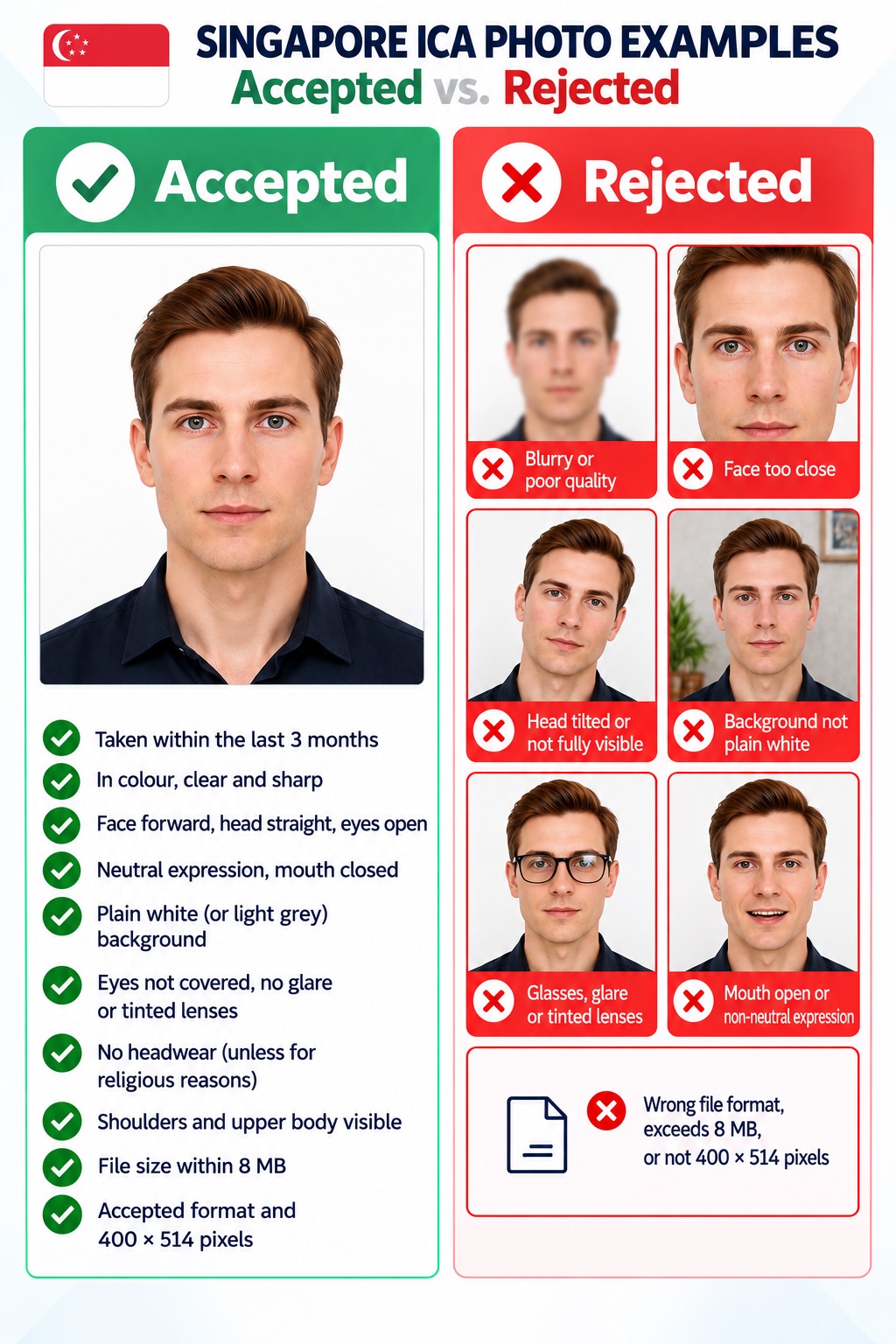
- The image is older than three months, not in colour, soft, blurred, or poorly exposed.
- The photo is a close-up selfie, the head is tilted, or the face and shoulders are not fully visible.
- The background is not plain white (or permitted light grey for white hair), or contains shadows, patterns, or objects.
- The eyes are closed or obscured by hair, glasses frames, glare, tinted lenses, or sunglasses.
- The mouth is open, the expression is not neutral, or facial features have been altered or enhanced.
- The uploaded file does not use an accepted format, exceeds 8 MB, or does not meet the recommended 400 x 514 pixel size.
PhotoOmni vs. other photo options
A suitable option depends on whether you are submitting online or providing a printed photograph. In every case, use ICA's current guidance as the final check.
Convenience
- PhotoOmni
- Upload from home with a quick pre-check
- Other online tools
- Usually online
- Traditional photo studio
- Requires an in-store session
Singapore specification coverage
- PhotoOmni
- ICA-recommended 400 x 514 px format
- Other online tools
- May only provide generic cropping
- Traditional photo studio
- Depends on local experience
Compliance guidance
- PhotoOmni
- Checks size, background, lighting, and expression with expert review
- Other online tools
- May lack expert review or charge extra
- Traditional photo studio
- Usually relies on retakes
Output file
- PhotoOmni
- Singapore passport digital photo file
- Other online tools
- Formats may be limited
- Traditional photo studio
- Digital file may cost extra
Rejection protection
- PhotoOmni
- 100% refund
- Other online tools
- Policy varies by service
- Traditional photo studio
- Policy varies by studio
Total price & inclusions
- PhotoOmni
- One-time fee of $5.99
- Other online tools
- Add-ons can cost $3–$10+
- Traditional photo studio
- Often $15+; files vary