
What Is the Passport Biodata Page? Information, Examples and Safety Tips
What Is the Passport Biodata Page? Information, Examples and Safety Tips
Quick Answer
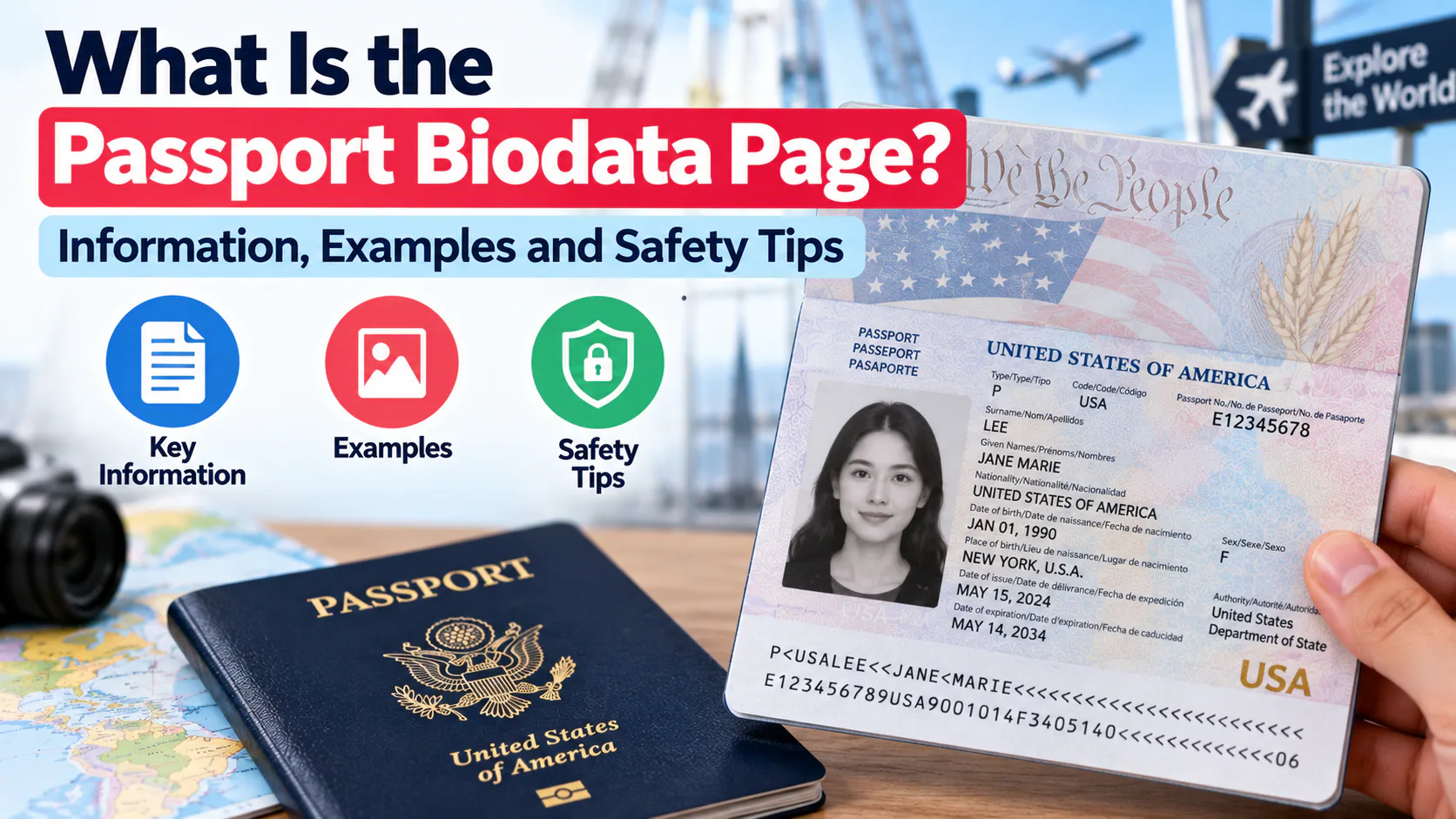
The biodata page (also called the bio page, biographic page, or data page) is the page near the front of your passport that holds your personal identifying information: full legal name, date and place of birth, sex, nationality, passport number, issue and expiry dates, issuing authority, your photo, and a machine-readable zone (MRZ) that border scanners read automatically. It's the page immigration officers check at every border and the page you'll be asked to photograph or scan for visa applications, hotel check-ins, and some financial services. One safety note most guides skip: you should be cautious about who you share a photo of this page with — passport authorities in multiple countries specifically warn against posting it on social media or sending it to unverified people online, since it contains everything needed for identity theft. Whatever page you're photographing for an application, the photo on it still needs to meet strict requirements — a tool like PhotoOmni makes sure that part is compliant before you submit.
What Information Is on the Biodata Page?
| Field | What It Shows |
|---|---|
| Photo | A recent, compliant photo of the holder |
| Full legal name | Surname and given names, in block capitals |
| Passport number | A unique alphanumeric or numeric identifier |
| Nationality | Country of citizenship |
| Date of birth | — |
| Place of birth | City/country |
| Sex | As recorded by the issuing authority |
| Date of issue | When the passport was issued |
| Date of expiry | When it stops being valid |
| Issuing authority | The government body that issued it |
| Machine-readable zone (MRZ) | Two lines of encoded text at the bottom, read automatically by scanners at e-Passport gates and border checkpoints |
The layout is standardized under ICAO Document 9303, which is why biodata pages look broadly similar across different countries' passports, even though the exact design, materials, and security features vary.
Where Is the Biodata Page Located?
It's almost always the first or second page inside the cover of the passport booklet. In newer passports (including the U.S. "Next Generation" design rolled out since 2021), this page is made of a durable polycarbonate material rather than paper, with the photo and text laser-engraved directly into it rather than printed or glued — a security feature designed to make forgery significantly harder.
When You'll Need to Provide It
You'll typically be asked for a copy or scan of your biodata page (not the entire passport) when you:
- Apply for a visa, including most e-visas and visa-on-arrival systems
- Renew or replace a passport, since some renewal forms ask you to reference existing passport details
- Check into certain hotels in countries that require ID registration for foreign guests
- Open certain bank accounts or use identity-verification services as a foreign national
- Apply for residency, work permits, or long-term visas
Safety Tips: Protecting Your Biodata Page
Because this single page contains nearly everything needed to attempt identity theft or create a fraudulent copy of your identity, a few precautions are worth taking seriously:
- Don't post a photo of it on social media, even to celebrate an upcoming trip — passport authorities in several countries have issued specific public warnings about this exact habit.
- Only send a copy to verified, official channels — a legitimate visa portal, airline, or hotel booking system, not an individual you've only interacted with online. If someone you've met only through messaging or a dating app asks for a passport photo as "proof of identity," treat that as a major red flag; it's a common scam pattern precisely because the biodata page looks convincing and contains real-looking data even when the person sending it is using a fake or stolen document.
- Redact what you can when a full copy isn't required — for example, blur or cover the passport number if a service only needs to confirm your name and photo.
- Keep digital copies encrypted or in a secure app, rather than as an unprotected photo in your camera roll or email drafts.
- Report a lost or stolen passport immediately to your issuing authority — once it's reported, the passport number itself becomes flagged, reducing (though not eliminating) the risk of it being used fraudulently.
Frequently Asked Questions
Is the biodata page the same as the photo page? Essentially yes — the biodata page includes your photo along with all your other identifying details on a single page, rather than having the photo separately.
Do I need to send my entire passport or just the biodata page for a visa application? Almost always just the biodata page. Sending unnecessary additional pages (like visa stamps from unrelated trips) isn't usually required and adds no value to the application.
Why does my passport photo on the biodata page look black-and-white? Newer "Next Generation" passports (many countries have moved to this format) use a laser-engraved black-and-white image instead of a printed color photo, specifically because it's much harder to forge or alter.
Is it safe to email a scan of my biodata page? Standard email isn't fully secure, so it's best reserved for legitimate, verified requests (like an airline or official visa portal) rather than casual or unsolicited requests — and even then, password-protecting the file adds a layer of protection.
What if I accidentally shared my biodata page with a scammer? Report your passport as compromised to your issuing authority as soon as possible, monitor your financial accounts for unusual activity, and consider a fraud alert with credit bureaus if you're concerned about broader identity theft.
Get the Photo on Your Biodata Page Right
Whether you're applying for a new passport or a renewal, the photo that ends up on your biodata page needs to meet exact specifications. Try PhotoOmni — upload a selfie, let AI handle the resizing and background, and have a human expert confirm it's compliant before you submit.