


Expert verified

Canada Visa Photo Online

Create a Canada visa photo online with the correct 35 x 45 mm size, 420 x 540 px digital format, and JPG/JPEG file specifications. Check your photo before you submit your application.

Start with a photo

AI checkedExpert verifiedExpert refinementRefund guarantee
Canada visa photo online

Photo specifications

Photo size
35 x 45 mm
Digital size
420 x 540 px or larger
Head height
31-36 mm (372-432 px)
Resolution
At least 300 DPI
File format
JPG or JPEG
File size
60-240 KB
Background
Plain white or light-coloured
Recency
Taken within 6 months

Canada visa photo guide

Your Guide to Canada Visa Photos

Canada visa photo rules cover size, head height, background, expression, and image quality. PhotoOmni helps you check these details before submitting your application.

Contents
  1. 1. Canada visa photo requirements
  2. 2. How PhotoOmni works
  3. 3. How to prepare before taking your photo
  4. 4. Common rejection reasons
  5. 5. PhotoOmni vs. online tools vs. photo studios

Canada visa photo requirements

Use these core temporary resident visa photo requirements. For an online application, always follow the file requirements displayed in your IRCC portal.

Official source: IRCC temporary resident visa photo specifications

Photo size
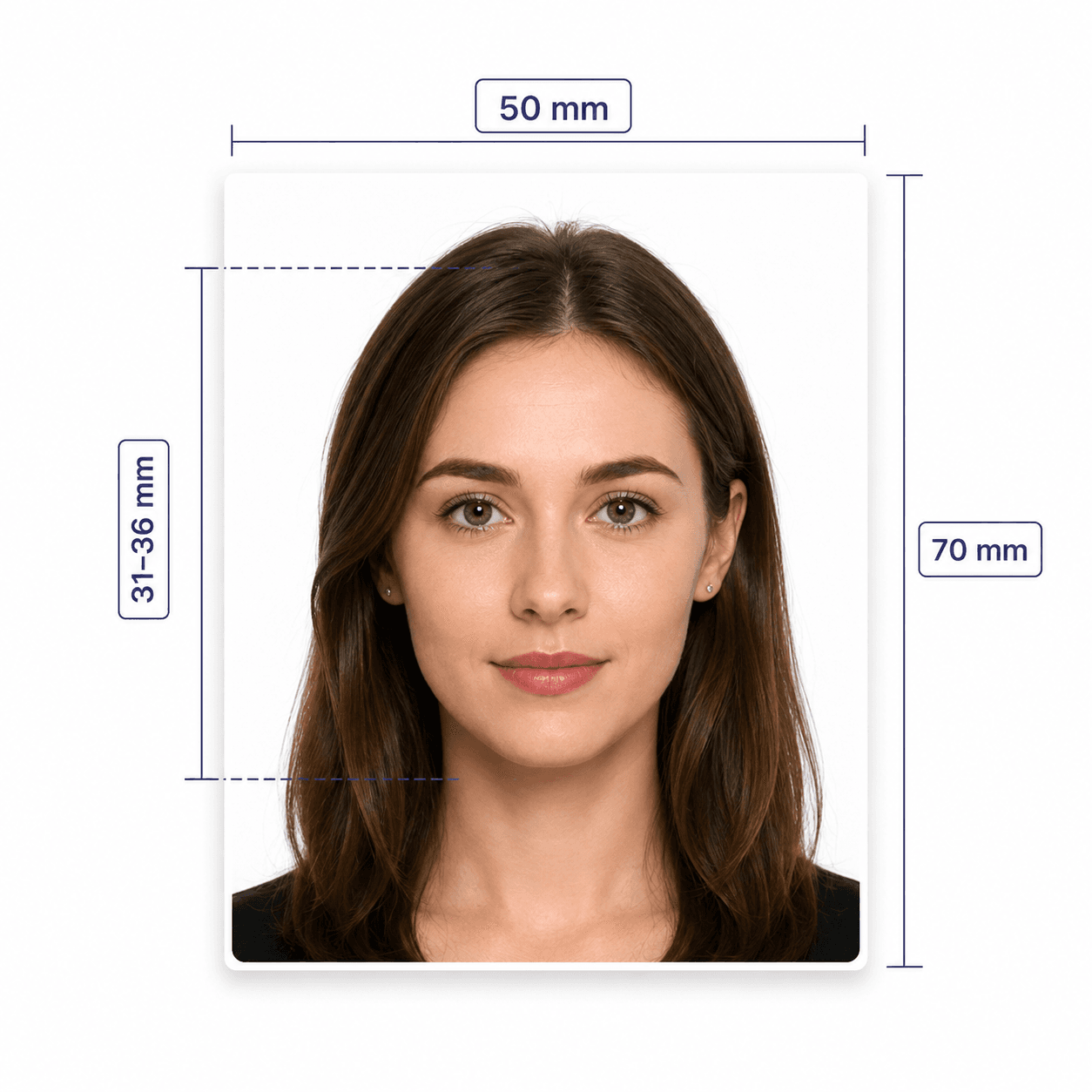
At least 35 x 45 mm
Head size
31-36 mm from chin to crown
Digital reference
At least 420 x 540 px, 300 DPI
File format
JPG/JPEG, 60-240 KB reference
Background
Plain white or light-coloured
Age of photo
Taken within the last 6 months

How PhotoOmni works

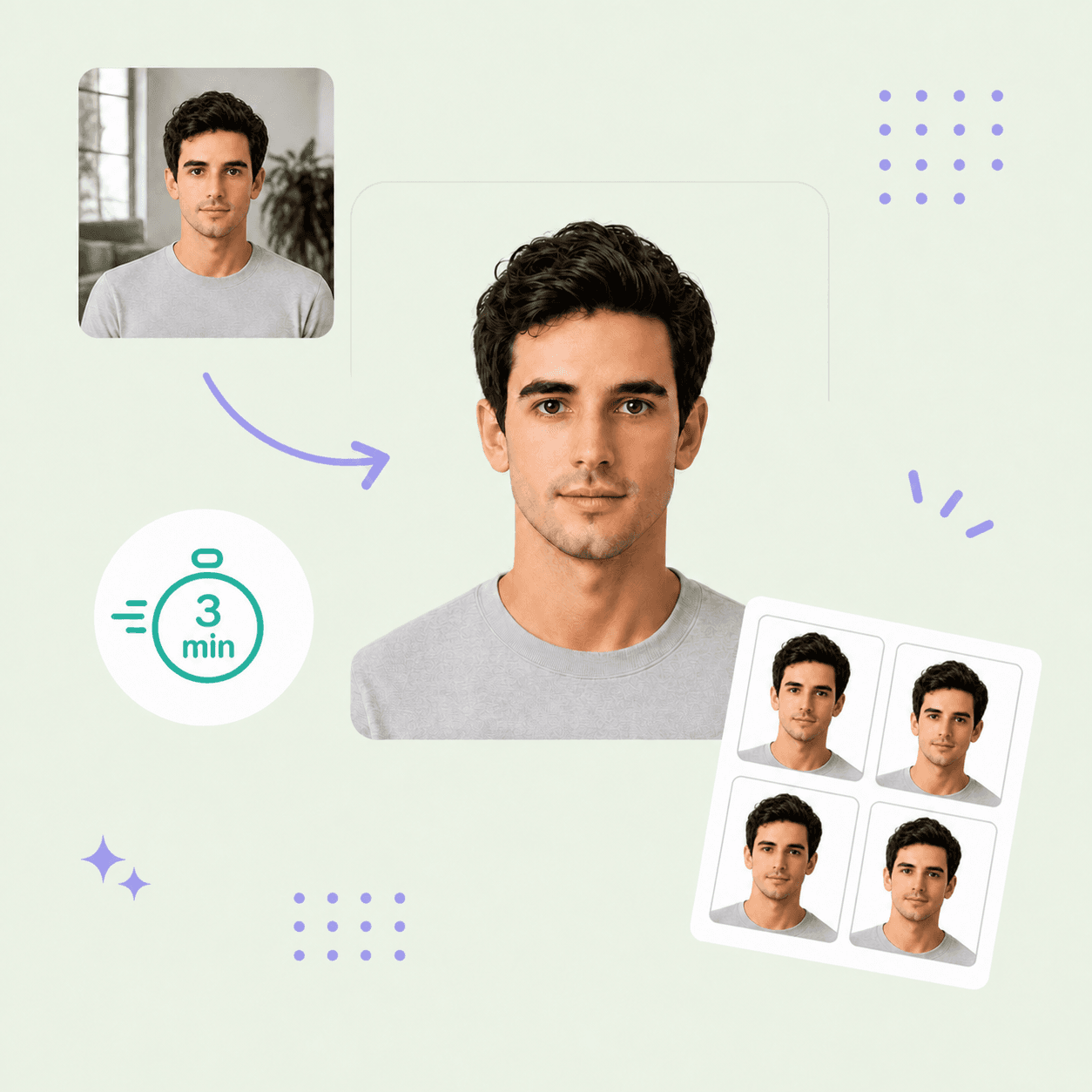
Choose Canada visa photo, upload your image, and PhotoOmni checks the relevant photo requirements so you can spot issues before submission.

Step 1

Upload your photo

Upload a phone photo or take a new front-facing photo.

Step 2

AI + expert compliance review

AI checks size, framing, lighting, background, and image quality; an experienced passport-photo expert reviews the result before delivery.

Step 3

Download your visa photo

Download a 35 x 45 mm JPG/JPEG at least 420 x 540 px and 300 DPI, with a 60-240 KB reference file size. Confirm portal-specific requirements before submitting.

How to prepare before taking your photo

Use a clear photo with even lighting, a front-facing pose, and a plain light background.

  • Face the camera with a neutral, closed-mouth expression.
  • Keep your face centred and your shoulders visible.
  • Use even lighting with no shadows, glare, or flash reflections.
  • Use a plain white or light-coloured background.
  • Do not use filters, beauty effects, background replacement, or AI edits.

Common reasons Canada visa photos are rejected

Small issues with image quality, framing, or facial appearance can delay your application.

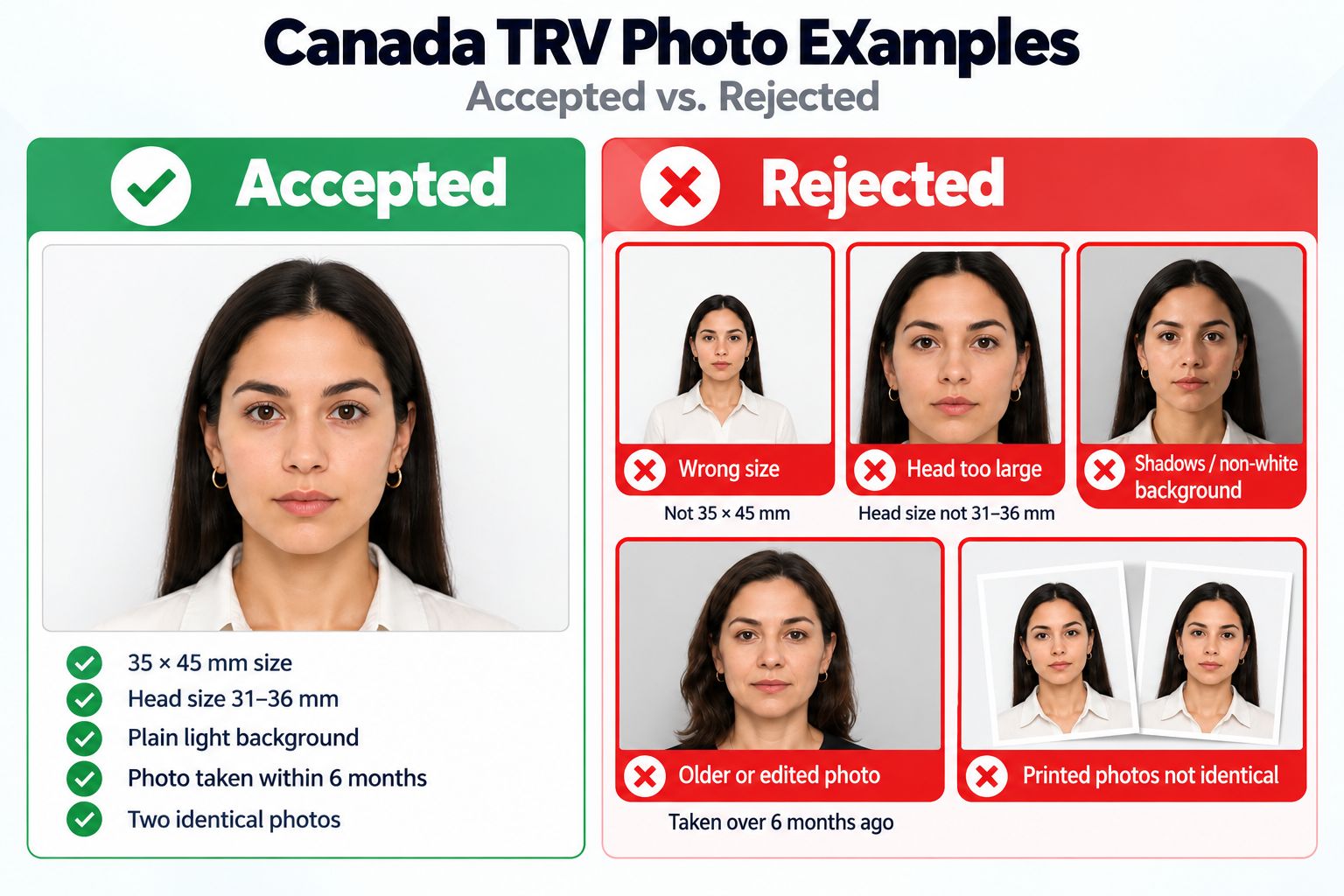
  • The photo is not 35 x 45 mm or the head height is outside 31-36 mm.
  • The face is tilted, off-centre, blurred, or affected by glare.
  • The background is not plain or shadows are visible.
  • The photo has been edited, filtered, or altered.
Common reasons Canada visa photos are rejected, including size, framing, background, and editing errors.

PhotoOmni vs. online tools vs. photo studios

PhotoOmni combines at-home convenience with AI checks and an experienced expert review.

  • Convenience

    PhotoOmni
    Upload from home
    Other online tools
    Usually online
    Traditional photo studios
    Requires a store visit
  • Canada-specific specs

    PhotoOmni
    Checks against IRCC requirements
    Other online tools
    May use generic requirements
    Traditional photo studios
    Depends on local staff
  • Compliance feedback

    PhotoOmni
    Checks size, background, lighting, and expression with expert review
    Other online tools
    May lack expert review or charge extra for it
    Traditional photo studios
    Usually requires retakes
  • Ready-to-use files

    PhotoOmni
    Print and online submission formats
    Other online tools
    May be limited or extra
    Traditional photo studios
    Digital copy may cost extra
  • Rejection protection

    PhotoOmni
    100% refund
    Other online tools
    Policy varies by service
    Traditional photo studios
    Policy varies by studio

Official requirements

  • Provide 2 identical photos when your application instructions require printed photos
  • Use a clear, well-defined image against a plain white or light-coloured background
  • Face the camera with a neutral, closed-mouth expression
  • Keep your face centred and shoulders visible
  • Non-tinted glasses are allowed if your eyes are clear and glare-free
  • Do not edit digital photos; check your IRCC portal requirements

Frequently asked questions

How can I create a Canada visa photo online that meets official requirements?
Take a clear, front-facing photo against a plain white or light-coloured background, then upload it to PhotoOmni. PhotoOmni checks size, head position, background, lighting, and expression with AI, followed by an experienced passport-photo expert review. Before submitting, confirm the exact requirements shown in your IRCC application portal.
What is an IRCC Photo?
An IRCC photo is a photograph submitted with an Immigration, Refugees and Citizenship Canada application, such as a visa, permit, or permanent residence application. PhotoOmni helps you prepare and review the relevant photo format, but the official IRCC instructions for your application remain the final authority.
What is the Benefit of an Online Canada Visa Photo Editor Compared to a Commercial Studio?
PhotoOmni lets you upload and review a photo from home, without booking or visiting a studio. AI checks the common technical requirements, and an experienced passport-photo expert reviews the result before delivery. You receive a digital file prepared for the selected format, while still confirming the final upload requirements in your IRCC portal.
What are the precise size and background requirements for a Canadian visa photo?
A Canada temporary resident visa photo must be at least 35 x 45 mm, with a chin-to-crown head height of 31 to 36 mm. Use a plain white or light-coloured background, with a clear and well-defined image. PhotoOmni checks these requirements before delivery; confirm any portal-specific digital file requirements before uploading.
What size is a Canada visa photo?
A Canada temporary resident visa photo frame is at least 35 x 45 mm, with a chin-to-crown head height of 31 to 36 mm.
What is the digital Canada visa photo size?
A commonly used online reference is at least 420 x 540 pixels in JPG/JPEG format, with a 60 to 240 KB file size. Confirm the exact portal requirement before uploading.
Can a Canada visa photo be black and white?
Yes. The IRCC temporary resident visa specification permits either black-and-white or colour photos.
Can I edit my Canada visa photo?
No. IRCC says that digital photos must not be altered in any way.

← Back to home