


Expert verified

Japan APEC Business Travel Card Photo Checker & Tool

Use PhotoOmni's Japan APEC Business Travel Card photo tool to prepare a compliant ABTC upload from home. Japan's official ABTC application asks for a recent JPG photo in an approximately 4:3 frame, so upload a selfie, get an AI pre-check, and receive expert-reviewed files ready to submit.

Start with a photo

AI checkedExpert verifiedExpert refinementRefund guarantee
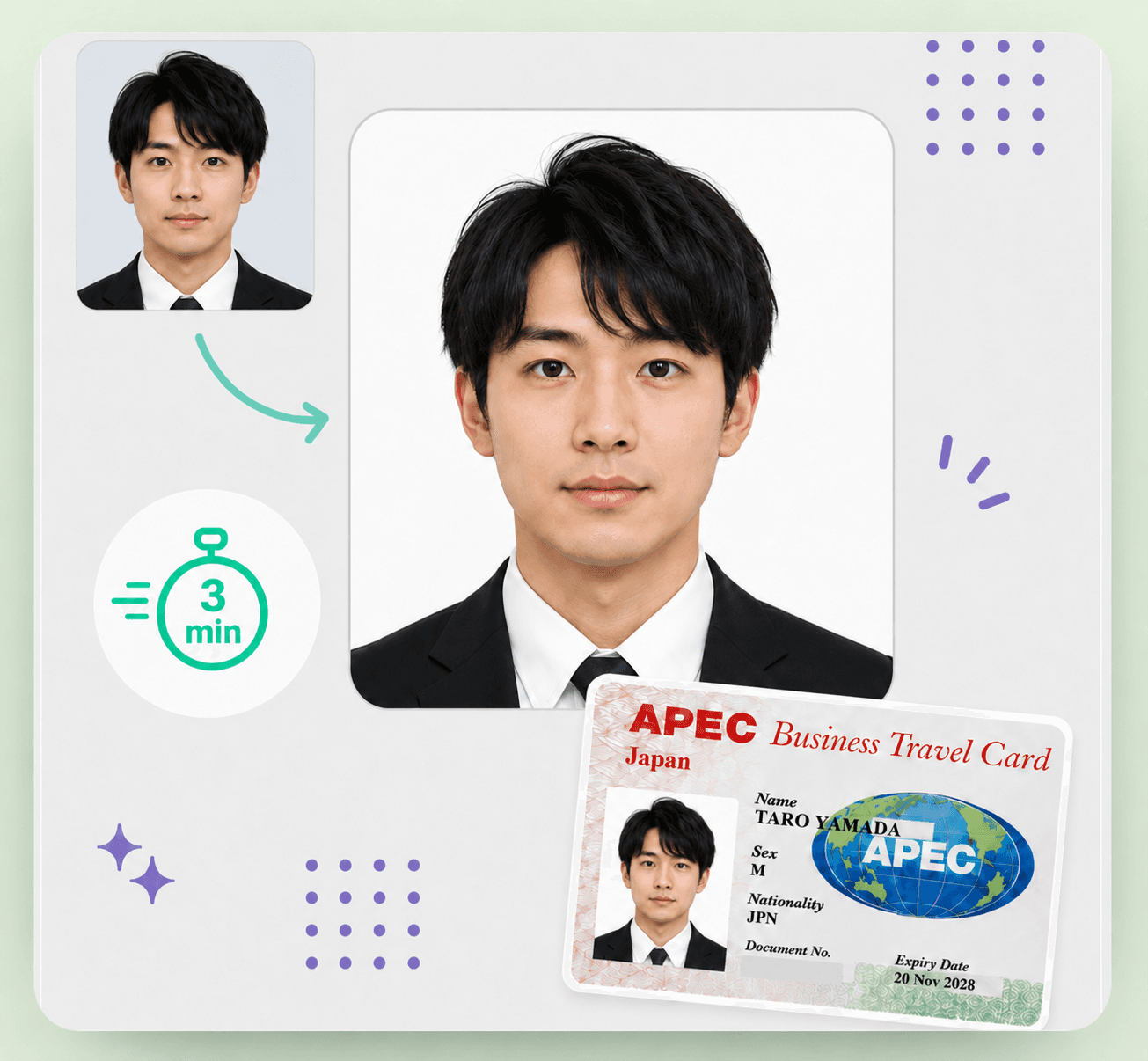
Japan APEC Business Travel Card photo preparation example

Photo specifications

Digital size
800 × 600 px, approximately 4:3
File format
JPG, up to 10 MB
Background
Plain; white is recommended
Age of photo
Taken within the last 6 months
Photo standard
Same as Japan passport photo standards
Output
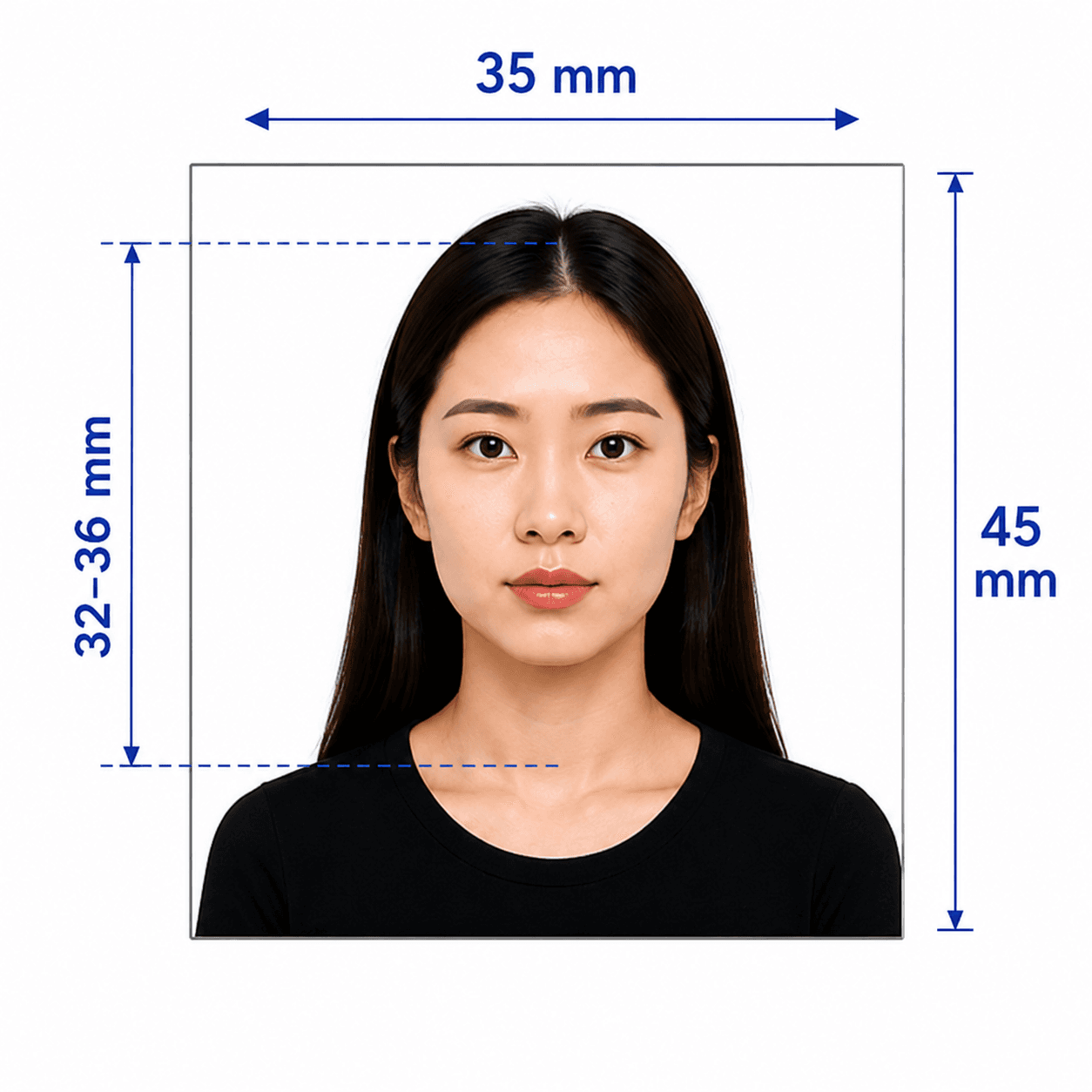
Digital JPG file; print-ready 35 × 45 mm sheet

Japan APEC Business Travel Card photo guide

Japan APEC Business Travel Card Photo Requirements

Create a compliant Japan APEC Business Travel Card (ABTC) photo with a recent, clear image on a plain background. Japan's ABTC application uses a JPG upload in an approximately 4:3 frame, so a passport-style source photo and the correct digital crop both matter.

Contents
  1. 1. Japan ABTC photo requirements
  2. 2. Who PhotoOmni is for
  3. 3. How the Japan ABTC photo tool works
  4. 4. 5 tips for taking a Japan ABTC photo at home
  5. 5. Common reasons Japan ABTC photos are rejected
  6. 6. PhotoOmni vs. online tools vs. photo studios

Japan ABTC photo requirements

These core requirements are summarized for quick reference. Always confirm against the current official ABTC guidance before submitting your application.

Official source: Ministry of Foreign Affairs of Japan — ABTC application overview

Digital size
800 × 600 px, approximately 4:3
File format
JPG, up to 10 MB
Background
Plain; white is recommended
Age of photo
Taken within the last 6 months
Pose
Passport-photo standard; face square to the camera
Editing
Digital photos must not be altered

Who PhotoOmni is for

PhotoOmni supports 3 common Japan APEC Business Travel Card photo situations.

New ABTC applications

Prepare a recent, compliant photo before submitting your first Japan ABTC application.

ABTC renewals

Create a current photo that reflects your appearance for a card renewal.

Photo re-checks

If your file was flagged or you are unsure about the 4:3 upload crop, run it through our checker before resubmitting.

How PhotoOmni's Japan ABTC Photo Tool works

Upload a photo, complete an AI and expert compliance review, then download your file.

Step 1

Photo upload

Upload one selfie or take a new photo with your phone.

Step 2

AI + expert compliance review

Our tool prepares an approximately 4:3 JPG upload and checks your crop, background, and lighting; an expert reviews the result before delivery.

Step 3

Get your digital photo file

Download the JPG prepared for the Japan ABTC application, plus a print-ready 35 × 45 mm sheet if you need one.

5 tips for taking a Japan APEC Business Travel Card photo at home

Use these 5 tips before uploading your photo to our ABTC tool.

  • Stand about 1.5 to 2 metres from a plain white or light-coloured wall.
  • Use soft, even daylight or front-facing light to avoid shadows.
  • Face the camera directly with a neutral expression and both eyes open.
  • Leave space around your head and shoulders for the required crop.
  • Remove hats, sunglasses, and headphones before taking the photo.

Common reasons Japan APEC Business Travel Card photos are rejected

ABTC photo review is strict about the digital upload, recency, and passport-style appearance.
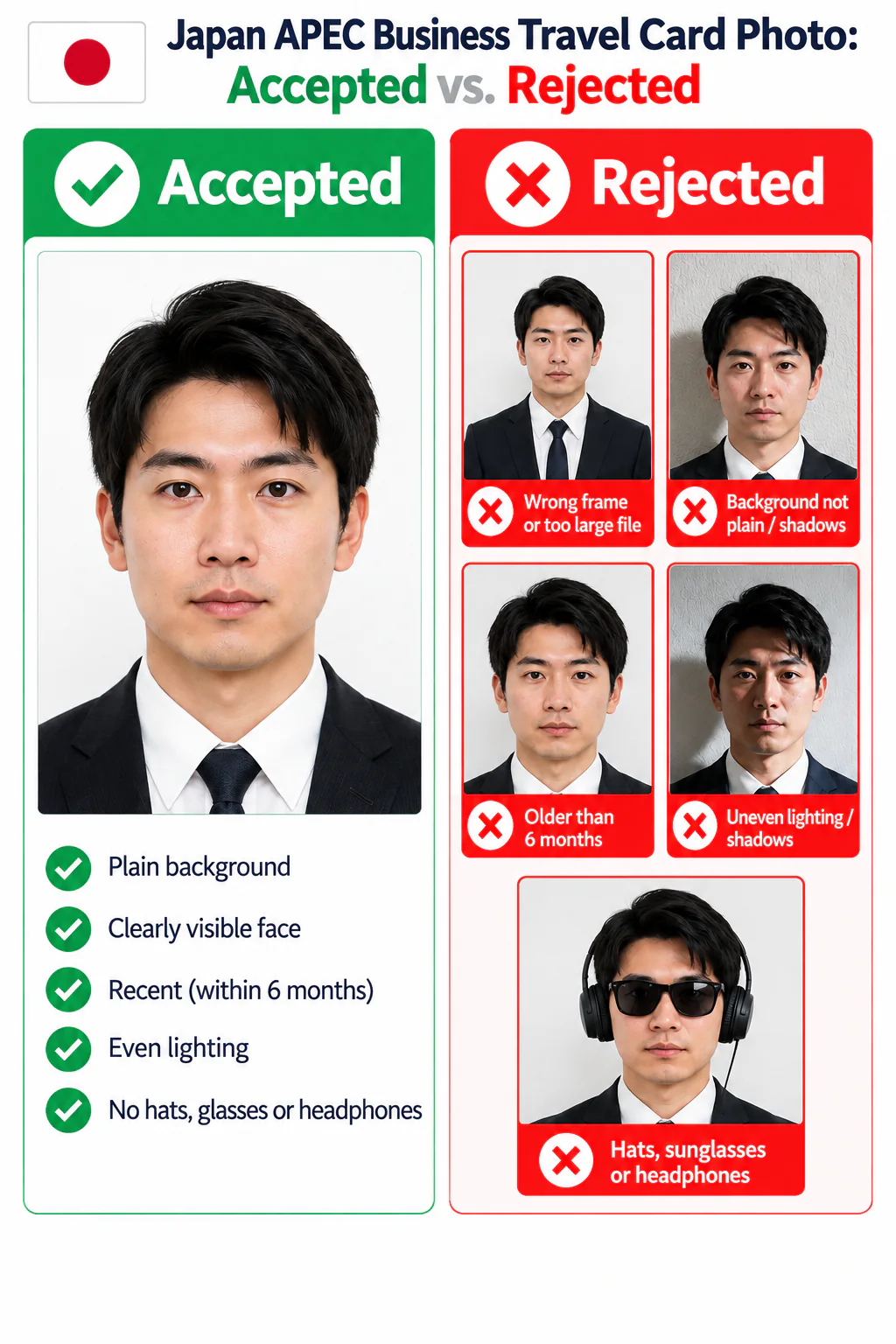
Accepted and rejected Japan APEC Business Travel Card photo examples showing common upload, background, recency, lighting, and accessory errors.
  • The JPG is not in an approximately 4:3 frame or exceeds the 10 MB limit.
  • The background is not plain, or shadows are visible.
  • The photo is older than 6 months or has been digitally altered.
  • Lighting is uneven, causing glare or shadows on the face.
  • Hats, sunglasses, or headphones are visible in the photo.

PhotoOmni vs. online tools vs. photo studios

PhotoOmni combines at-home upload, an AI-powered Japan ABTC photo check, expert review, and ready-to-use files.

  • Convenience

    PhotoOmni
    Upload from home in minutes
    Other online tools
    Usually online
    Traditional photo studios
    Requires a store visit
  • Peace of mind

    PhotoOmni
    AI pre-check plus expert approval
    Other online tools
    May lack expert review, or charge extra for it
    Traditional photo studios
    Depends on local staff
  • Expert adjustments

    PhotoOmni
    Included when needed
    Other online tools
    Varies by service
    Traditional photo studios
    Usually retake-based
  • Ready-to-use files

    PhotoOmni
    Digital JPG plus print-ready sheet
    Other online tools
    May be limited or extra
    Traditional photo studios
    Digital copy may not be included
  • Rejection protection

    PhotoOmni
    100% refund for photo-caused rejection
    Other online tools
    Policy varies
    Traditional photo studios
    Policy varies by shop
  • Total price & inclusions

    PhotoOmni
    One-time fee of $5.99
    Other online tools
    Add-ons can cost $3–$10+
    Traditional photo studios
    Often $15+; files vary

Frequently asked questions

What is the correct size for a Japan APEC Business Travel Card photo?
Japan's ABTC application accepts a JPG photo up to 10 MB in an approximately 4:3 frame, with 800 × 600 px stated in the official application guidance.
Can I use a selfie for my Japan APEC Business Travel Card photo?
Yes. Use it as the source image as long as it is recent, unedited, clear, front-facing, and taken against a plain background. PhotoOmni checks the crop, background, and quality before delivery.
How old can my ABTC photo be?
It must be taken within the last 6 months to reflect your current appearance.
Does my Japan ABTC photo need a white background?
Japan's official guidance requires a plain background and recommends white. Avoid shadows, patterns, and objects behind you.
What if my Japan APEC Business Travel Card photo is rejected?
If a photo we delivered caused a rejection, PhotoOmni offers a 100% refund.

← Back to home

Real feedback from some PhotoOmni customers

The photo requirements were the part I was most worried about. The expert review checked the framing and lighting, and everything was ready to upload within minutes.
Emily Chen
I took my photo at home and used PhotoOmni to have it professionally checked. The expert found a small issue I had missed and helped get the photo ready for my APEC Business Travel Card application.
Daniel Lim
Using PhotoOmni for my APEC Business Travel Card photo was quick and convenient. Having an expert review everything before submission made me feel confident that my photo was ready to use.
Sarah Lee