


US baby passport photo guide
US Baby Passport Photo Requirements
Prepare a baby's or child's US passport photo at home with a clear source image, child-specific guidance, AI checks, and expert review.
US baby passport photo requirements
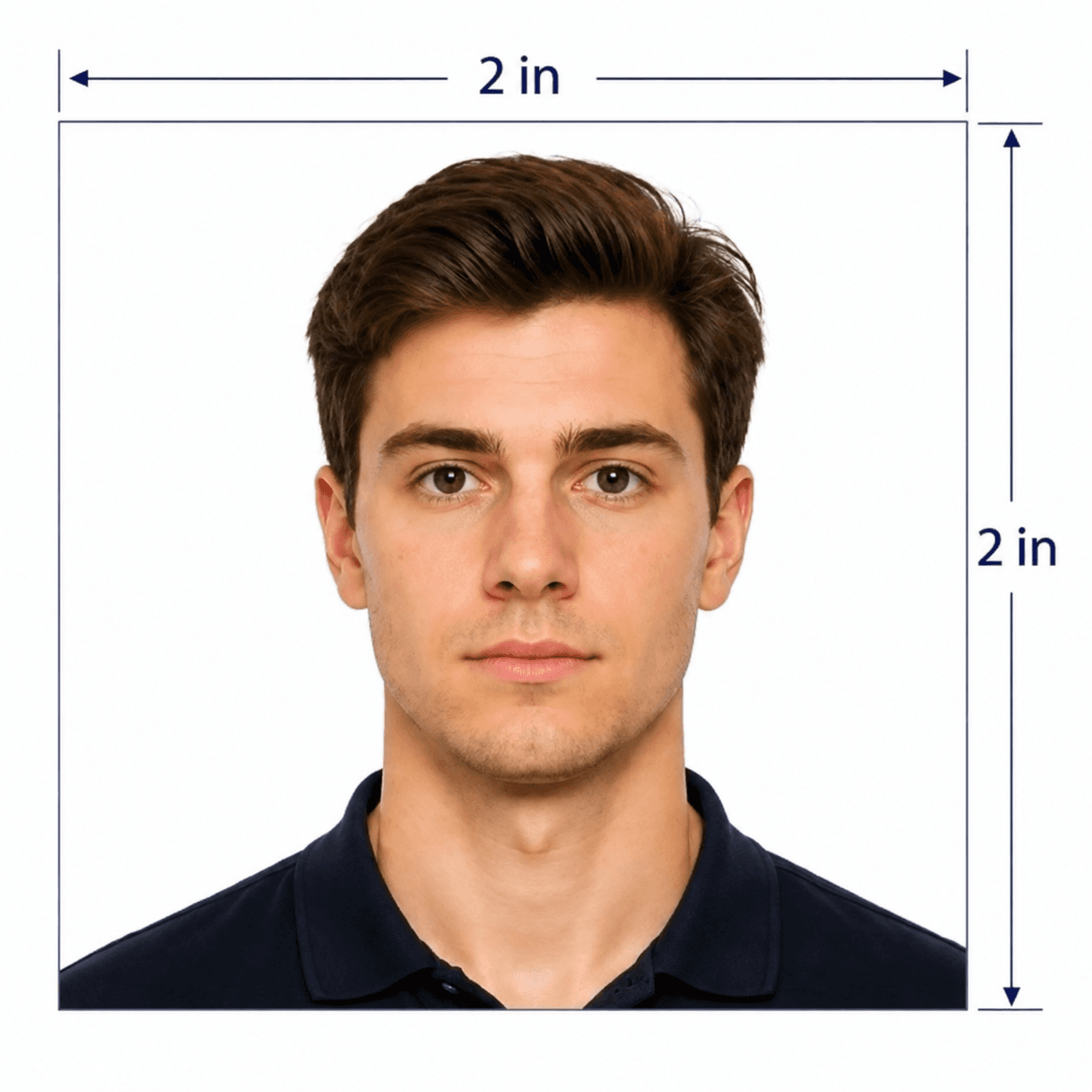
Children use the same US passport photo format as adults. The main allowance is that a baby's eyes do not need to be completely open; older children should keep their eyes open.
Official source: U.S. Department of State: Passport Photos
Who needs a child passport photo
Use this page when preparing a US passport photo for a newborn, child, or young teenager.
Newborn and infant applications
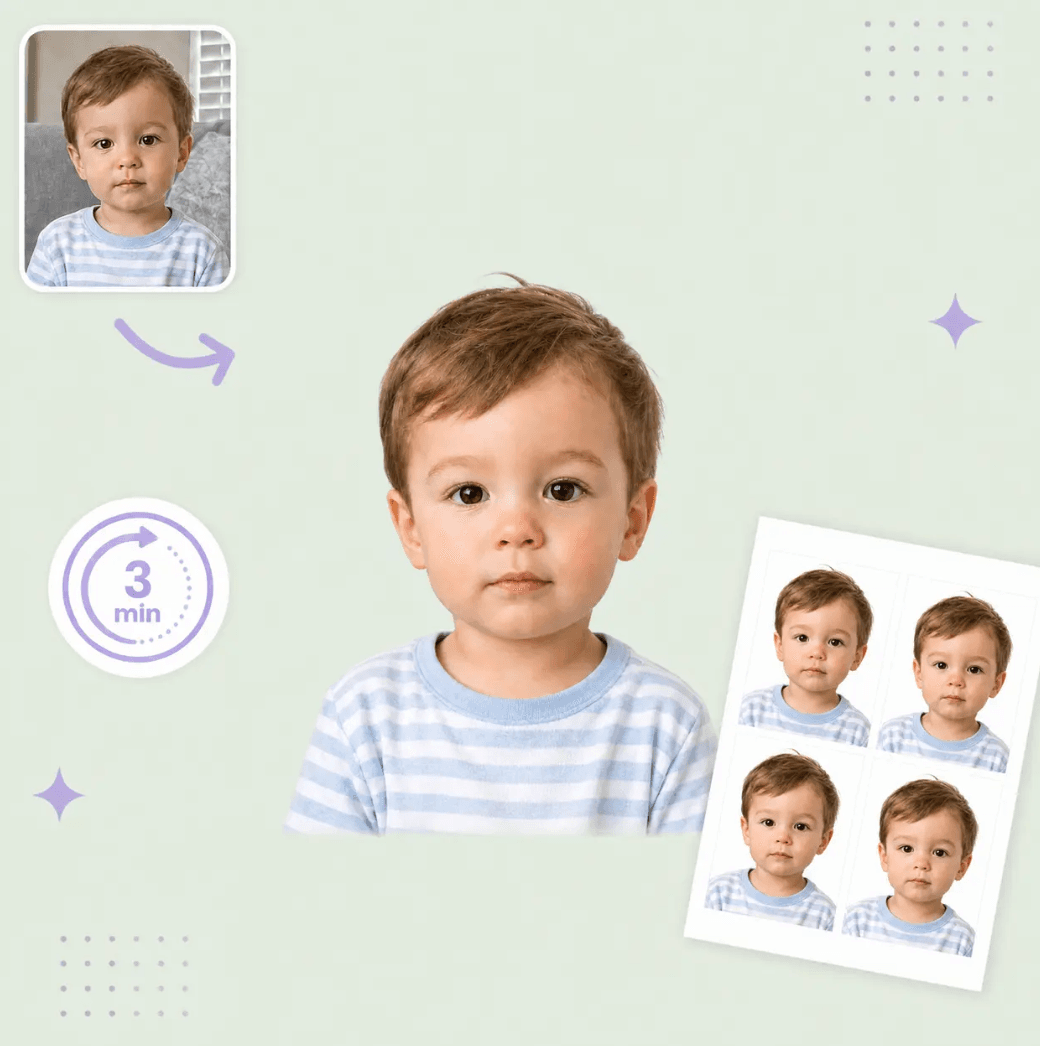
Baby's eyes may be partly closed; keep the full face clear and free of hands, pacifiers, and shadows.
Children under 16
Apply in person with a parent or guardian using Form DS-11; prepare the photo before the appointment.
Child passport renewals
Use a recent photo showing the child's current appearance and follow the renewal instructions.
5 Tips for Taking a Baby or Child Passport Photo
A simple setup improves clarity and makes it easier to meet the child-specific photo rules.
- Use a white or off-white sheet, or cover a car seat with one.
- Shoot from above for babies; keep the camera level for older children.
- Use soft, even light with no face or background shadows.
- Remove pacifiers, toys, hats, hands, and supports from the frame.
- Take several shots and upload the sharpest full-face image.
Common reasons child passport photos are rejected
Common issues: supports, shadows, unclear faces, or age-specific rules.
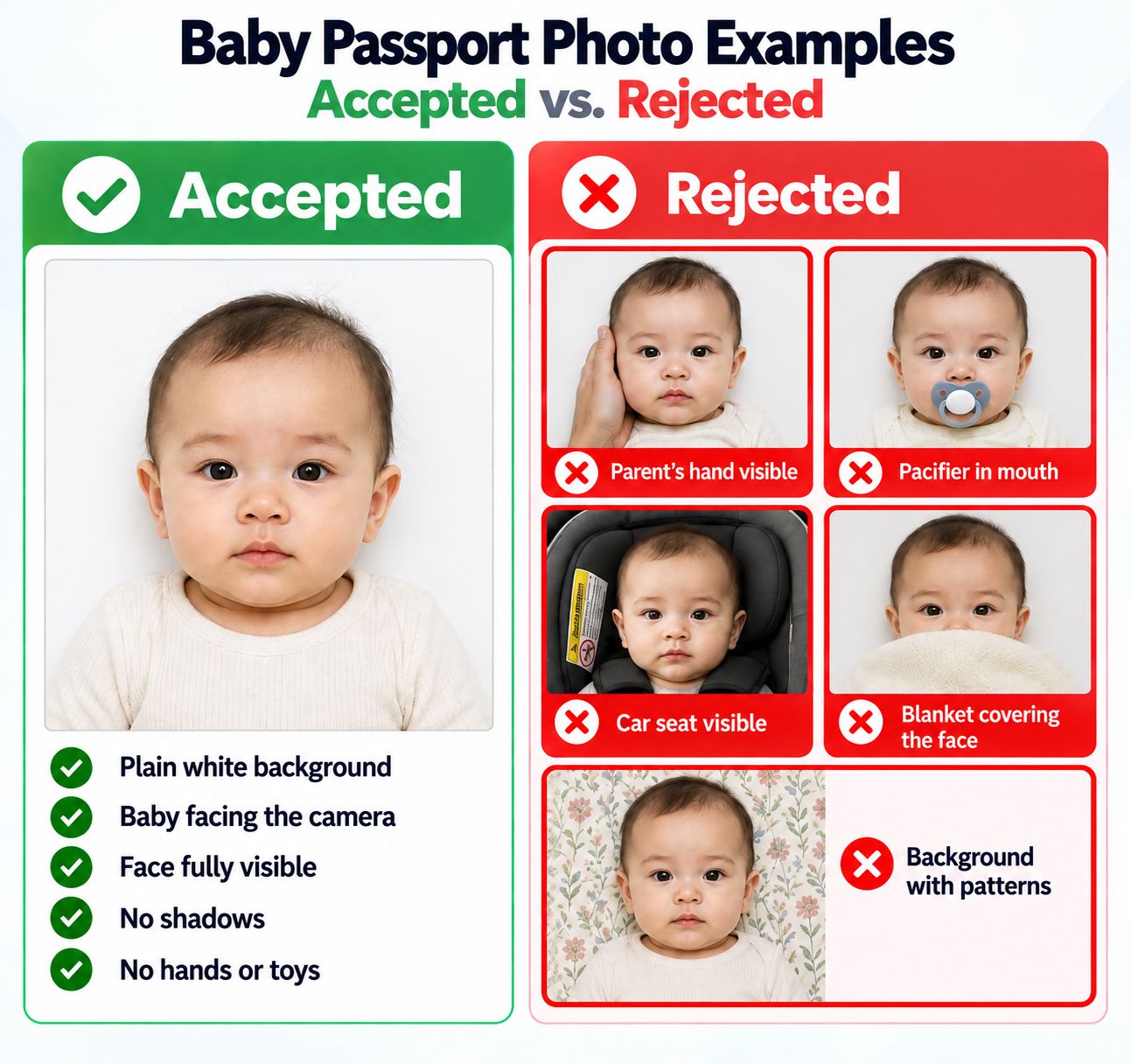
- A parent, hand, toy, pacifier, blanket edge, or car-seat support is visible.
- An older child's eyes are closed, the child is turned away, or the head is tilted.
- The face is blurry, dark, shadowed, cropped too tightly, or partly covered.
- The background is patterned, colored, uneven, or contains visible shadows.
PhotoOmni vs. online tools vs. photo studios
PhotoOmni keeps the at-home convenience while adding AI checks and expert review for a child photo that can be difficult to retake.
Convenience
- PhotoOmni
- Upload from home in minutes
- Other online tools
- Usually online
- Traditional photo studios
- Requires a store visit
Peace of mind
- PhotoOmni
- AI pre-check plus expert approval
- Other online tools
- May lack expert review or charge extra for it
- Traditional photo studios
- Depends on local staff
Expert adjustments
- PhotoOmni
- Included when needed
- Other online tools
- Varies by service
- Traditional photo studios
- Usually retake-based
Ready-to-use files
- PhotoOmni
- Digital photo plus print-ready sheet
- Other online tools
- May be limited or extra
- Traditional photo studios
- Digital copy may not be included
Rejection protection
- PhotoOmni
- 100% refund for photo-caused rejection
- Other online tools
- Policy varies
- Traditional photo studios
- Policy varies by shop
Total price & inclusions
- PhotoOmni
- One-time fee of $5.99
- Other online tools
- Add-ons can cost $3–$10+
- Traditional photo studios
- Often $15+; files vary