


Vietnam APEC Business Travel Card Photo – 3×4 cm Online Maker

Create a Vietnam APEC Business Travel Card (ABTC) photo online in the required 3 × 4 cm (30 × 40 mm) size. Upload a phone photo to crop, resize, and check the white background, face position, and image quality, then download digital and print-ready files.

Start with a photo

AI checkedExpert verifiedExpert refinementRefund guarantee
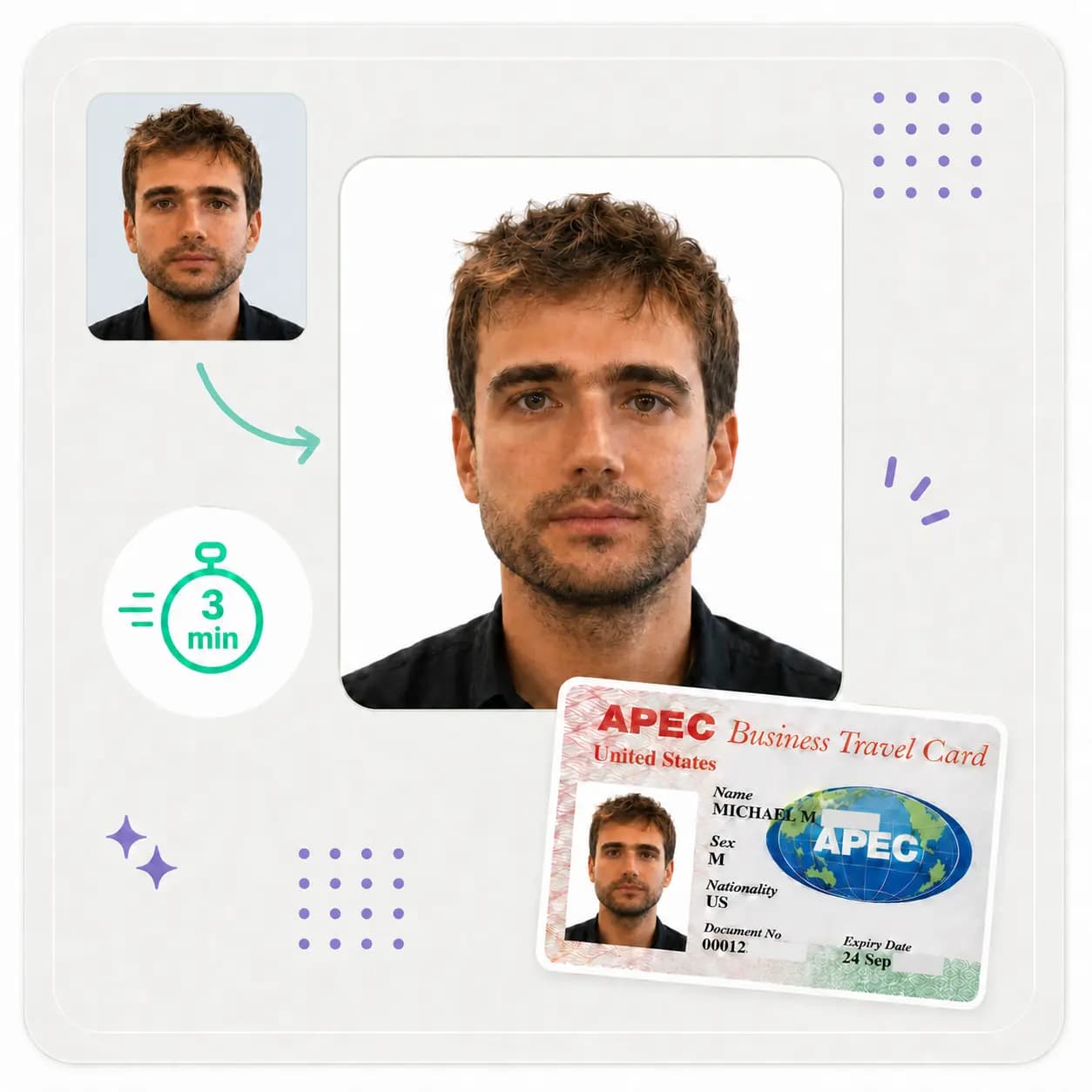
Vietnam APEC Business Travel Card photo maker preview

Photo specifications

ABTC photo size
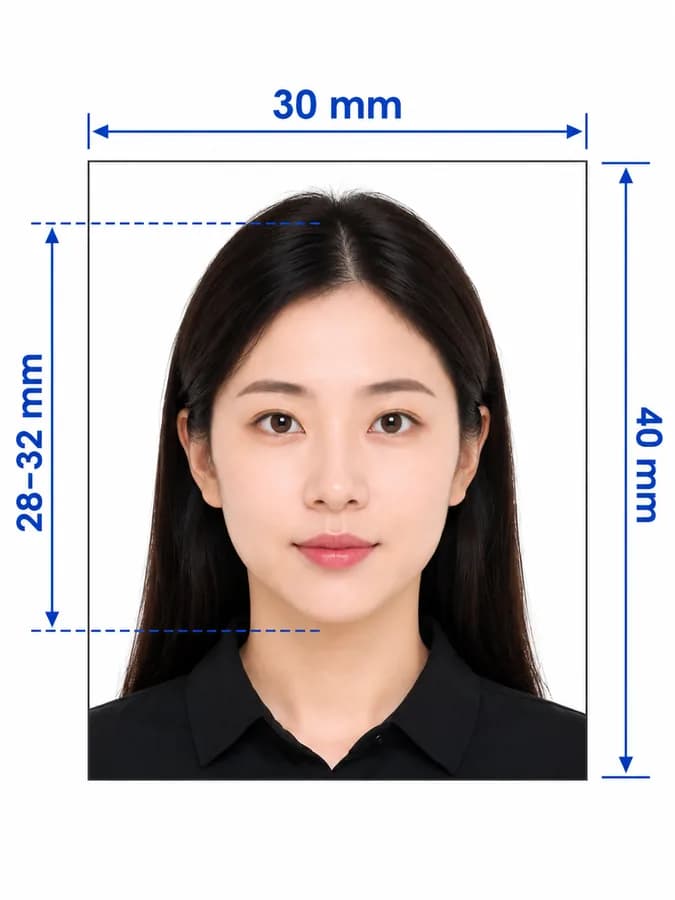
3 × 4 cm (30 × 40 mm)
High-resolution output
709 × 945 px at 600 DPI
Background
Plain white
Pose
Front-facing, bare head, no glasses
Official quantity
2 identical recent photos

How PhotoOmni Works

Get your document photo in just three simple steps.

  1. Upload a portrait

    Upload a clear front-facing photo taken with a phone or camera.

  2. Crop, resize + check

    PhotoOmni prepares the 3:4 crop and checks the white background, centring, lighting, sharpness, headwear, and glasses, with expert review before delivery.

  3. Download ABTC files

    Download the 30 × 40 mm (3 × 4 cm) JPEG—709 × 945 px at 600 DPI—and a print-ready sheet; confirm the current filing channel before submission.

Vietnam ABTC photo guide

Vietnam APEC Business Travel Card Photo Requirements and Online Maker

Prepare a 3 × 4 cm Vietnam ABTC photo from a phone image. This guide covers the official size, quantity, background, pose, at-home setup, crop and resize workflow, and ready-to-download output.

Vietnam ABTC photo requirements

Decision 28/2026/QD-TTg specifies two photos taken within the preceding six months, measuring 3 × 4 cm, with a bare head, straight-on face, no glasses, and a white background.

Official source: Decision 28/2026/QD-TTg — APEC Business Travel Card procedure

Photo size
3 × 4 cm (30 × 40 mm), portrait 3:4
Quantity
2 identical photos
Recency
Taken within the preceding 6 months
Background
Plain white
Pose
Face the camera directly with the head uncovered
Glasses
Not allowed
PhotoOmni output
709 × 945 px JPEG at 600 DPI plus a print-ready sheet
DPI note
600 DPI is PhotoOmni's high-resolution output; the cited official rule does not state a DPI minimum

Where the Vietnam ABTC photo is used

Confirm the current filing method before choosing the digital or printed output.

Vietnam ABTC application

The current procedure specifies two identical 3 × 4 cm photos taken within the preceding six months.

Digital submission

Use the high-resolution JPEG only when the current application system asks for a digital portrait, and follow its file limits.

Printed submission

Use the print-ready sheet to produce two matching 3 × 4 cm photos when physical copies are required.

How to take a Vietnam ABTC photo with a phone

Start with a natural, high-quality portrait so the Vietnam APEC photo cropper can produce a clean result.

  • Ask another person to use the phone's rear camera at eye level instead of taking a close selfie.
  • Use soft, even front light and stand against a simple background without shadows.
  • Face the camera directly, keep the head upright, and use a natural neutral expression.
  • Remove glasses and headwear, and keep hair away from the eyes and facial outline.
  • Leave enough space above the head and around the shoulders for the 3:4 crop.
  • Disable beauty filters, portrait blur, skin smoothing, and face reshaping.

Why a Vietnam APEC card photo may be rejected

Check these issues before uploading or printing your Vietnam ABTC photo. The receiving authority makes the final decision.
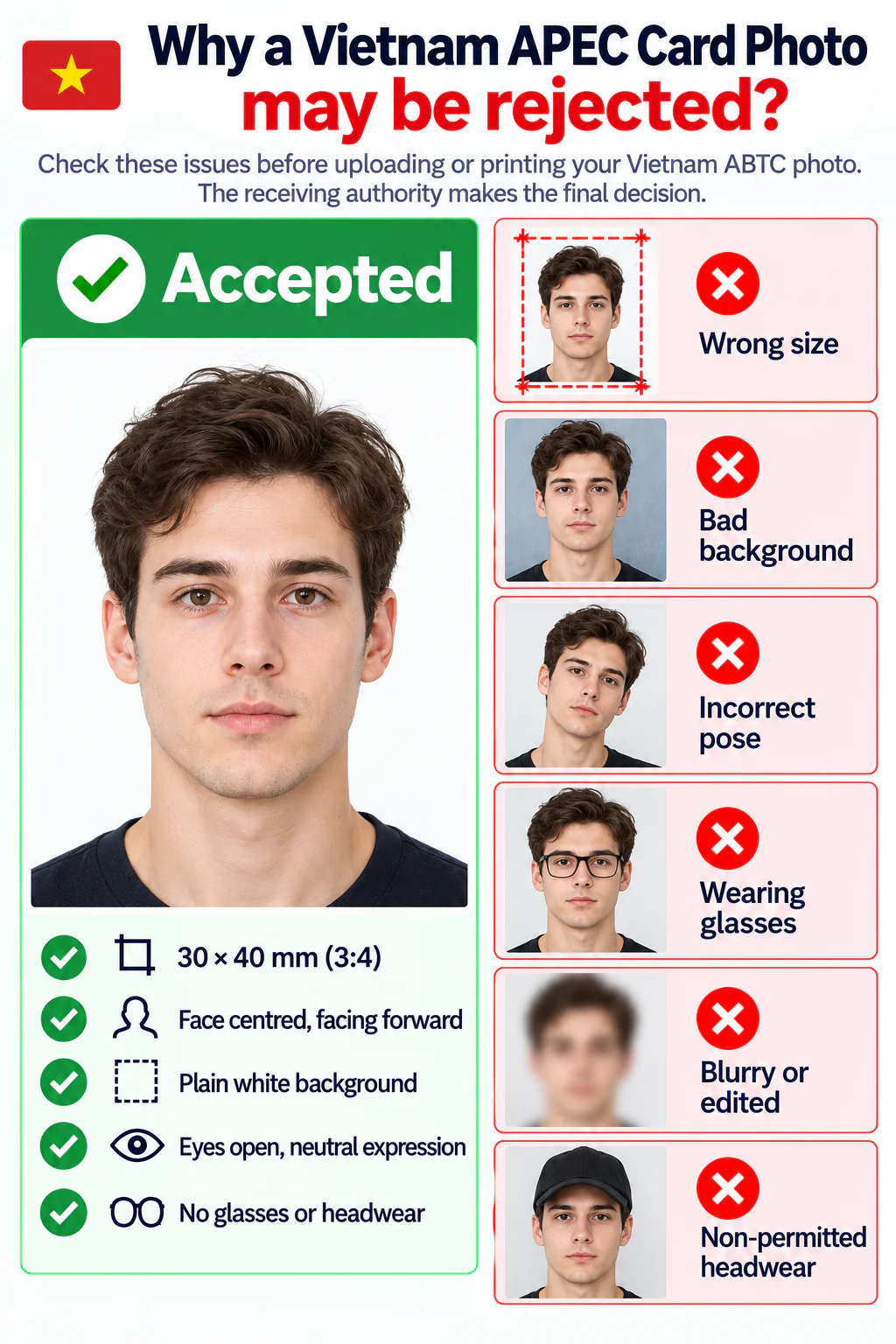
Accepted Vietnam APEC Business Travel Card photo beside examples rejected for wrong size, a bad background, incorrect pose, glasses, blur or editing, and non-permitted headwear.
  • The photo is not exactly 30 × 40 mm or does not use a 3:4 portrait frame.
  • The photo is older than six months or does not match the applicant's current appearance.
  • The background is not white, is patterned, or contains visible shadows.
  • The applicant is wearing glasses or headwear, or the face is not straight-on.
  • The image is blurred, pixelated, overexposed, heavily compressed, or retouched.
  • The submission uses the wrong file or print format for the selected filing route.

PhotoOmni vs. other Vietnam ABTC photo options

Compare a guided Vietnam APEC card photo maker with a basic crop tool and a traditional photo studio.

  • Make the photo from home

    PhotoOmni
    Upload from a phone
    Basic online tools
    Usually online
    Photo studios
    Requires a visit
  • ABTC photo checks

    PhotoOmni
    AI pre-check plus expert review
    Basic online tools
    May only crop or resize
    Photo studios
    Depends on the operator
  • Ready-to-use output

    PhotoOmni
    3 × 4 cm digital and print files
    Basic online tools
    Formats vary
    Photo studios
    Digital file may cost extra
  • Rejection protection

    PhotoOmni
    100% refund for photo-caused rejection
    Basic online tools
    Policy varies
    Photo studios
    Policy varies by shop
  • Total price & inclusions

    PhotoOmni
    One-time fee of $5.99
    Basic online tools
    Add-ons can cost $3–$10+
    Photo studios
    Often $15+; files vary

Official requirements

  • Use two identical colour photos taken within the last six months
  • Face the camera directly with your head uncovered and no glasses
  • Use an exact 3 × 4 cm crop on a clean plain white background

Frequently asked questions

What size is a Vietnam APEC Business Travel Card photo?
Vietnam's current ABTC rules specify a 3 × 4 cm photo, equal to 30 × 40 mm, with a 3:4 portrait aspect ratio.
Is ABTC the same as the APEC Business Travel Card?
Yes. ABTC is the standard abbreviation for APEC Business Travel Card. Searches for Vietnam ABTC photo and Vietnam APEC card photo refer to the same application document.
Can I make a Vietnam ABTC photo online?
Yes. Upload a clear portrait and PhotoOmni can crop and resize it to 30 × 40 mm, prepare a white background, run common photo checks, and send it for expert review.
Can I take a Vietnam ABTC photo with my phone at home?
Yes. Ask someone to use the rear camera at eye level in soft, even light and leave room for the 3:4 crop. See our at-home document photo guide for lighting, camera, background, and posing tips.
How many photos are required for a Vietnam ABTC application?
Decision 28/2026/QD-TTg specifies two photos taken within the preceding six months, each measuring 3 × 4 cm.
Can I wear glasses in a Vietnam APEC card photo?
No. The current Vietnam rule says the applicant must not wear glasses. Keep the head bare and face the camera directly against a white background.
Does Vietnam officially require 600 DPI for an ABTC photo?
The official rule cited here states the physical size, quantity, recency, pose, eyewear, and background, but it does not state a DPI value. PhotoOmni's 600 DPI file is a high-resolution output, not a claim that 600 DPI is an official minimum.
Why might a Vietnam ABTC photo be rejected?
Common risks include the wrong 3:4 dimensions, a non-white or shadowed background, glasses, headwear, an old photo, poor lighting, blur, heavy compression, or face-altering filters.
How does PhotoOmni check my Vietnam ABTC photo?
PhotoOmni checks the 3:4 crop, dimensions, background, face position, lighting, sharpness, headwear, glasses, and facial visibility, followed by expert review. Final acceptance rests with the issuing authority.
Will PhotoOmni prepare the background and lighting?
Yes. PhotoOmni prepares a white background and adjusts exposure, brightness, and sharpness without altering facial features. Severe blur, glare, shadows, or overexposure may require a new photo.
Do I receive a digital file or printable Vietnam ABTC photos?
You receive a 30 × 40 mm JPEG at 709 × 945 pixels and 600 DPI, plus a sheet for printing two identical photos. Confirm current submission and printing rules.
How long does PhotoOmni take to prepare a Vietnam ABTC photo?
PhotoOmni usually prepares and reviews the photo within 3–15 minutes. Extra correction or a replacement image may take longer.
What if my PhotoOmni Vietnam ABTC photo is rejected?
A photo rejected because of a PhotoOmni error qualifies for a 100% refund. Unrelated eligibility, filing, or document issues are not covered.

Ready to create your photo?

Upload a photo and get a document-ready result in minutes.

3–15 min100% refund guarantee