
Best Colors to Wear for a Passport Photo: Which Shirt Colors Work With a White Background and Your Skin Tone
Choose shirt colors that stand out against a white passport photo background, suit your skin tone, and help avoid color casts.
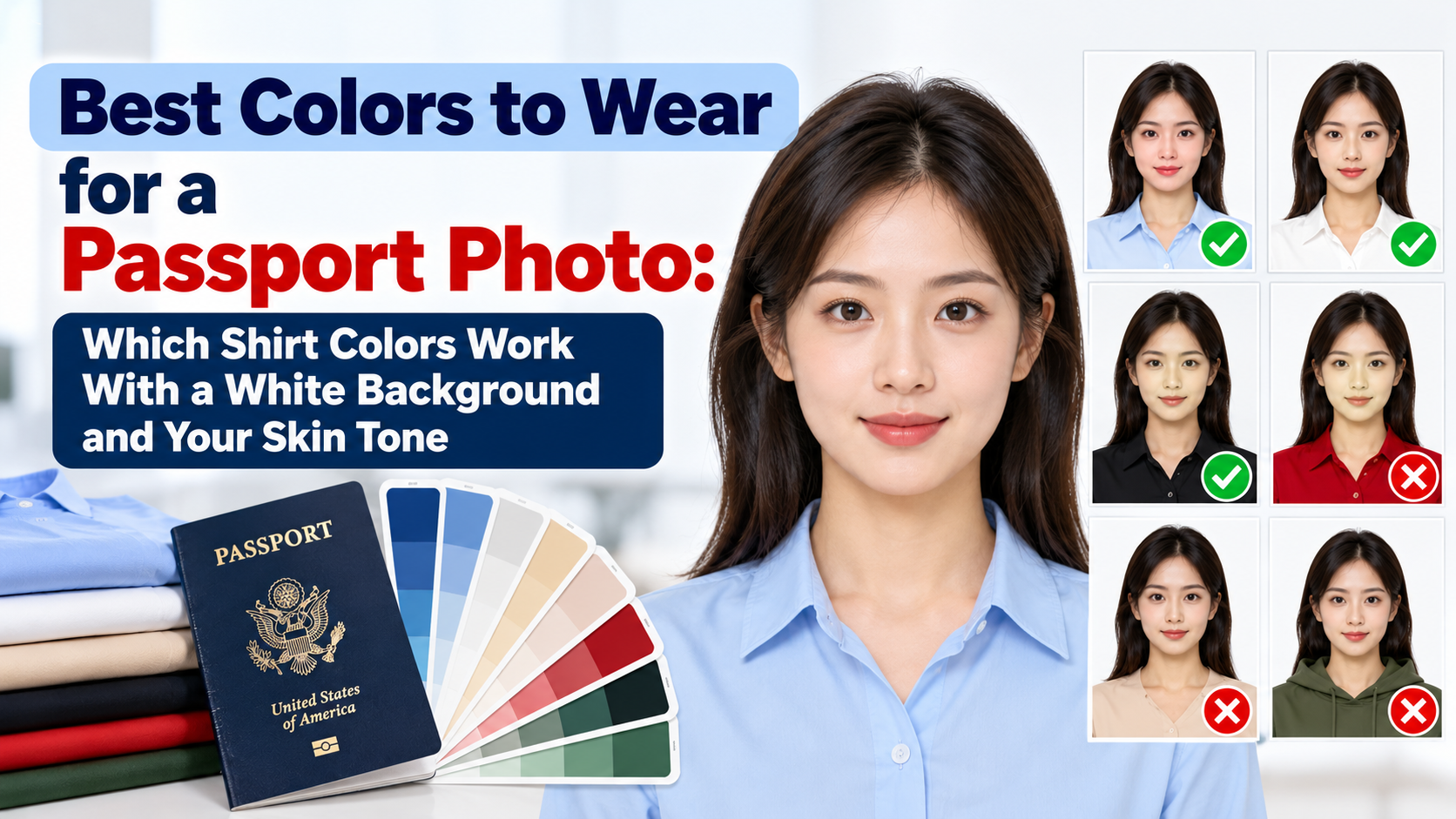
Quick Answer
The best color to wear for a passport photo is a solid, medium-to-dark color that clearly separates from the white background: navy, burgundy, forest green, teal, medium blue or charcoal. These colors give the strongest edge between your shoulders and the backdrop, and they don't blend into your skin. Avoid white, cream and pale pastels (they melt into a white background), skin-tone shades like beige, peach and nude (they make your neckline disappear), and neon or very bright colors (they can cast color onto your face). There is no official color requirement for U.S. passport photos beyond not wearing a uniform or camouflage, so color is about photo quality, not rules.
This guide goes deeper than a general outfit checklist. If you want the full list of what to wear, jewelry, glasses and hair rules, start with our what to wear for a passport photo guide. Read on if you want to choose a color based on your background and your skin tone.
Are There Official Color Rules?
For the U.S., the State Department's guidance is about everyday clothing, not color. You should wear what you normally wear, and you should not wear a uniform or clothing that looks like a uniform, or camouflage. There is no list of banned or required shirt colors.
So why does color matter at all? Because of what the photo has to do:
- The background must be plain white or off-white, and your head and shoulders have to stand out from it clearly.
- Reviewers and automated checks need to see your face, your head outline and your neckline. Clothing that blends into the background or into your skin makes that harder.
- Your camera is making decisions for you. Auto-exposure and white balance react to what you wear, which can shift your skin tone and face detail.
That is why the best color is the one that gives your photo the cleanest separation, not the one that looks best on you in the mirror.
Why Contrast With the White Background Matters Most
Most guides say "wear dark colors" without explaining why. Here is the practical reason: the contrast between your clothing and the backdrop decides how crisp your shoulder line looks, and how well any automatic cropping or background cleanup can find your edge.
We compared sample shirt colors against a pure white background using the standard WCAG contrast ratio (higher means a stronger edge). These are illustrative sample colors, so your actual shirt may differ slightly in the photo.
| Shirt color (sample) | Contrast vs. white | Verdict on white background |
|---|---|---|
| White | 1.0 : 1 | Avoid: disappears completely |
| Cream / ivory | 1.1 : 1 | Avoid: blends with off-white backgrounds too |
| Light gray | 1.4 : 1 | Avoid: weak edge, looks washed out |
| Pale yellow | 1.3 : 1 | Avoid: weak edge and a warm cast on the face |
| Light blue | 1.5 : 1 | Risky: low contrast, depends on your lighting |
| Mid gray | 4.0 : 1 | Acceptable |
| Teal | 4.6 : 1 | Good |
| Medium blue | 5.3 : 1 | Good |
| Red | 5.6 : 1 | Good, but see the color-cast note below |
| Forest green | 7.5 : 1 | Very good |
| Burgundy | 10.0 : 1 | Very good |
| Charcoal | 12.6 : 1 | Very good |
| Navy | 14.3 : 1 | Excellent |
| Black | 18.9 : 1 | Strong edge, but can lose fabric detail |
Rule of thumb: aim for a contrast ratio above roughly 4:1. In plain terms, if the shirt looks clearly "darker than a mid gray," you are in the safe zone.
Photo examples: same person, different shirt
Matching Shirt Color to Skin Tone
Skin tone doesn't change what is allowed, but it changes what looks clear in the photo. There are two separate problems to avoid: a shirt that blends with your skin at the neckline, and a shirt that reflects color onto your face.
| Skin tone | Colors that work well | Colors to avoid | Why |
|---|---|---|---|
| Very fair / light | Navy, burgundy, forest green, charcoal, medium blue | White, cream, pale pink, light gray, peach | Pale clothing flattens contrast with both your skin and a white backdrop |
| Light to medium / olive | Navy, deep teal, burgundy, dark green, charcoal | Beige, tan, mustard, nude, pale yellow | Tan and nude shades can look like bare skin at the neckline |
| Medium to tan / brown | Navy, deep green, burgundy, charcoal, medium blue | Tan, camel, orange, bright yellow | Warm shirt colors blend with skin or add an orange cast |
| Deep / dark | Medium blue, teal, forest green, burgundy, light-to-mid gray | Pure black in dim lighting, very dark brown, heavy dark patterns | Very dark clothing in weak light can make the neck and shoulders lose detail |
A note on the last row: against a white background, a deep skin tone is easy for most cameras to separate. The risk is not contrast with the backdrop but underexposure. When the camera sees a bright white wall, it can darken everything else. If you are wearing pure black on top of that, shirt, neck and jawline can run together. Mid-tone colors like medium blue, teal or forest green keep more detail visible.
The "Disappearing Neckline" Problem
This is the most common color mistake and the one most guides skip. If your shirt is close to your skin tone (beige, peach, nude, light tan, salmon), the neckline vanishes and it looks like you have no shirt on. That can look odd and may make your photo harder to review.
Fix: switch to a color with a clear tonal step away from your skin. A simple test is to take a quick phone photo in black and white. If you can't see where your neck ends and your shirt begins, change the shirt.
The Color-Cast Problem With Bright Shirts
Very saturated colors, especially neon green, hot pink, bright orange, bright yellow and vivid red, can reflect onto your chin, neck and lower face, especially when you are close to the camera or using on-camera flash. The result is a faint tint on your skin that makes the photo look off-color.
If you like color, choose a muted or deep version: burgundy instead of bright red, forest green instead of neon green, teal instead of bright turquoise.
If Your Background Isn't White
The advice above assumes a white backdrop, which is the U.S. standard. Other countries and visa types use different backgrounds, and your shirt should contrast with that color instead:
| If your background is... | Avoid wearing... | Good options |
|---|---|---|
| White or off-white (U.S., many others) | White, cream, pale pastels | Navy, burgundy, green, charcoal |
| Light gray (some European and UK-style specs) | Light gray, silver, white | Navy, burgundy, forest green, black |
| Light blue (some national specs) | Light blue, pale teal | Charcoal, burgundy, dark green, navy |
Always check the exact background color for your country or visa before you shoot. Our country-by-country guides cover each spec, for example German passport photo requirements and the Schengen visa photo rules.
Best Colors at a Glance
Top picks
- Navy: the safest all-rounder, with strong contrast and no color cast.
- Burgundy / deep red: rich and clear, flattering on many skin tones.
- Forest green: good contrast and detail retention.
- Teal or medium blue: a lighter option that still stands out.
- Charcoal gray: neutral and professional.
Acceptable with care
- Black: works on a white background, but use good lighting so fabric and neck detail don't disappear.
- Mid gray: fine on a white background, but not on a light gray one.
Avoid
- White, cream, ivory, pale pastels
- Beige, peach, nude and tan
- Neon and very bright colors
- Busy patterns, stripes, large logos or text
- Uniforms, uniform-like clothing and camouflage
Pattern, Neckline and Fabric Still Matter
Color is only one part of the outfit. Keep these basics in mind too:
- Choose solid colors. Stripes and busy prints can distract and cause visual artifacts when a photo is resized.
- Pick a simple neckline that shows the base of your neck: crew neck, collared shirt or V-neck. Avoid very high scarves or hoods that hide your jawline.
- Skip shiny or reflective fabrics like satin or sequins, which catch the light.
- No uniforms or camouflage.
For a complete list of attire rules, including religious head coverings, jewelry and glasses, see our full passport photo outfit guide.
Quick Self-Check Before You Shoot
- Stand in front of your white backdrop and take a test photo.
- Can you clearly see the edge of both shoulders? If not, switch to a darker or more saturated color.
- Can you clearly see where your neck ends and your shirt starts? If not, avoid skin-tone shades.
- Is there any colored tint on your chin or neck? If so, choose a more muted color or move farther from the camera.
- Is the shirt a plain solid, with no logos, uniform look or camouflage?
Let PhotoOmni Do the Final Check
Even a perfect shirt can't fix lighting, shadows or a patchy background. PhotoOmni can create a correctly sized 2x2 photo, clean up the background to the official spec and check head size and position, so your shirt choice only has to do one job: stand out from the backdrop.
Frequently Asked Questions
What is the best color shirt to wear for a passport photo?
Navy is the safest choice. It contrasts strongly with a white background, doesn't blend with any skin tone and rarely causes color casts. Burgundy, forest green, teal and charcoal are also reliable.
Can I wear white for a passport photo?
There is no rule against it, but white on a white background makes your shoulders disappear and can make the photo look unbalanced. A darker color is a better choice.
Can I wear black for a passport photo?
Yes. Black creates a strong edge against a white backdrop. Just make sure the lighting is even so detail around your neck and shoulders doesn't get lost.
Does skin tone affect which color I should wear?
Not for the rules, but it affects clarity. Avoid colors close to your skin tone, such as beige, tan and peach, because they blend with your neck. Fair skin should avoid very light colors, and deep skin tones should be careful with pure black in dim light.
Can I wear red, orange or yellow?
You can, but very bright versions may add a color tint to your face. A deeper shade, like burgundy, is a safer choice.
What if my background is light gray or blue instead of white?
Choose a shirt that contrasts with that background. Avoid light gray on a light gray backdrop, and avoid pale blue on a light blue one.
Are patterns allowed?
Patterns aren't banned, but solid colors are safer. Stripes, plaids and large logos can distract and can look messy once the photo is resized.
Does clothing color affect whether my passport photo is accepted?
Not by itself, as long as you aren't wearing a uniform or camouflage. But poor contrast, a vanishing neckline or color cast can contribute to a photo that looks unclear, so a good color choice helps.
Bottom Line
For a white-background passport photo, wear a solid, medium-to-dark color that doesn't match your skin: navy first, then burgundy, forest green, teal, medium blue or charcoal. Skip white, cream, pastels, skin-tone shades and neon. If your country requires a different background color, pick a shirt that contrasts with that one instead. Then run your photo through PhotoOmni to make sure size, background and framing are right.
Official Sources
- U.S. Department of State, Travel.state.gov: Passport photo requirements (attire guidance)
- U.S. Department of State: Passport photo examples and common problems
- W3C WCAG 2.x: Contrast ratio definition (used for the contrast table)
About the Author
PhotoOmni Editorial Team
The PhotoOmni Editorial Team researches official passport, visa, immigration, and identity-photo requirements. Every guide is reviewed for practical accuracy and updated when application rules, upload specifications, or government guidance change.