Expert verified

UK Passport Photo Online

Use PhotoOmni's UK passport photo checker and photo tool to create a compliant photo from home. As the United Kingdom has strict passport photo review processes, upload a clear source photo, get an AI pre-check, and receive expert-reviewed files ready to download or print.

Start with a photo

AI checkedExpert verifiedExpert refinementRefund guarantee
UK Passport Photo Online

Photo specifications

Minimum pixels
600 x 750 px
File size
50 KB-10 MB
Photo age
Within the last month
Background
Plain light-coloured
Expression
Plain, mouth closed

UK passport photo guide

UK Passport Photo Requirements, Sizes and Rules

For a UK online passport application, you need a recent digital photo. These guidelines for passport photos in the UK and the current passport picture guidelines help you prepare a suitable image.

In this guide
  1. 1. UK digital-photo requirements
  2. 2. How to take a photo with your own device
  3. 3. How to prepare a UK passport photo online
  4. 4. Common reasons photos are rejected
  5. 5. Photo codes, own-device photos, and print photos

UK Passport Photo Requirements and Rules

These requirements come from GOV.UK and HM Passport Office. A photo that meets automated checks can still be reviewed and rejected if it is unsuitable for a passport.

Photo age
Taken within the last month; use a new photo for every new passport
Pixels
At least 600 px wide x 750 px tall
File size
50 KB to 10 MB
Colour and quality
Colour, clear, in focus, with no red-eye
Background
Plain, light-coloured, in clear contrast to the face, without shadows
Pose
Face forward, look straight at the camera, eyes open and visible, plain expression, mouth closed
Own-device framing
Include head, shoulders, and upper body; do not crop it yourself

How to take a suitable photo with your own device

  • Ask another person to take the picture; do not use a selfie.
  • Keep your full head, shoulders, and upper body in the image. Leave the crop to the online application.
  • Use a plain light-coloured background and even light, with no shadow on your face or behind you.
  • Look straight at the camera, keep your head level, mouth closed, and expression plain. Keep both eyes open and visible.
  • Remove glasses unless you have to wear them. Never use tinted glasses or sunglasses, and eliminate glare from lenses.
  • Do not use filters, beauty effects, or editing software. Keep hair out of your eyes and remove anything that covers your face.

How to prepare a UK passport photo online

Use PhotoOmni to prepare your photo file, then compare the result with the current HM Passport Office instruction before submitting your application.

Step 1

Upload your photo

Take or upload a recent colour source photo with your full head, shoulders, and upper body visible against a plain light-coloured background.

Step 2

AI + expert compliance review

AI checks size, framing, lighting, background, and image quality; an expert reviews the result before delivery.

Step 3

Get your UK passport photo

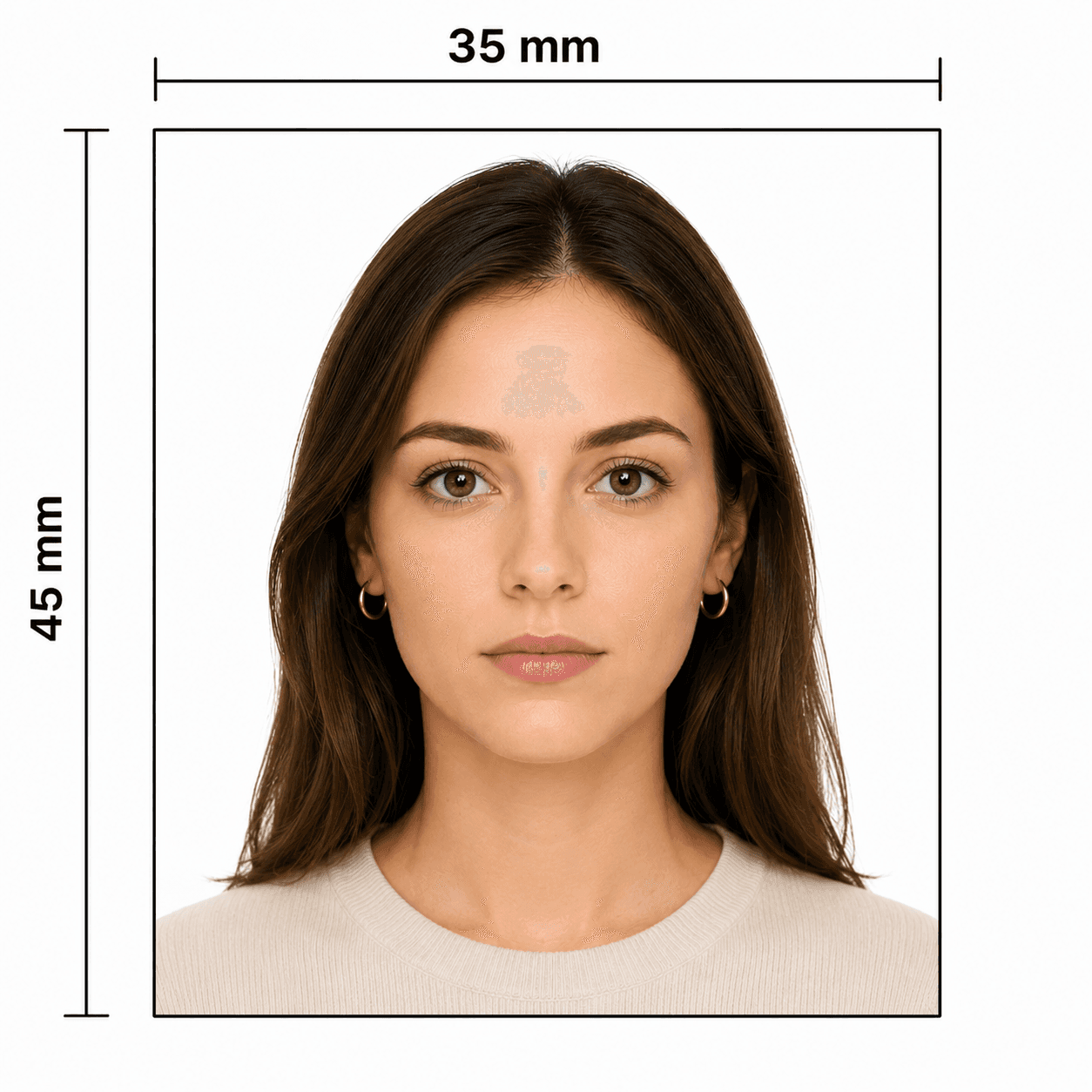
Download your prepared UK passport photo: a 35 × 45 mm print-ready file for a paper application, or a colour digital file at least 600 × 750 px and 50 KB–10 MB for an online application.

Common reasons UK passport photos are rejected

A photo can delay an application when it does not meet the digital standard or is not suitable for biometric matching. Check these issues before you submit.
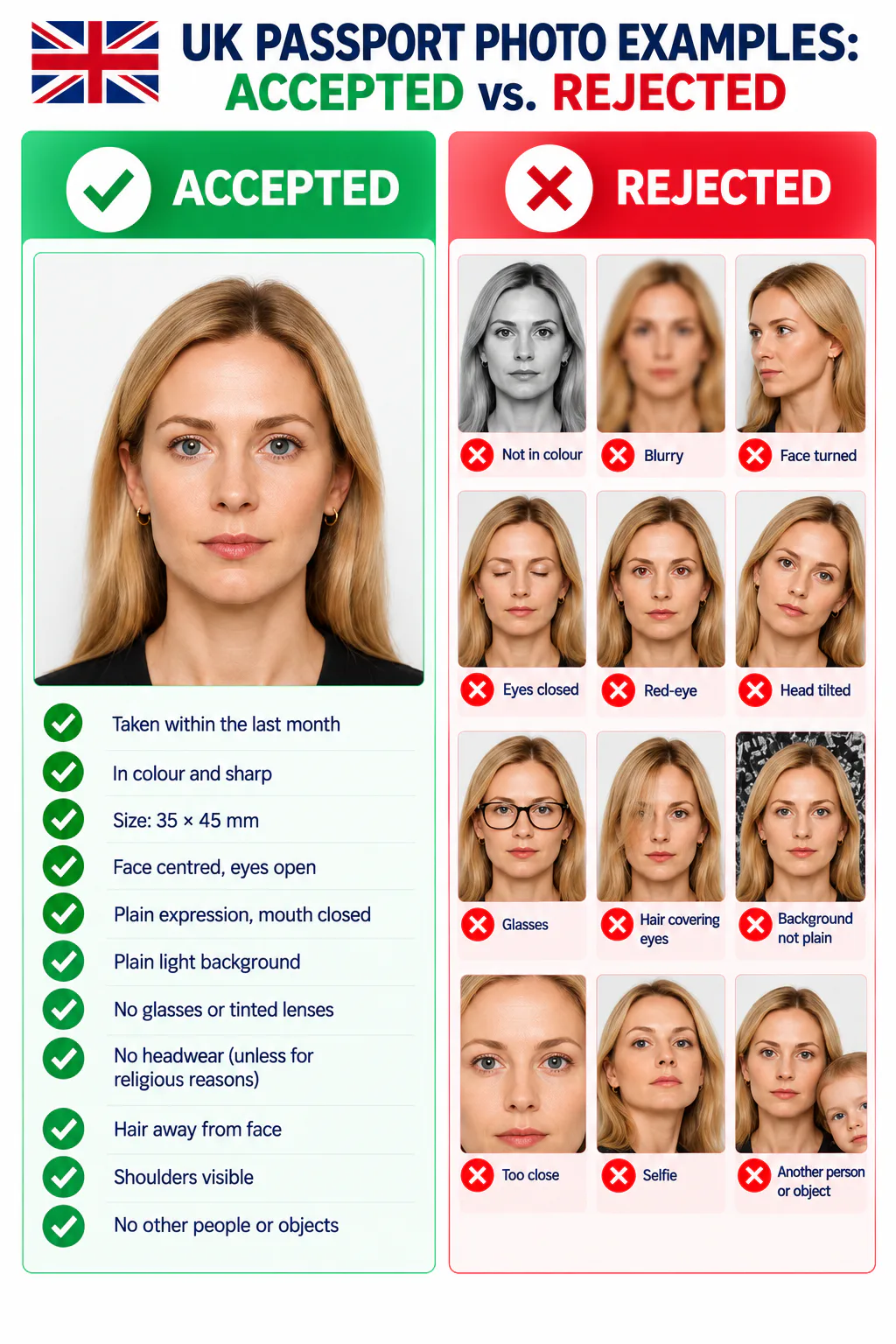
Accepted and rejected UK passport photo examples, showing common framing, background, expression, and image-quality errors.
  • The photo is more than one month old, not in colour, blurry, red-eyed, or digitally altered.
  • The file is under 600 x 750 pixels, outside the 50 KB–10 MB range, or not a clear digital image.
  • The face is not facing forward, the head is tilted, eyes are closed or obscured, the mouth is open, or the expression is not plain.
  • The background is dark, busy, shadowed, or does not contrast clearly with the face.
  • Glasses, hair, a head covering, or another object covers the eyes or face, or creates reflections and shadows.
  • A self-taken image has been cropped too tightly, does not show shoulders and upper body, or includes another person or object.

Why choose PhotoOmni for UK passport photos?

Prepare your UK passport photo from home with an AI pre-check and expert review. Download a file ready for your digital application or professional printing, then submit it through the appropriate HM Passport Office route.

  • Convenience

    PhotoOmni
    Upload from home in minutes
    Other online tools
    Usually online
    Traditional photo studios
    Requires a store visit
  • Application guidance

    PhotoOmni
    Digital and print route guidance
    Other online tools
    Varies by service
    Traditional photo studios
    Depends on local staff
  • Photo checks

    PhotoOmni
    AI pre-check plus expert review
    Other online tools
    May be basic or extra
    Traditional photo studios
    Usually retake-based
  • Final format

    PhotoOmni
    Digital and print-ready output
    Other online tools
    May be limited or extra
    Traditional photo studios
    Digital copy may not be included
  • Rejection protection

    PhotoOmni
    100% refund for photo-related rejection
    Other online tools
    Policies vary
    Traditional photo studios
    Policies vary by shop
  • Total price & inclusions

    PhotoOmni
    One-time fee of $5.99
    Other online tools
    Add-ons can cost $3–$10+
    Traditional photo studios
    Often $15+; files vary

Official requirements

  • Use a clear, colour photo taken within the last month
  • Face forward with a plain expression, mouth closed, and eyes open and visible
  • If taking the photo yourself, ask another person to include your head, shoulders, and upper body—do not crop it

Frequently asked questions

Can I take my UK passport photo on my phone?
Yes, during an online passport application, but another person must help take it. Include your head, shoulders, and upper body, and do not crop the image yourself.
Can I wear glasses or a head covering?
Avoid glasses unless you must wear them. They cannot be sunglasses or tinted, and the frames, glare, reflections, and shadows must not cover your eyes. A head covering is only allowed for religious or medical reasons and cannot cover the face.
What is the UK passport photo size?
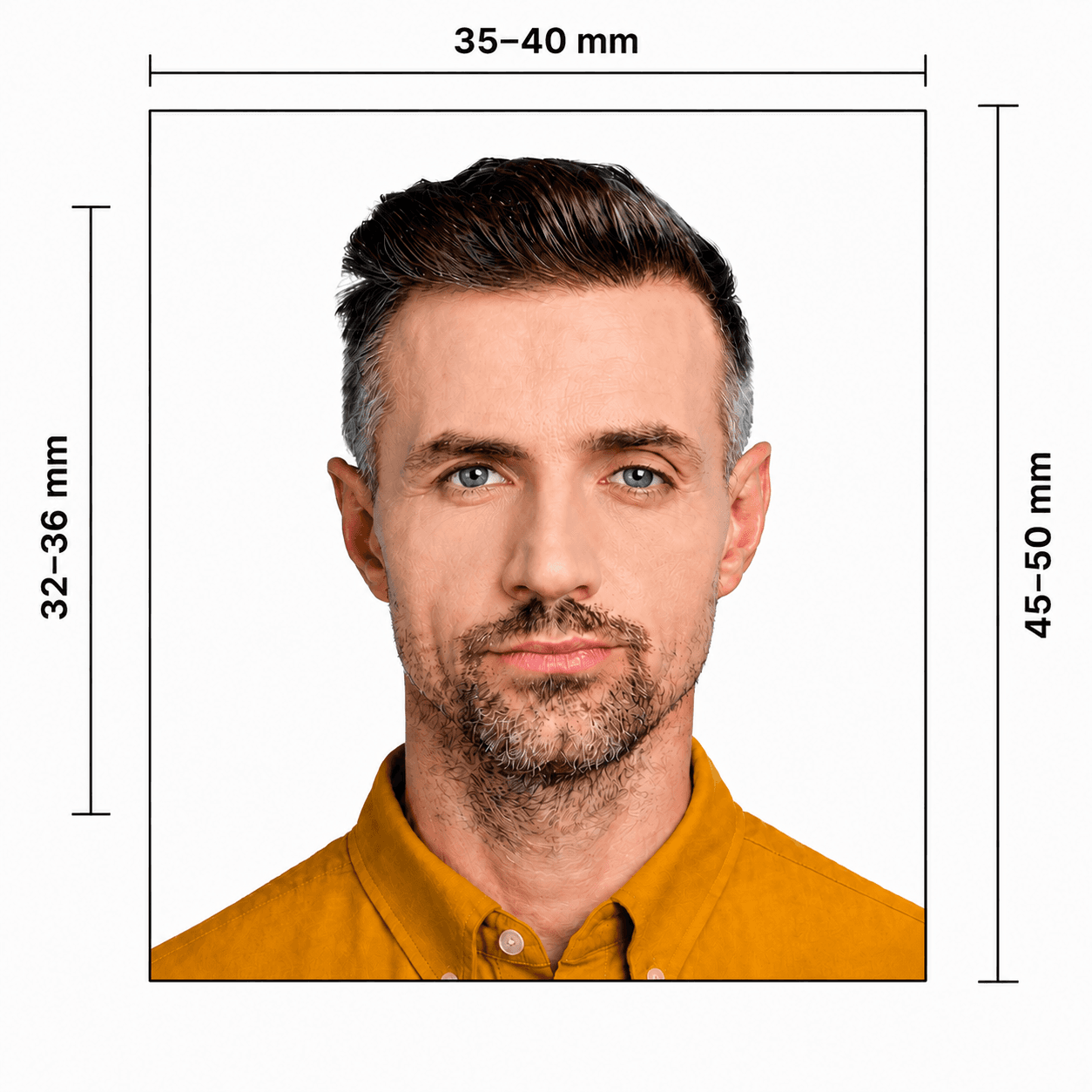
For a paper application, the UK passport picture size is 45 x 35 mm, or 4.5 x 3.5 cm. In other words, the size of a UK passport photo in cm is 4.5 cm high by 3.5 cm wide. You need 2 identical professional-standard prints, with the face from crown to chin 29–34 mm high. Keep the prints loose and separate from the application form.
Where can I use a GOV.UK passport photo checker?
Before submitting, use the official GOV.UK passport photo checker to check whether your digital photo meets the basic online rules.
Does a photo that passes online checks guarantee approval?
No. HM Passport Office can still ask for a different digital or printed photo if it is unsuitable for your new passport.

← Back to home

Real feedback from some PhotoOmni customers

Really simple to use. The steps were clear and I had my passport photo ready in minutes.
Charlotte Evans
Used it for my UK passport renewal. Quick, easy, and no trip to a photo shop.
Oliver Harris
I was worried about getting the size and photo right. Everything was easy to follow and worked perfectly.
Sophie Turner