UK driving licence photo guide
UK Driving Licence Photo: DVLA and DVA Application Routes
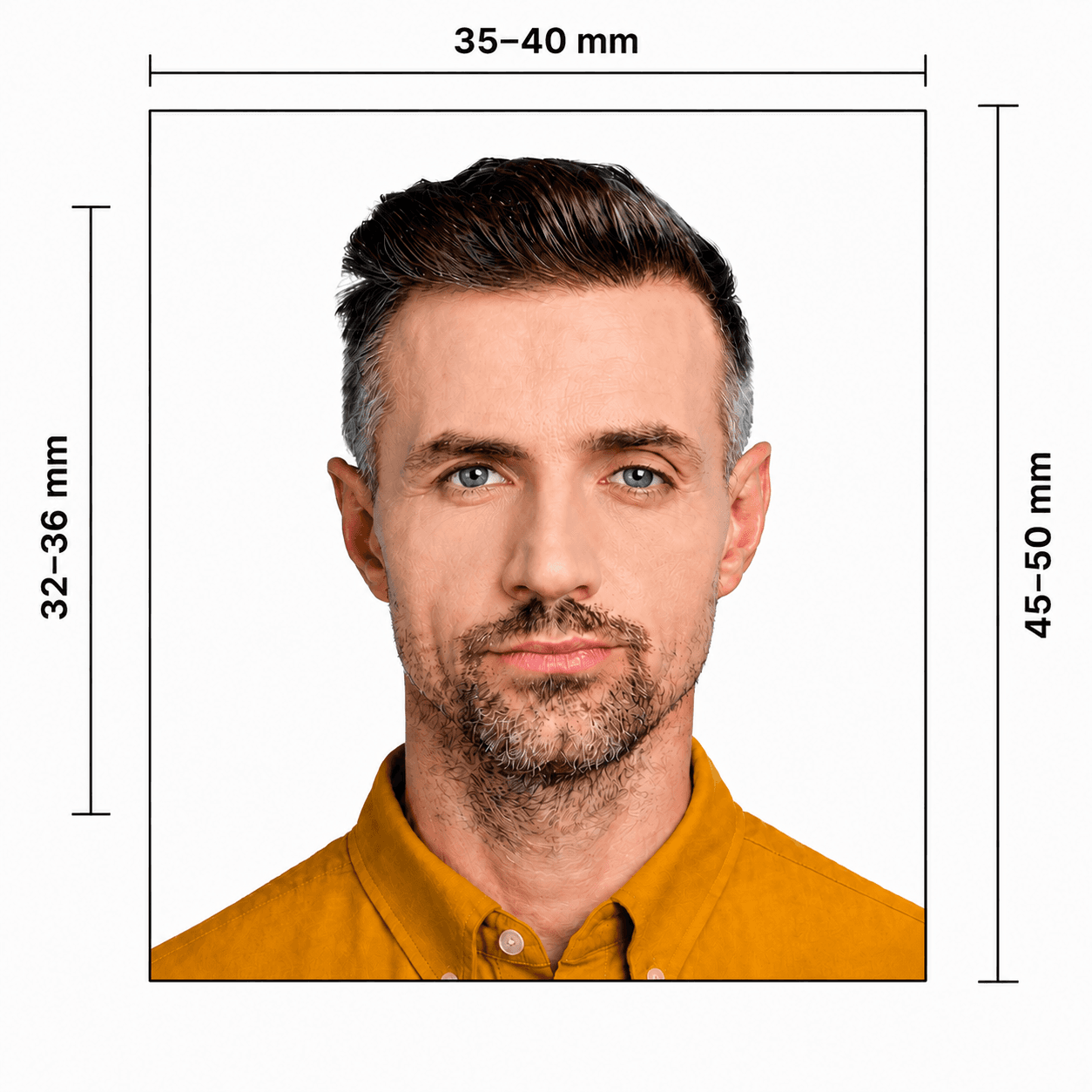
A 35 × 45 mm photo is common for paper driving-licence applications, but the correct photo route depends on whether you apply through GB's DVLA or Northern Ireland's DVA. For a detailed checklist, see our UK driving licence photo requirements guide.
UK driving licence photo requirements
These paper-photo standards come from Northern Ireland's driving-licence guidance. GB DVLA and DVA application routes can differ, so your application instruction is the final authority.
Official source: nidirect: The photo for your driving licence
How to take a suitable driving licence photo at home
A phone can produce a suitable source photo when you use even light and keep the image natural and clear.
- Ask another person to take the photo at eye level rather than using a close selfie.
- Use a plain light grey or cream wall with even front light and no shadows.
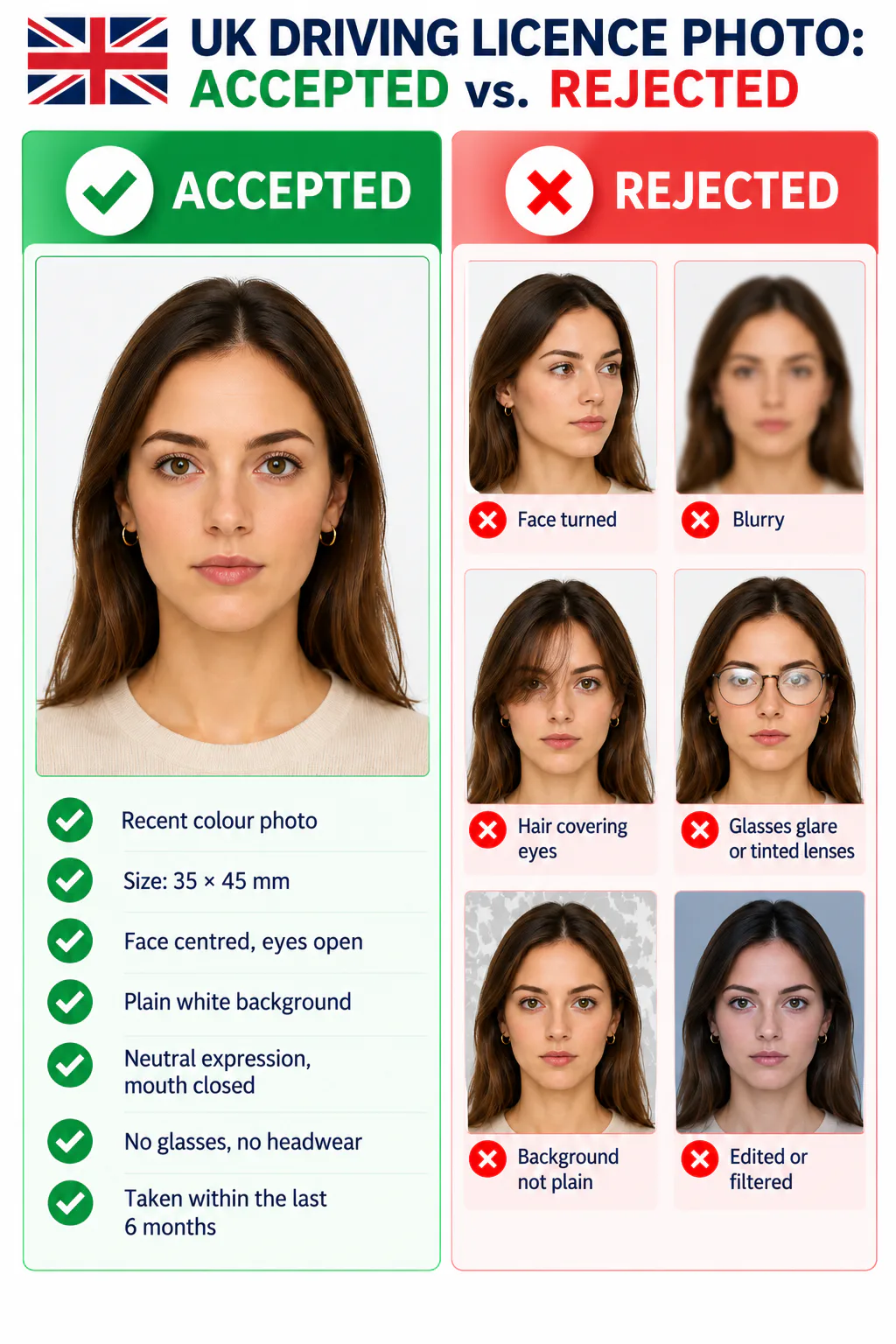
- Keep your full face visible, eyes open, and expression natural. Remove hair from your eyes.
- Avoid glasses if possible; remove tinted glasses and eliminate lens glare.
- Do not use filters, beauty effects, face reshaping, or edits that change your appearance.
Why a UK driving licence photo may be rejected
Incorrect size is only one risk. These issues can delay a paper or digital application.
- The photo is old, not in colour, blurred, damaged, shadowed, or has red-eye.
- The size, print quality, or paper handling does not match the requested application route.
- The face is turned, eyes are obscured, the expression is unsuitable, or hair and glasses glare cover facial features.
- The background is dark, patterned, or contains another person or object.
- The image is filtered, retouched, or does not reflect your current appearance.
PhotoOmni vs. other ways to prepare a driving licence photo
Check the exact GB DVLA or Northern Ireland DVA route before using the final file or print.
Convenience
- PhotoOmni
- Upload from home in minutes
- Other online tools
- Usually online
- Traditional photo studios
- Requires a store visit
Application guidance
- PhotoOmni
- DVLA / DVA route guidance
- Other online tools
- Varies by service
- Traditional photo studios
- Depends on local staff
Photo checks
- PhotoOmni
- AI pre-check plus expert review
- Other online tools
- May be basic or extra
- Traditional photo studios
- Usually retake-based
Final format
- PhotoOmni
- Digital and print-ready output
- Other online tools
- May be limited or extra
- Traditional photo studios
- Digital copy may not be included
Rejection protection
- PhotoOmni
- 100% refund for photo-related rejection
- Other online tools
- Policies vary
- Traditional photo studios
- Policies vary by shop
Total price & inclusions
- PhotoOmni
- One-time fee of $5.99
- Other online tools
- Add-ons can cost $3–$10+
- Traditional photo studios
- Often $15+; files vary