Green Card Photo Editor

Prepare your photo for a green card application at home. Our green card photo editor helps crop your portrait to 2×2 inches, check head framing and prepare a digital JPEG and print-ready PDF. Upload a recent photo for AI checks and expert review before delivery.

Start with a photo

AI checkedExpert verifiedExpert refinementRefund guarantee
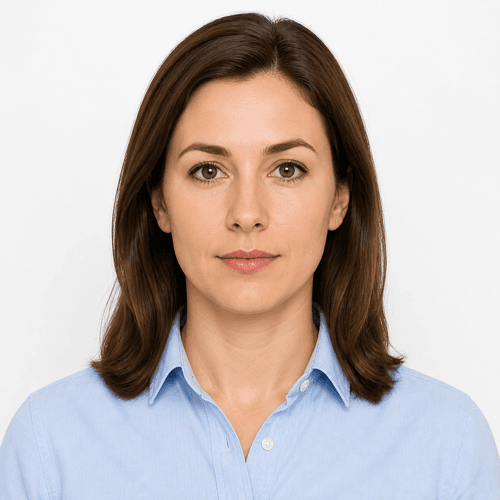
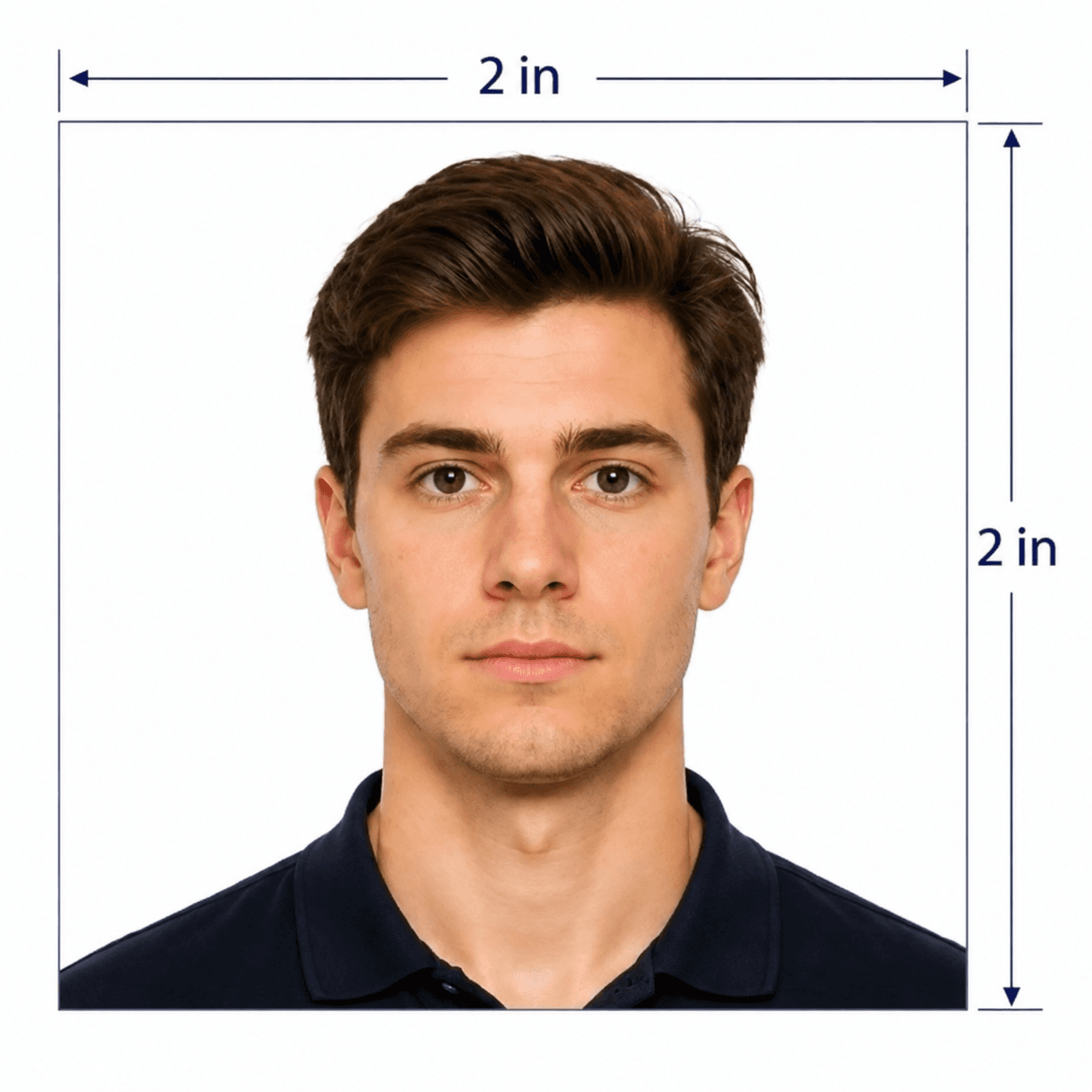
Green card photo example showing a centered portrait and square crop

Photo specifications

Photo size
2 × 2 inches (51 × 51 mm)
Head height
1–1⅜ inches (25–35 mm), chin to crown
Background
Plain white or off-white
Photo age
Taken within the last 6 months
Digital file
600 × 600 px color JPEG
Print file
PDF sheet with 2 × 2 inch photos

How PhotoOmni Works

Get your document photo in just three simple steps.

  1. Take or upload a portrait

    Use a recent photo taken at eye level against a white or off-white wall. Leave space above your head and show your shoulders.

  2. Check size and framing

    PhotoOmni prepares the square crop and checks common framing, background and quality issues. Expert review is included before delivery.

  3. Download and print

    Receive a 600 × 600 px digital JPEG and a print-ready PDF with 2 × 2 inch (51 × 51 mm) photos. Print at actual size on photo-quality paper when your application requires physical photos.

Green card photo guide

Green Card Photo Requirements

Prepare a recent passport-style portrait for your green card application. Use the green card photo editor to check size and framing, then follow the photo submission instructions for your immigrant visa interview or USCIS filing.

Green card photo specifications

The printed photo requirements below apply to immigrant visa interview photos. For USCIS filings, check the current instructions for your specific form and circumstances before submitting photos.

Official source: U.S. Department of State — Visa photo requirements

Printed photo size
2 × 2 inches (51 × 51 mm), printed on photo-quality paper
Head framing
1–1⅜ inches (25–35 mm) from chin to crown; face centered and looking straight ahead
Background
Plain white or off-white, with no shadows, patterns or objects
Age of photo
Taken within the last 6 months and reflecting your current appearance
Expression and attire
Neutral expression, mouth closed, both eyes open; everyday clothing and no glasses except a documented medical exception
Editing and quality
Sharp color image with no beauty filters, facial retouching or changes to your appearance

Who PhotoOmni is for

Choose the photo preparation workflow that matches your application. A green card application photo and a DV Lottery entry photo have different submission requirements.

Immigrant visa interviews

DS-260 applicants need two identical 2×2 inch photos printed on photo-quality paper. Check your embassy appointment instructions.

USCIS filings requesting photos

Prepare a passport-style photo when your current USCIS form instructions require one. Follow the requested quantity and submission method.

Replacing an unsuitable photo

Upload a new portrait if your previous photo was blurred, poorly lit, incorrectly framed or no longer reflects your appearance.

5 tips for taking a green card photo at home

A good original portrait helps the green card photo checker assess your photo and reduces the need for retakes.

  • Ask someone to hold the camera at eye level. Face it directly and keep your head straight.
  • Stand against a plain white or off-white wall with soft light from the front.
  • Leave space above your head and around your shoulders for a centered square crop.
  • Keep both eyes open, your mouth closed and a neutral expression. Remove glasses unless a documented exception applies.
  • Upload the sharp original color image without filters. Retake it if there is blur, glare or strong shadow.

Common reasons green card photos are rejected

A green card photo validator can flag common technical issues, but the issuing authority decides whether to accept the photo. The green card photo examples below illustrate pose, lighting and background problems to avoid.
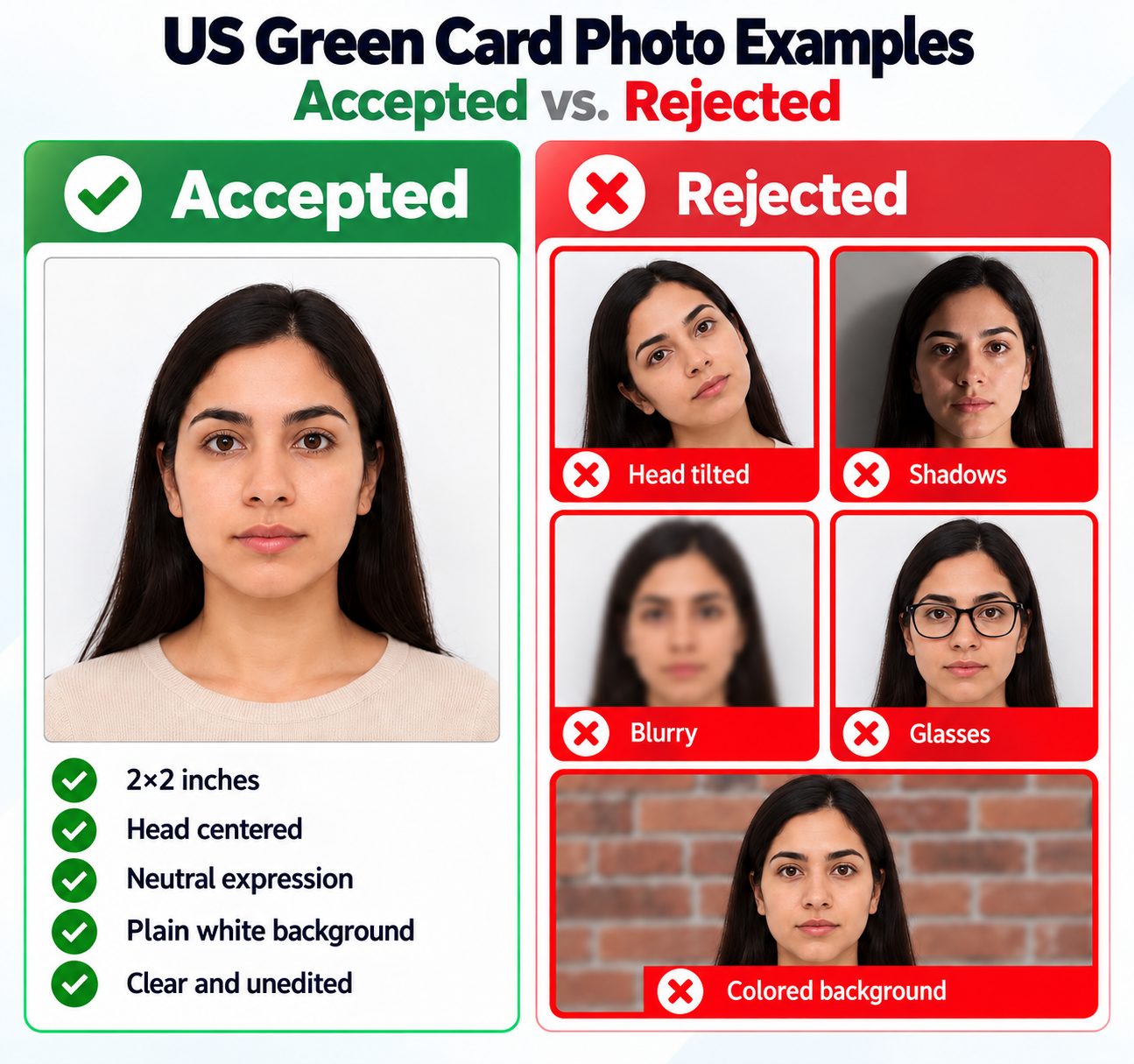
US green card photo examples: a centered 2×2 inch portrait compared with tilted head, shadows, blur, glasses and a colored background
  • The printed photo is not 2×2 inches, or fit-to-page printing changes its size.
  • The head is tilted, off-center, too large or too small within the frame.
  • The background contains patterns, objects or strong shadows.
  • The image is blurred, poorly exposed, filtered or retouched to change facial features.
  • Glasses obscure the eyes, the expression is unsuitable, or the photo is older than six months.

PhotoOmni vs. online tools vs. photo studios

Compare the preparation workflow, review and file delivery for your green card photo. Features and policies vary by provider.

  • Convenience

    PhotoOmni
    Upload from home in minutes
    Other online tools
    Usually online
    Traditional photo studios
    Requires a store visit
  • Peace of mind

    PhotoOmni
    AI pre-check plus expert approval
    Other online tools
    May lack expert review, or charge extra for it
    Traditional photo studios
    Depends on local staff
  • Expert adjustments

    PhotoOmni
    Included when needed
    Other online tools
    Varies by service
    Traditional photo studios
    Usually retake-based
  • Ready-to-use files

    PhotoOmni
    Digital photo plus print-ready sheet
    Other online tools
    May be limited or extra
    Traditional photo studios
    Digital copy may not be included
  • Rejection protection

    PhotoOmni
    100% refund for photo-caused rejection
    Other online tools
    Policy varies
    Traditional photo studios
    Policy varies by shop
  • Total price & inclusions

    PhotoOmni
    One-time fee of $5.99
    Other online tools
    Add-ons can cost $3–$10+
    Traditional photo studios
    Often $15+; files vary

Frequently asked questions

What is the photo size for a green card?
The printed green card application photo is 2 × 2 inches (51 × 51 mm). Your head should measure 1–1⅜ inches from chin to crown. The supplied 600 × 600 px JPEG is a digital output; follow your filing instructions for any upload-specific requirements.
Can I take a green card photo with my phone?
Yes. Ask someone to take a clear, straight-on portrait in even light against a plain white or off-white background. Avoid wide-angle distortion, filters and shadows. Upload the original image to the green card photo tool.
How does the green card photo checker work?
PhotoOmni checks common size, framing, lighting and background issues and includes expert review before delivery. A green card photo validator cannot guarantee acceptance: USCIS or the consular officer makes the final decision.
Do I need two printed green card photos?
For a DS-260 immigrant visa interview, the Department of State requires two identical 2 × 2 inch photos printed on photo-quality paper. USCIS photo submission requirements depend on the form and filing circumstances; check the current instructions and your appointment notice.
Is this the same as a DV Lottery photo tool?
This page is for green card application and immigrant visa interview photos. A DV Lottery entry has separate digital submission rules, including file-size limits. Use our dedicated DV Lottery photo page for lottery entries.
Can I use an existing passport photo for my green card application?
It may be suitable if it meets your application's photo specifications, was taken within the last six months and still reflects your appearance. Do not scan a photo from a passport or other identity document.
What should I avoid when editing a green card picture?
Do not change facial features, remove identifying marks or apply beauty filters. Cropping cannot fix blur, an angled face or strong shadows. Retake the original portrait when needed.
Where can I print my green card photos?
Use a photo lab, a pharmacy photo service or a suitable home photo printer. Print the PDF at 100% / actual size without fit-to-page scaling, then confirm each photo measures 2 × 2 inches.

Real feedback from some PhotoOmni customers

“Super easy to use. I uploaded my photo, and it was quickly checked and formatted to the correct Green Card photo size. The final image looked clean and professional.”
Emily Carter
“I wasn’t sure whether my photo met the Green Card requirements. The checker helped catch a framing issue before I used it. Very straightforward process.”
Daniel Brooks
“Much easier than trying to crop the photo myself. My Green Card photo was correctly sized with a clean background and ready to download in just a few minutes.”
Sophia Mitchell

Ready to create your photo?

Upload a photo and get a document-ready result in minutes.

3–15 min100% refund guarantee