
Do Passport Photos Have to Be in Color? Black-and-White and Printing Rules
U.S. passport photos must be in color, while rules differ elsewhere. Learn the color, filter, lighting and printing requirements.
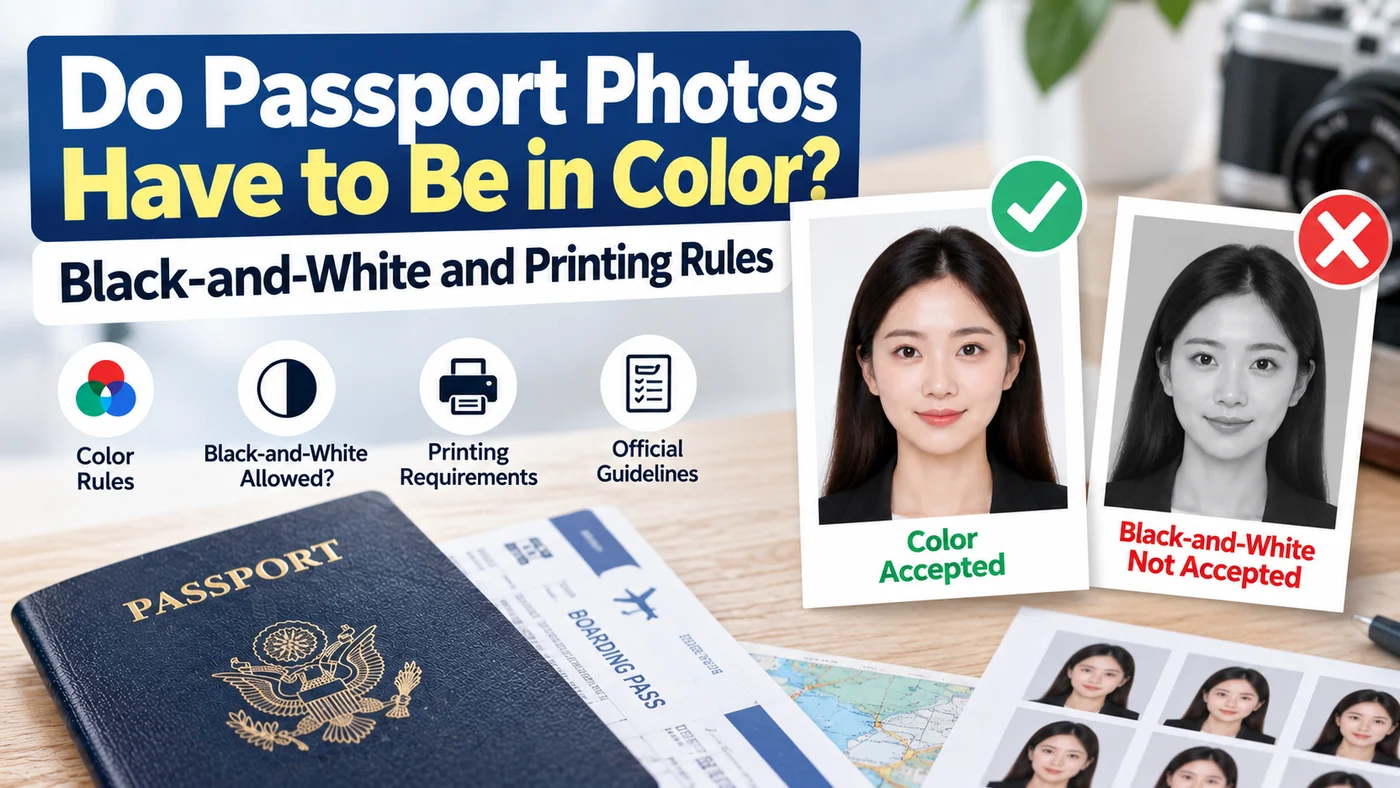
Quick answer: The photo you submit for a U.S. passport must be in color. The portrait on an issued passport is a separate question: its appearance depends on the document’s security design. Canada accepts color or black-and-white application photos, while the UK requires color. Check the rules for your issuing country.
If you prefer to prepare the file online, the US passport photo maker can help check the crop, background, and passport-photo format before submission.
Why is my passport photo black and white?
A portrait on the finished passport is not the original application photograph. The U.S. Department of State’s document-design guide describes laser engraving and a polycarbonate data page in next-generation passports. Look at the official sample for your passport design before assuming the portrait is a printing mistake.
| What you mean by “passport photo” | What to check |
|---|---|
| New photo for a U.S. application | Submit a color photograph |
| Portrait inside an issued passport | Compare with the issuing authority’s sample and security-design information |
| Scan of an existing passport for another application | Follow that application’s document-copy instructions, not new-photo rules |
Do not convert your application photo to black and white to imitate the finished passport. For help finding the portrait and personal-information fields, see the passport biodata page guide.
The Rule, Country by Country
| Issuing country | Application-photo color rule | Official source |
|---|---|---|
| United States | Color required | State Department photo requirements |
| Canada | Color or black and white accepted; commercial photographer and no-alteration rules still apply | Canada passport photo requirements |
| United Kingdom | Color required | GOV.UK photo requirements |
These examples concern passport applications. Do not apply a national-ID rule or a passport-copy instruction to a new passport photograph.
Why Governments Care About Color at All
This isn't an aesthetic preference. A color photo shows your natural skin tone, hair color, and eye color — details that matter for identity verification and biometric matching. A black-and-white photo strips out information that a border officer or an automated facial recognition system might use to confirm you're the person in the photo. That's also part of why heavily filtered or edited photos (even color ones) get rejected — anything that alters your natural coloring works against the same verification purpose color photos are meant to serve.
What "Color" Actually Requires Beyond Just Not Being Black-and-White
Passing the "is it in color" check is the easy part — most phone cameras shoot color by default. Where people actually run into trouble is a photo that's technically in color but poorly lit or color-corrected in a way that misrepresents skin tone — too warm, too cool, or washed out from an aggressive filter or auto-enhancement setting. Several countries' current guidance specifically calls out filters and "beautify" camera modes as a rejection risk, separate from the black-and-white rule entirely. Turning off any automatic photo enhancement or filter setting on your phone before taking the picture is worth doing regardless of which country you're applying to.
Printing Considerations: Does Paper Finish Matter Alongside Color?
If you're printing your own photo rather than uploading it digitally, the color requirement is separate from — but sometimes confused with — questions about paper finish (matte vs. glossy) and paper weight. Both matte and glossy photo paper are generally accepted as long as the print itself is on genuine photo-quality stock, not standard printer paper, and the photo is undamaged, sharp, and true to color. Printing a color photo on cheap paper won't make it "not color" — but it can make the color rendering poor enough to cause other rejection issues (dullness, incorrect tone, visible print artifacts).
Check the original before printing or uploading
Use the original image and inspect it for an accidental monochrome or sepia setting. If a print has an unnatural color cast, check the print settings or ask the photographer for a replacement. A naturally colored image can still fail other requirements.
For a U.S. application, review the US passport photo requirements and tool. Follow the issuing authority’s editing restrictions rather than assuming software can make any source image acceptable.
FAQ
Can I submit a black-and-white photo for my U.S. passport if it's a high-quality professional print? No — quality doesn't override the requirement. U.S. passport photos must be in color regardless of how the black-and-white photo was produced.
Is a sepia-toned or vintage-filter photo considered "color"? No — this would likely be rejected on the grounds of misrepresenting natural skin tone and coloring, even though it's technically not black-and-white. Stick to a natural, unfiltered color photo.
Does the color requirement apply to visa photos the same way it applies to passport photos? Generally yes for most countries, though it's worth double-checking the specific visa's photo requirements separately, since visa and passport specs can differ even within the same country.
If my country allows both color and black-and-white, is one more likely to be accepted without issue? Color is generally the safer default even where black-and-white is technically permitted, since it provides more identifying information and is the format most processing systems are built around.
Before you submit
Confirm whether the request is for a new photograph, a scan of an existing passport, or a replacement image. Each task has different instructions. A grayscale portrait in an issued document does not change the requirement to supply a color photo for a new U.S. application.
Color-rule and document-design guidance checked: October 19, 2026.
About the Author
PhotoOmni Editorial Team
The PhotoOmni Editorial Team researches official passport, visa, immigration, and identity-photo requirements. Every guide is reviewed for practical accuracy and updated when application rules, upload specifications, or government guidance change.