July 22, 2026
IDPhotoDIY Review 2026: Pros, Cons & Better Alternatives
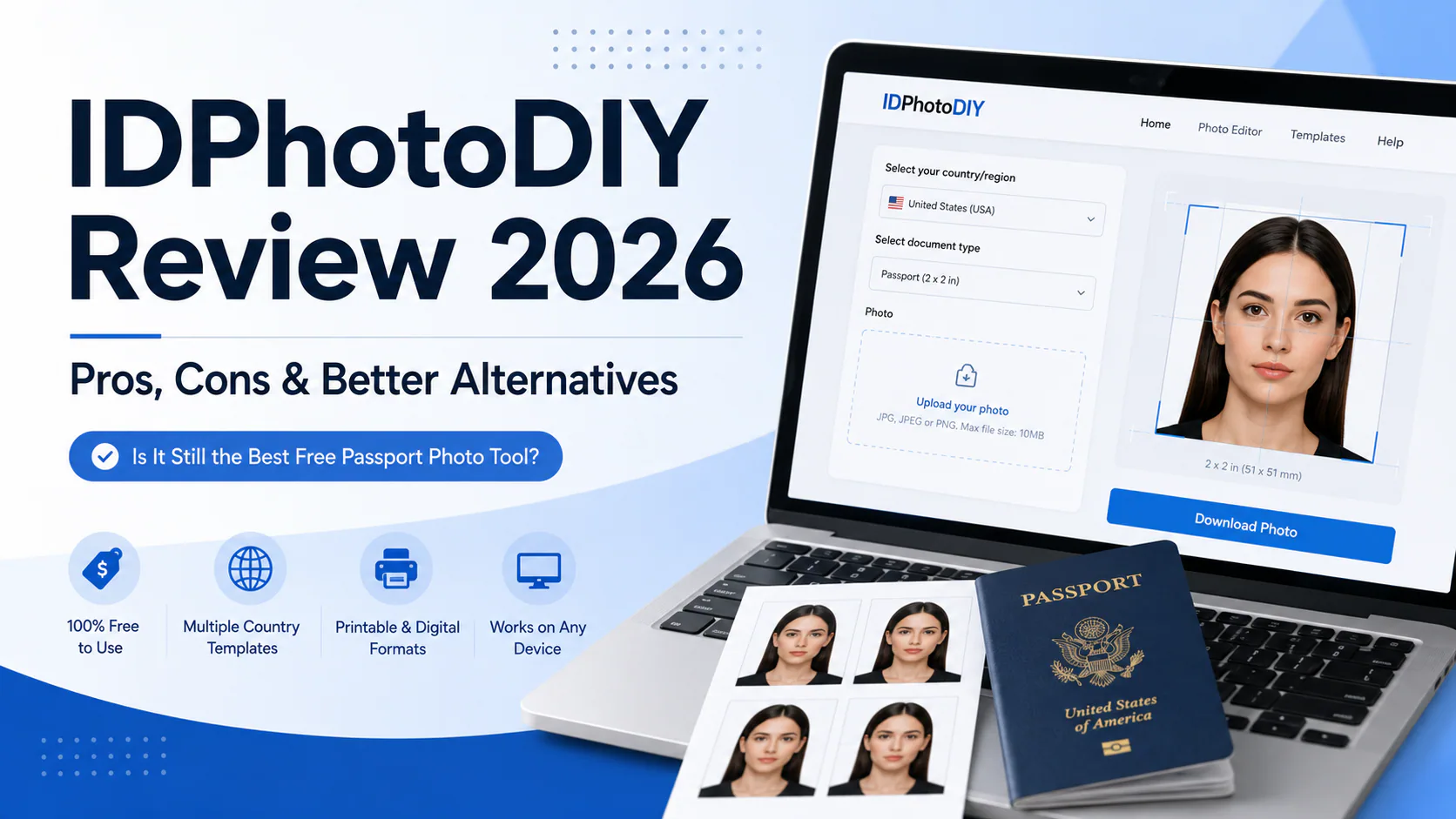
Is IDPhotoDIY still worth using in 2026? Our in-depth review examines its features, limitations, and how it compares to AI-powered alternatives like PhotoOmni.

IDPhotoDIY Review 2026: Pros, Cons & Better Alternatives
Quick Answer

If you've searched for IDPhotoDIY Review, you're probably asking one simple question:
Is IDPhotoDIY still worth using in 2026, or are there better online passport photo tools available?
The short answer is yes—but it depends on what you're looking for.
IDPhotoDIY remains one of the oldest and best-known free browser-based passport photo generators available online. Instead of requiring users to download software or visit a photo studio, it allows anyone to upload a photo, crop it according to official passport dimensions, and generate printable passport photo sheets at no cost.
For users who are comfortable making basic adjustments themselves, IDPhotoDIY is still a practical free solution.
However, online passport photo technology has evolved considerably over the past few years.
Many newer services now offer:
- AI-powered background removal
- Automatic biometric compliance checking
- Country-specific passport templates
- Human expert verification
- Digital passport photo delivery within minutes
These features can significantly reduce the amount of manual work required by the user.
As a result, choosing between IDPhotoDIY and modern alternatives is no longer simply a question of price—it is a question of convenience, automation, and confidence that your passport photo meets official government requirements.
In this review, we'll examine exactly how IDPhotoDIY performs in 2026, where it excels, where it falls short, and how it compares with newer AI-powered services such as PhotoOmni.
TL;DR
| Category | Rating |
|---|---|
| Overall Score | ⭐⭐⭐⭐☆ (8.2/10)* |
| Ease of Use | ⭐⭐⭐⭐☆ |
| Value for Money | ⭐⭐⭐⭐⭐ |
| AI Features | ⭐⭐☆☆☆ |
| Compliance Support | ⭐⭐⭐☆☆ |
| Beginner Friendliness | ⭐⭐⭐☆☆ |
| Best For | DIY users looking for a free passport photo editor |
Editorial assessment based on our review methodology. It is not an independently verified benchmark.
Pros
✓ Completely free to use
✓ Browser-based editor
✓ No software installation
✓ Printable passport photo sheets
✓ Supports multiple countries and document sizes
✓ Works on desktop and mobile browsers
Cons
✗ No AI compliance verification
✗ Manual editing requires more user involvement
✗ No expert human review
✗ Original photo quality has a significant impact on results
✗ Beginners may need several attempts
Table of Contents
- What Is IDPhotoDIY?
- Is IDPhotoDIY Legit?
- Why Is It Still Popular?
- Free vs AI Passport Photo Tools
- Our Review Methodology
- First Impressions
What Is IDPhotoDIY?
IDPhotoDIY is a free online passport photo generator that helps users create passport, visa, and identification photos directly in a web browser.
Unlike many newer passport photo platforms that rely heavily on artificial intelligence, IDPhotoDIY follows a much simpler philosophy:
Give users the tools to create their own compliant passport photos without paying for professional editing.
The platform has been available for many years and has become well known among travelers, students, visa applicants, and budget-conscious users who want a no-cost alternative to commercial passport photo services.
Its workflow is intentionally straightforward.
Users upload a photograph, choose their document type, make basic adjustments if necessary, and generate a printable passport photo sheet.
Because everything runs in a browser, there is no need to install additional software.
How Does IDPhotoDIY Work?
The process is remarkably simple.
Step 1
Upload a photo taken with your smartphone or digital camera.
↓
Step 2
Choose your country and document type.
↓
Step 3
Adjust the crop if necessary.
↓
Step 4
Generate a printable passport photo layout.
↓
Step 5
Download and print the image.
Unlike many newer competitors, most of the responsibility for achieving a compliant passport photo still rests with the user.
Is IDPhotoDIY Legit?
One of the most frequently searched questions is:
Is IDPhotoDIY legitimate?
Based on our research, yes.
IDPhotoDIY is a genuine browser-based passport photo editor that has been available online for many years.
It is not a scam website pretending to generate passport photos.
Instead, it provides a free online editing tool designed to help users prepare passport photos for printing.
Several indicators support its legitimacy.
Long-Term Availability
Many AI tools appear online for only a short period before disappearing.
IDPhotoDIY has remained accessible for years, making it one of the longer-established free passport photo editors currently available.
Longevity does not automatically indicate quality, but it does suggest the service is maintained rather than being a temporary project.
Browser-Based Service
The platform works entirely inside the browser.
Users are not required to download unknown software or install desktop applications.
This reduces compatibility issues and lowers the barrier to entry.
Free Access
Perhaps the biggest reason IDPhotoDIY continues attracting visitors is simple:
It is free.
Many users only need to create one passport photo every few years.
A free solution is therefore appealing if they are willing to spend a little more time adjusting the image themselves.
It Is a Tool—Not a Passport Authority
This distinction is important.
Some users incorrectly assume:
If a website generates passport photos, the government must accept every image.
That is not how passport applications work.
Government agencies evaluate photographs according to their own official standards.
Whether a passport photo is accepted depends on factors such as:
- image dimensions
- head size
- lighting
- background
- facial expression
- overall image quality
No editing tool—free or paid—can override those requirements.
Why Is IDPhotoDIY Still Popular?
Considering the rapid growth of AI-powered passport photo apps, why does a traditional browser editor still attract users?
There are several reasons.
Completely Free
This remains the biggest advantage.
Unlike subscription-based editing software or paid passport photo generators, IDPhotoDIY allows users to create printable passport photos without purchasing a license.
For occasional users, this represents significant value.

Supports Multiple Passport Formats
Passport photo requirements differ from country to country.
For example:
| Country | Official Print Size |
|---|---|
| United States | 2 × 2 inches (51 × 51 mm) |
| Canada | 50 × 70 mm |
| Australia | Country-specific biometric standards |
| United Kingdom | Printed and digital formats |
| New Zealand | Digital and printed specifications |
By offering templates for different countries, IDPhotoDIY saves users from manually calculating dimensions.
Works on Almost Any Device
Because everything happens inside a browser, users can create passport photos on:
- Windows
- macOS
- Linux
- Android
- iPhone
- iPad
without installing dedicated software.
Beginner-Friendly Interface
Although the platform is not as automated as modern AI services, the interface remains surprisingly straightforward.
Most users can understand the workflow within minutes.
Free Doesn't Mean Low Quality
One of the biggest myths surrounding passport photo software is that free tools automatically produce lower-quality results.
That isn't necessarily true.
A free editor can produce a fully compliant passport photo if the original photograph already satisfies official government requirements.
The difference lies in how much work the user must do.
Traditional editors such as IDPhotoDIY expect users to:
- take a suitable original photo
- ensure proper lighting
- verify head positioning
- check facial expression
- confirm background quality
Modern AI services automate many of these tasks.
This is the fundamental difference between browser-based editors and AI-assisted passport photo platforms.
Why AI Has Changed Passport Photo Creation
During the past five years, passport photo software has changed significantly.
Earlier tools focused primarily on:
- cropping
- resizing
- printable layouts
Today's AI-powered services can additionally perform:
- automatic background removal
- biometric face detection
- compliance analysis
- lighting assessment
- head position guidance
Some platforms, including PhotoOmni, go one step further by combining AI analysis with expert human review before the final image is delivered.
Rather than replacing the user, these technologies reduce the likelihood of common mistakes before the application is submitted.
Our Review Methodology
To evaluate IDPhotoDIY fairly, we scored the platform using five categories that have the greatest impact on user experience and passport photo compliance.
| Category | Weight |
|---|---|
| Compliance Support | 30% |
| Ease of Use | 20% |
| Features | 20% |
| Value for Money | 15% |
| Customer Experience | 15% |
Unlike general software reviews, our methodology places the highest weight on compliance support.
A passport photo editor is only successful if it helps users produce images that satisfy official government requirements.
First Impressions
After spending time exploring the platform, one thing becomes immediately clear:
IDPhotoDIY prioritizes simplicity over automation.
There are no complex dashboards or AI-powered editing assistants.
Instead, users are presented with a lightweight, browser-based tool that focuses on the essentials—cropping, formatting, and generating printable passport photos.
This minimalist approach is both its greatest strength and its biggest limitation.
For experienced users who understand passport photo requirements, it offers flexibility at no cost.
For beginners, however, the lack of automated compliance guidance means there is more responsibility to capture a high-quality photo from the outset.
That difference becomes even more apparent when comparing IDPhotoDIY with newer AI-driven services such as PhotoOmni, which we'll explore later in this review.
Core Features
At first glance, IDPhotoDIY appears much simpler than many modern passport photo services.
There are no AI assistants, automated compliance reports, or account dashboards.
Instead, the platform focuses on one goal:
Helping users create printable passport photos directly in their browser—for free.
That simplicity is exactly why the tool has remained popular for years.
Let's examine each feature in detail.
1. Browser-Based Passport Photo Editor
One of IDPhotoDIY's biggest advantages is that everything happens online.
Users simply open the website in a browser and begin editing.
There is no need to install:
- Photoshop
- Mobile apps
- Desktop software
- Browser extensions
This lightweight approach makes the service compatible with almost any modern device.
Supported platforms include
- Windows
- macOS
- Linux
- Android
- iPhone
- iPad
For users working on shared computers or office devices where software installation isn't possible, this is a significant advantage.
Editorial Score: 9/10
2. Passport Templates for Multiple Countries
Every country has different passport photo specifications.
For example:
| Country | Official Photo Size |
|---|---|
| United States | 2 × 2 inches (51 × 51 mm) |
| Canada | 50 × 70 mm |
| Australia | 35–40 mm head height within official print dimensions |
| United Kingdom | Printed and digital standards |
| New Zealand | Country-specific biometric specifications |
Rather than asking users to calculate measurements manually, IDPhotoDIY provides templates for different document types.
This reduces one of the most common editing mistakes:
incorrect photo dimensions.
3. Printable Photo Sheets
Instead of producing only a digital passport photo, IDPhotoDIY generates a printable sheet containing multiple identical passport photos.
This allows users to print their images at:
- local photo labs
- pharmacies
- home printers
- retail printing stores
Many countries still require printed passport photographs for certain applications, making this feature particularly useful.
4. Manual Cropping
Unlike AI-powered passport photo services, cropping in IDPhotoDIY requires more user involvement.
Users can manually adjust:
- head position
- crop boundaries
- image placement
For experienced users, this provides flexibility.
For beginners, however, manual cropping introduces additional opportunities for error.
A slightly incorrect crop can affect:
- head size
- eye position
- overall compliance
5. Background Preparation
One important distinction between IDPhotoDIY and newer AI services is background handling.
Modern AI passport photo platforms automatically detect and replace unsuitable backgrounds.
IDPhotoDIY relies much more heavily on the quality of the original photograph.
If your background contains:
- furniture
- windows
- strong shadows
- complex textures
you may need to prepare the image before uploading.
This places more responsibility on the user but also explains why the platform remains lightweight and free.
What IDPhotoDIY Does Well
Although AI-powered competitors have become increasingly sophisticated, IDPhotoDIY still performs surprisingly well in several areas.
Simplicity
There are very few unnecessary options.
Most users understand the interface immediately.
Speed
Because the platform performs relatively little automated processing, generating a passport photo usually takes only a few minutes.
Accessibility
No registration is required for basic editing.
Users can simply visit the website and begin working.
Cost
This remains the platform's biggest competitive advantage.
For users who only need one passport photo every several years, paying for premium software may not be necessary.
Where IDPhotoDIY Shows Its Age
Technology has changed significantly since IDPhotoDIY first became popular.
Modern passport photo platforms now include capabilities that simply weren't common several years ago.
Examples include:
- AI background replacement
- Face detection
- Automatic biometric alignment
- Compliance analysis
- Image quality assessment
IDPhotoDIY intentionally avoids many of these advanced features.
Whether this is a disadvantage depends on the user.
Experienced photographers may appreciate the simplicity.
First-time passport applicants may prefer additional automation.
Real User Experience
The experience of using IDPhotoDIY depends largely on one factor:
How good is your original photo?
Consider two different scenarios.
Scenario One
A user takes a clear, well-lit photograph against a plain wall using a modern smartphone.
In this situation, IDPhotoDIY performs very well.
Minimal editing is required.
The printable output generally looks professional.
Scenario Two
Another user uploads a blurry selfie taken indoors under poor lighting.
Unfortunately, no passport photo editor—free or paid—can completely repair:
- motion blur
- poor focus
- severe shadows
- incorrect facial angle
This illustrates an important point.
Software can improve formatting.
It cannot completely replace good photography.
The Biggest Difference Between Free and AI Passport Photo Tools
Many comparison articles focus almost entirely on price.
We believe that approach misses the real distinction.
The primary difference is who performs the work.
| Task | IDPhotoDIY | AI Services |
|---|---|---|
| Background preparation | User | Mostly automated |
| Cropping | Mostly manual | Automatic |
| Face alignment | User | AI-assisted |
| Compliance analysis | User | Automatic |
| Quality verification | User | AI (and sometimes human review) |
Free software expects users to understand passport photo requirements.
AI platforms attempt to automate those requirements.
Neither approach is inherently better.
It depends on the user's experience and confidence.
Is IDPhotoDIY Safe?
Safety is another common concern among first-time users.
From a technical perspective, IDPhotoDIY functions like a standard browser-based web application.
Users should still follow good online practices:
- Access the official website directly.
- Avoid uploading unnecessary personal documents.
- Review the privacy policy before submitting images.
- Download completed files promptly.
These recommendations apply to virtually every online passport photo service.
Pros
After evaluating the platform, these are its strongest advantages.
Completely Free
The biggest benefit remains cost.
Many competing passport photo services require payment before downloading the final image.
IDPhotoDIY allows users to create printable passport photos without purchasing premium software.
Works Everywhere
Because the service runs entirely in a browser, compatibility is excellent across different operating systems.
Simple Workflow
The interface is uncluttered.
There are very few distractions.
Good for Experienced Users
Users who already understand passport photo requirements often appreciate the flexibility of manual adjustments.
Multiple Country Templates
Supporting multiple passport formats saves considerable editing time.
Cons
Despite its strengths, the platform also has several limitations.
Limited Automation
Compared with AI-powered competitors, users perform significantly more manual work.
No Automatic Compliance Check
The software does not provide the same level of automated validation found in many newer passport photo services.
As a result, users must verify that the final image meets official requirements themselves.
Greater Risk for Beginners
Applicants unfamiliar with passport photo specifications may find the editing process more challenging.
Simple mistakes involving head size, eye position, or cropping can lead to delays.
No Human Verification
Some modern services—including PhotoOmni—combine AI analysis with expert human review before delivering the final image.
This additional verification can help identify subtle issues that automated tools may miss.
IDPhotoDIY does not follow this workflow.
Editorial Assessment
After reviewing the platform in detail, one conclusion becomes clear.
IDPhotoDIY succeeds because it focuses on being a simple, free editing tool—not because it attempts to automate the entire passport photo process.
Its philosophy is fundamentally different from newer AI-powered services.
Rather than replacing user judgment, it gives users the tools to complete the work themselves.
For experienced users, this remains an effective approach.
For beginners, however, the growing availability of AI-assisted passport photo services may reduce the learning curve considerably.
Platforms such as PhotoOmni, for example, combine automated background removal, compliance analysis, and expert human review to reduce the amount of manual adjustment required before submission.
Neither model is universally superior.
The better choice depends on whether you prioritize cost savings or additional guidance and verification.
Key Takeaways
Before comparing IDPhotoDIY with other passport photo services, several observations stand out:
- IDPhotoDIY remains one of the best free browser-based passport photo editors available.
- Its biggest strength is simplicity rather than automation.
- Users who understand passport photo requirements can achieve excellent results without paying for premium software.
- First-time applicants may benefit from services that automate compliance checking and provide additional review before the final image is delivered.
- The quality of the original photograph continues to have a greater impact on approval than the editing software itself.
Can a Free Passport Photo Tool Meet Government Requirements?
One of the biggest misconceptions about passport photo software is that free automatically means lower quality.
In reality, government agencies do not evaluate whether a passport photo was created using a free or paid tool. Instead, they assess whether the final image complies with official specifications.
For example, the U.S. Department of State requires passport photos to be 2 × 2 inches (51 × 51 mm), with the head measuring 1–1⅜ inches (25–35 mm) from chin to crown. Similarly, Canada requires printed passport photos measuring 50 × 70 mm, with a head size of 31–36 mm.
If a free editor helps produce a photo that meets those requirements, the fact that it is free is irrelevant.
The real difference lies in how much of the work is done by the user versus the software.
Introducing the Approval Confidence Framework
Many review websites claim that one passport photo service has a "99% approval rate" or "99.9% acceptance guarantee."
The problem is that very few providers publish independently verified approval statistics, and government agencies do not rank commercial passport photo services.
Instead of repeating unverifiable percentages, we developed an Approval Confidence Framework to evaluate how much assistance a platform provides in helping users meet official passport photo requirements.
This framework focuses on measurable aspects of the editing process rather than marketing claims.
| Factor | Importance | IDPhotoDIY |
|---|---|---|
| Correct dimensions | ⭐⭐⭐⭐⭐ | ✓ |
| Printable layout | ⭐⭐⭐⭐⭐ | ✓ |
| Country templates | ⭐⭐⭐⭐☆ | ✓ |
| Background guidance | ⭐⭐⭐⭐☆ | Limited |
| AI background removal | ⭐⭐⭐⭐☆ | ✗ |
| Automatic face alignment | ⭐⭐⭐⭐☆ | ✗ |
| Compliance analysis | ⭐⭐⭐⭐⭐ | ✗ |
| Human verification | ⭐⭐⭐⭐⭐ | ✗ |
This comparison highlights the core philosophy of IDPhotoDIY.
It excels at providing editing tools but leaves most compliance decisions to the user.
What Actually Determines Passport Photo Approval?
Many people assume the editing software is the deciding factor.
In practice, approval depends on a combination of photography, software, and official review.
The process can be broken down into three stages.
This is where most mistakes occur.
Common problems include:
- Uneven lighting
- Motion blur
- Head tilted
- Eyes not fully open
- Busy background
- Camera positioned too high or too low
No editing tool can fully correct these issues.

Stage 2: Editing the Photo
This is where software such as IDPhotoDIY becomes useful.
Editing tools can help with:
- Cropping
- Resizing
- Print layouts
- Background preparation
- File formatting
Modern AI platforms extend these capabilities by automatically checking for common compliance issues before the user downloads the image.

Stage 3: Government Review
Ultimately, every passport photo is evaluated by the issuing authority.
Neither free tools nor premium AI services can override that decision.
This is why no reputable provider should promise that every photograph will be accepted under all circumstances.
Common Reasons Passport Photos Are Rejected
Official guidance from passport authorities around the world highlights similar reasons for passport photo rejection.
| Reason | Risk Level |
|---|---|
| Incorrect head size | Very High |
| Shadows on the face | Very High |
| Blurry image | Very High |
| Wrong background | High |
| Low resolution | High |
| Hair covering the eyes | Medium |
| Glasses where prohibited | Medium |
| Smiling too broadly | Medium |
Notice that most of these issues originate before editing begins.
This is why taking a high-quality original photo remains the single most important step.
IDPhotoDIY vs PhotoOmni
Both IDPhotoDIY and PhotoOmni help users create passport photos, but they are designed with different priorities in mind.
IDPhotoDIY focuses on giving users a free browser-based editor.
PhotoOmni focuses on simplifying the process through automation and additional verification.
| Feature | IDPhotoDIY | PhotoOmni |
|---|---|---|
| Free browser editor | ✓ | ✗ |
| AI background removal | ✗ | ✓ |
| Automatic cropping | Limited | ✓ |
| AI compliance analysis | ✗ | ✓ |
| Human expert review | ✗ | ✓ |
| Digital downloads | ✓ | ✓ |
| Printable layouts | ✓ | ✓ |
| Passport & visa support | ✓ | ✓ |
| Rejection protection* | ✗ | ✓ |
- Based on PhotoOmni's published policy for photo-related rejections.
The difference is not simply about price.
It is about workflow.
With IDPhotoDIY, the user is responsible for verifying compliance.
With PhotoOmni, much of that work is assisted by AI and supported by human review before the final photo is delivered.
IDPhotoDIY vs PhotoAiD
PhotoAiD is another popular online passport photo service.
Unlike IDPhotoDIY, it emphasizes automation.
| Category | IDPhotoDIY | PhotoAiD |
|---|---|---|
| Cost | Free | Paid |
| Browser editing | ✓ | ✓ |
| AI background removal | ✗ | ✓ |
| AI compliance check | ✗ | ✓ |
| Human verification | Available on selected services | Available |
| Best for | DIY users | Users wanting more automation |
For users who enjoy editing their own photos, IDPhotoDIY offers excellent value.
Those looking for a more guided experience may prefer AI-driven platforms.
IDPhotoDIY vs Passport Photo Online
Passport Photo Online is designed around smartphone users.
Its workflow is highly automated.
| Category | IDPhotoDIY | Passport Photo Online |
|---|---|---|
| Manual editing | ✓ | Limited |
| AI processing | ✗ | ✓ |
| Mobile experience | Good | Excellent |
| Compliance assistance | Basic | Advanced |
| Best suited for | Experienced users | Beginners |
Again, neither approach is inherently better.
The choice depends on whether you value manual control or automated guidance.
Best Alternatives to IDPhotoDIY
If IDPhotoDIY doesn't match your needs, several other services are worth considering.
| Service | Best For | Key Strength |
|---|---|---|
| PhotoOmni | Users wanting higher confidence | AI compliance checks + expert review |
| PhotoAiD | International users | AI-powered workflow |
| Passport Photo Online | Mobile-first experience | Guided smartphone process |
| Photogov.net | Simple online editing | Easy browser workflow |
| 123PassportPhoto | Budget-conscious DIY users | Free online editor |
Each platform serves a slightly different audience.
Which Service Is Right for You?
Choosing the best passport photo tool depends more on your situation than on the software itself.
Choose IDPhotoDIY if you:
- Want a completely free solution
- Understand passport photo requirements
- Don't mind making manual adjustments
- Only need occasional passport photos
- Already have a well-lit, high-quality photo
Consider PhotoOmni if you:
- Are applying for your first passport
- Need a visa or immigration document
- Want AI-assisted compliance checking
- Prefer expert human review before submission
- Want additional reassurance before uploading your application
Consider PhotoAiD or Passport Photo Online if you:
- Prefer a guided mobile workflow
- Want automated background removal
- Value convenience over manual editing
Decision Matrix
The following matrix summarizes which type of service may be the best fit for different users.
| User Type | Recommended Choice |
|---|---|
| Budget-conscious users | IDPhotoDIY |
| DIY enthusiasts | IDPhotoDIY |
| First-time passport applicants | PhotoOmni |
| Baby passport applications | PhotoOmni |
| Visa applicants | PhotoOmni or PhotoAiD |
| Frequent international travelers | PhotoOmni |
| Smartphone-first users | Passport Photo Online |
Rather than identifying a universal winner, this matrix reflects the reality that different users have different priorities.
Expert Assessment
After comparing IDPhotoDIY with several leading passport photo services, one conclusion becomes clear.
IDPhotoDIY remains one of the strongest free browser-based passport photo editors available in 2026.
Its strengths are simplicity, accessibility, and cost.
However, the market has evolved.
Many newer services now combine artificial intelligence, compliance analysis, and expert review into a more automated workflow.
For experienced users who understand passport photo standards, IDPhotoDIY continues to provide excellent value.
For applicants who want additional guidance or reassurance before submitting important travel documents, AI-assisted services such as PhotoOmni offer a different approach by reducing manual effort and adding another layer of quality control.
The right choice ultimately depends on whether your priority is saving money or reducing compliance risk.
Frequently Asked Questions
Is IDPhotoDIY really free?
Yes. IDPhotoDIY provides a free browser-based passport photo editor. Users can upload a photo, select a document template, adjust the crop, and generate printable passport photo sheets without purchasing software.
However, remember that "free" refers to the editing tool itself. You may still need to pay for printing if your application requires physical photos.
Is IDPhotoDIY legitimate?
Yes.
IDPhotoDIY has been available online for many years and is widely recognized as a legitimate passport photo editing website rather than a scam or fake service.
Like other passport photo tools, it helps prepare images but does not approve passport applications.
Is IDPhotoDIY safe?
The website uses standard web technologies similar to other browser-based editing tools.
Users should always:
- Access the official website directly.
- Review the privacy policy.
- Avoid uploading unnecessary personal information.
- Download completed files promptly after editing.
Does IDPhotoDIY remove backgrounds automatically?
Not in the same way as modern AI passport photo services.
Users should ideally begin with a clean, plain background. While basic editing is available, the platform is designed more as a manual editor than an automated AI background replacement tool.
Can I use IDPhotoDIY on my phone?
Yes.
The browser-based interface works on most modern smartphones and tablets, including iPhone and Android devices.
A larger screen may make manual adjustments easier, but mobile editing is supported.
Does IDPhotoDIY guarantee passport approval?
No.
No legitimate passport photo service can guarantee that every government agency will accept every photograph.
Final approval always depends on the issuing authority and whether the submitted photo complies with its current requirements.
Why are passport photos rejected?
According to official passport guidance from multiple governments, common reasons include:
- Incorrect head size
- Poor lighting
- Shadows on the face
- Low image quality
- Incorrect background
- Facial obstruction
- Eyes not clearly visible
Many of these issues occur before editing begins.
Can AI guarantee a compliant passport photo?
No.
AI can assist with:
- background removal
- cropping
- face alignment
- compliance analysis
However, it cannot completely correct problems such as motion blur, poor lighting, or an unsuitable facial expression.
Is a paid passport photo service always better?
Not necessarily.
If you already have a well-lit, high-quality photo and understand official requirements, a free editor such as IDPhotoDIY may be sufficient.
Paid services generally add convenience through automation, compliance checking, and, in some cases, expert review.
What is the biggest difference between IDPhotoDIY and PhotoOmni?
The biggest difference is workflow.
IDPhotoDIY provides users with manual editing tools.
PhotoOmni combines AI-powered editing, automated compliance analysis, and expert human review before delivering the final image.
Neither approach is universally better—it depends on the user's experience, priorities, and the importance of the application.
Can I print IDPhotoDIY photos at Walgreens or CVS?
Generally, yes.
IDPhotoDIY generates printable layouts that can typically be printed anywhere standard photo printing services are available, provided the print size matches your country's passport photo specifications.
Does IDPhotoDIY support visa photos?
Yes.
The platform includes templates for many passport and visa photo formats.
Users should always verify that they have selected the correct document type before downloading the final image.
Is IDPhotoDIY suitable for baby passport photos?
It can be used, but photographing infants is often more challenging because babies may move, close their eyes, or fail to look directly at the camera.
For these situations, some parents may prefer services that include additional compliance guidance or expert review.
Which passport photo service is best for beginners?
Beginners often benefit from platforms that provide automated guidance throughout the editing process.
Services such as PhotoOmni, which combine AI compliance checks with expert review, may reduce the learning curve compared with fully manual editors.
Can I take a passport photo with my smartphone?
Yes.
Most modern smartphones now include cameras with sufficient resolution for passport photos, provided the image is well lit, in focus, and follows official requirements.
How long does it take to create a passport photo?
For most users, the editing process takes only a few minutes.
The total time depends primarily on how suitable the original photograph is.
A well-prepared photo generally requires much less editing than one taken under poor lighting or with an unsuitable background.
Which countries have different passport photo sizes?
Requirements vary worldwide.
For example:
| Country | Standard Print Size |
|---|---|
| United States | 2 × 2 inches (51 × 51 mm) |
| Canada | 50 × 70 mm |
| Australia | Country-specific standard |
| United Kingdom | Printed and digital formats |
| New Zealand | Country-specific standard |
Always consult the official requirements for your destination country.
Is manual editing still useful in 2026?
Absolutely.
Many professional photographers continue to use manual adjustments when preparing passport photos.
The main difference is that AI now automates many repetitive tasks, making the process faster for everyday users.
Can I use the same passport photo for multiple applications?
Sometimes.
Different governments often require different:
- dimensions
- background specifications
- validity periods
- digital file sizes
Always confirm the requirements for the specific document you are applying for.
Which online passport photo service offers the highest confidence?
Rather than looking for a service claiming the highest "approval rate," it is more useful to compare:
- compliance support
- editing workflow
- refund policy
- document coverage
- availability of expert review
These factors provide a better indication of the overall user experience than unverified marketing statistics.
Create Your Passport Photo Now
Final Verdict
So, is IDPhotoDIY still worth using in 2026?
Yes—but with the right expectations.
IDPhotoDIY remains one of the longest-running and most useful free online passport photo editors available. Its browser-based workflow, printable photo layouts, and support for multiple document templates continue to make it an attractive option for users who are comfortable preparing passport photos themselves.
Its greatest strengths are simplicity, accessibility, and cost.
At the same time, the passport photo market has changed significantly.
Many newer services now automate tasks that once required manual editing, including background replacement, face alignment, compliance analysis, and image validation.
That does not make IDPhotoDIY obsolete—it simply means it serves a different audience.
If you enjoy having full control over the editing process and already understand passport photo requirements, IDPhotoDIY remains an excellent free tool.
If your priority is reducing manual work and receiving additional guidance before submitting an important application, comparing AI-assisted services such as PhotoOmni may be worthwhile.
The best passport photo service is not necessarily the most expensive or the most automated.
It is the one that best matches your experience, your document requirements, and your preferred workflow.
Conclusion
IDPhotoDIY has remained relevant because it delivers exactly what it promises: a free, browser-based passport photo editor that puts users in control.
As online passport photo technology continues to evolve, users now have more choices than ever—from fully manual editors to AI-assisted platforms with expert review.
Understanding those differences is far more valuable than chasing unsupported approval-rate claims.
Whether you choose IDPhotoDIY, PhotoOmni, or another provider, the most important step is still the first one: start with a clear, well-lit, high-quality photo that follows your government's official requirements.
About the Author
Emma Richardson Senior ICAO Photo Compliance Expert, PhotoOmni
Emma Richardson is the Senior ICAO Photo Compliance Expert at PhotoOmni. With 12+ years of experience in passport and visa photo verification, she has helped applicants achieve 820,000+ successful photo approvals across 100+ countries and territories. She specializes in global passport photo requirements, ICAO-compliant photo standards, and biometric image verification.
Related Articles
- How to Take a Passport Photo at Home (2026 Guide)
- Passport Photo Requirements: The Complete 2026 Guide
- Why Was My Passport Photo Rejected? 15 Common Reasons & Fixes
Data sources: US Department of State passport processing (FY2024), UK Home Office annual report (2023), NIST FRVT Part 3: Demographic Effects (March 2024), ICAO Doc 9303 photo specifications. Pricing based on publicly listed rates as of July 2026.