
Does Shutterfly Print Passport Photos? Files, Settings and Limits
Use a prepared 4x6 sheet for Shutterfly passport-photo prints. Check paper, cropping, enhancement, pickup restrictions and the full order cost.
Quick Answer
Shutterfly can print a passport photo, but only one you have already made. It is a photo printing service, not a passport photo service. It does not take your picture. Its print-ordering guidance does not describe a passport compliance review, and we did not find a dedicated 2x2 passport-photo product in the standard print options checked. Shutterfly's own help center says that uploading, cropping and printing a photo to basic passport dimensions is technically possible, then recommends a professional passport photo service or an authorized facility so you avoid delays or rejection.
If you still want to use Shutterfly, the workable method is:
- Start with a recent, unaltered photograph that meets the rules for your application. A private review can help spot issues but does not establish government acceptance.
- Place the 2x2 inch photos on a 4x6 inch template.
- Upload the template and order 4x6 prints in glossy or matte finish, with Auto Enhance turned off.
- Measure the delivered print, then cut it down to exact 2x2 inch photos.
This guide covers printed photos for U.S. paper applications. Other countries and U.S. online renewal use different workflows. PhotoOmni publishes this guide and offers a competing photo-preparation service.
The rest of this guide explains each step, the order settings that matter, and the limits you should know before you pay.
What Shutterfly Does and Does Not Do for Passport Photos
| Question | Answer |
|---|---|
| Does Shutterfly take passport photos? | No. You supply the photo. |
| Does Shutterfly check that the photo meets passport rules? | Its standard print guidance does not offer a passport compliance review; it recommends professional services or an authorized facility. |
| Can it print a 2x2 inch photo directly? | Its standard print sizes are 4x6, 5x7, 8x10 and larger formats, so the practical route is a 4x6 print with 2x2 photos on it. |
| Can I pick up prints in a store? | Yes, 4x6 prints can be picked up at CVS or Walgreens, with limits (see below). |
| Can I get it shipped? | Yes. Shipping fees and delivery times apply. |
| Is it cheap? | Compare the total at checkout, including the prepared photo, printing, shipping or pickup charges, and tax. A low per-print price is not the total cost. |
The key point is the first two rows. Do not confuse a standard print order with a passport photo session. You are ordering a print, and the passport authority still decides whether the submitted photo is acceptable.
U.S. Passport Photo Rules You Need to Meet Before You Upload
A successfully placed print order does not mean the uploaded photograph meets passport requirements. These are the U.S. Department of State print requirements you are responsible for:
| Requirement | Rule |
|---|---|
| Number of photos | One photo for a U.S. passport application |
| Printed size | 2 x 2 inches (51 x 51 mm) |
| Head size | 1 to 1 3/8 inches (25 to 35 mm) from chin to top of head |
| Color | Color photo |
| Paper | Matte or glossy photo quality paper |
| Quality | Sharp, with no visible pixels or printer dots |
| Age of photo | Taken within the last six months |
| Editing | Keep the original appearance; do not use digital enhancement, retouching, filters or background replacement to fix an unsuitable photograph |
| Background | Plain white or off-white, without shadows |
See the State Department photo requirements before ordering. The size and head-height rules here apply to paper passport photos; do not apply them as an upload template for online renewal.
How to Print a Passport Photo With Shutterfly, Step by Step
Step 1: Start With a Compliant Photo File
Do not rely on a standard print order to detect head-size, shadow or background problems. Have someone take a recent photo of you in even lighting against a plain white or off-white background, or use a studio and ask for an unaltered digital file. If the original lighting or background is wrong, fix the physical setup and retake the photo; do not use software to replace the background or alter your appearance.
Step 2: Put the Photo on a 4x6 Template
Because Shutterfly's standard prints are not 2x2, you need a 4x6 inch layout that holds two or more 2x2 inch photos at exact size. For a landscape sheet at 300 pixels per inch, a 1800 x 1200 px layout containing 600 x 600 px portraits gives a 2x2-inch target when printed at exactly 4x6 inches. These are calculated print dimensions, not a Shutterfly passport preset. Keep cutting space around the portraits. Printer scaling or borderless overscan can change the result, so measure the physical print. See the 4x6 layout guide for examples.
Step 3: Upload the Template
Sign in to Shutterfly, go to Photos, upload the template file, select it and choose Order Prints. You can also order through the mobile app.
Step 4: Set the Order Options Carefully
This is where most mistakes happen.
- Size: Choose 4x6.
- Finish: Choose the matte or glossy photo-quality paper offered for your selected print and delivery method. Avoid cardstock for this purpose.
- Auto Enhance: Turn it off. Shutterfly's own guide recommends turning it off for professionally taken photos, and an automatic brightness or color change works against the rule that the photo must not be digitally altered.
- Filters: Leave the filter set to Original.
- Crop: Open the edit view and check the preview. The crop tool lets you zoom and drag, so confirm the whole template is visible and nothing at the edges is cut off.
- Quantity: Order one print for a first try. Extra prints cost very little, but you may want a test print before ordering more.
Check the finish before submitting. Shutterfly says finish changes are not possible after ordering. Cancellation depends on the order type, and pickup orders may have no cancellation window; contact support or the fulfilling store if needed.
Step 5: Choose Pickup or Shipping
In-store pickup: Shutterfly offers eligible print pickup at participating CVS and Walgreens locations. Use the current same-day printing page and the options shown for your ZIP code.
- Its newer retail page lists several eligible sizes, rather than only 4x6. For this workflow, select a 4x6 sheet.
- Official pages are inconsistent about finish availability: the CVS landing page says 4x6 glossy only, while the newer help guide lists more options and specifies 4x6 glossy for Walgreens. Confirm the exact store, finish and paper in checkout.
- Same-day is not a one-hour promise. Wait for the ready notification and check store hours; some orders or locations take longer.
- Pickup orders do not include back-of-print messaging. Shutterfly discounts and free-print offers do not apply to retail pickup, and its current terms exclude pickup for Costco-member accounts.
Shipping: Choose delivery if the required finish is unavailable locally or your account is ineligible for pickup. Check the estimated arrival date, shipping charge and total before placing an order. Do not assume that a shipped-print price applies to store pickup.
Step 6: Inspect and Cut the Photo
When the print arrives, check it before you cut anything:
- Is it sharp, with no visible dots or pixels?
- Are the colors natural, with no color cast?
- Is the head still between 1 and 1 3/8 inches tall when you measure it with a ruler?
Then cut the photo to exactly 2 x 2 inches with a paper trimmer or sharp scissors and a ruler. A crooked or uneven cut can make the photo look off-center. For a first-time DS-11 application, bring the loose photo for the acceptance agent to attach. For a DS-82 mail renewal, follow the current form’s attachment instructions; see the photo-stapling guide.
The Limits of Using Shutterfly for Passport Photos
1. No passport-review service described. Standard printing should not be treated as verification of shadows, glare, background, expression or head size.
2. No dedicated 2x2 passport product found. The standard-print workflow described here uses a 4x6 sheet that you measure and trim.
3. Finish restrictions. Use matte or glossy photo-quality paper. Available finishes depend on the store and delivery method; verify checkout rather than assuming matte pickup is always available or always excluded.
4. Automatic image changes. If Auto Enhance or a filter is left on, the image may be changed. Keep enhancement off and the filter on Original.
5. Physical print quality. Check color, sharpness and scale when you receive the print. If the result is visibly wrong, contact the fulfilling provider rather than submit it.
6. Timing. Shipping and pickup have different schedules and eligibility conditions. Use the actual ready or delivery estimate, not an assumed one-hour turnaround.
7. Back-of-print text. Review backprinting options and avoid putting sensitive information in the filename or caption. A short caption should not be assumed to guarantee a blank back.
8. Print support is separate from passport acceptance. Use the retailer’s support or return process for a print defect. Do not infer a government-acceptance guarantee from a standard print order.
9. Online renewal uses a different file. Eligible U.S. online renewals use an original, unedited digital photo, not a scan or a multi-photo print sheet. Position or crop it inside the official application. Follow the digital upload instructions; do not automatically upload an externally processed print file.
How Much Does It Cost Compared With Other Options?
| Option | What you get | Cost to compare |
|---|---|---|
| Shutterfly shipped 4x6 print | Standard printing from your prepared file | Current print price plus shipping, tax and any photo-preparation cost |
| Shutterfly retail pickup | Eligible prints fulfilled by a participating store | Store pickup total; mail-order promotions do not apply |
| Shutterfly app offer | Promotional pricing for eligible prints | Check the live app offer, minimums, shipping and tax; do not assume prints are free |
| In-store passport photo session | Photo capture and printed copies | Check the retailer’s current session price and whether a digital file is included |
| Online preparation or review | Provider-specific file preparation or checks | Confirm deliverables, permitted processing, fee and refund terms |
A print-only order can cost less than a photo session, but it excludes capture and any separate preparation. We did not verify a universal $0.29 print price or a cheapest-provider ranking. Compare the complete order total.
Preparing Your File With PhotoOmni
PhotoOmni’s document directory lets you select the issuing country and document before reviewing the available preparation workflow. Its public service pages describe AI pre-checks, human review, digital files and print-ready output. Confirm the actual deliverables for your selection before ordering.
For a U.S. passport, use a recent original photograph with the correct real background and lighting. Private checks can help identify issues but do not replace the State Department’s decision. Do not use appearance edits, background replacement or digital enhancement to repair an unsuitable original; retake it instead. A printable sheet is also not the original upload file required for U.S. online renewal.
Before sending a PhotoOmni output to Shutterfly, check that the delivered format is accepted by the print service. If it is a PDF, do not assume Shutterfly accepts it as a photo upload: obtain or export a suitable image sheet without changing its proportions, and verify the finished 2x2-inch print with a ruler.
PhotoOmni is a private service and is not affiliated with Shutterfly or the U.S. Department of State.
Common Mistakes to Avoid
- Uploading a casual selfie and expecting Shutterfly to fix it.
- Leaving Auto Enhance or a filter on.
- Choosing the cardstock finish.
- Assuming the same finish and pickup options are available at every store.
- Letting the crop tool trim the edges of the template.
- Printing at less than 100 percent scale and ending up with a small head.
- Cutting the photo crooked or not exactly 2 x 2 inches.
- Ordering too late and missing your appointment because of shipping time.
FAQ
Does Shutterfly offer passport photos?
Shutterfly prints photos you upload. Its help center says printing to passport size is technically possible, but it recommends using a professional passport photo service or authorized facility because government agencies enforce strict requirements.
Can I take my passport photo at Shutterfly?
No. Shutterfly does not take passport photos. You need to bring a finished photo file.
What size should I order?
Order 4x6 prints and put your 2x2 inch photos on a 4x6 template. Then cut the photos to 2 x 2 inches.
Can I pick up Shutterfly passport photo prints at CVS or Walgreens?
Eligible prints can be collected at participating stores. Official pages differ on finish availability, so confirm the selected location and checkout options. Wait for the ready notification; same-day does not guarantee one hour. Shutterfly’s current terms exclude Costco-member pickup.
Is glossy or matte better for a passport photo?
Both are accepted by the State Department. Choose whichever gives you a sharp, evenly colored result, and avoid glare.
Should I use Auto Enhance?
No. Turn it off and keep the filter on Original to avoid changing the prepared image.
Can I print a passport photo at Costco?
Costco’s former Photo Center was replaced by a Shutterfly partnership. Do not treat that partnership as a passport-photo capture service. Prepare the photo separately and check the linked-account delivery and discount conditions.
Do I need a printed photo for an online passport renewal?
An eligible U.S. online renewal requires an original, unedited digital photo upload instead of a mailed print. Do not upload a scan, print sheet or altered photo; follow the official application’s positioning and cropping workflow.
Before You Order
Use Shutterfly as a print provider for a photo that already meets the applicable rules. Check the 4x6 layout, paper, enhancement controls, delivery eligibility and full price; measure the delivered portraits before trimming them. Choose your exact document in PhotoOmni’s directory if you want to review its preparation options first.
Official Sources
- Shutterfly: ordering prints and passport-photo guidance
- Shutterfly: current same-day print pickup
- Shutterfly: pickup help, store-specific options and restrictions
- Shutterfly: CVS print landing page
- Shutterfly: Costco partnership conditions
- Shutterfly: current print products and offers
- U.S. Department of State: passport photos
- U.S. Department of State: online-renewal photo upload
- PhotoOmni: service and review workflow
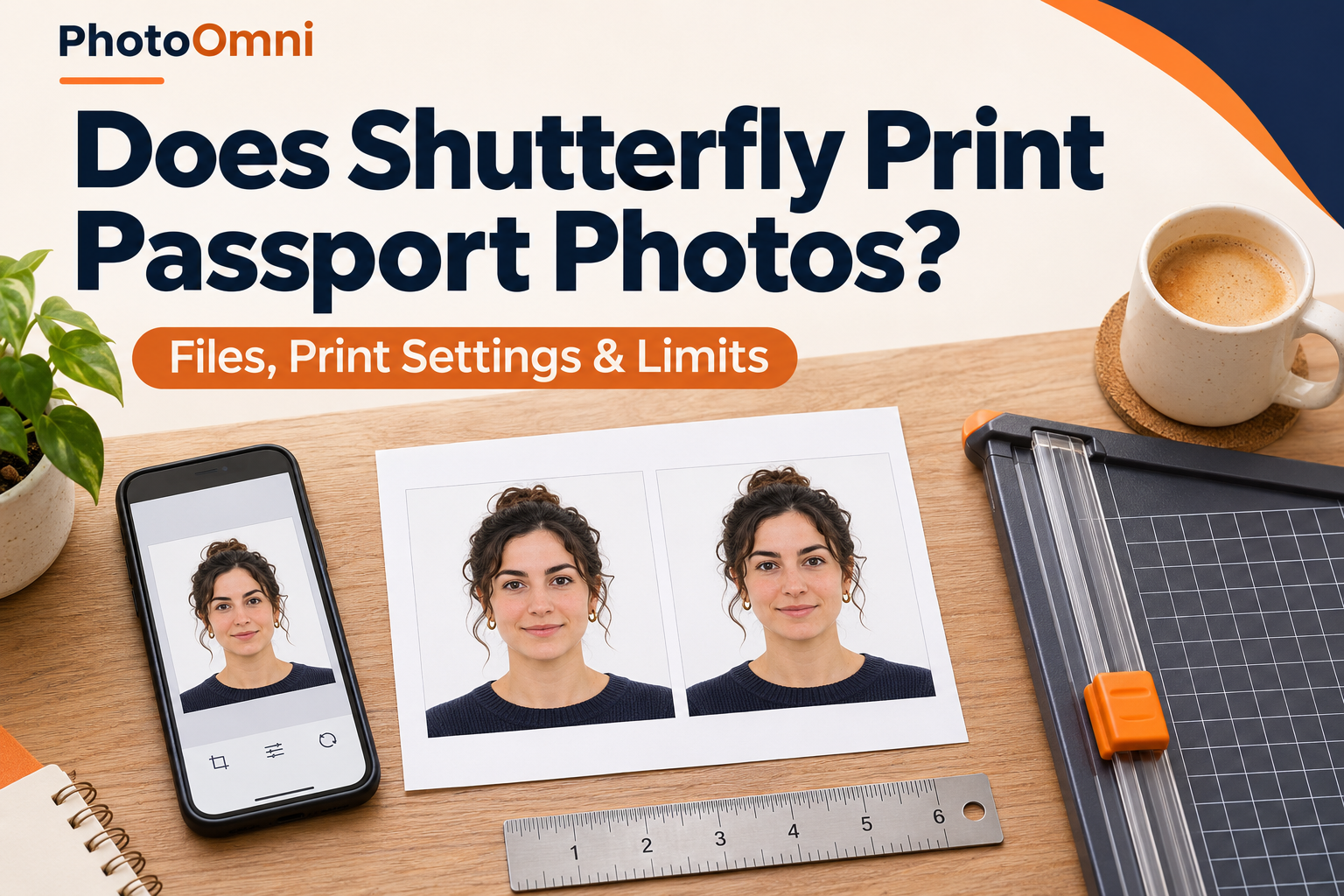
Public information checked November 17, 2026. Store availability, prices, promotions and account conditions can change. No Shutterfly test order was placed for this guide. The cover is an illustrative image, not a measured print template.
Related Articles
- Passport Photo on 4x6 Paper: Layout Diagrams, Pixel Sizes and Print Settings
- Should Passport Photos Be Glossy or Matte? Official Printing Rules Explained
- Where Can I Get Passport Photos Printed? How to Print Your Own Photo File at Walgreens, CVS, Walmart and More
About the Author
Emma Richardson is PhotoOmni’s Senior ICAO Photo Compliance Expert. With over 12 years of experience, she has helped applicants obtain more than 820,000 passport and visa photo approvals across over 100 countries and territories. She specializes in global passport photo requirements and ICAO-compliant photo verification.