
60×90 mm Photo (6×9 cm): Size, Requirements, and How to Get It Right (2026)
Convert 60×90 mm to pixels and inches, compare nearby photo sizes, and check your form’s head-size, background and printing requirements.
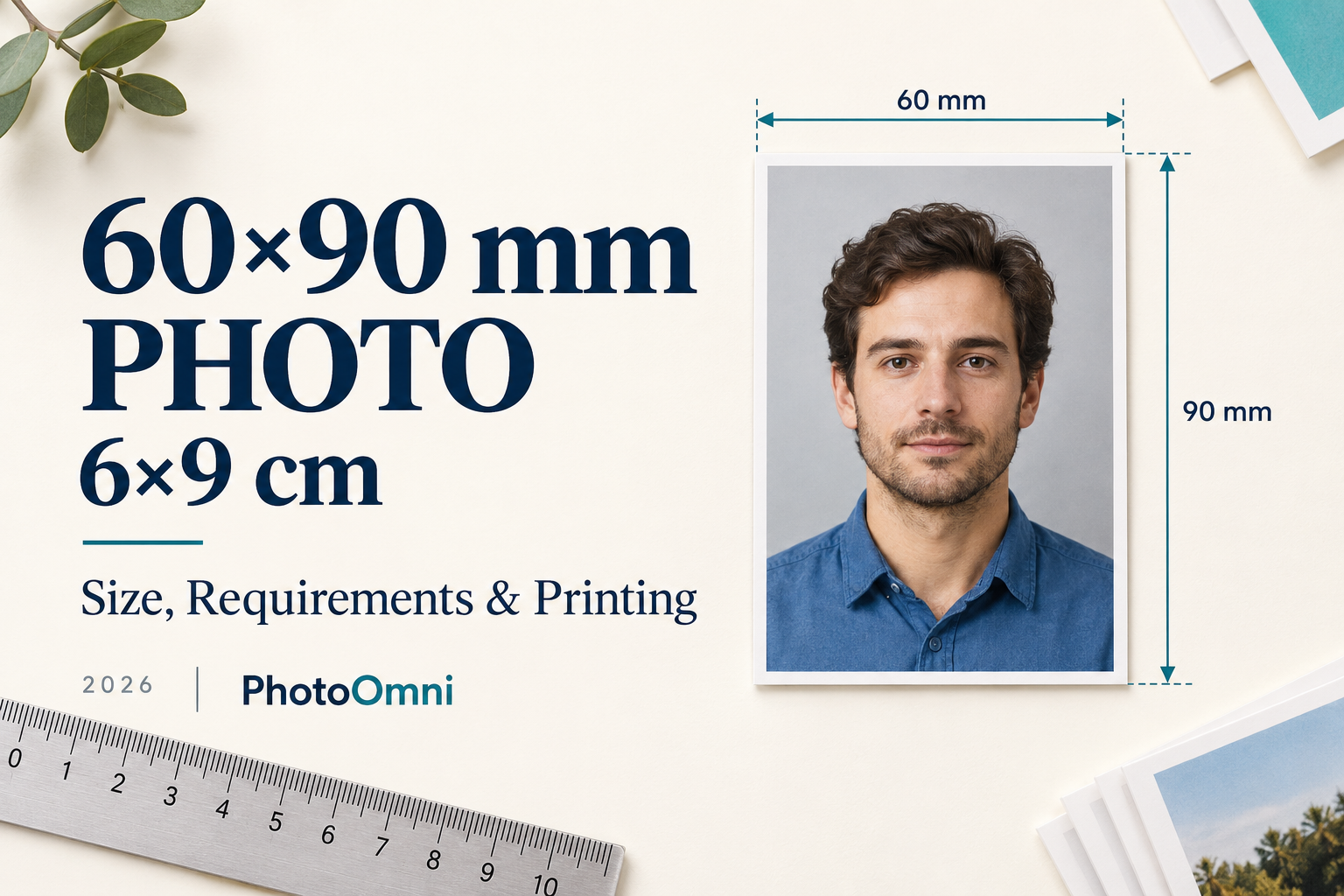
Quick answer: A 60×90 mm photo is the same as a 6×9 cm photo, which is about 2.36 × 3.54 inches, a portrait rectangle with a 2:3 ratio. At 300 DPI it is 709 × 1063 pixels. Unlike 35×45 mm (common in Europe and Asia) or 2×2 inches (the United States), I could not find a major passport or visa authority that specifies 60×90 mm as its photo size. The size mostly appears on forms, local applications, and photo-tool pages, which means the rules for head size, background, and recency come from the form that asks for it, not from an international standard. So before you print: confirm exactly which document asks for 60×90 mm, check whether it wants a head-and-shoulders portrait and how large the head should be, crop your original photo to a 2:3 frame instead of stretching a smaller one, and print at 100% scale on photo paper at 300 DPI.
What Top Results for "60×90 mm Photo" Leave Out
Search this size and you mostly find online photo tools offering to "make" a 6×9 cm photo. They share a pattern, and several gaps follow from it:
- No named authority. The pages say a 6×9 cm photo is "often required" for IDs, visas, or "other official documents", but they do not name a single issuing authority or link to an official page that asks for it.
- Unsourced head-size and background rules. Requirements such as "the face should fill 70 to 80% of the height" appear without an official source. They look like generic passport-photo advice, not rules from the document that requires 60×90 mm.
- "Guaranteed acceptance" with no specification to check against. If no authority publishes the specification, a tool cannot know whether your photo will pass.
- No size context. Few pages explain how 60×90 mm differs from the sizes people confuse it with: 35×45 mm, 2×2 inches, 50×70 mm, 40×60 mm, and 2.5 × 3.5 inches.
- No conversion or print guidance. Pixel dimensions at different resolutions, print scaling, and the problem of fitting a differently shaped photo into a 2:3 frame are rarely covered.
- No advice on what to ask the issuing office. The most useful step, checking the form's exact wording, is skipped.
This guide fills those gaps. It is honest about what is known: the size is simple; the rules attached to it depend on the document.
60×90 mm Photo Size in Other Units
| Unit | Width × height |
|---|---|
| Millimetres | 60 × 90 mm |
| Centimetres | 6 × 9 cm |
| Inches | 2.36 × 3.54 in |
| Pixels at 300 DPI | 709 × 1063 px |
| Pixels at 600 DPI | 1417 × 2126 px |
| Aspect ratio | 2:3 (width to height) |
Do not confuse it with 6×9 inches (about 152 × 229 mm), which is much larger. The difference between centimetres and inches is a common source of wrong prints.
Is 60×90 mm a Passport Photo Size?
Not as far as I could verify. Passport and visa photos in most countries use smaller or squarer formats. Photo-size guides list formats such as these for various countries and documents:
| Format | Ratio (width ÷ height) | Typical use reported by size guides |
|---|---|---|
| 35 × 45 mm | 0.78 | Many European and Asian passports and visas |
| 2 × 2 in (51 × 51 mm) | 1.00 | US passports and visas |
| 50 × 70 mm | 0.71 | Canadian passports |
| 40 × 60 mm | 0.67 | Reported for several countries' documents |
| 60 × 90 mm | 0.67 | Not tied to a passport authority in the sources I found |
| 63.5 × 88.9 mm (2.5 × 3.5 in) | 0.71 | Close to 60×90 but not the same; some applications ask for it |
Two points follow. First, 60×90 mm has the same 2:3 shape as 40×60 mm, so it is a scaled-up version of that format. Second, it is taller and narrower than 35×45 mm, which matters when you try to reuse a photo.
These are formats reported by photo-size guides. Always check the issuing authority's current page for your document.
Where You Might Be Asked for a 6×9 cm Photo
Because no major passport authority appears to use this size, a 6×9 cm requirement is most likely to come from:
- A local application or ID form. A university, employer, club, or municipal office may ask for a "6×9 cm photo" in its own instructions.
- A form that describes a standard print size. 6×9 cm is a convenient size from some photo labs, so a form may simply ask for "a photo about 6×9 cm".
- An older or regional procedure. Some processes inherit sizes that no longer match current passport standards.
In each case, the document's own instructions are the only reliable source for how the photo should look.
What to Check Before You Print a 60×90 mm Photo
Ask the issuing office or read the instructions carefully for these points:
- Which document, and which office? The requirement is specific to the document.
- Is it a head-and-shoulders portrait? A 60×90 mm frame can hold a passport-style portrait or a half-length picture.
- How big should the head be? Look for a head height in millimetres or a percentage of the image height.
- What background? Plain white, light, or any plain colour.
- How recent must the photo be? Many authorities require a photo taken within six months, but this is set by each office.
- Is it printed, digital, or both? Printed photos need paper and print rules, and digital ones need pixel and file rules.
- Are there rules on expression, glasses, and head coverings? These vary by document.
- Can you submit a photo you printed yourself? Some offices require professionally printed photos.
If you cannot find the answers, ask the office. A short email can prevent a rejected application.
How to Make a 60×90 mm Photo Step by Step
- Take a high-resolution original. Use a sharp, evenly lit, front-facing photo against a plain background, with the camera at eye level. Leave extra space around the head and shoulders so you can crop to a tall frame.
- Set the crop ratio to 2:3. Use a 6×9 cm or 60×90 mm template in your editing tool, or crop to a ratio of 2:3.
- Place the head according to the form. If the form gives a head height, measure it. If it gives a percentage, multiply it by 90 mm.
- Export at the right resolution. For a print, use at least 300 DPI, which is 709 × 1063 pixels for the full frame.
- Print at 100% scale. Turn off "fit to page" or "scale to fit" in the print dialog.
- Use photo paper. Matte or glossy photo paper gives a better result than plain paper, unless the form says otherwise.
- Check with a ruler. Measure width and height, then measure the head.
- Cut cleanly. Trim to 60 × 90 mm with a paper trimmer or ask a print shop to cut it.
Working out head height
Head height in mm = required share of image height × 90 mm
For example, if a form asked for a head that fills 60 to 70% of the image height, that would be 54 to 63 mm. That example is hypothetical. Some tool pages suggest 70 to 80%, but unless the form says so, treat that as unofficial.
Common Mistakes with 60×90 mm Photos
- Stretching a 35×45 mm photo. The shape is different. Stretching distorts the face, and enlarging a small crop makes it blurry. Crop from the original instead.
- Adding or synthesising background to extend the frame. Photos for official use must usually be unaltered. If your original has no room above the head or below the shoulders, retake it.
- Mixing up centimetres, millimetres, and inches. 6×9 cm is not 6×9 inches.
- Printing with scaling on. The photo ends up a few millimetres off, which can be enough for rejection.
- Using a low-resolution file. A small file printed at 60×90 mm looks pixelated.
- Assuming passport-photo rules apply. Check the form. It may be less strict, or stricter, than a passport.
- Over-editing. Heavy retouching, filters, or reshaping can cause rejection.
Frequently Asked Questions
What size is a 60×90 mm photo?
It is 6 × 9 cm, or about 2.36 × 3.54 inches. At 300 DPI that is 709 × 1063 pixels.
Is 60×90 mm the same as 6×9 cm?
Yes. 60 millimetres equals 6 centimetres, and 90 millimetres equals 9 centimetres.
Is a 60×90 mm photo a passport photo size?
I could not verify a major passport authority that uses it. Most passports and visas use sizes such as 35×45 mm, 2×2 inches, or 50×70 mm. Use the size the issuing authority specifies.
Which documents require a 6×9 cm photo?
It depends on the issuer. It tends to come from specific forms, such as local applications or institutional IDs. Check the document's own instructions.
How many pixels is 60×90 mm?
About 709 × 1063 pixels at 300 DPI, and 1417 × 2126 pixels at 600 DPI.
Can I resize a 35×45 mm photo to 60×90 mm?
Not safely. The shapes differ. Crop a new 2:3 frame from your original photo instead.
How big should my head be in a 60×90 mm photo?
Whatever the form says. If it gives a percentage of image height, multiply it by 90 mm. If it gives nothing, ask the issuing office.
Can I print a 6×9 cm photo at home?
Sometimes. Print at 300 DPI on photo paper with scaling turned off, and check the size with a ruler. Some offices require professionally printed photos.
The Bottom Line
A 60×90 mm photo is easy to define and harder to get accepted, because the rules do not come from a passport standard. Confirm what the document asks for, crop from your original at a 2:3 ratio, size the head to the form's instructions, and print at 300 DPI with no scaling. If the instructions are unclear, ask the office before you print.
How This Guide Was Researched
I searched for official sources that specify a 60×90 mm or 6×9 cm photo and found none from a major passport or visa authority. The results were photo-tool pages that describe the size generically. The size conversions are calculated. The nearby format list comes from photo-size guides and should be checked against each authority's current page.
Prepare Your Photo with PhotoOmni
PhotoOmni helps you get the photo itself right: a sharp, evenly lit portrait with a plain background, correct head position, and a neutral expression, checked against the requirements for your document, with a human review that includes an expression check. If your document is in PhotoOmni's list of formats, it can size and check the photo for you. If your form asks for a custom size such as 60×90 mm, use the measurements in the form's instructions and check the format list first.
About the Author
PhotoOmni Editorial Team
The PhotoOmni Editorial Team explains passport, visa and identity-photo requirements, with practical guidance on taking photos, preparing files and printing. For custom sizes, follow the instructions on your application form. The issuing authority sets the requirements and makes the final acceptance decision.