
Max Spielmann Passport Photo Booth: Price, Steps and Digital Photo Code (2026)
Compare Max Spielmann booth and shop prices, digital photo codes, UK passport photo requirements and options for babies and home photos.
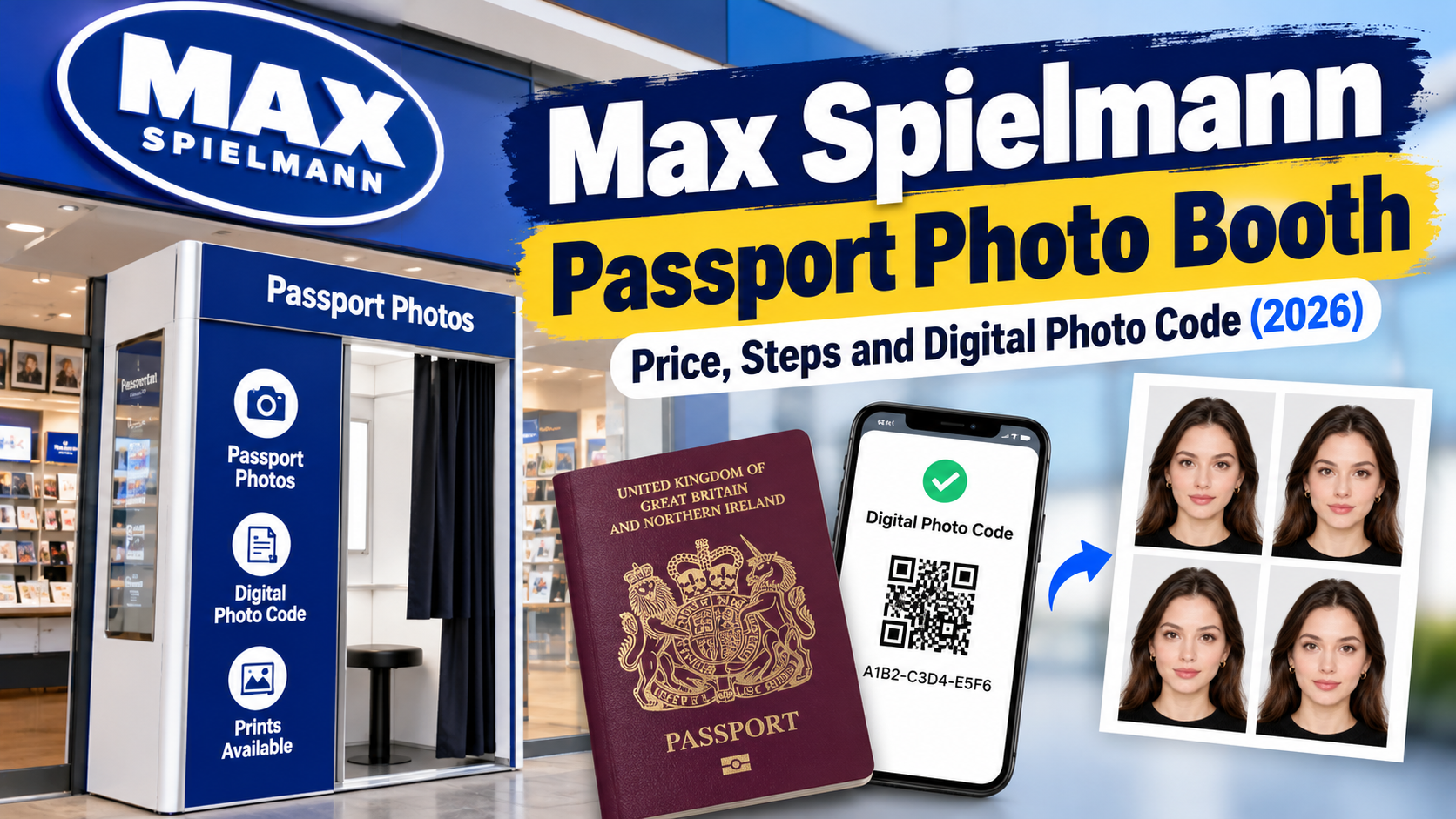
Quick Answer
Do you need to submit a photo? Yes. Every UK passport application needs a new photo, even if you look exactly the same, and it must have been taken within the last month. Apply online and you submit one digital photo, either with a photo code from a booth or shop, or by taking one on your own device during the application. Apply on a paper form and you post two identical printed photos.
Which applications does the booth cover? Max Spielmann's booth handles UK passport photos (new applications and renewals), international passport photos for 140+ countries, UK driving licences, bus passes, railcards and other photo ID.
Price and code: The booth costs £10 and prints four photos with a digital photo code. A staffed Max Spielmann shop costs £12.99, adds an in-store HMPO check and free retakes, and is the right choice for babies and toddlers, because the booth is not suitable for them.
1. Why Different Guides Say Different Things
If you have read three guides on this topic, you have probably seen three different answers. Here is where the confusion comes from.
The price. Max Spielmann's own pages list the booth at £10 and the shop at £12.99. Some third-party guides quote lower booth prices at Tesco and Asda, and some say you get two prints rather than four. Max Spielmann states four prints, and booths are in Tesco and Asda stores as well as shopping centres, so the retailer's own page is the one to trust. Booth pricing can vary by site, which is why a quick check at the machine beats any article.
Whether you "need" a digital code. Max Spielmann's page says you need a digital photo code if you are applying online. GOV.UK describes two routes: get a photo with a code from a booth or shop, or take a photo on your own device during the application, with someone helping you. So the code is the booth and shop route, not the only legal route. GOV.UK adds that photos from a booth or shop are more likely to be approved than device photos.
"White" versus "cream or grey" backgrounds. For printed photos, GOV.UK asks for a plain cream or light grey background, printed on plain white photographic paper. Guides that say "white background" are often mixing up the paper with the backdrop. For digital photos the rule is a plain light-coloured background.
Booth versus shop. These are different services, not the same product at two prices. The booth is self-service with automatic capture. The shop has a person who takes the photo, checks it against HMPO rules, and offers free retakes. Max Spielmann says plainly that booth customers miss out on the in-store guidance and checks.
A third product to avoid mixing up. Max Spielmann's online passport prints (£9.99 for six photos) are a print service for a file you already have. They do not include a digital code and are not checked against HMPO rules, so they do not work for an online application.
2. The Photo Requirements, Precisely
These come from GOV.UK's printed and digital photo rules.
Printed photos (paper application)
- Two identical photos, 45 mm high by 35 mm wide, not cut down from a larger picture
- Head from crown to chin between 29 mm and 34 mm
- Colour, on plain white photographic paper with no border, no creases or tears, unmarked on both sides unless countersigning is needed
- Plain cream or light grey background, in clear contrast with you
- Unaltered by computer software
Digital photos (online application)
- At least 600 pixels wide and 750 pixels tall
- At least 50 KB and no more than 10 MB
- In colour, clear, in focus, and unaltered by computer software
- Plain light-coloured background, no other objects or people, no red eye
- If you use your own device: include your head, shoulders and upper body, and do not crop it, because the application crops it for you
Pose, for everyone
- Facing forwards, looking straight at the camera
- Plain expression, mouth closed, eyes open and visible
- No hair across your eyes, no shadows on your face or behind you
- No head covering unless for religious or medical reasons
- No glasses unless you have to wear them; if you do, no tint, no glare, no frames covering your eyes
Children and babies
- Children must be alone in the picture. Babies must not hold toys or use dummies.
- Under 6: they do not need to look at the camera or keep a plain expression.
- Under 1: eyes do not need to be open. They should lie on a plain light-coloured sheet, photographed from above. You can support their head, but your hand must not be visible.
- At the Max Spielmann booth: the booth is not suitable for babies or toddlers. Max Spielmann says most children over 4 can use it, but under-4s need a staffed shop. Shop passport photos are £12.99 for adults and children alike.
- If a shop trip is awkward: PhotoOmni has a UK baby passport photo page for preparing a baby's photo at home with AI checks and expert review. GOV.UK's baby rules above still apply.
3. How to Get a Compliant Photo and the Digital Code
At the booth
- Find a booth with Max Spielmann's store locator. There are 1,800+ booths, including 800+ Tesco stores.
- Choose the UK passport option. GOV.UK says to choose the option to get a code with your photos, so do not pick a generic ID option.
- Follow the on-screen instructions and take your photo. You can retake up to 10 times before you commit.
- Pay by cash, card or contactless, including Apple Pay and Google Pay.
- Collect your four prints. The digital photo code is printed with them; keep it somewhere safe.
- Start your application on GOV.UK and enter the code when asked. Your digital photo is added to the application automatically.
You can also enter your email at the booth to have a digital copy sent to you.
At a shop. A colleague takes the photo, checks it against HMPO's rules, and gives you printed and digital copies. Apply & Go, where staff complete your online application for an extra fee, is available only in shops, not at booths.
Without either. Use the own-device route in the GOV.UK application. Have someone take the photo, follow the pose and background rules above, and upload it uncropped.
Timing rule that catches people: your photo must have been taken in the last month. If you pick up a code but delay applying, the photo can go out of date.
4. Cost and Time
| Option | Price | Time | Digital code | Human check |
|---|---|---|---|---|
| Max Spielmann booth | £10 (4 prints) | Under 3 minutes | Yes | No, automatic |
| Max Spielmann shop | £12.99 (4 prints, same for adults and kids) | About 5 minutes | Yes | Yes, with free retakes |
| Max Spielmann online prints | £9.99 (6 photos) | 20 minutes to collect, or next-day delivery | No | No |
| Own device, during GOV.UK application | Free | Few minutes | Not needed | No |
Add your passport fee separately; none of these prices include it.
5. Common Mistakes, and What to Do If Your Photo Fails
Mistakes that cause problems
- Picking the wrong booth option and ending up with no code
- Losing the code or leaving it too late, so the photo passes the one-month limit
- Using online prints for an online application, when they have no code
- Glasses with glare, hair over the eyes, shadows from overhead light
- Cropping or editing an own-device photo, when GOV.UK says it must be unaltered
- Assuming a booth session guarantees acceptance. Booths are designed to produce compliant photos, but there is no human check
If something goes wrong
- Booth problem or rejected photo: Max Spielmann's booth FAQ says to contact them so they can find a solution. Do this first if the code does not work or you believe the booth made the error.
- Shop photo rejected: Max Spielmann says to go back and they will retake it free of charge.
- HMPO says the photo does not meet the rules: your application is delayed until you provide a compliant replacement. Read what the notice says is wrong, fix that specific issue, and avoid re-using the same file. Our guide to why passport photos get rejected walks through the common causes and fixes.
6. How PhotoOmni Compares with the Other Ways of Getting a Photo
| Method | Cost | Best for | Watch out for |
|---|---|---|---|
| Max Spielmann booth | £10 | Fast, in-person, with a retailer code | Not for babies or toddlers; no human check |
| Max Spielmann shop | £12.99 | Babies, anxious applicants, expert check, Apply & Go | Needs a trip and an opening-hours check |
| Own phone, uploaded in GOV.UK | Free | Low cost if you can meet the rules | Needs a helper; no cropping or editing allowed |
| PhotoOmni UK passport photo | One-time $5.99 (see current pricing) | Preparing a photo from home, with a digital file for online applications or a 35 x 45 mm print-ready file for paper | Delivers files, not a retailer photo code; approval is not guaranteed |
PhotoOmni's UK passport photo page works from a photo you upload from home. An AI check reviews size, framing, lighting, background and image quality, and an expert reviews the result before delivery. You then download either a colour digital file (at least 600 x 750 px, 50 KB to 10 MB) for an online application, or a 35 x 45 mm print-ready file for a paper application. The page also lists a refund for photo-related rejection; read the refund policy for the terms.
Two honest points. First, it does not replace a retailer code: that is a booth and shop feature, so with PhotoOmni you upload the file yourself or print it. Second, PhotoOmni's own page notes that a photo passing online checks can still be rejected by HM Passport Office, and GOV.UK asks for an unaltered, uncropped photo on the own-device route. So before you submit, run your final file through the official GOV.UK passport photo checker, and check that nothing has been cropped or edited in a way GOV.UK rules out.
If you want to take the photo at home, our step-by-step home passport photo guide and full requirements guide cover lighting, framing and phone settings. Applying for a UK visa instead? That is a separate UKVI process, covered in the FAQ below.
Choose the Max Spielmann booth when you want the quickest route to a retailer code. Choose the shop for a baby or toddler, or when you want someone to check it. Choose a home-prepared photo when cost matters and you are comfortable following the rules closely.
7. Checklist Before You Submit
- Photo taken within the last month
- Applying online? You have a code, or an unedited, uncropped own-device photo meeting 600 x 750 px minimum and 50 KB to 10 MB
- Applying on paper? Two identical prints, 45 x 35 mm, on plain white photographic paper with no border
- Plain, evenly lit background: cream or light grey for prints, plain light-coloured for digital
- Facing forward, plain expression, mouth closed, eyes open and visible
- No shadows on your face or behind you, no hair over your eyes, no red eye
- Glasses only if you must wear them, with no glare or tint
- Child alone in the frame; baby with no toys or dummy
- Code saved, with the receipt if you have one
- No editing or beauty filters on any own-device photo
- Digital file run through the official GOV.UK passport photo checker before you submit
8. FAQ
How much is a Max Spielmann passport photo booth? £10 per session, with four printed photos and a digital photo code. Staffed shop passport photos are £12.99.
Does the Max Spielmann booth give a digital photo code? Yes. The printed photos include a code you enter during your online passport application. Choose the passport option so the session is set up to produce one.
How long is the digital photo code valid? I could not find a code-specific expiry published on GOV.UK or Max Spielmann's pages. The clear rule is that the photo must have been taken within the last month, so apply promptly and check the receipt or ask Max Spielmann if you are unsure.
Can I use the booth for a baby or toddler? No. Max Spielmann says the booth is not suitable for babies or toddlers, and under-4s should use a shop. Most children over 4 can use the booth.
What if my booth photo is rejected? Contact Max Spielmann, as its booth FAQ directs. If HMPO says the photo does not meet the rules, your application is delayed until you provide a compliant replacement.
Can I use the booth photos for a paper application? Yes. You get four prints and a paper application needs two identical photos at 45 x 35 mm. Check the printed-photo rules on GOV.UK for the details.
Do I need a new photo if I look the same as in my old passport? Yes. GOV.UK says you must get a new photo with each new passport, even if your appearance has not changed.
Does Apply & Go work at the booth? No. Apply & Go is only offered in Max Spielmann shops.
Is a UK visa photo the same as a UK passport photo? No. UK visa photos go through UK Visas and Immigration, not HM Passport Office. PhotoOmni's UK visa photo page describes a vertical JPG or JPEG upload of at least 600 x 750 px and between 50 KB and 6 MB, whereas the online passport route allows files up to 10 MB. It also notes that some applicants give their photo at a visa application centre instead, so follow the instructions in your own application.
Can I take my own photo instead? Yes, during the online application, with someone helping you. Include your head, shoulders and upper body, and do not crop or edit it. GOV.UK notes that booth and shop photos are more likely to be approved than device photos.
Final Take
For a quick adult or older-child passport photo with a retailer code, the £10 Max Spielmann booth is hard to beat. For babies, toddlers, or any time you want a person to check it, the £12.99 shop is the better fit. And if you would rather prepare a photo yourself and check it before you commit, PhotoOmni's UK passport photo tool can check it against the rules first. Whichever route you pick, keep the one-month rule in mind and read the notice carefully if anything is sent back.