
Online US Passport Photo Tool 2026: What AI Can and Can't Do for Your Photo
AI can help check a U.S. passport photo, but it should not be used to change it. Learn what an online passport photo tool can safely do — and why PhotoOmni combines AI compliance checks with human expert review.
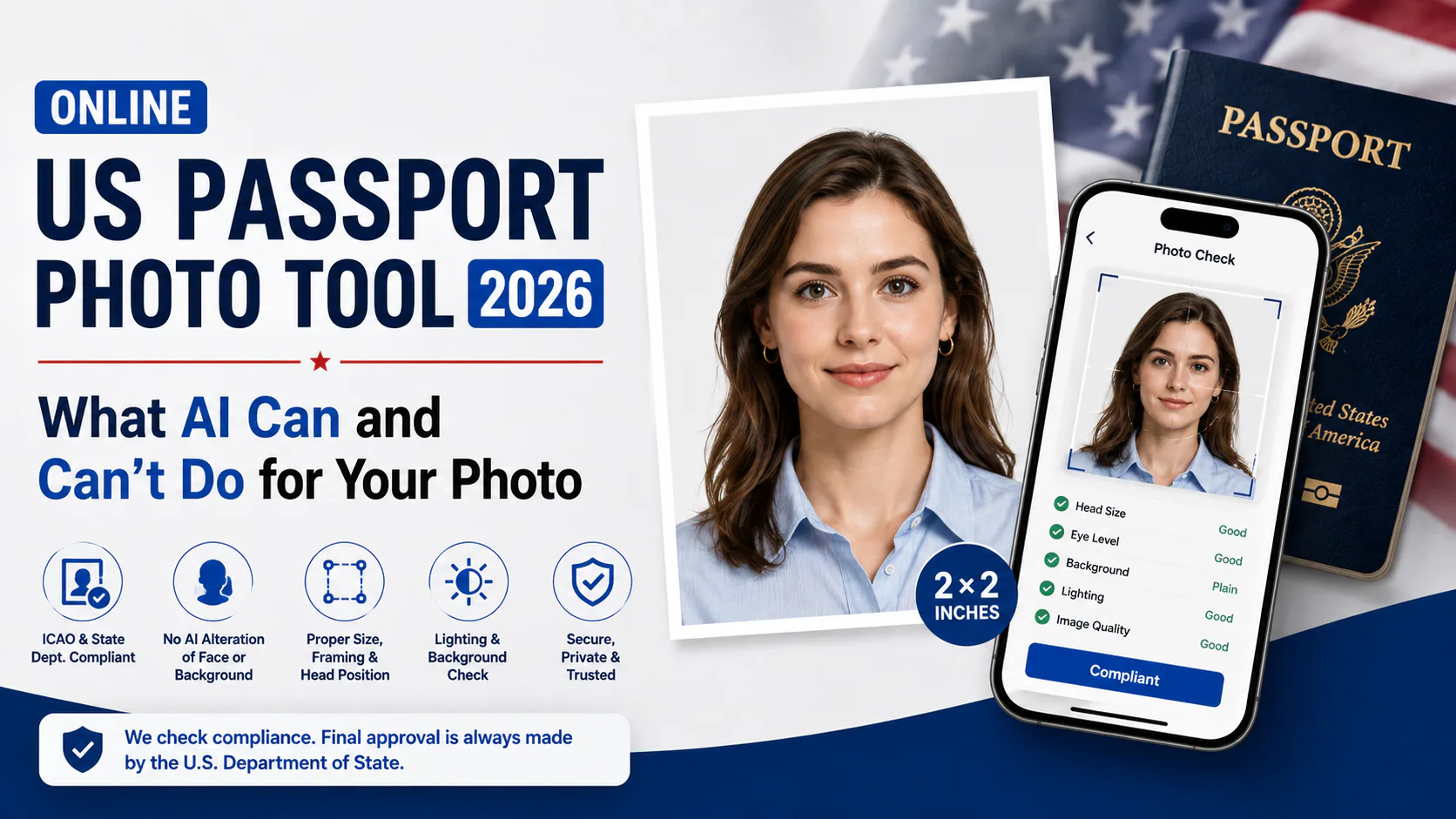
Using an online tool to prepare a U.S. passport photo can save a trip to a photo counter, but in 2026 there is an important distinction every applicant should understand:
AI can help check a U.S. passport photo. It should not be used to change the photo.
The U.S. Department of State currently instructs applicants to submit an original, unchanged photo and not to change passport photos using computer software, phone apps, filters, or artificial intelligence.
That means an online U.S. passport photo service should help you identify problems, measure the photograph, prepare the correct framing, and tell you when you need to retake the source image — not digitally rebuild a bad photo until it looks compliant.
PhotoOmni follows that approach for U.S. passport photos: AI is used for compliance checking rather than photo alteration, followed by an additional human expert review.
This guide explains what an online passport photo tool can safely help with, what it should not change, which U.S. passport-photo measurements matter, and how PhotoOmni combines automated checks with experienced human review.
Quick Answer
A U.S. passport photo in 2026 should be an original, unchanged image.
For a standard printed passport application, the photo must be:
- 2 × 2 inches (51 × 51 mm);
- taken within the last 6 months;
- in color;
- taken against a plain white or off-white background;
- clear and properly exposed;
- centered with a full frontal view of the face; and
- sized so the head measures approximately 1–1⅜ inches (25–35 mm) from the bottom of the chin to the top of the head.
You should not use AI or editing software to replace the background, smooth the skin, alter facial features, remove red-eye, or digitally repair a source image that should have been retaken.
An online passport photo tool can still be useful when it acts as a checker and preparation tool.
PhotoOmni uses AI to analyze the photo for technical and visual problems. It does not use AI to recreate your face or artificially repair a non-compliant source image. After the automated check, an experienced human reviewer performs another review before the photo is prepared for delivery.
If you prefer to prepare the file online, the US passport photo maker can help check the crop, background, and passport-photo format before submission.
What the U.S. Department of State Says About AI Passport Photos
The U.S. Department of State's current passport-photo guidance is clear about digital alterations.
Applicants are instructed to submit the original, unchanged photo and not to change the image using computer software, phone apps, filters, or artificial intelligence.
The Department specifically gives examples of unacceptable photos, including:
- digitally altered backgrounds;
- filters that change how the original image looks;
- images modified in graphic-design software;
- images created using AI;
- stretched or compressed photographs that change a person's natural appearance; and
- red-eye that has been digitally corrected rather than resolved by taking another photo.
For digital passport-photo uploads, the State Department also states that it checks photos to identify the use of artificial-intelligence tools.
The practical rule is simple:
If the original photograph has a problem that requires changing the actual image, take another photograph instead of digitally fixing it.
AI Checking Is Different From AI Editing
This distinction is important because the phrase "AI passport photo tool" can mean two very different things.
One type of tool uses AI to change the photograph.
Another uses AI to analyze the photograph.
For a U.S. passport photo, those are not the same thing.
AI editing
AI editing may include:
- replacing the background;
- rebuilding hair edges;
- smoothing skin;
- removing blemishes;
- changing facial lighting;
- correcting eyes;
- altering facial features;
- artificially sharpening facial details; or
- generating parts of the image that were not present in the original photograph.
Those are not the functions PhotoOmni relies on for U.S. passport photos.
AI compliance checking
AI checking analyzes the original photograph without using generative editing to make it appear compliant.
A compliance-focused system can help determine whether:
- the image is sharp enough;
- the head is centered;
- the face is positioned correctly;
- the head appears too large or too small;
- the background appears suitable;
- shadows are visible;
- the face is tilted;
- glare is present;
- facial features are obscured; or
- the source photograph should be retaken.
That is the role AI plays in PhotoOmni's U.S. passport photo workflow.
The AI checks the photo. It does not recreate it.
What an Online U.S. Passport Photo Tool Can Help With
A useful U.S. passport photo tool should focus on measurements, validation, and preparation rather than artificial correction.
| Useful function | What it means |
|---|---|
| Photo-size check | Verify that the final printed photo can meet the required 2 × 2-inch format |
| Head-size measurement | Check whether the chin-to-crown measurement falls within the required range |
| Centering check | Identify whether the head and face are positioned appropriately |
| Pose check | Flag excessive tilt or a face that is not directed toward the camera |
| Background check | Identify shadows, objects, patterns, or an unsuitable background |
| Lighting check | Identify overexposure, underexposure, glare, or strong shadows |
| Sharpness check | Flag blur, grain, pixelation, or focus problems |
| Obstruction check | Identify glasses, hair, clothing, or other items that interfere with facial visibility |
| Retake guidance | Tell the user when the original image should be photographed again |
| Final preparation | Prepare an acceptable source image for the required passport-photo dimensions and layout |
The important principle is that a tool should identify a bad source image rather than silently transform it into a different image.
What a U.S. Passport Photo Tool Should Not Do
For a U.S. passport photo, the service should not treat every problem as something that can be repaired automatically.
Avoid workflows that:
- replace an unsuitable background with an AI-generated white background;
- smooth or reshape the face;
- remove facial marks or change skin texture;
- alter eye color or remove red-eye;
- digitally reconstruct hair or facial edges;
- stretch the applicant to force the photograph into the correct proportions;
- apply beauty filters;
- modify shadows directly on the face; or
- generate missing parts of the original photograph.
If one of these problems exists in the original image, taking another photo is usually the safer solution.
U.S. Passport Photo Requirements: The Numbers That Matter
Before using any online tool, start with the official measurements.
A US passport photo maker can apply these dimensions and formatting checks to the uploaded photo.
| Requirement | U.S. passport photo requirement |
|---|---|
| Photo age | Taken within the last 6 months |
| Printed size | 2 × 2 inches |
| Metric size | 51 × 51 mm |
| Head height | 1–1⅜ inches |
| Head height in metric | Approximately 25–35 mm |
| Photo type | Color |
| Background | Plain white or off-white |
| Pose | Full frontal view |
| Image quality | Clear, properly exposed, and sufficiently sharp |
| Digital alteration | Submit the original, unchanged photograph |
The State Department's internal passport-photo guidance also specifies a facial-image size of approximately 1 to 1⅜ inches from the top of the head to the bottom of the chin.
What PhotoOmni AI Actually Checks
For U.S. passport photos, PhotoOmni uses AI as a compliance-checking layer, not as a generative image editor.
The system analyzes the uploaded original for issues such as:
- Photo dimensions and proportions
- Head size
- Head position
- Horizontal centering
- Head tilt
- Facial visibility
- Background suitability
- Shadows and lighting
- Sharpness and image quality
- Glare, glasses, or visible obstructions
The purpose of these checks is not to make a poor source photograph look acceptable.
It is to answer a more useful question:
"Is this original photograph suitable to continue with, or should I take another one?"
If the image contains a problem that should not be digitally corrected, the correct next step is a retake.
AI Check First, Human Expert Review Second
Automated checks are useful because measurements and obvious visual problems can be identified quickly.
But passport-photo compliance is not only a collection of numbers.
A photograph may technically have the correct dimensions while still containing a visual issue that makes it unsuitable.
That is why PhotoOmni adds a second review layer after the automated check.
An experienced human reviewer checks details such as:
- whether the face appears naturally positioned;
- whether the framing looks appropriate;
- whether shadows interfere with facial visibility;
- whether the background appears acceptable;
- whether glare or an obstruction creates a problem;
- whether the image appears sufficiently clear;
- whether the source photograph should be retaken; and
- whether the prepared photograph appears consistent with the relevant U.S. requirements.
PhotoOmni's review team has years of experience reviewing passport, visa, and identification photographs.
The human reviewer does not exist to digitally beautify the photograph.
The review exists to provide another layer of judgment before you use the image for your application.
AI catches measurable problems. Human reviewers evaluate details that automated checks may miss.
What Happens If the Human Reviewer Finds a Problem?
Not every problem should be fixed.
Sometimes the correct answer is simply: take another photo.
For example, you may need a retake if:
- your head is strongly tilted;
- the image is badly blurred;
- your face is not directed toward the camera;
- the background is unsuitable;
- a strong shadow crosses the face;
- red-eye is visible;
- the image has already been filtered or digitally modified;
- glare obscures the eyes; or
- part of the face is hidden.
In these situations, PhotoOmni can identify the issue and guide you toward a new source image rather than digitally modifying the original photograph.
This distinction helps preserve the original appearance required by the U.S. Department of State.
How PhotoOmni Checks a U.S. Passport Photo
The workflow can be summarized in six steps.
Step 1: Take an original photo
Take a clear photograph against a plain white or off-white background.
Avoid filters, portrait retouching, beauty modes, or other settings intended to change your appearance.
Step 2: Upload the original image
Upload the clearest unedited photograph to PhotoOmni.
The original image is the basis for the compliance check.
Step 3: AI compliance check
PhotoOmni analyzes the photograph against important U.S. passport-photo criteria.
It checks technical measurements and visual conditions rather than generating a new version of your appearance.
Step 4: Problems are flagged
If the system detects a likely problem, the photo can be flagged for closer review.
This may include issues with framing, head position, background, lighting, sharpness, or facial visibility.
Step 5: Human expert review
A member of PhotoOmni's experienced review team performs another check.
The reviewer evaluates the photograph using both the measurable requirements and practical experience from reviewing passport and document photos.
Step 6: Prepare or retake
If the original image is suitable, it can be prepared for the required passport-photo format.
If the source image has a problem that should not be digitally corrected, you can take a new photograph before submitting your application.
Original photo → AI compliance check → Human expert review → Prepare or retake
How to Take a Good Source Photo Before Uploading
The easiest way to avoid problems later is to start with a strong original photograph.
1. Use a plain white or off-white background
Do not assume a photo tool can replace the background later.
Set up the correct physical background before taking the photograph.
2. Use even lighting
Natural window light can work well.
Avoid a strong light directly above or beside the face because it can create dark shadows.
3. Face the camera directly
Keep your head upright and look straight toward the camera.
Avoid turning or tilting your head.
4. Use a natural expression
Keep your expression neutral and avoid an exaggerated smile.
5. Remove eyeglasses
Current U.S. passport-photo guidance generally requires eyeglasses to be removed unless an applicable medical exception applies.
6. Avoid digital filters
Do not use beauty filters, social-media filters, or editing apps.
7. Take several photos
Small changes in lighting, focus, and head position can make a major difference.
Take several original images and choose the sharpest one.
Common U.S. Passport Photo Problems in 2026
Digitally altered photo
If the photograph has been filtered, AI-generated, or digitally changed, take a new original photo.
Wrong background
Use a plain white or off-white physical background rather than digitally replacing it afterward.
Head too large or too small
The head should measure approximately 1–1⅜ inches (25–35 mm) from chin to crown within the 2 × 2-inch photograph.
Head not centered
A badly off-center face may make the photograph unsuitable.
Head tilted
Keep your head upright and directed toward the camera.
Shadows
Strong shadows on the face or background can create compliance problems.
Blur or pixelation
Use a sharp original image with enough resolution.
Red-eye
Do not digitally correct red-eye.
Change the lighting or flash settings and take another photograph.
Glasses or glare
Remove eyeglasses unless you qualify for an exception, and avoid glare that obscures the eyes.
Old photograph
Your photograph should have been taken within the previous 6 months.
Before You Upload: 10 Things to Check
A good passport photo tool should not be the first place you discover that your source photo has a basic problem.
Before uploading, take a quick look at the original image and check these 10 points:
- Recent: Was the photo taken within the last 6 months?
- Original: Has it remained unfiltered and unedited?
- Clear: Is the image sharp, in focus, and in color?
- Forward-facing: Are you looking directly at the camera?
- Full face: Are all important facial features clearly visible?
- Head position: Is your head upright without an obvious tilt?
- Background: Is it plain white or off-white?
- Lighting: Are there no strong shadows, glare, or overexposed areas?
- No obstruction: Are glasses and other items that interfere with facial visibility absent?
- Enough framing: Is there enough space around the head and shoulders to prepare the required 2 × 2-inch composition?
Passing this visual check does not mean the photo is automatically acceptable. It simply means the original looks suitable enough to move to the next stage: technical compliance checking.
Why PhotoOmni Adds a Second Pair of Eyes
A photo can look perfectly normal to you and still contain a small detail worth checking before you use it for a passport application.
PhotoOmni therefore does not rely on automated analysis alone.
The first layer checks measurable and detectable conditions such as head positioning, framing, background, lighting, sharpness, and other photo-quality requirements.
Then an experienced human reviewer takes a second look.
The review team has years of experience working with passport, visa, and identification photos and can evaluate details that are harder to reduce to a simple pass-or-fail score.
For example, a reviewer may notice borderline framing, an unusual shadow, glare, facial obstruction, or another issue that deserves closer attention.
Most importantly, human review does not mean digitally retouching your appearance.
If the original photo has a problem that should not be edited away, the reviewer can flag it and recommend a new source photo instead.
The workflow is intentionally simple:
You take the original → AI checks the requirements → a human reviews the result → you prepare or retake.
The goal is not to make a bad photo look compliant. It is to catch problems before you rely on it for your application.
Is PhotoOmni an AI Passport Photo Editor?
For U.S. passport photos, it is more accurate to describe PhotoOmni as an AI-assisted passport photo compliance and preparation service with human expert review.
The AI component checks the image.
The human reviewer verifies it.
Neither step is intended to artificially recreate your appearance or convert a poor source photograph into a different photograph.
That difference matters for U.S. applications because current State Department guidance requires an original, unchanged photo.
FAQ
Can I use an AI passport photo tool for a U.S. passport in 2026?
You can use AI to help analyze and check a photograph, but you should not use AI to create or digitally alter the passport image itself.
The U.S. Department of State instructs applicants to submit an original, unchanged photograph — requirements you should know.
Does PhotoOmni use AI to change my U.S. passport photo?
For the U.S. passport workflow described here, PhotoOmni uses AI for compliance checking rather than generative photo editing.
The system evaluates requirements such as positioning, dimensions, background, lighting, sharpness, and pose.
Does PhotoOmni replace my background with AI?
Not for a U.S. passport photo under this workflow.
If the original background is unsuitable, the safer approach is to take another photograph against a plain white or off-white background.
What happens after the AI check?
The photograph receives an additional human expert review.
An experienced reviewer checks the image for issues that automated validation alone may miss and determines whether the source photograph appears suitable to continue with.
Can PhotoOmni fix a bad passport photo?
PhotoOmni can identify problems and help prepare a suitable original photograph.
If the original contains a problem that should not be digitally corrected — such as a bad background, severe blur, red-eye, a strongly tilted head, or an altered appearance — the appropriate solution may be to take another photograph.
Why use human review if AI already checks the photo?
AI works well for repeatable measurements and technical checks.
Human reviewers add judgment for borderline or contextual issues such as unusual framing, shadows, glare, facial visibility, and whether the source image should be retaken.
What size is a U.S. passport photo?
A printed U.S. passport photo should measure 2 × 2 inches (51 × 51 mm).
The head should measure approximately 1–1⅜ inches (25–35 mm) from the bottom of the chin to the top of the head.
Can I digitally remove red-eye?
No.
The State Department specifically advises applicants not to digitally correct red-eye because doing so changes the natural appearance of the eyes.
Adjust the lighting or flash and take another photograph.
Can I replace a bad background with a white background?
For a U.S. passport photo, the safer approach is to photograph yourself against a compliant white or off-white background white or off-white background from the beginning.
The State Department specifically tells applicants with an unsuitable background to fix the lighting and background and take another photograph instead of changing it with software or AI.
Does using PhotoOmni guarantee my passport will be approved?
No passport-photo service can guarantee approval of an entire passport application.
The final decision belongs to the U.S. Department of State, and acceptance depends on the photograph as well as the rest of your application.
PhotoOmni's role is to help identify photo-related problems before submission through automated compliance checks and experienced human review.
Prepare Your U.S. Passport Photo With PhotoOmni
Start with a clear, original, unedited photograph.
PhotoOmni can then check the image against important U.S. passport-photo requirements using automated compliance analysis — all for just $5.99.
After that automated check, an experienced human reviewer performs an additional review to identify issues that may be easy to miss.
If your source photo is suitable, it can be prepared for the required passport-photo format.
If it contains a problem that should not be digitally corrected, take another original photograph instead.
AI checks. Human experts review. Your original appearance stays unchanged.
Sources
U.S. Department of State — Passport Photos
U.S. Department of State — Uploading a Digital Photo
U.S. Department of State Foreign Affairs Manual — 8 FAM 402.1 Passport Photographs
Always check the current U.S. Department of State requirements before submitting your passport application.
The U.S. Department of State Passport Photo Tool: What It Does and Doesn't Do
The State Department passport photo tool (also searched as passport photo tool state department or department of state photo tool) is a free cropper. It can select an image from your computer, resize or rotate it, crop it to a square 600 × 600-pixel file, and save it for a visa or paper-photo workflow. It is not a complete passport photo checker tool: the Department of State says the tool does not check image quality, and an employee makes the final decision.
Use it when you need a careful crop of an original image. Do not treat a successful crop as proof that the background, focus, lighting, expression, or digital-editing rules have been satisfied. It is also not the tool for online U.S. passport renewal; follow the renewal application's own upload guidance instead. Read the official limitations and instructions.
How to use the official Department of State Photo Tool
Start with the official Photo Tool, reached through Travel.State.Gov. “Travel.gov photo tool,” “DOS photo tool” and “U.S. embassy photo tool” are common search terms; they do not identify separate approval services.
- Choose an original portrait with enough room around your head.
- Load the image and position the head within the displayed guides.
- Preview the crop, then save the output. Check that the whole head remains visible.
- For a paper application, print at the required physical size rather than letting the printer stretch the image to fill the sheet.
The official digital-image instructions describe a 600×600-pixel crop. Cropping does not certify the lighting, background or likeness. If the original portrait is blurred or shadowed, retake it.
Which tool should you use for your application?
| Application | Appropriate workflow |
|---|---|
| U.S. passport using a paper form | Follow the passport photo requirements and prepare the required printed photo |
| Online U.S. passport renewal | Upload through the renewal application's own photo controls; do not use the standalone cropper |
| DS-160 visa application | Follow the visa upload instructions; see our DS-160 photo tool guide |
| USCIS / EAD application | Follow the form's evidence requirements and any biometrics notice; see the USCIS photo guide |
For online passport renewal, the application provides positioning and cropping controls. Start with an original image that leaves room around your head and shoulders, rather than a screenshot of a 2×2 print. Read any error message before trying another upload; repeated cropping cannot repair poor lighting or a digitally altered source photo.
About the Author
Emma Richardson Senior ICAO Photo Compliance Expert, PhotoOmni
Emma Richardson is the Senior ICAO Photo Compliance Expert at PhotoOmni. With 12+ years of experience in passport and visa photo verification, she has helped applicants achieve 820,000+ successful photo approvals across 100+ countries and territories. She specializes in global passport photo requirements, ICAO-compliant photo standards, and biometric image verification.
Related Articles
- How to Take a Passport Photo at Home (2026 Guide)
- Passport Photo Requirements: The Complete 2026 Guide
- Why Was My Passport Photo Rejected? 15 Common Reasons & Fixes
Data sources: US Department of State passport processing (FY2024), UK Home Office annual report (2023), NIST FRVT Part 3: Demographic Effects (March 2024), ICAO Doc 9303 photo specifications. Pricing based on publicly listed rates as of July 2026.
For a practical shooting checklist, see our guide to taking a passport photo with an iPhone.