
Passport Photo Size & Dimensions: Pixels, Inches, MM and Country Requirements
Passport photo sizes, pixel dimensions, DPI, and country-specific requirements explained.
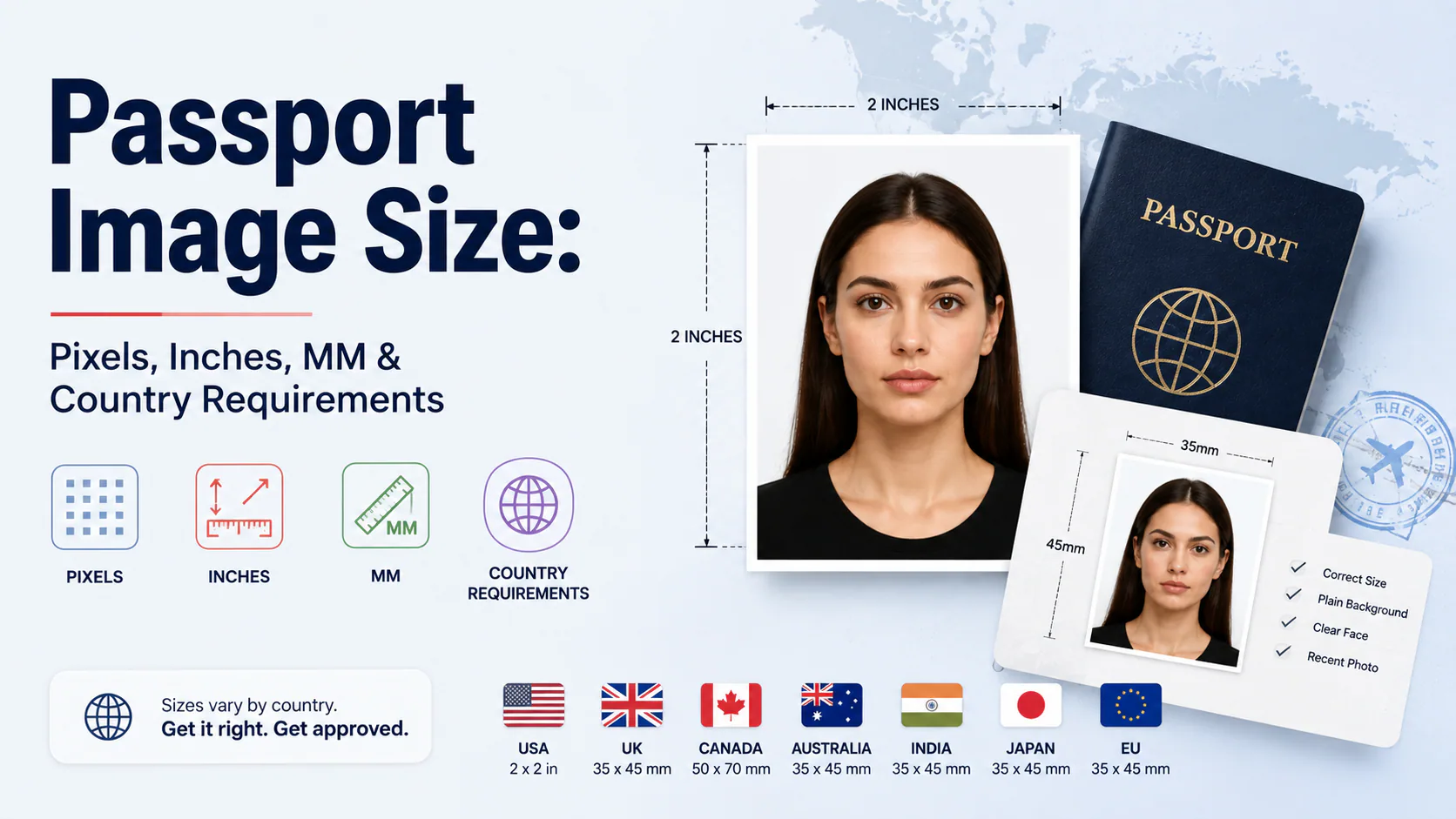
Passport Image Size: Pixels, Inches, MM & Country Requirements
Every size chart tells you the numbers. Almost none explain why a "correctly sized" photo still gets rejected. It's usually the DPI, not the dimensions.
Quick answer: There's no single worldwide passport photo size. The three formats that cover most of the planet are 2×2 inches / 51×51mm (US, and a few others), 35×45mm (UK, all of Schengen, India, Australia, most of the world), and 50×70mm (Canada, uniquely). At 300 DPI — the standard for printed photos — those convert to 600×600px, 413×531px, and 591×827px respectively. But the number people actually get wrong isn't the size, it's the DPI value attached to it, which silently changes what "correct" pixel dimensions even means.
A US passport photo maker can apply these dimensions and formatting checks to the uploaded photo.
Why the same photo can be "the right size" and still wrong
Pixels, inches, and millimeters aren't three independent measurements — they're the same photo described three ways, linked by one number: DPI (dots per inch). The relationship is simple:
pixels = inches × DPI
A 2×2 inch photo at 300 DPI is 600×600 pixels. That same 2×2 inch canvas at 150 DPI is only 300×300 pixels — half the resolution, same physical size. This is exactly how people end up with a photo that's technically "2×2 inches" and still gets bounced: the software they used exported at a lower DPI than the portal expects, so the pixel count comes in under the minimum even though the inch measurement on the label is correct.
The fix is to stop thinking in inches or mm alone and check the pixel dimensions specifically, since that's what most digital upload portals actually validate — not the DPI metadata, which can be missing or wrong in the file entirely.
Size by country: the three formats that cover most of the world
| Format | Used by | mm | Inches | Pixels @ 300 DPI |
|---|---|---|---|---|
| Square | US, Philippines, some Indian visa routes | 51 × 51 mm | 2 × 2 in | 600 × 600 px |
| Standard rectangle | UK, all Schengen countries, India (passport), Australia, most of Asia and Africa | 35 × 45 mm | 1.38 × 1.77 in | 413 × 531 px |
| Canadian rectangle | Canada only | 50 × 70 mm | 1.97 × 2.76 in | 591 × 827 px |
Two countries deserve their own line because they diverge from all three: China uses 33×45mm for a passport but 33×48mm with a light-blue background for a visa — the same country, two different specs depending on the document. Spain uses 26×32mm for its national ID-linked format, smaller than any of the three main sizes above.
Head size: the number that matters more than the frame
The outer photo size gets all the attention, but head height inside the frame is the more common rejection reason, because it's measured, not just cropped:
- US: head height 1 to 1⅜ inches (25–35mm), roughly 50–69% of the frame
- UK: crown-to-chin 29–34mm
- Canada: 31–36mm
- India: head fills 60–70% of frame — noticeably tighter than the US's 50–69%, despite India sometimes using the same 51×51mm canvas for certain visa routes
That India/US comparison is worth sitting with: two documents can use the identical outer canvas size and still reject the same photo, because the head-size tolerance inside that canvas is different. Matching the outer dimensions is necessary but not sufficient.
Digital upload limits: a separate rule set from the print size
Once you're submitting through an online portal rather than printing and mailing a physical photo, a second, independent set of rules kicks in — file size and pixel range, set by the specific portal, not the passport authority's print spec:
- US DS-160 visa uploads: JPEG, 240×240 to 1200×1200 pixels, under 240KB
- UK online uploads: JPEG, minimum 600×750 pixels, 50KB to 10MB
- Most portals: JPEG preferred; very few accept PNG, almost none accept HEIC (the iPhone default format) — worth checking before you export, since HEIC is what an iPhone saves to unless you change it
These limits exist on top of the physical-size spec, not instead of it. A photo can be perfectly sized in mm and still get bounced by an upload portal for being the wrong file format or exceeding a KB limit that has nothing to do with the photo's dimensions.
How to actually get this right
Rather than exporting at a size and hoping the DPI metadata is correct, the more reliable approach is to pick your destination country first, then generate the file at the exact pixel target for that country's spec — skipping the inches/mm conversion step entirely, since pixels are what most systems actually check. PhotoOmni's country-specific presets export directly at the correct pixel dimensions for each format above, which sidesteps the DPI-mismatch problem rather than requiring you to do the math yourself.
FAQ
What's the difference between passport photo size in inches and in pixels? Inches (or mm) describe the physical print size; pixels describe the digital resolution. They're linked by DPI — the same inch measurement can correspond to very different pixel counts depending on what DPI the file was exported at.
Why did my "2×2 inch" photo get rejected if the dimensions were correct? Most likely a DPI mismatch — the file may say 2×2 inches but was exported at a lower DPI than required, so the actual pixel count falls short of the portal's minimum even though the label is technically right.
Is a US passport photo the same size as an Indian passport photo? Not usually — Indian passport photos generally use 35×45mm, while the US uses 2×2 inches (51×51mm). Some Indian visa routes do use the 51×51mm size, but the head-size tolerance still differs (India's is tighter), so matching the outer canvas alone isn't enough.
What DPI should I use for a passport photo? 300 DPI is the standard for printed passport photos. For digital-only uploads, check the specific portal's pixel requirement directly — DPI matters less there than the raw pixel dimensions the portal asks for.
Country-specific specs change and vary by document type — always confirm exact requirements with the issuing authority before submitting.
U.S. Passport Photo Size and Dimensions: Quick Answer
A U.S. passport photo must be 2×2 inches (51×51 mm). A print prepared at 300 DPI is 600×600 pixels. The head must measure 1–1⅜ inches (25–35 mm) from the bottom of the chin to the top of the head, with the eyes positioned roughly 1⅛–1⅜ inches (28–35 mm) from the bottom edge.
| Measurement | U.S. passport-photo specification |
|---|---|
| Printed dimensions | 2×2 inches |
| Millimeters | 51×51 mm |
| Common 300-DPI file | 600×600 px |
| Head height | 1–1⅜ inches / 25–35 mm |
| Background | Plain white or off-white |
| Shape | Square |
If you prefer to prepare the file online, the US passport photo maker can help check the crop, background, and passport-photo format before submission.
Common Passport-Photo Sizes by Country
| Country or region | Typical printed size | Common digital reference |
|---|---|---|
| United States | 51×51 mm / 2×2 in | 600×600 px at 300 DPI |
| United Kingdom | 35×45 mm proportions | At least 600×750 px for many online routes |
| Schengen countries | 35×45 mm | Portal-specific |
| Canada | 50×70 mm | Application-specific |
| India | Often 35×45 mm for passports; some visas use 51×51 mm | Application-specific |
The outside dimensions alone are not enough. A file can be exactly 600×600 pixels and still fail because the head is too large, too small, tilted or incorrectly positioned. Always check both the canvas and the biometric composition.
Passport Photo Size FAQ
What size are passport photos in the United States?
Exactly 2×2 inches, or 51×51 mm.
Is 600×600 pixels always a valid passport photo?
No. It is a common U.S. reference at 300 DPI, but head size, background, lighting and facial position must also comply.
Is a passport-size photo the same worldwide?
No. The U.S. uses a square format, while 35×45 mm is common internationally and Canada uses 50×70 mm.